- Plex allows you to centralize your entire media library on a NAS to stream it to any compatible device.
- The power of the hardware and transcoding are key to avoiding interruptions in the playback of 4K content.
- Remote management and the use of automation tools enhance the user experience outside the home.
I'm sure it's happened to you: your hard drive is full of movies, TV shows, and music, but accessing them from your TV or tablet is a real hassle. That's where Plex Media Server comes in , a tool that basically turns your computer into a personalized streaming platform, much like Netflix or HBO, but with your own files.
Setting up this system on a NAS (Network Attached Storage) is the masterstroke, as it delegates the storage and processing load to a specialized device that's always on. This way, you can conveniently manage the entire setup from Windows 11 and enjoy your home theater without extreme technical complications.

What exactly is Plex and how does the system work?
To put it simply, Plex is software based on a client-server architecture. At its heart is the Plex Media Server (PMS) , the application that tracks your files, organizes them, and sends them to the devices where you want to watch the content. Plex clients , on the other hand, are the apps you install on your Smart TV, mobile device, or game console to access that content.
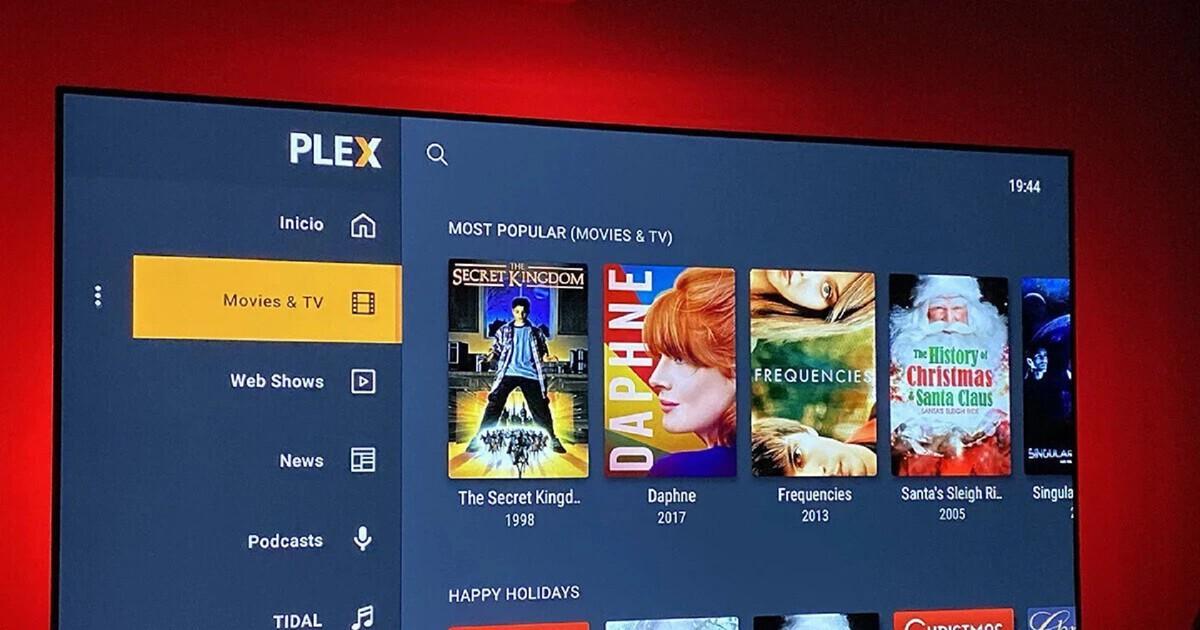
The coolest thing about Plex is that it doesn't just show you a boring list of files. It uses metadata agents that scan your folders and automatically download cover art, synopses, and ratings from sites like IMDb, making your library look professional and visually appealing.

Required hardware and technical requirements
You don't need to spend a fortune, but just any old toaster won't do. If you're going to use a NAS, make sure the CPU can handle video transcoding , which is the process of adapting the original file format to what the client device can play. An Intel Core i3 processor or equivalent is the minimum recommended, although models with Intel Quick Sync are the real deal for smooth performance.
Regarding memory, 2GB of RAM is usually sufficient for basic use, but if you have multiple users connected simultaneously or stream in 4K, you'd want to upgrade. If you prefer something more powerful, there are options like Seedbox VPSs , which offer enormous raw power and massive bandwidth for those who don't want physical hardware at home.
Step-by-step guide for installation on the NAS
If you have a NAS from brands like Synology or QNAP , the process is quite intuitive. The first step is to prepare the NAS operating system (such as QTS) by creating a storage volume and defining the folders where you'll store your media. It's crucial that the folder structure is clean: one for movies, another for TV shows, and another for music, avoiding mixing everything together.
To install the software, you can use the NAS's app store, although it's best to download the latest stable version directly from the Plex website to avoid bugs. Once installed, access it using the device's local IP address followed by port 32400. At this point, you'll need to create an account to easily identify it on your network.
Library configuration and file organization
To prevent Plex from malfunctioning and misidentifying movies, you must follow a naming convention . For movies, it's best to use the actual title followed by the year in parentheses. For TV series, the format is crucial for the system to index everything correctly and avoid naming errors.
When you add the library, select the content type and point to the folder on your NAS. Plex will then begin downloading the information. If you notice any incorrect album art, you can always manually correct it from the web interface.

Management from Windows 11 and remote access
Although the server resides on the NAS, management is primarily done through a web browser on your Windows 11 PC. From the control panel, you can adjust settings and manage users. If you want to watch your movies while traveling, you need to enable streaming . Sometimes this happens automatically, but if it fails, you'll have to access your router settings and configure port 32400.
For those seeking perfection, there are tools like [tool name] , which lets you monitor who's watching what in real time, or to sync your viewing history. If you want to automate content downloads, you can integrate [tool name] , which automatically searches for and downloads series and movies, doing the dirty work for you.
Streaming optimization and troubleshooting
If you notice the video cutting out, the server might be struggling with transcoding. To avoid this, the best option is to use `sudo` , which sends the file as is without processing, provided the client device supports it. If your hardware is limited, you can use `sudo` to optimize the files before playback.
Regarding subtitles, Plex can automatically download them from the source . If you notice they're out of sync, don't worry, you can adjust them in the playback settings while watching the movie. If the server appears as "unavailable," check that there isn't a network blocking communication or that your software version is up to date.
Having your own media server allows you to enjoy complete freedom over your content, eliminating the need for monthly subscriptions and centralizing everything on robust hardware like a NAS. By combining proper file organization, optimized network configuration, and the use of management tools in Windows 11, any user can transform their home into an advanced and efficient entertainment center.


Passionate writer about the world of bytes and technology in general. I love sharing my knowledge through writing, and that's what I'll do on this blog, show you all the most interesting things about gadgets, software, hardware, tech trends, and more. My goal is to help you navigate the digital world in a simple and entertaining way.