- Understand the difference between codec (compression) and container (wrapper).
- H.264 is the universal choice; HEVC and AV1 improve efficiency in 4K/HDR.
- For web, MP4/H.264; evaluate WEBM/AV1 in modern browsers.
- If a video won't play, diagnose codecs and repair corrupted files.
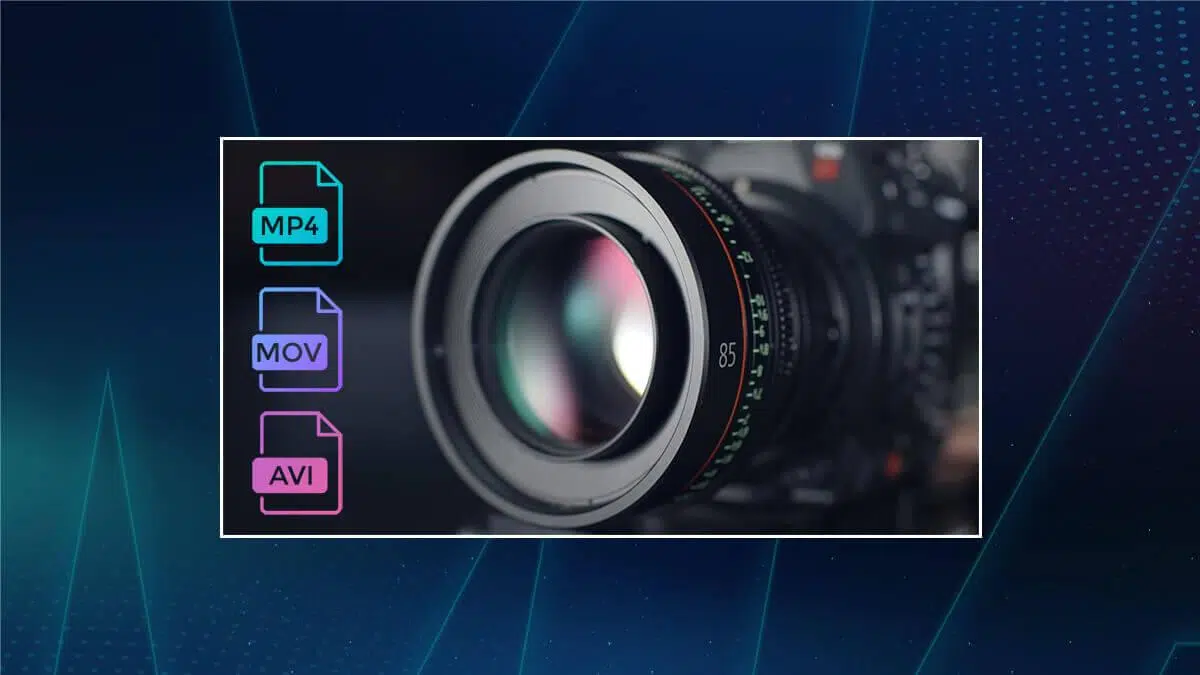
Choosing a codec might seem complicated, but with a few key points, you can make the right choice without wasting time or sacrificing quality. We compare video codecs with the highest compression ratios . In this guide, we break down which codec to use depending on the situation , how it relates to the container format, and which options are best for web, social media, TV/IPTV, or home entertainment.
In addition to a complete comparison (H.264/AVC, HEVC/H.265, VVC/H.266 and AV1), you will see the most common formats, such as MP4 or MKV ( MKV vs MP4 ), recommendations by platform and a practical section for when a video does not play due to codec problems with a step-by-step repair solution.
What is a video codec and how does it differ from a container?
A video codec is the software or standard that compresses (encodes) and decompresses (decodes) audiovisual data. Compression reduces file size to facilitate storage , transmission, and streaming ; decompression allows playback with sufficient fidelity on the destination device.
Compression can be lossy or lossless . Lossy compression removes or merges information less perceptible to the human eye to achieve much smaller files (typical in distribution/streaming). Lossless compression preserves all the data from the original, ideal for post-production, although with larger file sizes.
The container (MP4, MOV, MKV, AVI, etc.) is the file that "wraps" video, audio, subtitle , and metadata tracks. It doesn't compress itself; it simply groups streams encoded by codecs (for example, H.264 for video + AAC for audio within an .mp4 file).
How a codec works in general
Videos are sequences of frames made up of pixels. A codec identifies patterns, segments them into blocks , and predicts changes between frames to save only what's essential. Techniques such as motion compensation, intra/inter-frame prediction, quantization, and entropy coding combine to squeeze every bit of quality without the viewer perceiving any significant loss.
Modern codecs, such as H.264, HEVC, or AV1, take advantage of psychovisual principles (what the eye perceives better or worse) and strategies such as variable block sizes , multiple reference frames, or parallel processing to balance quality, bit rate, and computational complexity.
The most used codecs and formats today

H.264 (AVC)
H.264, also known as AVC, is the most widespread standard due to its excellent balance between quality and bitrate . It works on virtually all browsers and devices, and is key for Blu-ray, cable TV, and mainstream streaming.
Its key features include block-based motion compensation, variable-size blocks (4×4, 8×8, 16×16), intra-frame prediction, and entropy coding (CAVLC/CABAC). It is typically encapsulated in MP4, MOV, F4V, 3GP, or TS formats, maintaining outstanding software and hardware compatibility.
H.265 (HEVC)
HEVC (H.265) arrived to double the efficiency of H.264: it achieves equal or better quality with approximately half the bitrate . It is very valuable in 4K and detailed or cinematic content, and platforms like Netflix use it to reduce bandwidth without sacrificing sharpness.
It introduces CTUs up to 64x64, more accurate motion prediction, more prediction modes , an improved CABAC, and parallelization support. It is typically packaged in MP4 and TS formats (some listings mistakenly use abbreviations like "MP" or "SPP," which are not valid container formats).
H.266 (VVC)
VVC (H.266), developed by Fraunhofer and the successor to HEVC, aims to reduce bitrates by approximately 50% compared to H.265 in many scenarios. It shows promise for high-definition mobile streaming, 4K/8K, and volumetric video, although its adoption depends on hardware support and the licensing model.
AV1
AV1, developed by AOMedia ( Google , Amazon, Netflix, etc.), is a royalty-free codec designed to maximize efficiency and minimize licensing costs . YouTube already uses it in part of its catalog (4K and HDR content ), achieving superior quality at lower bitrates.
It stands out for its block- and tile-based encoding (sizes from 4×4 to 128×128), adaptive quantization , advanced prediction, multi-layer entropy coding, and native HDR support. In return, it demands more computing power for encoding/decoding, and its hardware support is still expanding.
WMV
WMV ( Windows Media Video) is Microsoft's family of video compression and storage formats, clearly geared towards the Windows ecosystem. It offers relatively small file sizes and acceptable quality for presentations, email, or simple distribution on PCs.
This umbrella encompasses WMV 7/8/9, VC-1, and MPEG-4-based profiles. Although its compatibility is currently lower than MP4, it can be useful when direct integration with Windows or license/rights management within that environment is needed, and when consulting codec packs for Windows.
FLV and F4V
FLV/F4V were created for web video with Adobe Flash Player. They support codecs such as Sorenson Spark, H.264, and VP6 . FLV was able to compress more than MP4 while maintaining good quality, saving bandwidth in the Flash era.
Flash is now obsolete, but legacy files and streams still exist. F4V is the ISO-based container (more modern) compared to FLV, which encoded video/audio as SWF. Even so, its current use is very limited in new projects.
MOV (QuickTime)
MOV (QTFF) is Apple's container for video, audio, text, and metadata, very popular in professional editing workflows due to its high quality and ease of use . It is similar to MP4 but retains features specific to the Apple ecosystem.
It can include Apple ProRes, Cinepak, Component Video, DV, DVCPro 50, H.263, H.264, H.265, Motion JPEG, MPEG-2, MPEG-4 Part 2, QuickTime Animation and Sorenson 2/3, making it versatile in post-production and mid-mastering.
MKV (Matroska)
Matroska is a free and open-source container capable of storing almost any video codec, multiple audio tracks, subtitles, and metadata . The .mk3d profile is used for specific 3D content.
It's common in movies and TV series because of its ability to group versions, languages, and subtitles into a single file. It offers great flexibility , although not all devices play it out of the box without installing additional software.
MP4
MP4 is the universal container for web and mobile devices. It supports video, audio, subtitles, text, and still images. It's the best choice for most social media platforms ( Facebook , Instagram , YouTube, Twitter) due to its compatibility and efficiency.
It provides relatively small files with little loss of quality, although it can be less responsive in some complex edits. A/V synchronization rarely causes problems, but if it does, it's usually due to specific codecs or muxing . If you need to convert, see how to convert a video to MP4.
REVIEWS
Microsoft's AVI format is a veteran and simple. It works well on older TVs and players and can be useful for short clips or legacy environments . However, it's not ideal for sharing or modern streaming due to its large file size and limitations.
It doesn't natively store subtitles, and its compression is less efficient compared to current options. Even so, its broad basic compatibility keeps it relevant for certain uses.
AVCHD
AVCHD was created by Sony and Panasonic for video cameras, designed for high-quality capture with H.264/MPEG-4 compression . It handles menus, subtitles, and even slideshows, and the latest versions support 3D.
Its general compatibility is lower because it is geared towards camera hardware and specific workflows, but it offers great efficiency without appreciable loss in semi-professional acquisition.
WEBM
WEBM is an open container from Google for HTML5 that plays directly in the browser (Chrome, Edge, Firefox, Opera) without plugins. It works very well with codecs like VP9 or AV1 to reduce bitrates while maintaining quality.
It's ideal for embedding lightweight video in websites, banners, or animated backgrounds. Its Achilles' heel is that support on mobile devices and some editing workflows may be limited compared to MP4.
How to choose codec and format according to use
For the web, MP4 with H.264 is usually the winning option due to its universal compatibility and fast processing. WEBM (with AV1/VP9) shines in modern browsers when you're looking for maximum efficiency and complete site control.
If you want your home videos to stand the test of time, choose extended and open formats. MP4 is safe; AVI still works in older environments. Prioritize future compatibility and keep higher-quality master copies whenever possible.
For Windows apps , WMV can make life easier due to its system integration and built-in licensing options. However, if you need cross-platform support , MP4/H.264 or HEVC is usually a better base.
In acquisition and editing, intra-frame codecs such as Apple ProRes or Avid DNxHD/DNxHR allow for smoother work with fewer artifacts; for distribution/streaming, H.264/HEVC/AV1 is recommended, which prioritize small files and easy playback.
Keep in mind the asymmetry: H.264/HEVC are usually more expensive to encode than to decode, which is perfect for distribution to less powerful devices. In contrast, ProRes encodes/decodes quickly and with high quality, ideal for editing but not for final streaming.
Recommendations by platform
YouTube recommends MP4 with H.264 for video and AAC-LC for audio due to upload/processing speed and compatibility. Although it supports AV1 and VP9, H.264 remains the most universal option for most users.
Instagram accepts MP4 and MOV files, preferring MP4 with the H.264 codec due to its smaller size and better stability. Facebook accepts both MP4 and MOV files, with MP4 being preferable for its quality-to-size ratio.
The “Codec Wars” and the state of the market
In the 2000s and 2010s, there was intense competition to establish standards and licensing models. H.264 was the major turning point due to its efficiency and widespread adoption. With the rise of HD/4K, HEVC took another leap forward, but its licensing costs hampered some of its expansion.
AV1 was created as a royalty-free alternative to guarantee lower costs for creators and distributors, with superior compression (approximately 30% compared to HEVC in many scenarios). Its adoption is growing, and it is already used on platforms like YouTube, especially for 4K and HDR.
In practical terms, when streaming a 2-hour 4K movie, H.264 would need the highest bitrate , HEVC would significantly reduce bandwidth, and AV1 could deliver the same quality at even lower rates, alleviating buffering and data consumption.
For IPTV/OTT, the choice depends on desired quality, bandwidth limitations, operating costs, and device compatibility; also consider which codecs Smart TVs support . H.264 is a workhorse; HEVC shines in high resolution; AV1 offers future-proofing and efficiency if the infrastructure is up to par.
Migrating to new codecs should be done gradually: evaluate your infrastructure, test with real content, validate on target devices, plan hardware upgrades , and maintain fallback routes (e.g., serving H.264 to older equipment and AV1 to compatible browsers/hardware).
Commercial solutions exist that facilitate ingest, real-time transcoding, and multi-format delivery. Manufacturers like Flussonic Media Server integrate capture and transcoding pipelines to distribute content to any device with consistent quality.
As a side note: on platforms like Reddit, you'll see cookie consent banners explaining how similar technologies are used to maintain services, measure performance, and personalize your experience. This doesn't affect your choice of codecs, but it's good to know when evaluating media players and web environments.
What if your video won't play? Codecs, compatibility, and corrupted files

If a video does not start, cuts out, or the sound is out of sync, it may be due to missing or incompatible codecs , packet conflicts, badly encoded files, or corruption of the file itself (broken headers, damaged frames, etc.).
First, check the exact container and codecs using a tool like MediaInfo, or learn how to identify and manage the necessary codecs . Update your codecs and player (VLC, MPC-HC) and try converting to a standard format (e.g., MP4/H.264 + AAC). If the file is corrupted, you'll need a repair utility.
One well-known option is Wondershare Repairit, which repairs damaged videos in a variety of scenarios: playback issues, no sound, out-of-sync A/V , playback errors, header corruption, flickering, or missing codecs. It supports Full HD, 4K, and 8K in 18 common formats (MOV, MP4, M2TS, INSV, M4V, WMV, MPEG, ASF, etc.).
It also repairs compression damage, system crashes, and format changes, and works with files from SD cards, mobile phones, cameras, and USB drives . It doesn't limit the number or size of videos it can repair and offers two scan modes (quick and advanced) depending on the level of corruption. For more comprehensive guides on how to repair corrupted videos in Windows, you can consult specialized resources.
It is compatible with Windows 11/10/8/7/Vista, Windows Server 2003/2008/2012/2016/2019/2022 and macOS 10.10 to 13. Its basic workflow is simple: you install the app, add the videos to the queue, start the repair, and when finished, you preview and save to your preferred location.
When combining repair and re-encoding, try to export to a container and codec with maximum compatibility (MP4/H.264 + AAC) to minimize playback problems on TVs, mobiles, and browsers, and also consider methods to recover corrupted videos with VLC if appropriate.
Choosing the right codec and container saves bandwidth, speeds up loading, improves sharpness, and prevents device headaches. With H.264 as a safe bet, HEVC for high resolutions, and AV1 as an efficient, royalty-free option, plus versatile formats like MP4, MOV, and MKV, it's easy to adapt the output to each destination. And if something goes wrong, having repair tools and a transcoding strategy will allow you to recover and deliver your videos without missing a beat.


Passionate writer about the world of bytes and technology in general. I love sharing my knowledge through writing, and that's what I'll do on this blog, show you all the most interesting things about gadgets, software, hardware, tech trends, and more. My goal is to help you navigate the digital world in a simple and entertaining way.