- WPF is the .NET UI framework for Windows: Vector, GPU-accelerated, and XAML-based.
- Two implementations: .NET (open source) and .NET Framework 4; both are Windows-only.
- Binding, commands, styles and templates enable rich, maintainable, MVVM-oriented UIs.
- 2D/3D graphics, animations, typography, multimedia, and Win32/WinForms interoperability.
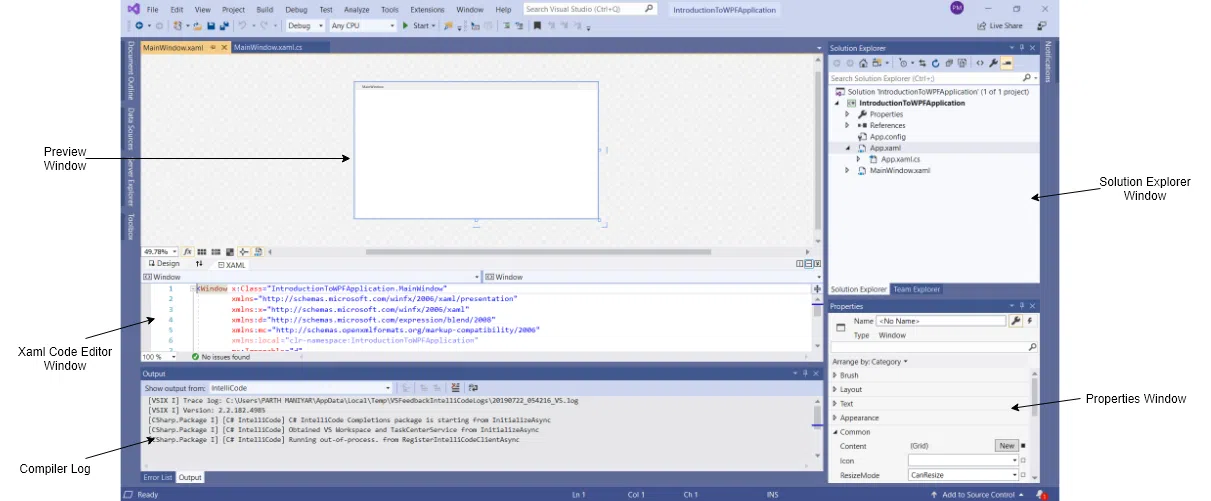
Windows Presentation Foundation (WPF) is the .NET user interface framework for building modern, scalable, hardware -accelerated Windows desktop applications . It was designed to take advantage of Direct3D and current GPUs, offering a vector-based rendering engine, responsive design, animations, and a clear separation between interface and logic thanks to XAML and the underlying code.
In addition to its visual power, WPF integrates a robust data model, styles and templates, commands, advanced text support, and compatibility with multimedia, 2D/3D, and high-quality typography. All of this is complemented by mature tools in Visual Studio and Blend, an ecosystem of third-party controls, and the ability to interoperate with existing technologies such as Windows Forms and Win32.
What is WPF and its implementations
WPF is a resolution-independent presentation framework that renders its interface using a vector graphics pipeline and is an integral part of .NET. This device-independent approach enables crisp, scalable interfaces across different DPI settings , facilitating accessibility and visual quality on any monitor.
There are two main implementations: the .NET version (open source and hosted on GitHub) and the .NET Framework 4 version that comes with Windows. The .NET edition runs exclusively on Windows , even though .NET is cross-platform, and its XAML designer requires at least Visual Studio 2019 16.8 (or later versions depending on the .NET version). The .NET Framework 4-based edition is supported by Visual Studio 2017 and 2019 and is distributed as a component of the operating system itself.
Migrating applications from .NET Framework to .NET offers clear benefits: improved performance, new APIs, the latest language enhancements, greater accessibility and reliability , and updated tooling. If you maintain an existing .NET Framework application base, the upgrade pays off in terms of productivity and maintenance in the medium term, especially in line-of-business (LOB) scenarios.
Historically, WPF has been included since Windows Vista and was also available for Windows XP SP2 and Windows Server 2003, establishing itself as the reference UI layer for desktops in the .NET ecosystem. At the technology family level, Silverlight was a subset of WPF geared towards rich web and mobile applications, inheriting the XAML model, although without 3D support and with a reduced scope compared to WPF.
WPF's rendering is based on Direct3D, enabling complex graphics, consistent themes, and offloading work to the GPU to reduce the CPU load. This emphasis on vectors prevents pixelation when scaling and facilitates smooth experiences whenever the hardware allows.

XAML, code-behind, and programming model
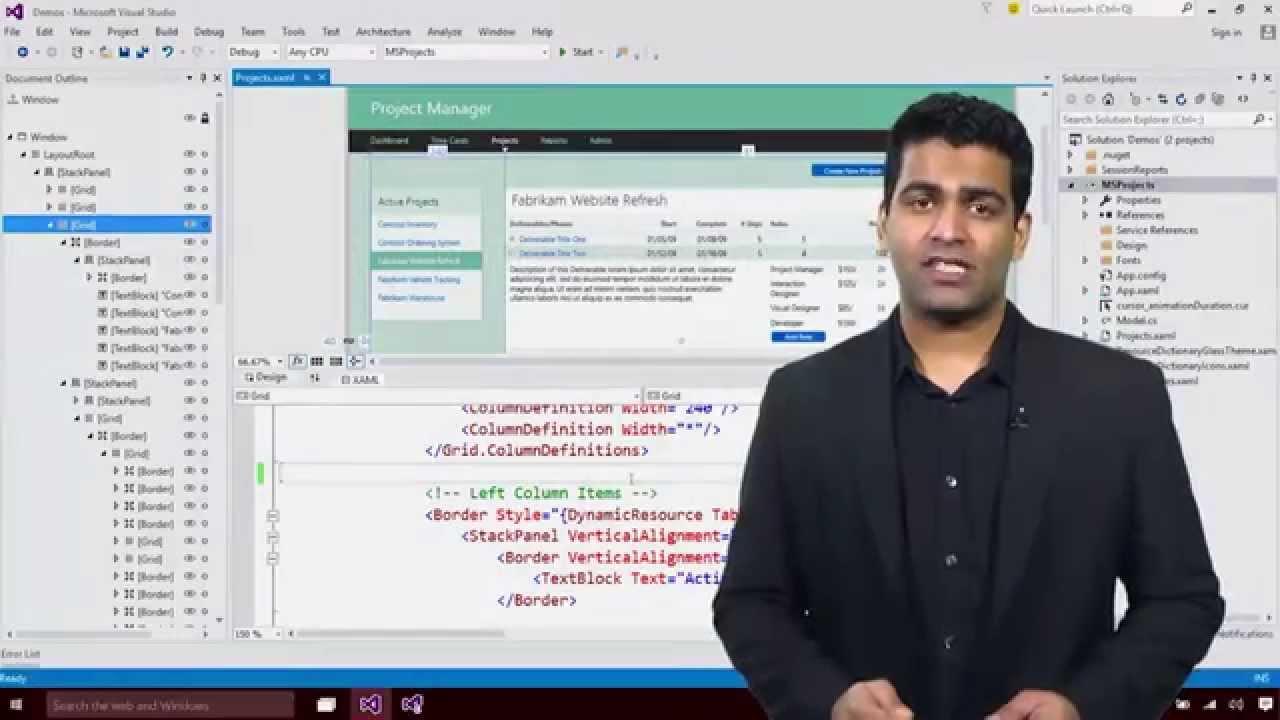
In WPF, the interface is expressed using XAML (an XML-based markup language), and the behavior is implemented with managed code (C# or VB.NET) in code-behind classes. This separation of responsibilities reduces development and maintenance costs and allows designers and developers to work in parallel without overlapping.
The programming model resides in the System.Windows namespace and relies on familiar concepts (class instantiation, properties, methods, and events) and two unique pillars: dependency properties and routed events. Dependency properties enable data binding, styles, animations, and value inheritance; routed events can travel through the visual tree, simplifying the management of complex interactions.
The element tree generated by XAML defines a clear hierarchy of components, and at runtime the framework converts elements and attributes into instances of actual WPF classes. For example, a Window element with a Title attribute is materialized as an instance of the Window class with its Title property set.

The link between XAML and the underlying code is declared with `x:Class`, and the `InitializeComponent` method, generated at compile time, binds the UI to the class and registers event handlers. When a control declares a handler in XAML, the system connects the event (such as a Button Click) to the corresponding method in the partial class.
WPF also supports architectural patterns like MVVM thanks to its data binding system, commands, and DataContext. This encourages unit testing, view reuse, and a strict separation between view and presentation logic.
Input, commands, controls and layout
WPF's input system combines direct and routed events for text, focus, and pointer , and adds a command system that decouples the action from the user's gesture. Thus, the same command (Copy, Cut, Paste) can be invoked from keyboard shortcuts , menus, or buttons without duplicating logic.
In WPF, a control is any UI element hosted in a window or page with defined behavior; the framework includes a wide range of ready-to-use controls. This speeds up the creation of rich applications without the need to build components from scratch.
By function, the built-in controls cover categories such as buttons, data display, navigation, menus, selection, input, and more. Below are examples of classes in each group:
- Buttons: Button, RepeatButton.
- Data visualization: DataGrid, ListView, TreeView.
- Dates: Calendar, DatePicker.
- Dialog boxes: OpenFileDialog, SaveFileDialog, PrintDialog.
- Digital ink: InkCanvas, InkPresenter.
- Documents: DocumentViewer, FlowDocumentReader, FlowDocumentScrollViewer, FlowDocumentPageViewer, StickyNoteControl.
- Text input: TextBox, RichTextBox, PasswordBox.
- Design: Border, Canvas, DockPanel, Grid, GridSplitter, GridView, Panel, StackPanel, WrapPanel, ScrollViewer, ScrollBar, Viewbox, VirtualizingStackPanel, Window, Thumb, GroupBox, Expander, Separator, ResizeGrip, BulletDecorator.
- Media: Image, MediaElement, SoundPlayerAction.
- Menus and bars: Menu, ContextMenu, ToolBar, StatusBar, ProgressBar.
- Navigation: Frame, Page, NavigationWindow, Hyperlink, TabControl.
- Selection: CheckBox, RadioButton, ComboBox, ListBox, Slider.
- User information: Label, TextBlock, ToolTip, Popup, AccessText.
The layout system is fundamental: it distributes controls by size and position in a relative way, negotiating space between primary and secondary controls to adapt to changes in window and screen sizes. This avoids resolution-specific logic and allows for a responsive UI.
The layout panels cover the most common patterns: Canvas (absolute positioning), DockPanel (docking to edges), Grid (rows and columns), StackPanel (horizontal or vertical stacking), VirtualizingStackPanel (virtualized stacking), and WrapPanel (line break). For example, DockPanel allows you to dock controls to edges, with the remaining controls easily filling the available space.
Linking data, templates and resources
Data binding simplifies synchronization between objects and UI, eliminating the need to manually copy values and facilitating the propagation of changes. The Binding class connects the source and destination, while DataContext allows controls to look up properties without explicit wiring.
Links are declared using expressions in XAML, and WPF offers validation, sorting, filtering, and grouping on collections; it also supports data templates to define the display of each item. Thanks to this architecture, complex lists can be displayed with customized presentations without impacting performance.
WPF supports different binding modes: single, unidirectional (read), and bidirectional (read and write). In business applications, combining these modes in lists and forms is common practice to facilitate editing and viewing.
In addition to .NET objects and collections, LINQ queries (including LINQ to XML) can be easily used as data sources. The engine does not enforce the presentation; this is determined by the data templates, which can be customized for each type of bound object.
Styles allow you to standardize the appearance: a Style assigns properties to a specific type or instance, centralizing colors, fonts, and margins for the entire application. The Resources system makes it easy to share these styles and brushes between controls and windows.
The content model defines what a control with Content can hold: simple controls like TextBox or complex ones containing element trees, such as Buttons with internal layouts or images. This flexibility makes it easy to build complex interfaces without creating new controls from scratch.
Thanks to templates, the visual appearance of controls can be changed without altering their behavior: ControlTemplate allows you to modify the appearance of a control, and DataTemplate sets how data is displayed in lists and grids.
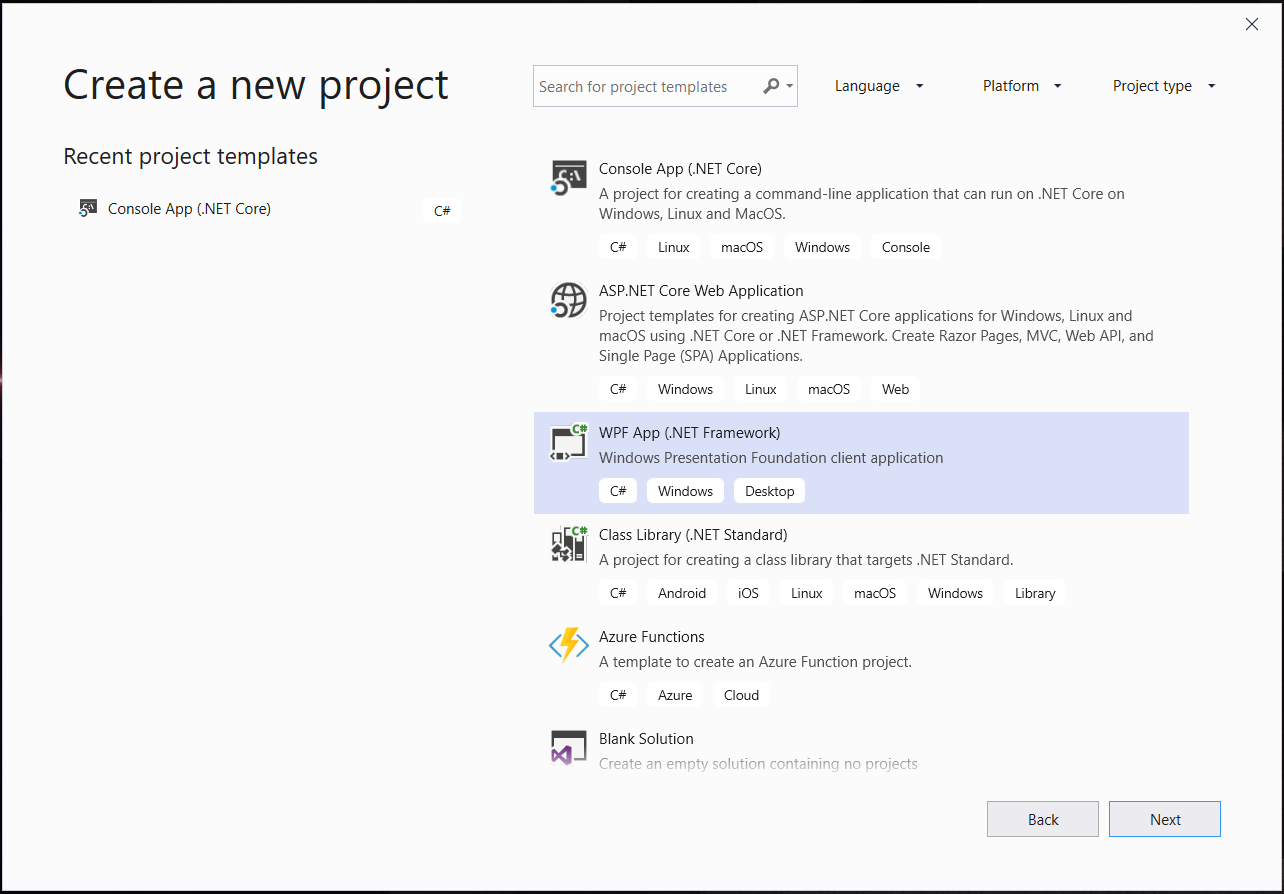
Graphics, animation, text and advanced customization
- The WPF graphics system offers device independence, coordinate precision, and support for wide color spaces. This results in crisp interfaces, precise transformations, and high-quality color reproduction.
- In 2D, it includes ready-made vector shapes, geometries for creating custom figures, and a wide palette of brushes for gradients, images, drawings, and textures, as well as supporting transformations such as rotating, scaling, or skewing. These shapes participate in the input, receive focus and are integrated into the visual model.
- In 3D, you can integrate scenes with meshes, materials, and cameras; you can even project 2D content onto 3D surfaces for immersive experiences and interactive controls in space. Although limited compared to full Direct3D, 3D support in WPF blends well with UI, documents, and multimedia.
- The animation engine is temporal and decoupled from frames, allowing you to animate any dependency property with classes like DoubleAnimation or ColorAnimation, managed with Storyboards. It can be triggered by events or triggers in XAML, facilitating complex animations with little code.
- WPF natively supports image and video: formats such as BMP, JPEG, PNG, TIFF, GIF, icons and Windows Media Photo, as well as WMV, MPEG and AVI, using the codecs installed on the system.
- In terms of typography and text, it features OpenType support and ClearType enhancements, with hardware-accelerated rendering, integrated with graphics and animations for a high-quality reading experience.
- The visual effects have been modernized: BitmapEffects are deprecated, and since .NET 3.5 SP1, Effect allows GPU-accelerated filters such as BlurEffect and DropShadowEffect, as well as custom effects using shaders.
- The retained mode allows controls to be broken down into visual trees and efficiently manage updates, taking advantage of GPU acceleration. On limited hardware, some advantages are diminished, but the platform still performs well.
- Interoperating between WPF and other technologies is simple: can host WPF controls in Win32 applications and vice versa, facilitating gradual migrations and component reuse.
- Strategies for custom controls include UserControl, Control, and FrameworkElement, depending on the level of customization and separation of behavior and appearance. Triggers allow you to change styles and templates in response to events without modifying the underlying behavior, which enriches your visual design.
- Development tools have improved: Visual Studio offers XAML designer, debugging, performance profiling, with IntelliSense support and preview that speeds up the creation and tuning of complex UIs.
- The external ecosystem includes advanced controls from vendors such as Infragistics, Telerik, and DevExpress, as well as open source resources and projects like Avalonia UI that inspire cross-platform patterns.
- For applications on Windows, WPF combines performance, modern design, and flexible architecture, making it a solid choice compared to alternatives such as Windows Forms, web applications, or Java Swing.
With all of the above, WPF is solidified as a powerful platform for building desktop applications with highly customizable UIs, robust data models, advanced graphics, and multimedia support. Using resources such as XAML, data bindings, styles, and templates, you can create consistent, accessible, and maintainable experiences that leverage hardware acceleration and interoperability with existing technologies.

Passionate writer about the world of bytes and technology in general. I love sharing my knowledge through writing, and that's what I'll do on this blog, show you all the most interesting things about gadgets, software, hardware, tech trends, and more. My goal is to help you navigate the digital world in a simple and entertaining way.