- MDM combines software, processes, and policies to protect, update, and control corporate and BYOD devices.
- Windows allows you to manage updates via OMA‑DM and S2S synchronization with approvals, rings and EULA.
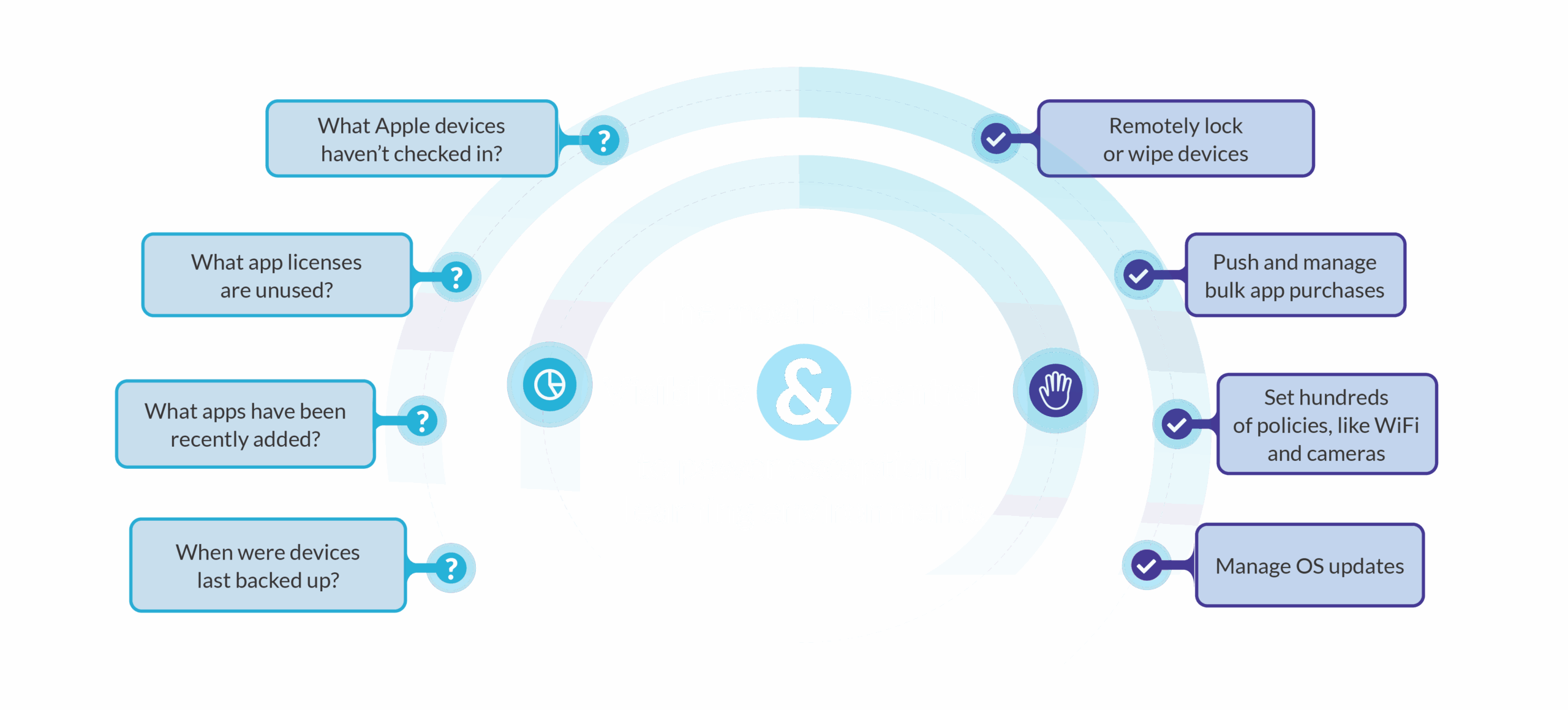
- Apple offers a native MDM framework with enrollment (ASM/ABM), .mobileconfig profiles, and APNs requirements.
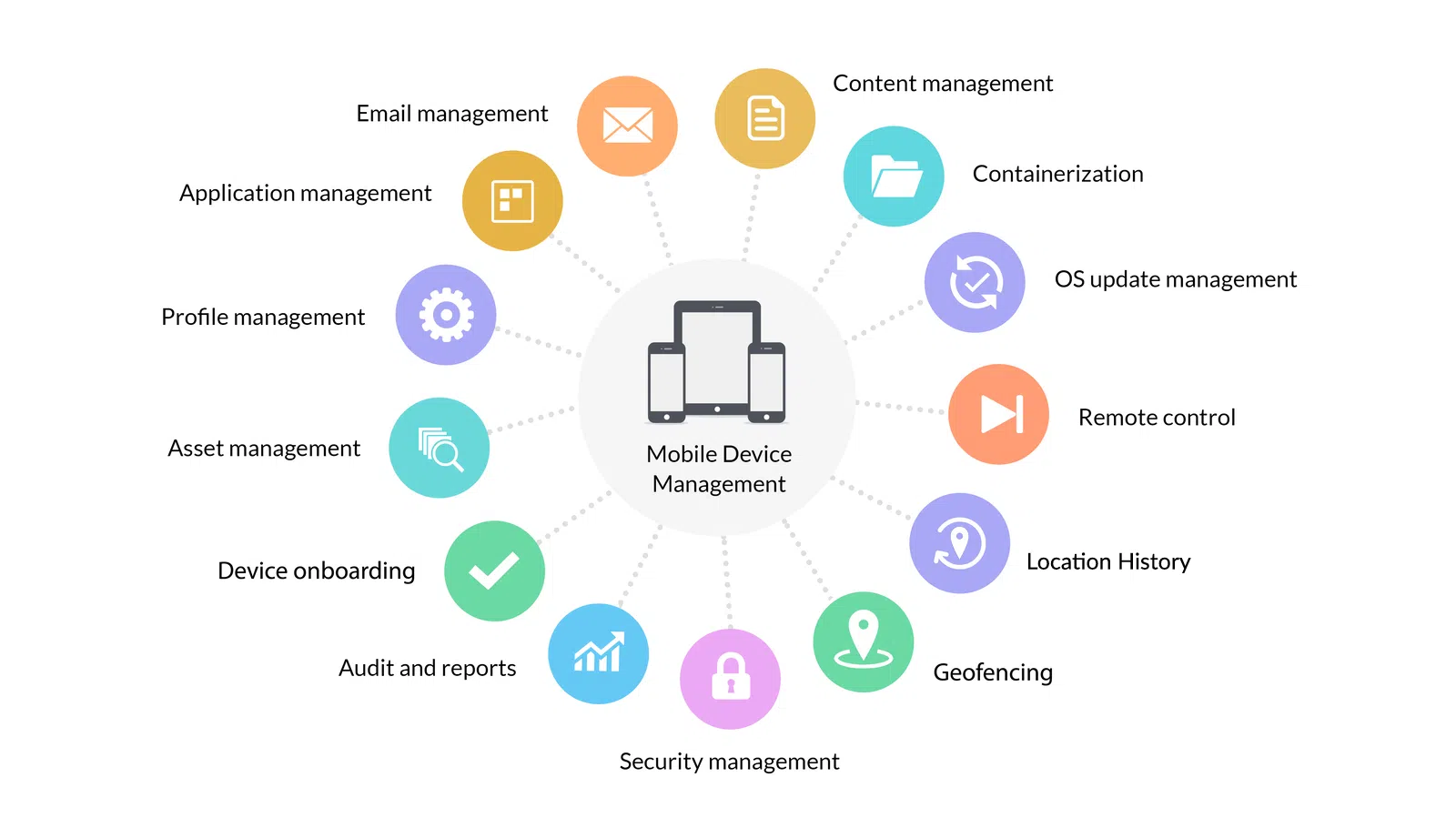
Mobile device management (MDM) has become a key component for companies that operate remotely, with BYOD policies, or with mixed fleets of smartphones, tablets, laptops , and even IoT devices . In a scenario where endpoints are scattered across the map, MDM provides control, security, and regulatory compliance without burdening IT teams with manual tasks.
This article compiles and reorganizes, in clear and accessible language, everything you need to know to manage devices with MDM: from concepts, policies, and BYOD to managing Windows updates using OMA-DM and server-to-server synchronization, as well as the Apple ecosystem and its configuration profiles. You'll also see best practices, essential components, remote access options, and how it all fits into the device lifecycle.
What is mobile device management (MDM) today?
MDM is a security and management solution that combines software, processes, and policies to control how mobile devices are used and protected within an organization. While it involves software , it's not just software: it also encompasses provisioning, compliance, and governance of day-to-day usage.
Traditional MDM focuses on the device, while mobile security and unified endpoint management (UEM) have shifted their focus to the user and their context. In practice, they complement each other: MDM manages inventory and configuration , and the security and UEM layer orchestrates identities, apps , and data at scale.
Beyond inventory management, a good MDM protects applications, data, and content, enforces access policies, and facilitates remote support and selective or complete deletion in case of loss or theft. In BYOD environments, this protection coexists with user privacy through containers that separate personal and work life.
The rise of hybrid work and digital transformation has driven the use of mobile devices in business, requiring the management of heterogeneous endpoints with the same discipline previously applied to PCs. After all, a lost smartphone can open the door to critical data leaks.
How an MDM program works in practice
Employees can receive pre-configured corporate devices or remotely enroll their own to gain secure access to company resources. In both cases, IT monitors compliance and defines what can be done on the device.
On personal devices, MDM applies the principle of least privilege and grants access based on role: corporate email, secure VPN , password-protected apps, certificates, GPS (if applicable), and other policies designed to protect data. Containerization ensures that the corporate workspace does not interfere with personal data.
MDM software monitors security and usage signals; the most advanced solutions incorporate machine learning and AI to proactively detect anomalies and threats. If a violation is detected, access can be automatically blocked.
With the right tools, IT can track, monitor, troubleshoot, and even wipe the corporate device or container in case of theft, loss, or policy violation. This control reduces risk and speeds up employee support.
Endpoint management also extends to sessions and accounts across Windows, ChromeOS, Linux , and macOS, with features such as lockouts, strong passwords, and selective remote wipes to minimize the impact of incidents. This is especially useful when multiple platforms coexist in the same network.
MDM policies and questions every organization should answer
A well-defined MDM policy clarifies operational and legal doubts from the outset. To design it, it's advisable to answer recurring questions and translate them into technical rules and procedures.
- Is a passcode or PIN required and how complex is it? Defines length, expiration, biometrics, and allowed retries.
- Should cameras be disabled by default in certain profiles or locations? Useful in sensitive environments or production lines.
- Is corporate Wi-Fi connectivity critical? Consider certificates, hidden SSIDs, EAP‑TLS, and guest networks.
- What level of customization is allowed on corporate devices? Backgrounds, settings, entertainment apps, etc.
- Will geographic restrictions or geofences be applied? Alerts and actions when equipment appears in unauthorized areas.
These decisions translate into profiles and directives that the MDM publishes to devices, including passwords, encryption, app whitelists/blacklists, and conditional access. The key is that policy and technology go hand in hand.
If your strategy includes Android , it's advisable to review the specific management of that platform, its common threats and vulnerabilities, to adjust the device's hardening accordingly. Each operating system has its own unique security scenarios.
For BYOD, incentivize enrollment by offering tangible benefits: for example, Wi-Fi credentials and access to corporate apps only available to those enrolled. Reducing friction increases adoption and, consequently, strengthens security.
MDM and Updates on Windows: OMA-DM and Server-to-Server Synchronization
Windows exposes update APIs and CSPs so that MDMs can keep systems up to date using automatic update policies, testing rings, approvals, and EULA control. This allows patches to be piloted in a small group and deployed to the entire enterprise once validated.
- Set automatic update policies so that devices are not left behind.
- Set up approval lists by device to install only tested updates.
- Get compliance status and the list of required updates not installed.
- Approve EULA in advance and automates implementation even if they require acceptance.
Conceptual architecture: The MDM service synchronizes metadata with Microsoft Update via server-to-server protocol, pushes policies and approvals via OMA-DM, and the device downloads applicable updates from Microsoft Update. Only updates approved and compatible with the device are installed.
Since the catalog contains a lot of legacy and irrelevant drivers, it's recommended to synchronize metadata only for what customers report and filter by applicability. This reduces noise and speeds up the approval cycle.
Server-server synchronization: This is based on SOAP, with WSDL available to generate proxies; the correct binding URL is https://fe2.update.microsoft.com/v6/ServerSyncWebService/serversyncwebservice.asmx. The authorization phase (GetAuthConfig, GetAuthorizationCookie, GetCookie) is open and is used to obtain the cookie; you can cache it and renew it when it expires.
To obtain specific metadata, use GetUpdateData and handle SOAP errors (not everything is available via S2S). On mobile devices, you can opt for on-premises WSUS and import updates from the catalog if your scenario requires it.
LocURI of interest to the client: <LocURI>./Vendor/MSFT/Update/InstallableUpdates?list=StructData</LocURI> returns applicable updates with their revision numbers. Control revisions: if a new one arrives with the same UpdateID and higher RevisionNumber, it replaces the metadata.
Update Metadata (XML): key elements such as UpdateID, Revision Number, Creation Date y UpdateType (detectoid, product category and classification, software or driver); LocalizedProperties with language (LCID), title and description; and KBArticleID with public reference, for example https://support.microsoft.com/kb/2902892.
Recommended synchronization flow: Maintain a list of required update identifiers that have caused installation failures ; synchronize every 2 hours (no more than one per hour), authorize to obtain a cookie, request metadata of pending updates and update with the latest revisions; clean the list as you add them.
Manage updates with OMA‑DM: configure policies to keep devices up to date, controls compliance, apply approval lists by team y automatically approves EULAA practical model: a test group where everything flows smoothly, and a general group with a 7-day deferral for quality assurance; after this time, they are approved barring any issues. Adjustment Update/DeferQualityUpdatesPeriodInDays and 7.
Configuration example (SyncML summary): commands replacement that they establish ./Vendor/MSFT/Policy/Config/Update/AllowUpdateService, .../RequireDeferUpgrade y .../RequireUpdateApproval with integer values depending on your strategy (e.g., 0 to disable/allow as appropriate). These nodes illustrate how an MDM writes update policies to the device.
The Apple ecosystem and configuration profiles
Apple integrates a native MDM framework into iPhone ( iOS ), iPad (iOS/iPadOS), Mac (macOS), Apple TV (tvOS), Apple Watch (watchOS), and Apple Vision Pro (visionOS) with specific minimum version requirements. This allows for the management of a very diverse user base under the same corporate policies.
Device enrollment: This relies on client certificates via ACME or SCEP, generating unique identities for authentication. If enrollment is not automatic, the user must choose to enroll and can cancel it; to avoid this, it's advisable to provide added value (for example, corporate Wi-Fi only if the device is managed).
Automated enrollment: Apple School Manager or Apple Business Manager enable wireless enrollment and monitoring during the initial setup wizard, linking the device to the MDM from the first boot.
Theft protection: If the user is in an unrecognized location, Apple delays actions such as manually enrolling in MDM, installing profiles, or setting up Exchange accounts by one hour, increasing security against theft.
Enrollment and configuration profiles: An enrollment profile grants the MDM the ability to send commands and other profiles; deleting it removes its associated profiles, settings, and managed apps . Configuration profiles (.mobileconfig) define payloads (accounts, restrictions, credentials), can be encrypted, signed, and marked as locked to prevent unauthorized removal.
Profile distribution: via MDM, Apple Configurator or links/attachments; on macOS profiles can be device or user profiles (with separate channels) and are integrated with managed accounts or Active Directory depending on the deployment.
Profile deletion: depends on the origin: a full deletion removes all profiles; if they arrived via ASM/ABM , the admin decides if the user can remove them; if they were pushed via MDM , the server itself or the user (by unenrolling) can do it; profiles installed with a deletion password require that information; Exchange ActiveSync can be deleted from the server with remote account-only deletion.
Third-party communication requirements: Properly configured MDM, valid APNs certificate, device powered on and connected to the internet , and network access to the relevant Apple servers . It is advisable to review Apple's guides for enterprise networks and isolation mode.
BYOD, advantages, components, best practices and ecosystem
BYOD offers flexibility, but also risks: privacy, compliance, unauthorized apps, and insecure networks. The good news is that MDM balances freedom and control with containers, conditional access , and selective deletion of corporate data.
Key benefits of a well-implemented MDM
- Enhanced security: Encryption, remote lock/wipe, MFA, and compliance reduce the risk of leaks and malware.
- Simplified management: Real-time visibility, automatic patching, and remote support minimize There of inactivity.
- Normative compliance: access controls, auditing, and policies aligned with GDPR, HIPAA, or SOC 2.
- Productivity: Self-service, frictionless updates, and fewer issues improve the user experience.
- Cost savings: centralized management, fewer on-site visits and fewer replacements due to loss/theft.
Essential components of an MDM solution
- Device Security and Compliance: passwords, encryption, remote wipe/lock, and regulatory alignment.
- Application management: whitelisting/blacklisting, permissions, remote deployments, and malware blocking.
- Data Protection: containers, DLP, backups and encryption at rest and in transit.
- Access and identity: MFA, SSO, RBAC, and conditional access by compliance or location.
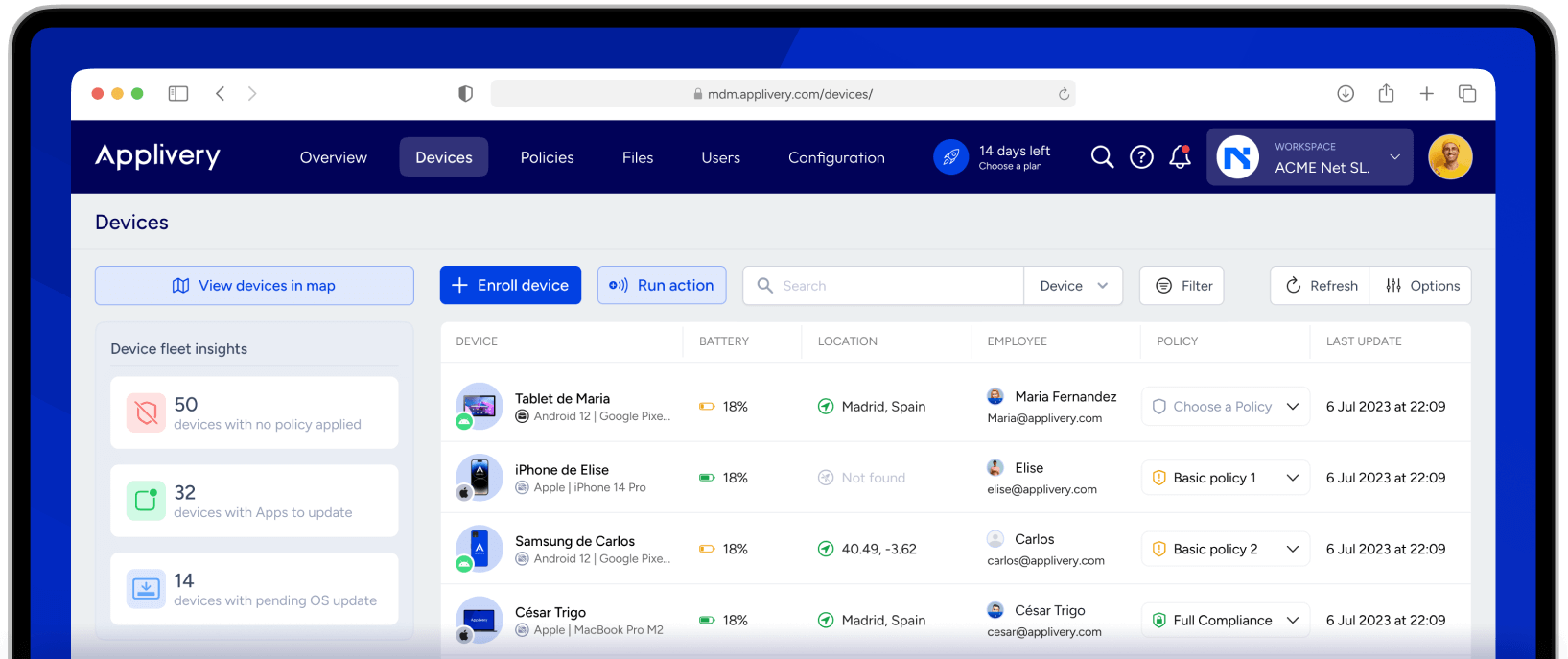
- Monitoring and analytics: real-time tracking, non-compliance alerts, reports and remote assistance.
- Endpoint integration: cross-platform support (including IoT), policy automation, and scalability.
Good practices for effective MDM
- Define a clear policy: permitted devices, safety requirements, acceptable use and consequences of non-compliance.
- Bet on a safe registration: automated onboarding, pre-authentication, and zero-touch deployment.
- Automate routine tasks: patches, remote configuration and scheduled backups.
- Role control: role-based permissions, high-risk restrictions, and MFA for sensitive data.
- Continuous monitoring: location and usage patterns, alerts and periodic log review.
- BYOD with container: data separation, access only on managed devices, and selective wipe.
- Form the template: awareness, strong passwords and phishing prevention.
- Audit and update: periodic controls and adjustment of policies to face new threats.
Differences between MDM, EMM, UEM and MAM
- MDM: management focused on mobile devices (often also handhelds).
- EMM: adds app and content management in addition to the device.
- EMU: unifies the management of all endpoints (mobiles, PCs, IoT, servers).
- MOM: focuses on governing mobile applications on both corporate and personal devices.
MDM according to company size
- Small company: Focus on cost/value with key features: tracking, remote wipe, and secure app distribution.
- Big company: scalability, integration, advanced analytics, and cross-platform support for thousands of devices.
Device lifecycle
Provisioning: installation of the MDM, security policies and access parameters per user or group; ideally automated to reduce errors and time.
Maintenance and operation: continuous monitoring, patching, app updates, synchronization and constant data protection; the IT team needs tools and training.
Deprovisioning: removal of inventory and secure deletion of corporate data and apps to avoid end-of-life exposures.
Ecosystem and compatibility
Reliable MDM solutions integrate with multiple tools and have proven compatibility with third-party suites. Some platforms that frequently appear in market validations include SOTI MobiControl, AirWatch, SureLock, SAP Afaria MDM, MobileIron, and Citrix XenMobile.
| SOTI MobiControl | AirWatch | SureLock |
| SAP Afaria | MobileIron | Citrix XenMobile |
Remote access and support
Integrating remote access capabilities enhances MDM by enabling unattended support for maintenance and on-demand support for incidents. Platforms like Splashtop facilitate direct sessions from the MDM console, reducing response times and saving on operating costs.
Looking at the future
- AI applied to MDM: real-time threat detection and predictive analytics.
- Large-scale IoT: management extends to a growing constellation of connected devices.
Manufacturers and suppliers like Prey are evolving their offerings to meet these trends with solutions ready for tomorrow. The key will be maintaining a focus on risk and user experience.
Adopting MDM allows you to know which devices you have, where they are, whether they comply with policies, what updates they need, and whether you need to intervene due to theft, loss, or non-compliance—all with the security and control that modern business demands. With clear policies, automation, and the right integrations , management ceases to be a headache and becomes a competitive advantage.

Passionate writer about the world of bytes and technology in general. I love sharing my knowledge through writing, and that's what I'll do on this blog, show you all the most interesting things about gadgets, software, hardware, tech trends, and more. My goal is to help you navigate the digital world in a simple and entertaining way.
Table of Contents
- 1 What is mobile device management (MDM) today?
- 2 How an MDM program works in practice
- 3 MDM policies and questions every organization should answer
- 4 MDM and Updates on Windows: OMA-DM and Server-to-Server Synchronization
- 5 The Apple ecosystem and configuration profiles
- 6 BYOD, advantages, components, best practices and ecosystem
- 6.1 Key benefits of a well-implemented MDM
- 6.2 Essential components of an MDM solution
- 6.3 Good practices for effective MDM
- 6.4 Differences between MDM, EMM, UEM and MAM
- 6.5 MDM according to company size
- 6.6 Device lifecycle
- 6.7 Ecosystem and compatibility
- 6.8 Remote access and support
- 6.9 Looking at the future