- The ideal aspect ratio to maximize visual impact is 9:16 with a resolution of 1080x1920 pixels.
- The file size limit varies depending on the device, allowing up to 1 GB when uploading via the web.
- The use of MP4 formats and bit rate management are fundamental to balancing file quality and size.
Today, TikTok is the undisputed king of short videos, captivating millions of viewers. But of course, simply recording anything won't cut it; if you want your content to truly take off and attract followers , it's vital that your videos are of exceptional quality and look flawless on any device.
To achieve that professional finish, we can't leave file size and resolution to chance. TikTok has its own rules, and if you don't follow them, you might find your video looks pixelated or, even worse, that it won't upload because it exceeds the size limit . Let's see how to master these settings so your creations look spectacular.

Technical specifications for a perfect video
To avoid the platform penalizing your image quality, it's best to aim for a resolution of 1080x1920 pixels , although 720x1280 is also suitable for those looking for something lighter. As for smoothness, it's recommended to maintain 30 or 60 frames per second (fps) to avoid annoying image stuttering.
Length is another key factor. Although the app allows for various lengths, the most engaging videos tend to be between 15 seconds and 3 minutes long . If you go over that, you risk people losing interest before they reach the end.
In terms of format, there's no doubt: the 9:16 aspect ratio reigns supreme. This vertical ratio allows content to fill the entire mobile screen, creating a much more immersive experience for the viewer.

Weight limits vary by device and platform
This is where many people get confused. The size limits aren't the same for everyone. If you're uploading from Android, the limit is usually around 72 MB , while on iOS the limit is higher, reaching up to 287,6 MB . However, there's a huge advantage to using a web browser.
If you need to upload a really large file, the web version of TikTok is your best friend, as it allows you to upload videos up to 1 GB . This is essential for creators who edit using resource-intensive computer programs and don't want to compress their files until they lose all clarity.
Editing and optimization tools
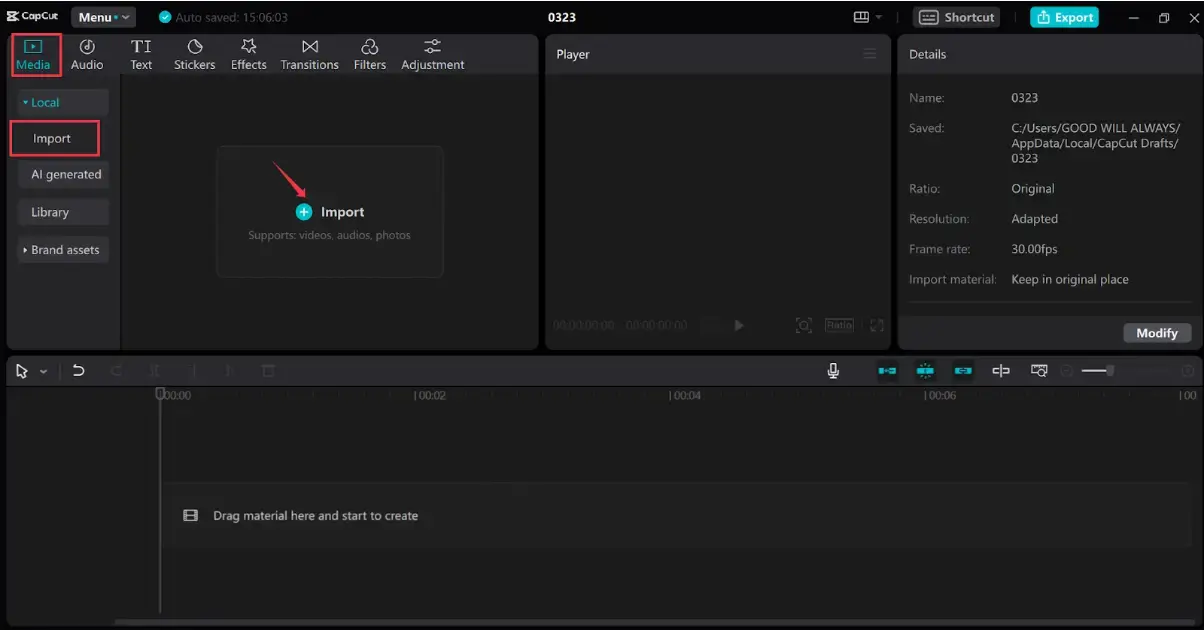
If you struggle with file management, CapCut is the official and probably the most efficient tool. This editor lets you adjust the aspect ratio to 9:16 with a single click and offers the option to edit TikTok videos on your PC , eliminating the hassle of transferring files between different sources.

Besides CapCut, there are other options depending on your device. For mobile devices, InShot is great for quickly cropping and adjusting the canvas . If you prefer more powerful software, Adobe Premiere Pro or DaVinci Resolve give you complete control over the bitrate , which is the secret to reducing video file size without any noticeable loss of quality.
For those who prefer not to install anything, there are websites like Wave.video or FastReel. These online tools allow you to resize the video and export it in MP4, which is the most compatible and efficient format for the social network.
Tips for uploading videos without losing quality
Every creator's biggest fear is that TikTok will "ruin" the video quality upon upload. The trick is to record in 4K but export the final result in 1080p . This way, you maintain incredible sharpness without the file becoming unmanageable.

Another key detail is to enable the "Upload in HD" option within the mobile app's publishing settings. If you don't check this box, the platform will aggressively compress your video to save data, leaving it with a blurry appearance.
When editing, remember to leave space at the edges . Don't place text or stickers too close to the corners, as TikTok's interface buttons (like the heart or comments) could cover important information in your video.
Specific requirements for advertisements
If you're going to invest money in advertising, the rules change slightly. Entrance ads must maintain a 9:16 aspect ratio with a minimum size of 540×960 px , allowing files up to 500 MB. For news feed ads, square (1:1) or widescreen (16:9) formats are acceptable.
For an ad to convert, it's vital to avoid misleading content and focus on crisp visuals and engaging audio. An ad that adheres to TikTok's technical guidelines typically performs much better than one that appears stretched or poorly framed.
Ensuring your video isn't stretched or cropped is the difference between looking like a pro and a beginner. That's why using MP4 or MOV formats is the safest bet to guarantee that TikTok's server processes your content without errors.
To master the platform, the most important thing is to balance 1080p resolution, 9:16 vertical format, and the use of MP4, taking advantage of the web version to upload files that exceed the limits of the mobile app and always making sure to activate HD mode before clicking publish.


Passionate writer about the world of bytes and technology in general. I love sharing my knowledge through writing, and that's what I'll do on this blog, show you all the most interesting things about gadgets, software, hardware, tech trends, and more. My goal is to help you navigate the digital world in a simple and entertaining way.