- Ability to create SFX executable files that do not require installed software for extraction.
- Space optimization using Ultra compression level and LZMA2 algorithm.
- Advanced data security through AES-256 encryption and password protection.
- Mass file management by dividing volumes into fixed sizes.
Sometimes we find our downloads folder overflowing with junk files, or we have to send a huge amount of documents by email, and we realize that reducing the space is the only viable solution. Compressing files isn't just about saving gigabytes; it's about organizing the digital chaos into a single package that's easy to move and transport without losing the original folder structure.
This is where 7-Zip comes in, an open-source tool that's a real gem thanks to its high compression ratio and the fact that it's free. Best of all, it not only shrinks files but also allows you to create packages that anyone can open without needing the program installed, making life much easier for those who aren't exactly computer experts.

Advantages and capabilities of 7-Zip
This software stands out primarily for its native 7z format, which uses algorithms like LZMA and LZMA2 to achieve ridiculously small file sizes. In fact, it can compress enormous volumes, such as 20 GB, reducing them to half their original size while always maintaining data integrity so that not a single bit is missing upon decompression.
One of its most useful features is its multidisciplinary compatibility. 7-Zip can handle compressed file formats like ZIP, GZIP, TAR, and BZIP2, and can unpack a seemingly endless list of extensions such as DMG, CAB, and CHM. Furthermore, it integrates seamlessly with Windows Explorer, allowing you to manage everything with just a couple of clicks from the context menu.

How to create self-extracting files (.exe)
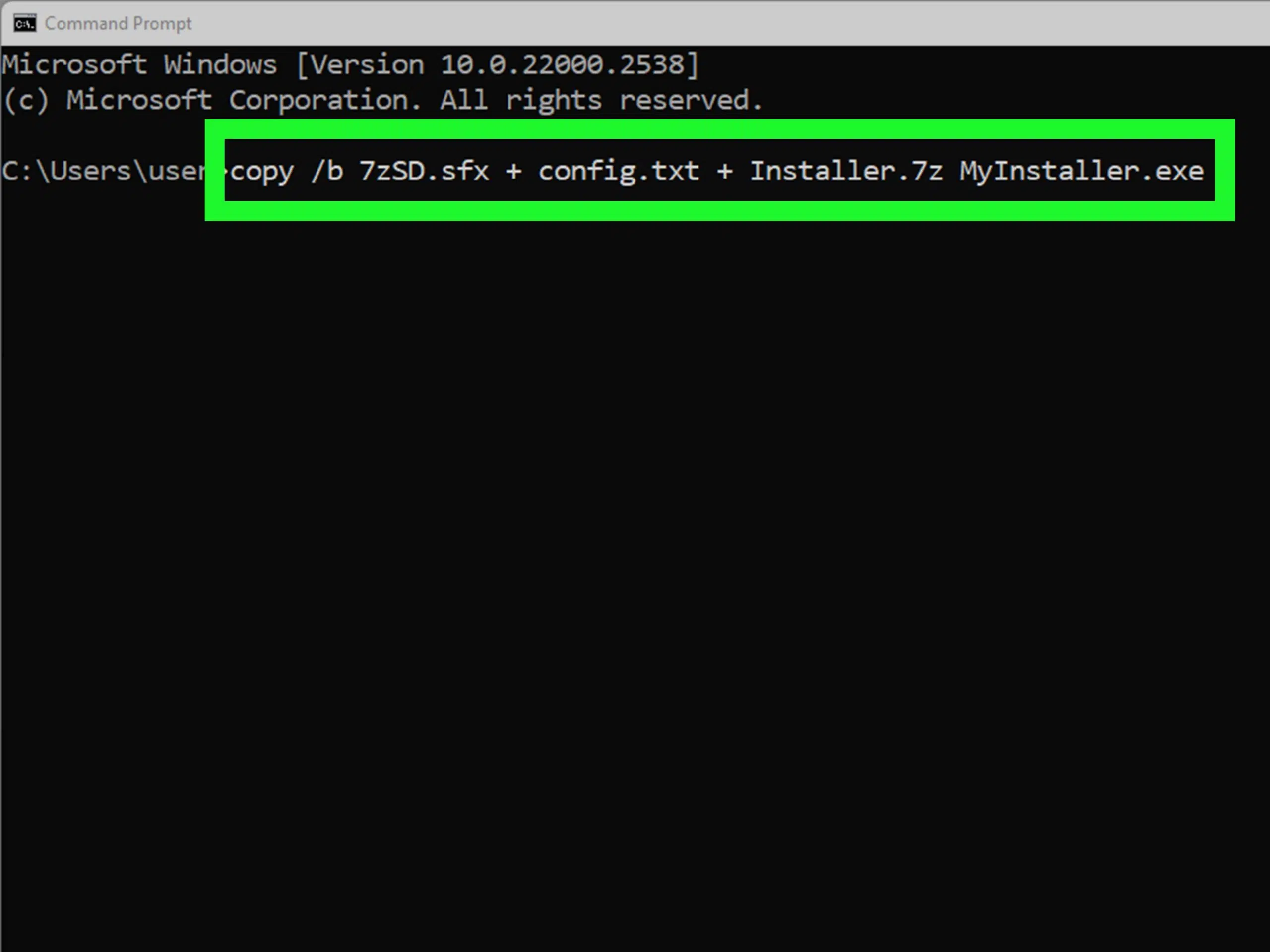
If you want the recipient of your files to avoid having to install anything, the SFX archive option is a lifesaver. Essentially, it converts the compressed package into an executable file with the .exe extension that launches automatically with a double-click.
To do this, we first need to select the files or folders. We can do this from Windows Explorer by right-clicking and choosing " Add to archive..." or by opening 7-Zip File Manager and navigating to the desired location to add the items. Once the configuration window is open, the trick is to check the " Create SFX file" box in the options section.
If the dataset is too large for a single transfer, we can use the volume splitting option . This allows us to divide the file into fixed-size parts (for example, 100 MB or 650 MB for a CD), creating a main executable that automatically manages the extraction of all the parts.

Advanced settings for maximum compression
For those looking to squeeze every last drop of performance out of every byte, there are technical settings that make all the difference. Ultra compression is the most aggressive, though it requires more processing time and resources. The LZMA2 method is usually the most balanced choice for achieving the smallest possible file size.
- Dictionary size: Determines how much memory is used to search for repeated patterns; the larger the size, the better the compression, but it requires more RAM to decompress.
- Word size: It influences the length of the sequences that the program looks for to compress; increasing this value can reduce the final size.
- Solid block: It groups several files as if they were one to find more similarities and optimize spacealthough it does make accessing a single internal file slower.
- CPU threads: They don't affect the file size, but rather the processing speed, taking advantage of all the cores of your computer.
Additional tips: Security and conversion
Privacy is paramount, and 7-Zip offers robust encryption using AES-256 or ZipCrypto . By adding a password in the compression window, your data is protected, and only those with the key can access the contents—ideal for creating password-protected ZIP files and sending sensitive information over the network.
Another common task is format conversion. If you have a .7z file but the recipient only uses ZIP, the easiest way is to extract the contents first and then recompress it by selecting the .zip format from the dropdown menu. On macOS, this is done through the command line using the 7zz tool and the -tzip switch.
For more advanced users who use a Seedbox , installing 7-Zip via one-click applications allows you to optimize remote storage, encrypting and splitting gigantic media files before downloading them to the local PC, which greatly speeds up transfers.
Mastering these tools allows you not only to free up hard drive space, but also to share content securely and efficiently , whether by creating self-opening executables, using advanced encryption, or fine-tuning compression algorithms to achieve the smallest possible file size.


Passionate writer about the world of bytes and technology in general. I love sharing my knowledge through writing, and that's what I'll do on this blog, show you all the most interesting things about gadgets, software, hardware, tech trends, and more. My goal is to help you navigate the digital world in a simple and entertaining way.