- Check SMART and, at Seagate, the FARM registry to detect previous use.
- Distrust USB with impossible capabilities; verify with writing/reading tests.
- Research the seller and compare prices with official stores before buying.
- If you've already been scammed, gather evidence, file a claim, and prioritize recovering your data with professionals.
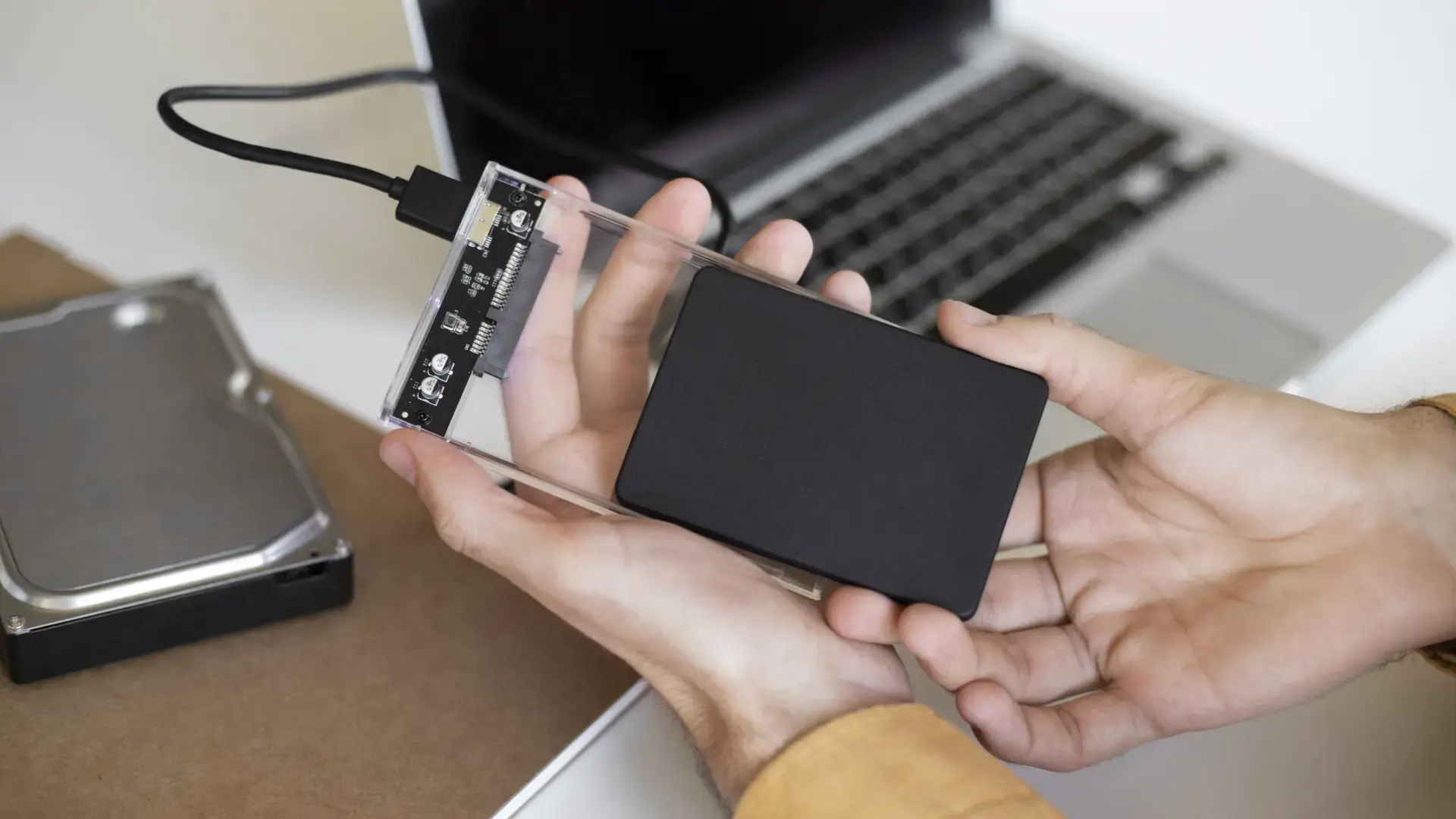
Storing photos, documents, and videos in the cloud is great, but many people still prefer to have their files on hand on an external hard drive or USB flash drive . This preference for physical storage brings with it a problem: tempting offers abound on websites and marketplaces that, in reality, conceal counterfeit or manipulated products. If a price seems like an incredible bargain, it's worth pausing for a moment, because genuine deals are less common than we'd like.
In recent years, two different scams have proliferated: USB drives with impossible capacities for next to nothing, and hard drives sold as new even though they've already been used for thousands of hours. Sometimes the deception is blatant; other times, highly sophisticated. External drives supposedly mechanical have been seen that actually concealed a tiny flash memory chip soldered to a USB interface and a piece of metal glued on to simulate weight. Those who bought them used them for years without noticing any platter noise or corresponding performance, because the operating system displayed a deceptive capacity that the firmware skillfully simulated.
Bargain hunters: why these scams abound in memory and hard drives
The high prices of some models and occasional stock shortages have created the perfect breeding ground for sellers promising unbeatable prices. Caught in the middle are budget-conscious buyers, as well as those looking for second-hand drives to save money. This situation has led to offers of USB drives with "64 TB" for less than €15—disconnected drives that look brand new but have accumulated tens of thousands of hours of actual use . In both cases, the manipulation relies on firmware and presentation tricks .
In PC enthusiast communities, this is a daily topic of conversation. Spaces like PC Master Race encourage helping others build computers, answering questions, and sharing experiences. It doesn't matter if you don't yet own a machine: the important thing is to learn and enjoy the process. There, you'll see constant warnings, from shady sales tactics and doctored reviews to screenshots showcasing impossible capabilities. These discussions help people avoid falling into traps that, unfortunately, are repeated time and time again.
Real cases that raised alarms
One story that has circulated widely on forums is that of a user who used a 1TB external "mechanical hard drive" for three years. When it stopped working and he opened the casing, he discovered that it was actually a flash memory chip adapted to a USB port , with a metal piece to simulate weight. The firmware had been altered so that the system identified 1TB of available storage, but the performance was that of a modest SD card, and, of course, reliability was nonexistent. The fact that nothing unusual was detected for so long demonstrates just how sophisticated some scams can be.
Another source of controversy arose with used hard drives being sold as new. Several buyers in Europe, after analyzing high-capacity Seagate drives, detected 10.000, 15.000, and even more than 20.000 hours of use on products that should have been brand new. Many reports showed the same pattern: reset SMART values, but deeper internal indicators that revealed the drives' true mileage. The problem affected dozens of people and, in some cases, entire batches that supposedly came from authorized channels.
SMART, FARM and other technical data that tell the truth
Modern hard drives store their health history through SMART (Self-Monitoring, Analysis and Reporting Technology). This system records operating hours, boot counts , temperatures, and reallocated sectors, among other things. The problem is that unscrupulous vendors reset these counters or install altered firmware to make the drive appear brand new . At first glance, a cursory scan with certain tools can be misleading.
Seagate models include another layer called FARM (Field Accessible Reliability Metrics). This is an additional record, much less easily manipulated, that allows for counteracting SMART's "whitewashing" of usage history. In recent research, when SMART appeared "clean," FARM still showed that the drive had thousands of hours of use . Other brands, such as Western Digital and Toshiba, do not have a publicly accessible equivalent metric, which complicates independent verification of whether someone has attempted to manipulate the drive's usage history.
From bargain to crime: what was uncovered in Southeast Asia
Faced with a flood of reports, an investigation uncovered businesses selling units from various manufacturers at ridiculously low prices . A significant number of hard drives were confiscated, and analysis revealed firmware manipulation techniques used to alter SMART data, allowing them to pass as new. This modus operandi explained how they could offer supposedly brand-new tools for far less than they would cost in reputable stores, even when the box and packaging appeared pristine.
At the heart of the phenomenon emerged another element: the recycling of hard drives from servers or particularly intensive activities, such as mining the Chia cryptocurrency. It's not uncommon for these drives to have dozens of terabytes of data written to them and a long history of use. If the history is concealed and the drive appears clean, deceiving a trusting buyer is relatively easy . That's where the real risk lies.
"Impossible terabyte" USB drives: this is how they trick you
In the realm of USB drives, fraud takes another form. You see flash drives promising 1 TB, 2 TB, and even 64 TB for ridiculously low prices. What happens is that the seller manipulates the firmware so that the operating system displays an enormous capacity that doesn't actually exist . When you start copying data, it's overwritten in a loop, and when you reach the chip's actual limit (16 GB, 32 GB, etc.), everything you add afterward becomes corrupted.
There are harrowing stories: users who copied over 200 GB to supposedly "3.0" USB drives only to see their speed plummet to less than 1 MB/s. After hours of waiting (or even a whole day), the system claimed the files were there. But when they tried to open them, videos wouldn't play, .zip files crashed, and photos were corrupted. This wasn't just bad luck; it was the logical consequence of a "hacked" memory card reporting a fictitious capacity and overwriting data.
How to check a USB drive or disk as soon as you receive it
Before trusting the packaging or what Windows Properties says , you need to verify. As soon as you receive the device, run diagnostic tools. For hard drives, CrystalDiskInfo, smartmontools, or HDDScan offer detailed SMART readings and temperatures; if it's a Seagate model, checking the FARM log can provide crucial clues. These utilities will allow you to detect usage hours, boot cycles, and reallocated sectors that don't match what you'd expect from a sealed product.
For USB drives, an effective approach is a full read and write test. There are utilities that fill the drive with patterns and then verify their integrity. One of the best-known for detecting fake capacities is ValiDrive, created by engineer Steve Gibson. It's free, requires no installation, and highlights real areas in green and fake ones in red. With a report like this, if the drive claims "2 TB" but only responds correctly to a few gigabytes, there's no arguing with it.
In addition to these checks, it's worth verifying that the performance is reasonable. If a USB 3.0 drive writes at 0,8 MB/s, or an external hard drive behaves like a cheap SD card, that's a bad sign. It also helps to check for noise in mechanical hard drives (you should hear activity), and verify that serial numbers, manufacturing dates, and firmware are consistent. If anything seems off, contact the manufacturer with the serial number: they can confirm whether the drive is from a new batch or came from a refurbished facility.
Reviews, flash sales, and other bait: learn how to read them
Reviews and aggressive discounts deserve a separate discussion. Listings abound with inflated or unreliable opinions: short comments, spikes in ratings on specific days, or reviews that point out flaws but award five stars. Tools that once helped filter dubious reviews now barely work or have become useless, so the only option left is to manually review comment patterns and focus on the negative ones in detail.
When it comes to bargains, there's no mystery: nobody gives anything away for free. Offers of 80% or 90% off brand-name hardware are almost always just smoke and mirrors. Beware of temporary and "exclusive" promotions, because many are part of pressure tactics to get you to buy quickly. Compare prices with official offers from reputable stores, and if someone promises 1 TB for 10 euros, be suspicious. It's better to pay a little more for certainty and a warranty.
Where to buy wisely and how to research the seller

If you decide to buy online, prioritize well-known stores and official sellers, and use secure payment methods . On marketplaces, pay attention to who is selling and who is shipping. Consider the seller's history, the percentage of reviews, and especially any instances where something went wrong. If you notice inconsistencies in the product listing (changing brand names, generic photos, or impossible specifications), steer clear. Before paying, review the return policy and warranty coverage, because if there's a scam, the first priority is getting your money back without any hassle.
When you receive the package, inspect it carefully. Resealed packaging, reprinted labels, or accessories that don't match the website description are red flags. Take photos before opening it, in case you need to make a claim. And don't delay testing the unit with the tools we mentioned: the sooner you detect a problem, the easier it will be to manage the return or open a dispute with the marketplace or seller.
What if I've already fallen for it? Steps to protect your data and your wallet
If your files are already on a suspicious drive, stop writing to it. The more you use a flash drive with a dummy capacity, the more you'll corrupt the data. On disks showing signs of failure, prioritize backups: if there are bad sectors, don't try to "repair" them blindly. For critical situations, turn to professional data recovery services: specialized companies with clean labs and tools like R-Studio or Disk Drill can extract information from drives with physical or logical problems. Recovery costs money, but it can save irreplaceable documents.
In addition to the technical aspects, take action to protect consumers. Gather evidence (invoices, SMART/FARM screenshots, capacity test reports) and file a complaint with the seller and the platform. If they give you trouble, contact your country's consumer protection agency (such as PROFECO in Mexico or its equivalent) and provide the evidence. These actions not only maximize your chances of getting a refund but also help stop networks that repeat the scam with other people.
When to choose a USB flash drive, hard drive, or external SSD
For very large storage capacities, a USB flash drive is usually a bad idea: fitting so much memory into such a small format is expensive and complex. If you see 2TB flash drives at ridiculously low prices, you know what they're talking about. For large volumes, the sensible option is an external hard drive or a portable SSD from a well-known brand. There are 2TB mechanical hard drives at reasonable prices and faster, shock-resistant external SSDs with a clear warranty. Sometimes a slightly more expensive product is actually much cheaper in the long run.
Then there's the use case. If you frequently move huge files and need speed, an external USB 3.2 SSD is ideal. If you want a large backup storage capacity at a good price per gigabyte, an external HDD is a solid choice. And for carrying occasional documents on your keychain, a USB flash drive with realistic capacities (32, 64, 128 GB) from a reputable manufacturer is more than adequate without any unpleasant surprises. Applying common sense is the best protection against bargains that end up costing you dearly.
Useful tools for validating and, if necessary, investigating in depth
To get a quick overview of a disk's health: CrystalDiskInfo on Windows is clear and free; smartmontools works across multiple platforms and offers more advanced readouts; HDDScan is also popular for surface testing. For Seagate drives, checking FARM adds an extra layer of information. For USB drives of questionable capacity, ValiDrive is particularly useful for identifying real and "phantom" blocks. With these utilities, you can document whether the drive lives up to its claims.
When there are serious suspicions (firmware manipulation, deleted logs, hidden partitions) or the device is unstable, a digital forensic analysis is the next step. Professional-grade tools like EnCase, FTK, or Autopsy allow you to reconstruct histories, detect firmware changes, and preserve evidence without altering the storage medium. It's not something you always need, but when fraud is suspected or the evidentiary integrity of the data is at stake, having specialists on board makes the difference between assumptions and certainty.
Rapid warning signs and realistic comparisons
- Impossible abilities for less than the price of a basic brand-name unit: suspicious.
- Perfect reviews with poor or contradictory texts and spikes in ratings: suspicion.
- Impeccable packaging But inconsistent SMART or ridiculous performance: be suspicious.
- Off-market discounts from unknown or "new" distributors: be suspicious.
Being informed is the best antidote. Between aggressive offers, doctored reviews, and altered firmware, the scammers' goal is clear: to get you to buy without looking. Taking a few minutes to verify the seller, compare prices, test with tools, and listen to the device's signals can save you from returns, frustration, and, above all, the irreversible loss of your files.


Passionate writer about the world of bytes and technology in general. I love sharing my knowledge through writing, and that's what I'll do on this blog, show you all the most interesting things about gadgets, software, hardware, tech trends, and more. My goal is to help you navigate the digital world in a simple and entertaining way.