
Want to know why YouTube isn't working on your phone or computer? YouTube is the world's largest video platform, the second largest search engine, and one of the most visited websites after Google and Facebook.
It has 1.9 billion registered users every month who download a total of 400 hours of video per minute and/or watch over XNUMX billion hours of video per day. All kinds of useful videos are uploaded on YouTube, making it a faster source of information.
But, it hits us hard when we find out that Youtube is not working for some reason or you are having trouble getting it to work properly, especially if you are not a techie. If this is your case, you have come to the right place!
In this article, we will discuss the possible reasons why Youtube is not working on your App or browser and how to fix them. In addition to this, we will leave you some alternatives that you will like.
Initial solutions you need to do when Youtube is not working.
Before you begin, you should understand that many times YouTube does not work due to internal causes on its servers. But, if this is not the cause, we invite you to explore these alternative solutions:
You might also be interested in reading about: How to Add a Link to a YouTube Video
1. Check your internet connection if Youtube is not working
It is very obvious that you will not be able to watch Youtube videos if you do not have an internet connection. Therefore, you need to check whether you are actually connected to the internet or not. Try searching for a random website to see if it loads. And if you are connected to wifi and there is still no internet connection, check if your router is turned on and working properly.
2. Find out if the Youtube server is not working
After making sure that you are properly connected to the Internet, you need to check if the problem is on your side or on the Youtube server side. In short, there is nothing you can do if the problem lies with Youtube itself, although it happens very rarely.
Solution : We recommend that you consult the following portals:
- isitdownrightnow.com
- downforeveryoneorjustme.com
To check if the YouTube server is down or not. If these websites tell you that the server is working, continue with the following steps to find several possible solutions to fix YouTube on mobile devices and computers.
Youtube not working on mobile devices (fix methods)
Now, let's look at some of our tried and tested methods to fix the issues with this platform. These options are for when Youtube is not working on mobile devices.
1. Restart your mobile device if Youtube is not working
It may seem like a silly thing, but restarting your device often fixes the problem, especially if your phone has been on for a while. It gives your phone a fresh start by clearing out all the background programs and processes that could be causing the problems you're having.
Restarting your device is the quickest thing you can do, so go ahead and relaunch the YouTube app when your phone turns back on and see if that fixes your problem.
2. Clear cache and data of the Youtube app
If restarting your mobile device doesn't work, clearing the cache and data of the YouTube app may do the trick. It does the same thing as restarting your device, but instead of clearing your phone's background processes, it deletes data stored on YouTube and resets several settings.
3. Update your app if Youtube is not working
Sometimes, the YouTube app won't work if it's outdated, just like other apps such as Messenger and Facebook. To update, do the following:
- Step 1:: First, check if there is an update available using the app Google Play Store Device Android or the App Store application for users of iPhone.
- Step 2:: If an update is available, install it and restart your YouTube app.
4. Update your mobile device's operating system if YouTube is not working
You should also make sure that your mobile phone's operating system is up to date, as there is a small chance that this may have caused the Youtube app to crash.
5. Sync your date and time settings when Youtube is not working
Setting the wrong date and time on your mobile device may also have caused the problem, as it makes it difficult for Google servers to sync with them. To fix this, follow these steps:
- Step 1:: Go to your mobile settings
- Step 2:: Seeks Date and Time, then configure it
- Step 3:: Then change the button to «Automatic date and time«.
Problems related to Youtube on browsers can be caused by various reasons, such as an outdated application and/or missing or conflicting plugins/extensions. Below, we will show you the methods you can use to resolve these issues.
Now, let's see how to update your browser to the latest version when YouTube is not working properly:
Chrome
To check if Google Chrome is up to date, do the following:
- Step 1:: Search for the following address: chrome: // settings / help in your browser.
- Step 2:: If you don't see «Google Chrome is up to date«, Click Update Google Chrome and later Restart.
safari
To update your Safari browser you must follow these steps:
- Step 1:: go to your App Store > Updates and search safari. If an update is available, install it.
Sometimes corrupted data or cookie issues can cause YouTube to crash, so clearing your browser's cache, cookies, and data can help.
Chrome
- Step 1:: go to the following address: chrome://settings/clearBrowserData.
- Step 2:: Then, you need to set the Interval of time in «Hourly«, check all the boxes and click on Delete data.
safari
- Step 1:: Go to Safari settings and tap Delete history and website data to delete your history and cookies.
- Step 2:: To delete your cookies, go to the advanced settings of Safari > Website Data, then tap «Delete all website data«.
YouTube also uses JavaScript, a programming language , to display videos, and it's usually required. Try the following steps and see if YouTube works.
Chrome
- Step 1:: Go to chrome://settings/content/javascript
- Step 2:: Then change Javascript to Permitted.
safari
- Step 1:: Click Settings > Display Advanced Settings > Privacy Section > Content Settings and then select «Allow sites to run JavaScript» in the JavaScript section.
- Step 2:: Finally, click Accept and update the Safari browser.
4. Check your extensions and disable the ones that are causing the problem.
One of the main problems that also prevents YouTube videos from playing in a browser is extensions that may conflict with Youtube. Therefore, you should look for them and disable them in your browser.
Chrome
- Step 1:: Go to chrome://extensions/
- Step 2:: Try disabling extensions one by one and see if Youtube works.
safari
- Step 1:: Go to Safari > Preferences > Extensions.
- Step 2:: Select an extension you want to remove and then click uninstall.
In addition to that, disabling plugins in your Safari browser can also help if your Youtube videos load but don't play. To disable plugins follow these steps:
- Step 1:: go to Safari > Preferences > Security.
- Step 2:: Then uncheck «Allow all plugins«.
- Step 3:: Finally, check if Youtube is working after doing this.
5. Install Adobe Flash Player on Safari if Youtube is not working
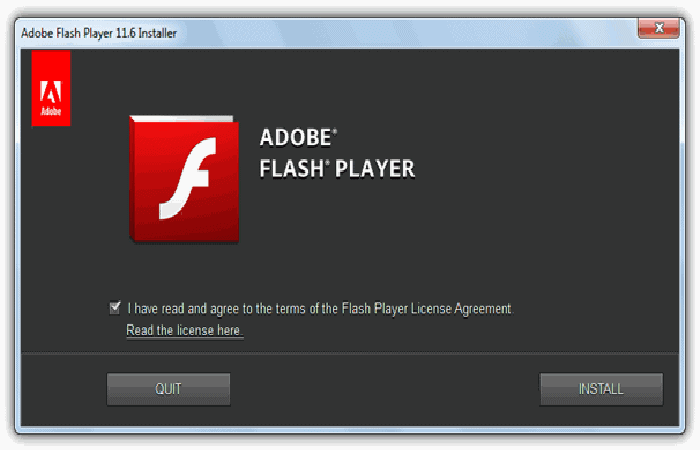
Youtube needs Adobe Flash Player to play videos, so you must have Adobe Flash Player installed. If you already have it and Youtube is not working, try uninstalling Adobe Player and then reinstalling it.
6. Disable hardware acceleration in Chrome
Hardware acceleration is a feature designed to make Chrome run more smoothly. When your graphics card can't handle this feature, a problem occurs that prevents YouTube from working. To disable hardware acceleration in Chrome, do the following:
- Step 1:: go to chrome://settings.
- Step 2:: Then click Advanced, scroll down to System settings and disable «Use hardware acceleration if available«.
5 Alternatives to Online Video Sharing Sites When YouTube Is Not Working
YouTube is a giant. It undoubtedly dominates the online video market. The aim of this part of the article is to make you aware that YouTube, despite its global hegemony, is not the only player in the video sharing field.
There are some pretty interesting alternatives you can use when YouTube isn't working. Competition is always good, no matter what, and the latest issues with Google's video platform are just one example of how market dominance isn't necessarily a good thing.
Competition forces innovation and develops the mind to get things done. The human mind only expresses its full potential in competition. Here are 5 of the best YouTube alternatives available on the internet right now:
1. Dailymotion

Dailymotion has always been YouTube's biggest rival. Its interface is remarkably similar to YouTube's, making navigation easy and straightforward. However, high-definition video quality is limited to pro subscribers.
4GB is the physical limit of the videos you can upload. This corresponds to approximately 1 hour of video. These drawbacks certainly explain why Dailymotion is no match for YouTube.
Either way, it can become a solid solution for daily viewing if you're ever looking for an alternative when YouTube isn't working.
Advantages
- It has much more flexible rules than YouTube.
- Same visual architecture as YouTube, you won't miss it
- Professional quality videos
- Browsing through video lists is more intuitive than on YouTube
Disadvantages
- Upload HD videos only for pro version users
- Popular only in Europe
- Limit video resolution to 1080p
You can enter the site from here
2. Vimeo: The best alternative for video streaming when Youtube is not working

Vimeo doesn't directly compete with YouTube, but it's an excellent alternative. The platform encourages young filmmakers to showcase their work and offers a much less distracting interface for videos. This allows you to focus on the important elements of each video you watch.
However, it is sometimes difficult to understand the limits imposed by this type of platform, here the weekly upload limit of 500Mb (expandable to 5GB for a fee).
Advantages
- It focuses on the user's video by eliminating unnecessary distractions.
- A privileged place for content creators
- Encourage directors to share their magic
- The homepage of the Vimeo site is beautifully done
Disadvantages
- 500 Mb limit per week on video uploads for each user
- This limit can be increased to 5GB, but it's still ridiculous against YouTube.
You can enter the site from here
3. Meta Cafe

Metacafe isn't very well-known, but it could benefit from more exposure. We're not competing with YouTube here at all; Metacafe offers a 90-second video limit. This makes the platform much more appealing to creator communities than to streamers. So yes, it's not a direct competitor to YouTube, but for short videos, it's a very good alternative.
Advantages
- Excellent platform based on the collection of community content
- It attracts more than 40 million users, a performance worth highlighting because very few poor quality videos are uploaded.
Disadvantages
- 90 seconds of videos maximum
- Still far behind YouTube
You can enter the site from here
4. Vevo
If you love music videos, then you should definitely make Vevo your go-to platform for streaming them. It's the leading site for music videos.
Pop, Hip-hop, Alt/Indie, Latin, Country, Electronic, R&B, Rock, Metal, Reggae, Soundrack, it's all there for the delight of your ears.
If music is therapeutic, let Vevo be your medicine. Unfortunately, the content will still be much less varied than what YouTube will offer you, so don't be disappointed when you first see it.
Advantages
- A little gem for those who love to enjoy an endless playlist of good music.
- High definition content is almost always guaranteed.
- Extremely easy to use.
Disadvantages
- It doesn't play in the same category as YouTube due to its 90 second time limit for videos.
- You can't upload your own music videos. This can be a major hurdle for most designers.
You can enter the site from here
5. Twitter
Twitch started with a simple concept, but quickly became the go-to place for online gaming and video game viewers. Its seamless integration with the PC and console worlds makes the experience even more engaging.
Gaming communities around the world are extremely active and the popularity of live streaming has skyrocketed in recent years. We are talking about millions of gamers here. YouTube should take inspiration from solutions like Twitch to diversify its offering.
Advantages
- Extremely impressive when it comes to engaging the gaming community.
- Massively available game content.
- Perfect for watching live video games.
Disadvantages
- It's even harder to make a living on Twitch, even more so than on YouTube, which, however, already sets the bar very high.
- You can't rewind a video
- Streaming performance is a bit below other video sharing sites.
You can enter the site from here
Here you can read about: How to Download YouTube Videos Without Programs in Google Chrome
Conclusion
We hope this article helped you solve your Youtube problems. A word of advice: don't give up right away if your Youtube app isn't working properly. Just check out the helpful tips and solutions above.
Table of Contents
- 1 Initial solutions you need to do when Youtube is not working.
- 2 Youtube not working on mobile devices (fix methods)
- 3 Youtube not working on Chrome or Safari browsers (Fix Methods)
- 3.1 1. Update your browser to the latest version if Youtube is not working
- 3.2 2. Clear your browser cache, cookies and website data if Youtube is not working
- 3.3 3. Activate javascript in your browser if Youtube does not work
- 3.4 4. Check your extensions and disable the ones that are causing the problem.
- 3.5 5. Install Adobe Flash Player on Safari if Youtube is not working
- 3.6 6. Disable hardware acceleration in Chrome
- 4 5 Alternatives to Online Video Sharing Sites When YouTube Is Not Working
- 5 Conclusion
