- Windows X-Lite is an optimized and lighter version of Microsoft's operating system
- Reduce resource consumption and enhance privacy by removing bloatware and telemetry
- It is ideal for older equipment or for those seeking greater control and fluidity in daily use.

Have you ever encountered a computer that's slow, seems to be aging, or simply want to get the most out of your machine without sacrificing stability? And you want to do this without losing control over your privacy and while preventing Windows from consuming unnecessary resources. This is where Windows X-Lite comes in , an optimized version of Windows that promises to improve performance and user experience, even on older or less powerful computers.
In this article, I'm going to explain in detail exactly what Windows X-Lite is, how you can use it, and how it differs from other versions of Windows . By gathering all the available information from major websites, forums, and the developer's own page, and supplementing it with my experience and knowledge of operating systems , you'll have a clear and realistic understanding to decide if it's what you need and how to take full advantage of all its features.
What is Windows X-Lite?
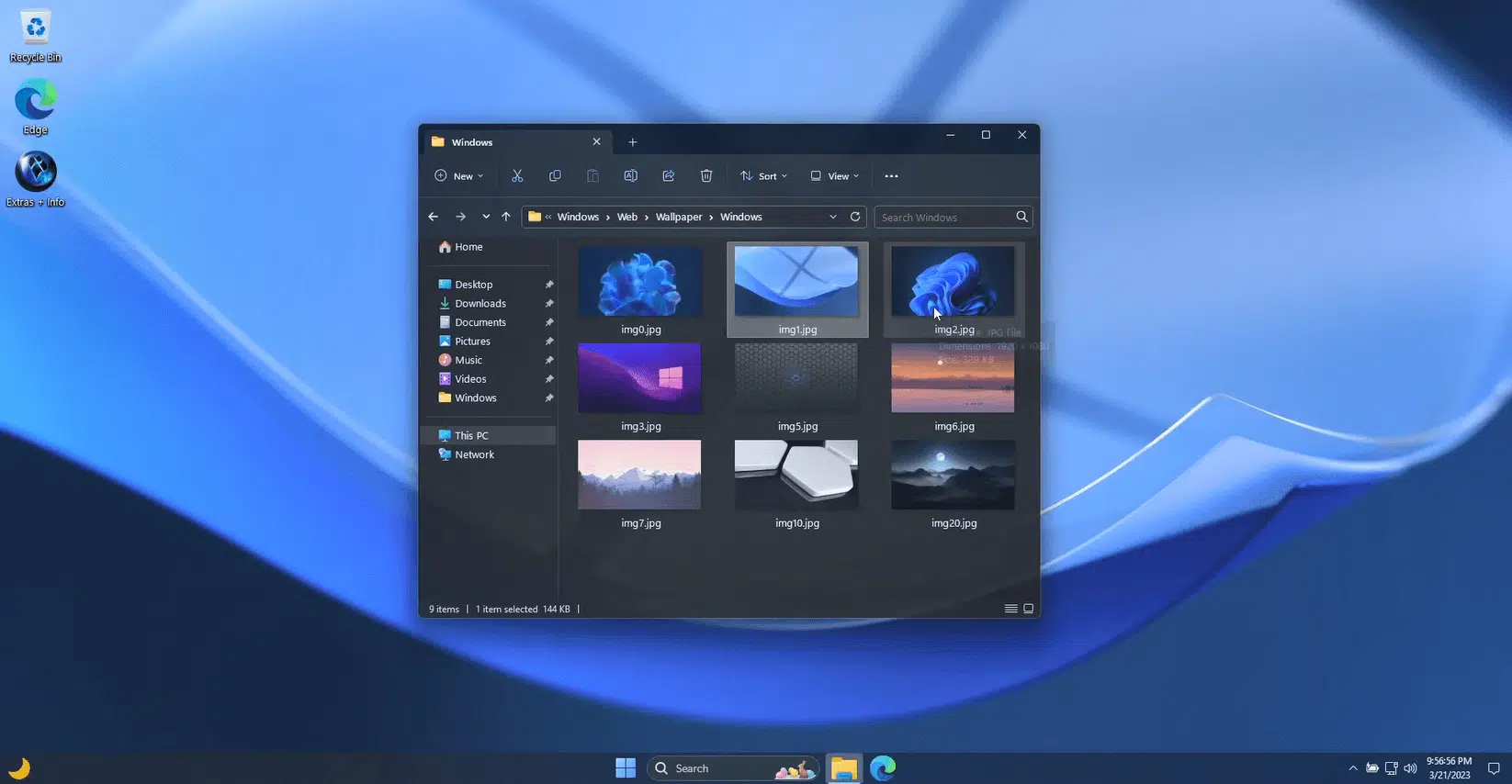
Windows X-Lite is a modified edition of Windows, generally based on recent versions of Microsoft's operating system , that has been carefully optimized by removing services, pre-installed applications, and features that typically consume resources and slow down computers, especially older ones or those with modest hardware . The main goal is to offer a lighter, faster, more stable, and more private Windows , without sacrificing compatibility with most programs and peripherals.
This version is developed and maintained by an independent community, not by Microsoft, and is distributed unofficially. The creators of Windows X-Lite aim to provide a smooth and efficient experience on any PC, new or old, powerful or basic . Their motto is that any computer, regardless of its age or technical specifications, can benefit from a modern operating system without the usual lags, crashes, and slowdowns.
As stated on the official Windows X-Lite website, its architecture is designed to improve performance, privacy, stability, and user control . Furthermore, its low resource consumption and increased responsiveness make it ideal for those looking to keep computers running that would become obsolete with other versions of Windows.
Main features and benefits
- Performance Optimization: Windows X-Lite removes services, automatic tasks, and pre-installed applications (bloatware) that normally slow down the performance of Windows.
- Less use of resources: It achieves very low consumption of RAM, CPU, and disk space, allowing even older PCs to run smoothly.
- Enhanced privacy: Many of Microsoft's data collection and telemetry processes have been disabled by default.
- Greater user control: It's possible to customize the system and decide which features to keep active and which to leave out, without Windows itself having to reset factory settings with each update.
- Amazing compatibility: Although it's optimized and reduced, in most cases it's possible to install any software or peripheral that will work on the standard version of Windows on which it's based.
How is this different from a standard Windows installation?
Installing Windows X-Lite offers a different experience than the standard edition downloaded from the Microsoft website. The first thing you'll notice is that the interface is much cleaner and free of icons, ads, and unnecessary applications . Booting up is much faster, and navigating through menus and programs feels instantaneous.
In standard Windows, a large portion of the system is occupied by components you probably never use: Cortana, Xbox Game Bar, pre-installed OneDrive, tutorials, unnecessary security reminders, widgets, integrated online search, tracking services, and so on. Many of these elements have been removed or disabled in X-Lite, minimizing background processes and thus freeing up resources.
Another key difference is the greater freedom to configure the system and block telemetry services or automatic updates . This gives the user final control over what runs, is installed, or is shared with Microsoft.
Is it legal to use Windows X-Lite?
This is an important point to keep in mind. Windows X-Lite is not a version developed or authorized by Microsoft , but a custom edition based on an official image, which is then modified by the community. Using it means accepting the usual risks of any unofficial software, from potential compatibility issues and lack of official support to, above all, the need for a legitimate Windows license.
If you already have a valid Windows product key and decide to use Windows X-Lite, you'll have the option to activate it like any other version, thus fulfilling the original license. However, Microsoft doesn't recognize or support these versions , so if a problem arises, you'll have to seek help in specialized forums or communities, not from Microsoft's technical support.
Therefore, the use of X-Lite is perfectly possible as long as you use an official license to activate it, although you are responsible for the possible risks that this entails as it is not an official edition.
Who is Windows X-Lite recommended for?
Windows X-Lite is especially appealing to users with older or less powerful computers , for whom the standard version of Windows is too resource-intensive. If your computer has been running slowly for years, freezes when opening multiple programs, takes a long time to boot up, or you simply want to get the most out of your hardware, this edition could be the perfect solution.
It's also ideal if you're concerned about privacy and want to have complete control over your system, without unwanted processes running in the background or automatic data transfers to Microsoft.
However, it is not recommended for users who require official Microsoft support or for companies that depend on updates and warranties, nor for those who want maximum compatibility with the entire Microsoft services ecosystem.
What versions are available and how do I update them?
Windows X-Lite versions are typically based on either Windows 10 or Windows 11 , tailored to user preferences. Each version receives regular updates, though they don't update automatically like standard Windows . The community frequently releases new editions as major updates become available, but it's usually necessary to perform a clean install of the new version rather than upgrading from the previous one.
In this way, each version has its own optimizations and features . Some, for example, are focused on very old computers and lack support for modern features; others, on the other hand, seek to offer all the advantages of the latest Windows 11 but without the burden of unnecessary services.
Where to download Windows X-Lite?
The only recommended and safe source is the official Windows X-Lite website (windowsxlite.com) , where you can find the latest versions and their technical information. It is recommended to avoid third-party websites or downloads from forums, as these could be modified or unsafe versions.
The official website usually provides basic instructions, although the community also shares tutorials and videos on platforms like YouTube. If you have any questions about installation or compatibility, always look for information and opinions on specialized forums , but only download from the official website to avoid risks.
Installing Windows X-Lite: General Steps
The installation process is similar to any traditional version of Windows. Basically, you'll need to download the ISO image from the official website , create a bootable USB drive (using programs like Rufus or the Media Creation Tool), and install it following the step-by-step wizard. Here's a basic guide:
- Download the Windows X-Lite ISO from the official website, making sure that it is compatible with the type of equipment (32 or 64 bits) and the desired version.
- Create a bootable USB using free tools like Rufus. Select the downloaded ISO and follow the instructions to prepare the USB.
- Restart your computer and boot from the USB, accessing the BIOS if necessary to change the boot order.
- Follow the installer's instructions all with forma tear the disk if you wish, create partitions and perform the full installation.
- configure the system once installed, including activation with a valid Windows key and installation of necessary drivers.
Please note that, as this is an optimized system, some common services or features may not be available initially . It is recommended that you read the documentation for your chosen version before installing, and that you back up your important data.
Compatibility, advantages and possible disadvantages
One of the strengths of Windows X-Lite is that, despite its limitations, it maintains compatibility with most standard software and peripherals , including printers, mice, keyboards, cameras, USB devices, etc. You can install office suites, browsers, and the vast majority of common programs.
However, removing some services may cause limitations with very specific programs that depend on particular Windows components, such as some games, business applications, or advanced tools. Therefore, before completely migrating your computer, it's advisable to test on a secondary or virtual machine to ensure that everything you need works correctly.
As with any modified system, official Microsoft support is not guaranteed . If a serious problem or incompatibility arises, you'll have to consult community forums or wait for patches from the X-Lite developers themselves.
Privacy and security level
One of the main reasons many users choose Windows X-Lite is the drastic reduction in data collection and telemetry. Unlike a standard installation, many tracking services are disabled or removed, allowing users to browse and work without worrying about spying or the unauthorized collection of personal data.
However, security largely depends on good user practices . You should always install the original version from the official website and use reputable security solutions (antivirus, firewall, etc.). Because it's a customized system, there's a small risk that third parties could manipulate unofficial images to include malware ; therefore, it's vital to verify the authenticity of the download.
Use cases and community feedback
Those who have tried Windows X-Lite agree that the performance improvement is remarkable, even on very limited hardware , allowing computers that seemed unusable to function smoothly again. They also highlight the faster boot and shutdown times, as well as the fluidity in everyday tasks.
In forums and social media, the community particularly values the transparency with which the X-Lite version reports on implemented changes. There is also growing interest in countries where technical resources are limited, as it allows for extending the lifespan of older computers in schools, internet cafes, or small businesses without investing in new devices.
Conversely, some users consider the lack of support and potential instability in very specific situations to be problems, especially if untested updates or incompatible drivers are installed . Therefore, it's important to follow the developers' advice, install only what's essential, and perform regular backups.
Differences with other lightweight alternatives
You might be wondering if there are other similar options. Indeed, there are other 'Lite' versions of Windows and Linux distributions designed for older or low-resource computers. However, Windows X-Lite is one of the alternatives that best balances lightweight performance and compatibility , allowing you to use programs and devices just like the standard version, but without the burden of an overloaded installation.
Choosing Windows X-Lite can make all the difference if you have an older computer or simply want to enjoy a more agile, private, and customizable Windows. Remember that it's essential to do your research, always download from the official website, and evaluate your needs before taking the plunge. If you're looking for performance, privacy, and control, X-Lite is one of the best options available today, although, like all customized software, it requires a certain degree of self-management and responsibility on the part of the user.


Passionate writer about the world of bytes and technology in general. I love sharing my knowledge through writing, and that's what I'll do on this blog, show you all the most interesting things about gadgets, software, hardware, tech trends, and more. My goal is to help you navigate the digital world in a simple and entertaining way.