
Is Twitter not playing videos? Do you want to know the causes and solutions? Often, we encounter problems on this platform when playing a video. Even though everything was working fine, a message may appear saying: " The media cannot be played ."
Deleting cookies, history, reinstalling Chrome often does not work as a solution. This only happens with Twitter videos, while all videos from other social networks and other platforms work fine. So, how can you solve this problem when Twitter is not working?
Why doesn't Twitter work with videos?
Sometimes, video playback on Twitter may not work. There are various reasons for such playback issues. It could be poor network connectivity, issues with the Twitter app or sometimes with the browser being used and many more.
Twitter not working - Solutions
Here we will present all the reasons that may explain why videos are not playing on Twitter, while providing you with solutions to remedy this problem.
Here's everything you need to know to fix the Twitter videos not playing issue.
Twitter is not working. Why can't I play videos?
Before we begin a deep dive into the solutions to this problem, you must first identify the actual causes because only by understanding the cause of a problem can it be effectively resolved. Below is a list of causes that can lead to playback issues with Twitter videos.
1. Twitter is not working due to poor connection
Poor network connection is often the main reason why platforms are down, especially those that work exclusively over the internet, and therefore, your weak network can cause problems playing videos on Twitter.
Do you want to solve this problem?
Here are two steps to fix this error:
- Step 1:: Check your network signal strength in your device's connectivity settings. If possible, use a network with a strong signal.
- Step 2:: Once you are in a good network area, restart your Twitter app and load the videos again. If it was the network that was causing the problem, you can now play the videos without any issues.
2. Twitter is not working due to the cache in the App
App cache and browser cookies while using the app on your laptop can also be a reason why Twitter videos are not playing.
- Step 1:: Clear the application cache by following this path Settings > Apps > Twitter > Clear Cache.
- Step 2:: When you use the application through a browser, you separately delete the cookies from the browser you are using.
3. The Twitter App is not working
The Twitter app itself can also cause issues like not playing videos or even not hearing any sound while the video is playing. To resolve this issue follow these steps:
- Step 1:: Uninstall the application by following the path below: Settings > Apps > Twitter > Uninstall. Once uninstalled, reinstall the app through Play Store / App Store.
- Step 2:: You can also update the app via Play Store / App Store by following the path My apps & games > Twitter > Update.
4. Other reasons why Twitter does not work
- Sometimes security plugins and firewall settings can prevent videos from playing on Twitter.
- It's also possible that a video won't play on Twitter because it's not supported by the platform's video format.
Twitter not working: How to fix videos not playing on Android
If you're using Twitter on an Android device and Twitter videos aren't playing or a Twitter video has no sound, here's a list of possible causes along with appropriate solutions to resolve this issue.
1. Check network strength if twitter is not working
Network strength is essential when using social media platforms like Twitter because it requires good signal strength for them to work. If the network signal is weak, you won't be able to play videos, load visual content, etc.
We'll walk you through how to check the status of your network signal strength to see if it needs to be changed.
- Step 1:: Start by restarting your device.
- Step 2:: Once restarted, go to Configuration and select Wireless connections and networks.
- Step 3:: If you are using a Wi-Fi network, switch to the mobile network to see if it works better and check the signal strength.
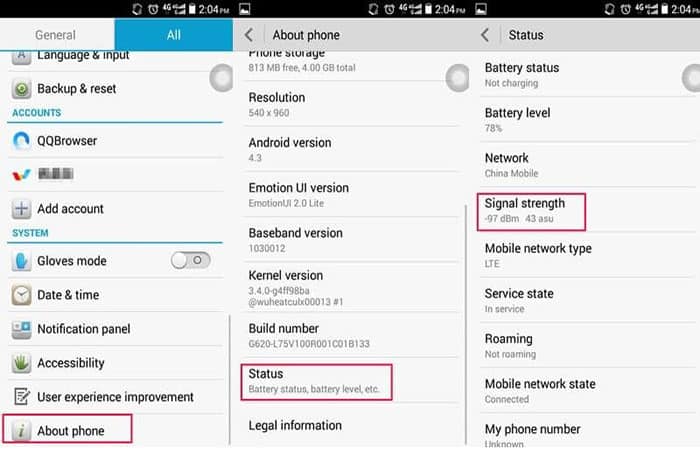
- Step 4:: On the menu Configuration, Choose "About of the phone» and press «Status» to know the signal strength.
2. Reinstall the app if Twitter is not working
This is the procedure to reinstall the application.
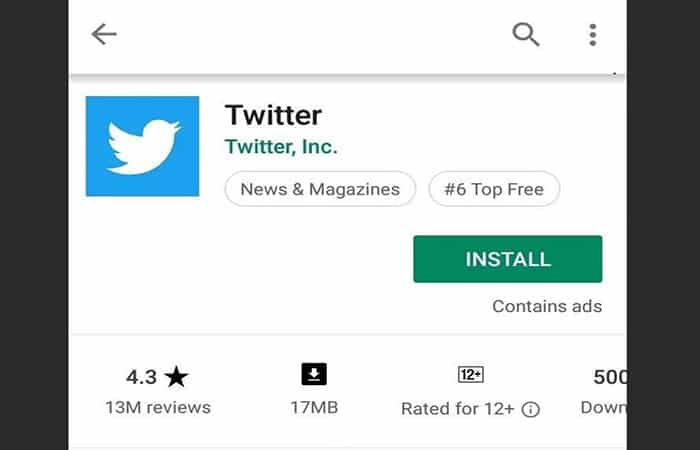
- Step 1:: Once the uninstallation of the Twitter application is complete, the next step is to reinstall it.
- Step 2:: Navigate to the main menu of your device and click on «Play Store«
- Step 3:: In the Play Store, search for the Twitter app.
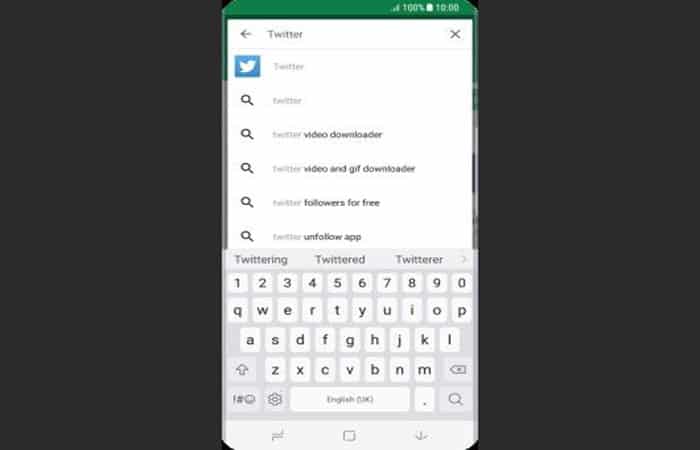
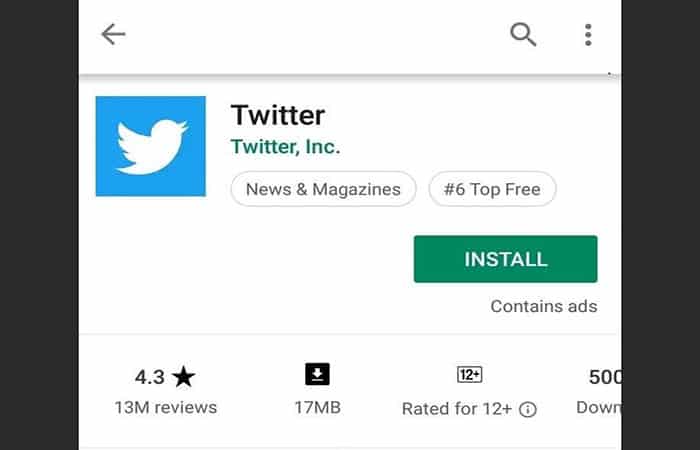
- Step 4:: touch Twitter and then Install.
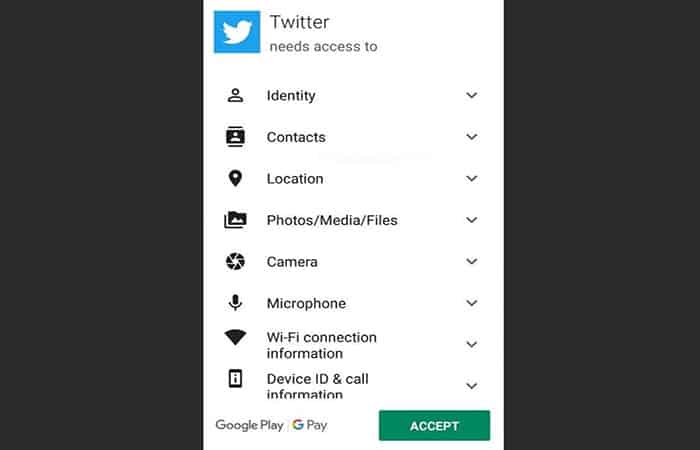
- Step 5:: Accept the terms and conditions by pressing the « buttonAccept» to continue with the installation.
3. Update the app to the latest version if twitter is not working
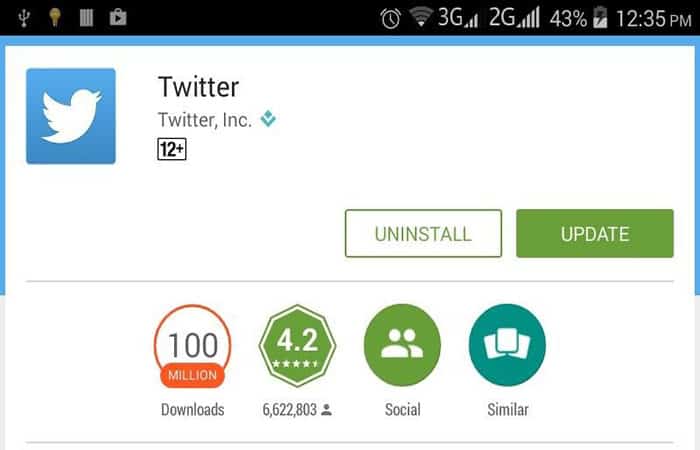
When using an outdated version of the app, the app may not work with all its features and may have bugs such as not being able to play videos. For this, your best option is to update the app to its latest version. Follow these steps:
- Step 1:: In the main menu, click on «Play Store«
- Step 2:: In the Play Store, go to My applications and games or search Twitter through the search bar
- Step 3:: Select Twitter from the list and click «Update» to continue downloading the update.
4. Launch your phone's browser if Twitter is not working
If the Twitter app downloaded on your Android device continues to cause video playback issues, you can still launch the app from your mobile phone's browser to check if Twitter is working fine. If you are using Chrome as your browser, follow these steps to resolve this issue:
- Step 1:: Go to your device's main menu and tap Chrome.
- Step 2:: Then, you need to log in, you need to type the following address: mobile.twitter.com in your browser.
- Step 3:: Then, you must enter your username and password to enter your profile.
- Step 4:: Now, find a video within the platform and try to play it.
Twitter not working on iPhone or iPad – How to fix it?
Are you using devices like an iPhone or iPad and Twitter isn't working? Don't worry, here are some methods to help you:
1. Issues related to Twitter application:
While using the Twitter app on iPad or iPhone, there are times when the app itself is faulty, leading to related issues such as not being able to play videos. Here are the steps you can follow to resolve this issue.
- Step 1:: Close all applications running in the background, as too much memory load on the device can hinder the proper functioning of applications.
- Step 2:: Update the Twitter app through the app store by searching for Twitter and pressing “Update«
- Step 3:: Uninstalling and reinstalling the app may also be a solution. To uninstall it, simply head to the App Store, search in Twitter and press uninstall. For reinstallation, the process is the same except that you must press «Install«.
2. Update iOS software if Twitter is not working
Make sure your software is up to date and compatible with the app. To update to the latest iOS versions , follow these steps:
- Step 1:: Connect your device to a power source and a strong Wi-Fi connection
- Step 2:: Go to the section Configuration and then select Software update in the general settings menu bar.
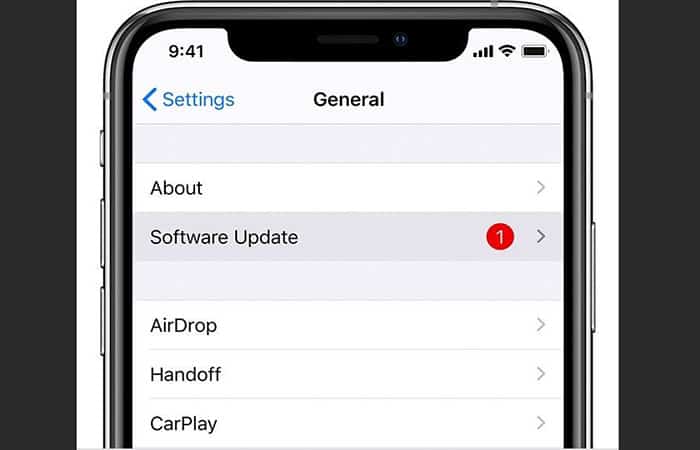
- Step 3:: touch Software update and install to continue. This will install the latest software update.
3. WiFi connectivity
Your network connection may be faulty and causing videos not to play on Twitter. Here are the steps you can take to resolve this issue:
- Step 1:: Turn off Wi-Fi, wait a few seconds (2-3) and turn on Wi-Fi to improve signal strength.
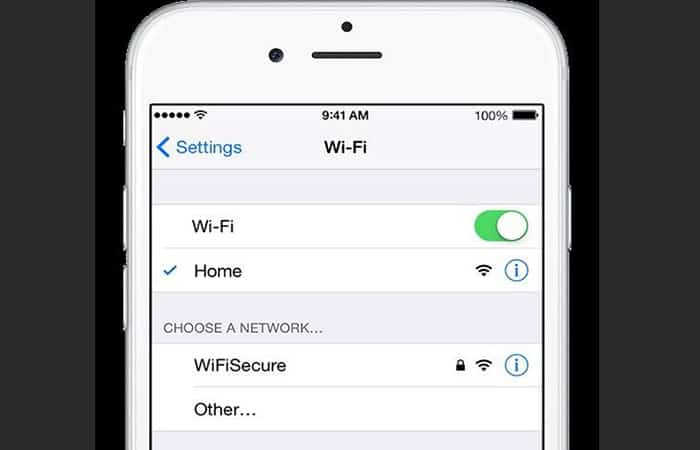
- Step 2:: Try connecting to a different network with good signal strength.
- Step 3:: Forget the Wi-Fi network and connect again by adding a password
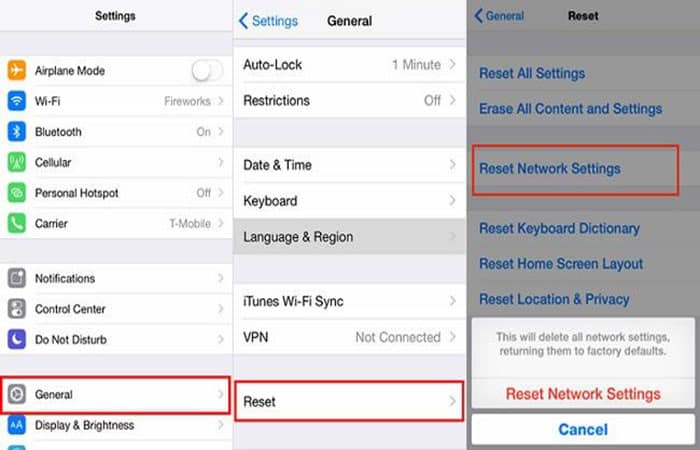
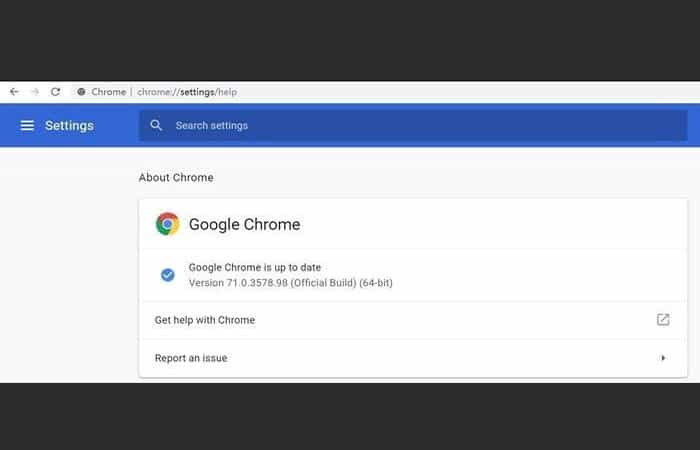
- Step 4:: Finally, reset the network settings. Follow the path: Settings > General > Reset Network Settings > Set as Default
Twitter Servers
Twitter servers are important and if any of them are outdated, it can cause problems playing videos on Twitter. You can also try performing a quick fix on the antenna.
Twitter not working in web browser What to do when you can't play videos anymore?
Using Twitter in a web browser can also be problematic compared to playing videos on Twitter. If you're using Chrome as your browser, here are some solutions you can try.
- Step 1:: Close all current web pages and restart your browser to see if the videos are playing or not.
- Step 2:: Update your browser by following the next path Chrome > Settings > About Chrome
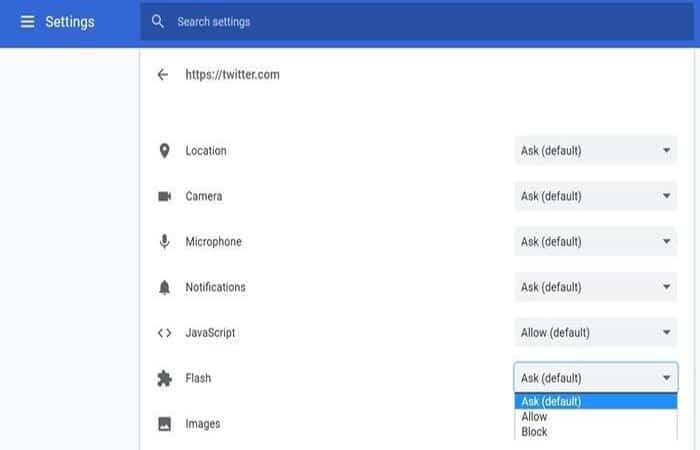
- Step 3:: Check if the Flash plugin is not blocked on Twitter, if so, uncheck the block to allow videos to play normally on Twitter.
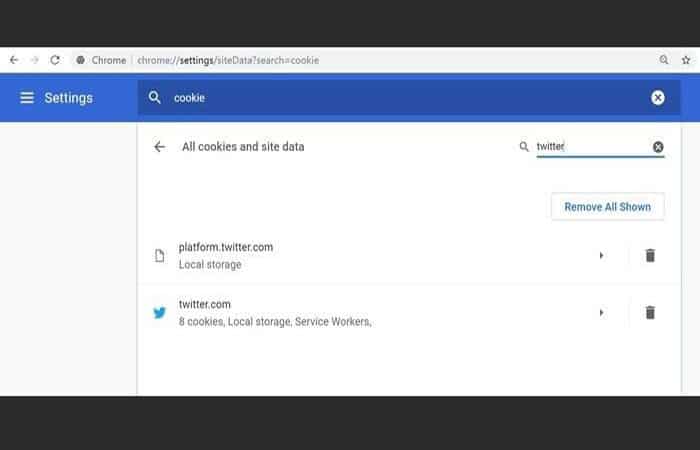
- Step 4:: Delete all Twitter cookies by going to the settings menu Chrome, then Cookies > Twitter Search> Clear cookies.
Fix Videos Not Playing With Video Repair Tool If Twitter Is Not Working
Wondershare Recoverit is the best third-party data recovery application ever developed, trusted by over 5.000.000 users. This software helps recover deleted files, photos, videos, emails, and other media.
Moreover, it not only recovers but also successfully restores your data on your devices. It offers wide compatibility with over 1000 file formats that can be recovered and restored. You can download it from the following links:
Download | Mac Download | Windows
Steps to recover videos with Wondershare Recoverit if Twitter is not working
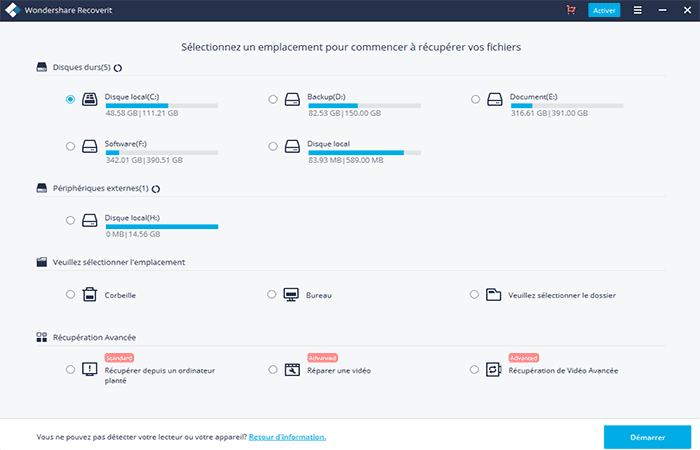
- Step 1:: Start by launching Wondershare Recoverit on your computer. You must be sure that your camera's memory card is properly connected to your computer.
- Step 2:: Select the memory card from the menu. Once the card is selected, click on «Start" to continue.
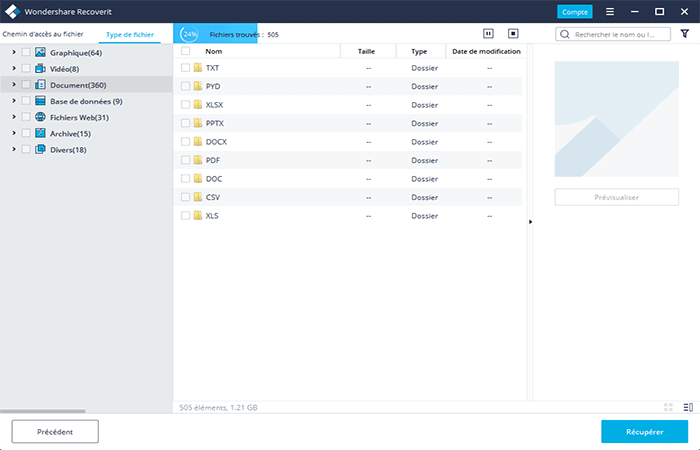
- Step 3:: Wondershare Recoverit software will start scanning the memory card to recover data i.e. deleted videos.
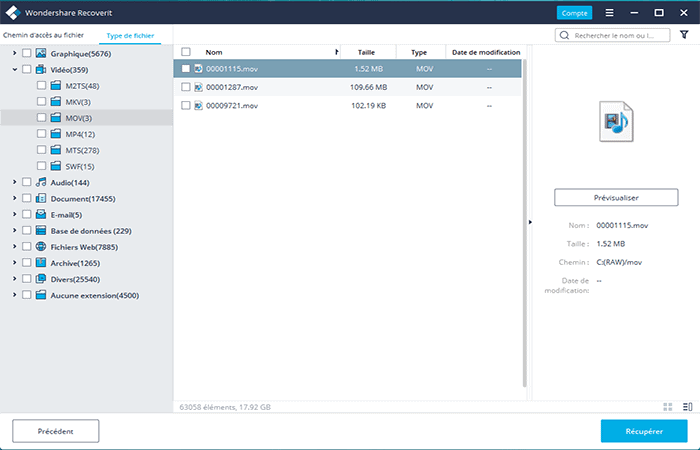
- Step 4:: Once the scanning process is completed, a preview of the recovered data will appear on the screen. Now select the videos you need to recover and press «Recover«.
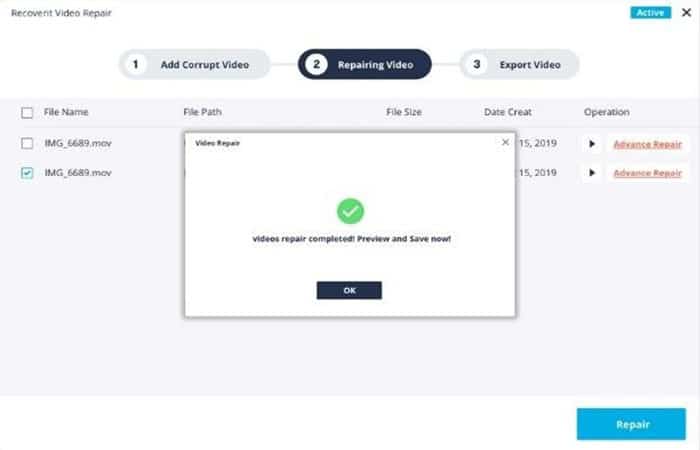
Wondershare Recoverit Advanced Video Repair Feature:
Recoverit's advanced video repair feature still works well. It not only recovers lost files and folders with pinpoint accuracy but also repairs corrupted or faulty parts of data that are causing the problem and errors.
Steps to repair corrupted videos with Recoverit:
It has two working modes, namely Quick Repair and Advanced Repair. The first one helps to exclude all errors associated with videos, while the second one repairs videos by checking the data and technology used to create the video content. Here is what the software is capable of doing:
- Repair multiple video formats simultaneously.
- Scan corrupted videos and preview the repaired videos before saving them
- No limitation on the size of video files to repair
- Allows you to repair any number of damaged video files
- Step 1:. Start by adding the damaged video into the software interface
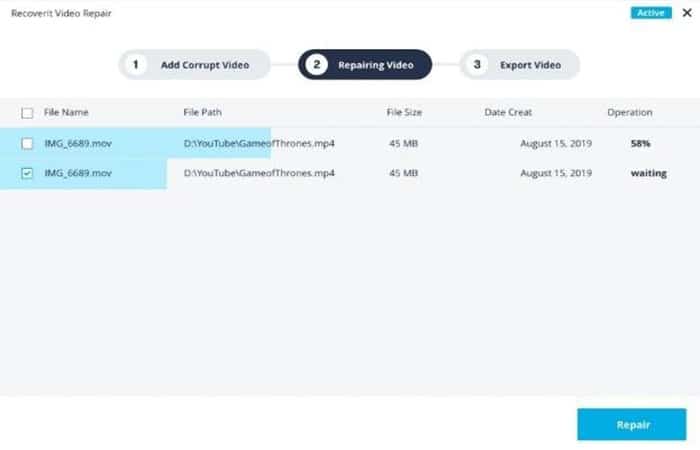
- Step 2:. If you are using an advanced repair, please add a sample video of your device to continue.
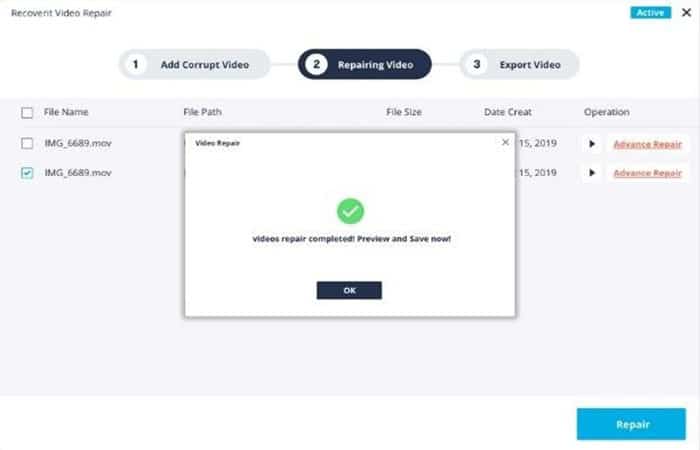
- Step 3:. Tap the option Repair video
- Step 4:. Once you are done with the repair, you will get a preview of the results and if you are satisfied, save the video.
The best Twitter alternatives
Now, let's look at some alternatives that may interest you if Twitter doesn't work. You can choose the one you like the most since all the apps we will show you are very similar and popular.
1. Reddit
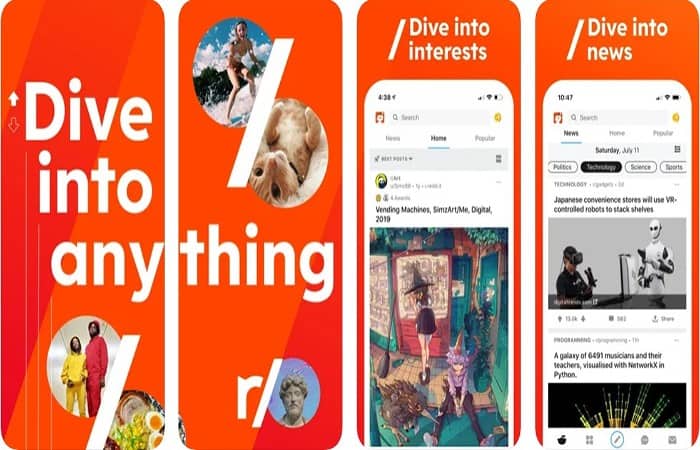
If you only use Twitter to comment on news published by major outlets, you'll like Reddit. Reddit isn't a microblogging platform, but it's a great place to share your thoughts with others.
Reddit has many news and country-related subreddits . Popular subreddits have millions of members and several thousand active users. Once you join a subreddit, you can post comments on topics created by other Redditors (Reddit users).
Reddit uses a karma system . If someone likes your comment and upvotes it, your Reddit karma will increase. If people downvote your comment, your karma will decrease. Subreddits are moderated. Moderators will usually remove a post, but Reddit will not ban your profile.
You can download it from the following links: Android iOS
2. Mastodon
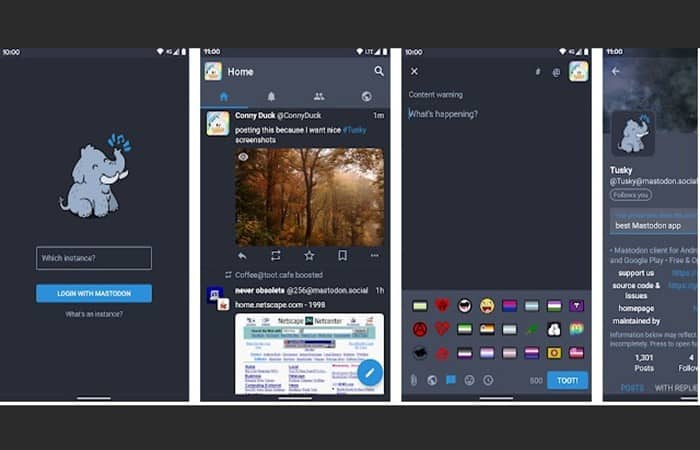
Mastodon is a good alternative to use when Twitter is down. The application is open source, and its source code is available on GitHub. Mastodon has over 4.4 million users and several thousand human-moderated groups.
Their official app has not been released yet, but some free and paid third-party apps allow you to access your Mastodon account/groups etc. on Android, iOS devices. Similar to Twitter, the length of posts on Mastodon is restricted to N characters (500).
Your posts can include links, images, hashtags, and more . Mastodon allows users to customize their profile, follow other users, comment on posts, share posts, and more. The app has an option to report a profile as abusive and allows users to send messages to other users.
Is Mastodon a Twitter Scam? The biggest difference between Mastodon and Twitter is that Twitter owns all the data of Twitter users.
In the case of Mastodon, no single organization or person owns the data of Mastodon users. Another difference is that Twitter has ads , while Mastodon is an ad-free microblogging service.
Mastodon allows users to create their own Mastodon server. Therefore, if you are familiar with terms like ssh , Nginx, domain, server, etc., you can host/create a Mastodon server/instance.
You can download it at the following link: Mastodon
3. It
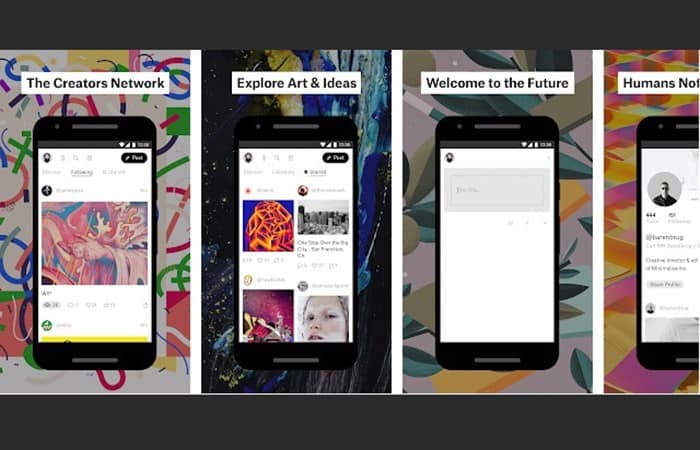
Ello is a Twitter-like app for artists or people who love discovering new art. When creating an Ello account, you'll be asked to choose one of two options: " artist " or " fan ."
To help more people discover your work, Ello offers the option to categorize posts within the app. For example, if you want to share a GIF, tap the dropdown menu below the text editor and select "GIF."
Just like on Twitter, you can prevent people from commenting on your post. In addition, Ello also allows users to disable sharing or reposting their posts.
If you're an artist, you can enable the "Hire Me" button . This button will appear on your profile. This Twitter alternative shows the number of times a post has been viewed. The app also displays the total views of all the creator's posts.
You can download the apps from these links: Android iOS
4. Plurk
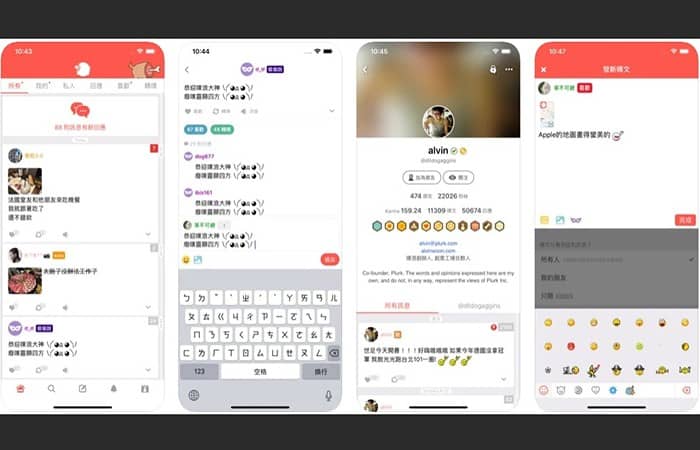
Plurk is the third app you can use if Twitter isn't working. Posts on this site are called "plurks," and users are called Plurkers. The app displays all posts at the top of the user's profile.
Users can comment on posts and even like them. Plurk has a “karma” system and displays the option to repost plurks. It allows users to earn badges, coins, and gifts.
It supports hashtags and has the option to view posts shared on a specific date. Like Twitter, this app allows users to quote other users' posts. It also allows users to mute posts.
Plurk can upload your posts to Twitter if you are logged into the site/app with Twitter. If you have enough coins, you can also schedule posts on Plurk.
You can download it from the following links: Android iOS
5. Tumblr
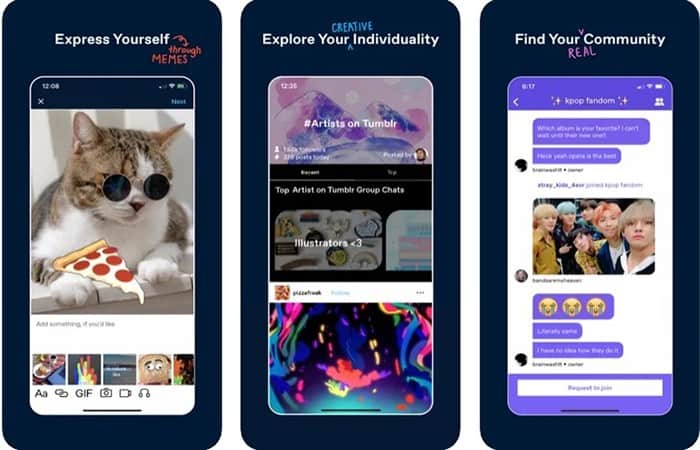
Tumblr was a popular app in the late 2000s. Although its popularity has declined since 2010, Tumblr is still a widely used service that you might like if Twitter isn't working.
Tumblr is a microblogging app like Twitter that does not restrict the length of posts. Similar to other services, Tumblr supports emojis and allows users to comment on posts posted/shared by other users.
It also allows users to embed GIFs, videos, and images into their posts. Tumblr allows users to follow blogs, view trending posts, and discover posts that have been curated by Tumblr staff for users to read.
It allows users to view quotes, GIFs, photos, videos, chats, etc. shared by other Tumblr users. Tumblr also makes users aware of blog trends.
You can download it from the following links: Android iOS
NOTE : If you don't want to install the applications, you can access the official website of the above microblogging platforms on your Linux or Windows PC , or on your smartphone with a browser.
You might also be interested in: How to View a Private Twitter Profile
Conclusion
Therefore, an error like Twitter not playing videos can be caused by a number of reasons including the app, device, browsers, and even other apps and plugins that are running.
Next time you are having trouble playing videos when Twitter is not working, all you need to do is look at the underlying cause and by referring to this guide, take the right steps to resolve the problem.
Each solution mentioned is easy to implement and includes clear steps and illustrations to make it even easier. Additionally, feel free to try Wondershare Recoverit video recovery and repair software to resolve your issue. Follow these steps, and you'll be done with your problem.

My name is Javier Chirinos and I am passionate about technology. Ever since I can remember, I have been interested in computers and video games, and that passion has turned into a job.
I have been publishing about technology and gadgets on the Internet for over 15 years, especially in mundobytes.com
I am also an expert in online marketing and communication and have knowledge in WordPress development.