- Tkinter and GUIZero cover simple GUIs; PyGame is for multimedia without widgets; EasyGUI is for quick dialogues.
- To apps Professional and scalable, PySide6/PyQt6 (Qt) offer the largest ecosystem and tools.
- Kivy, Toga, wxPython, GTK and Remi expand options according to mobile, native, GNOME environment or web UI.

If you program in Python and are wondering which is the best option for creating a user interface, it's normal to have doubts between Tkinter, PyGame, GUIZero, and EasyGUI . Each one was created to solve different problems: from painting pixels and sprites at high speed to generating quick dialogues or creating simple windows without overthinking it.
In this guide, you'll find a clear comparison and a map of the other alternatives currently used by teams and the community: PyQt/PySide (Qt), QML, Kivy, BeeWare/Toga, wxPython, PyGObject (GTK), Remi, and PySimpleGUI . I'll explain the strengths of each, what you need to know about licensing, installation, and practical use cases, incorporating the most relevant information shared by the community and the technical documentation.
What problem does each tool solve?
Before going into detail, it's helpful to understand the purpose of each option. Tkinter is Python's official graphics library: it comes included in Windows and macOS, and on Linux, it usually requires installing the distribution's package. Its philosophy is simple: classic widgets (buttons, text boxes, tabs, progress bars), layouts, and a powerful Canvas for 2D graphics . It's not a complete framework, so it doesn't include multimedia, advanced graphics, or data models by default ; you add those components using the standard library or third-party tools.
PyGame is geared towards multimedia and games: it offers a direct API for drawing on a surface, manipulating sprites, and playing audio over SDL. It's ideal for gaining control of the main loop and learning about rendering and event handling; however, it doesn't include native widgets like menus, buttons, or text boxes . If you need forms or text input with OS composition, you'll have to implement it manually or create a hybrid system with another GUI.
GUIZero simplifies Tkinter with an API designed for learning and quick projects. It replaces Tk() with App() , Label with Text , and gives you controls like PushButton , Window , Picture , and pre-made dialog boxes ( warn, yes, info, error ). It also offers a very straightforward grid layout and useful features such as showing/hiding windows or locking the main window while another is active.
EasyGUI , on the other hand, aims for ultra-minimalist design: simple modal dialogs (messages, yes/no questions, file selection) using Tkinter without exposing the complexity of the event loop. It's an effective option for prototypes , internal utilities, or scripts that need basic interaction without building a full app.
Tkinter in depth: simple, portable, and with a powerful Canvas
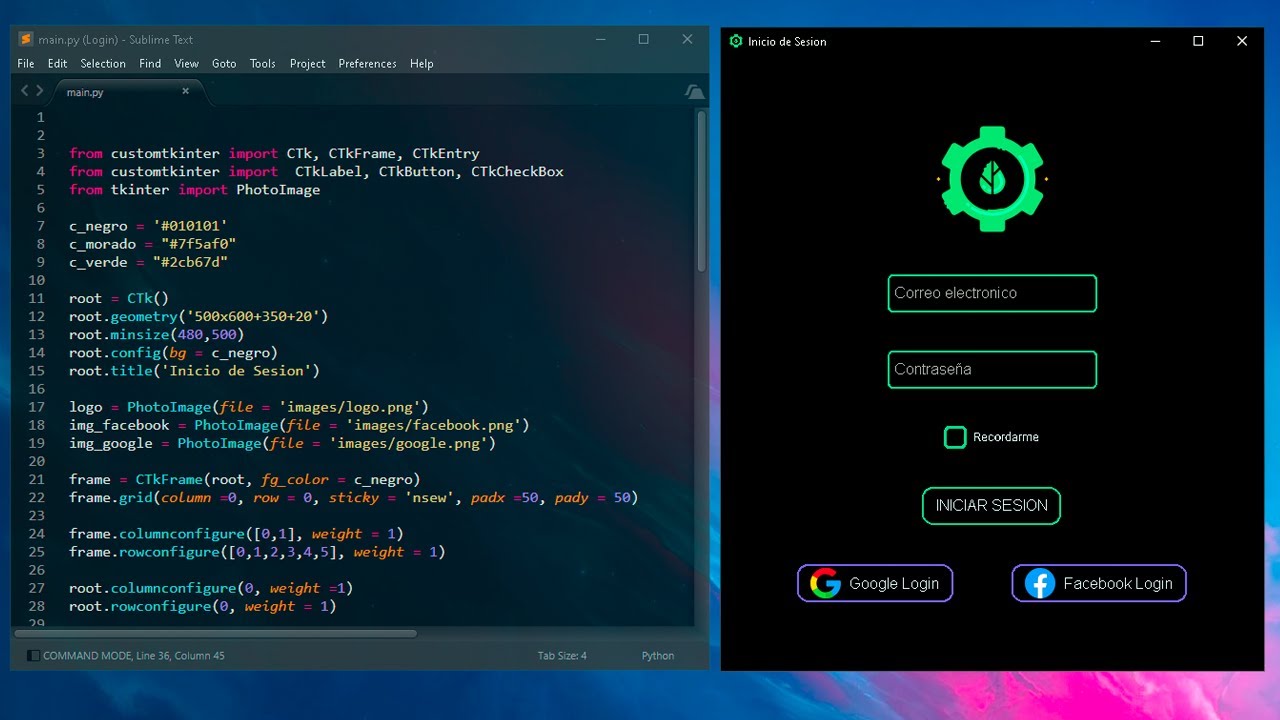
If you want to start with something that's already on your system, Tkinter is a safe bet . On Windows and macOS, it comes bundled with Python; on Debian/Ubuntu, it's usually installed separately from the repositories. It offers a classic and reliable set of widgets, with support for enhanced themes through "themed" widgets (Ttk), which modernizes the look, especially on Windows.
It's not a "fully-built" framework like Qt: it doesn't include databases , multimedia, or advanced vector graphics out of the box . But for simple, portable desktop tools, it works wonderfully, and its Canvas can handle amazing interfaces if you use it well. Furthermore, its Python Software Foundation (PSF) license is permissive, GPL-compatible, and suitable for proprietary software, giving you a lot of freedom.
The "Hello World" examples are very short, and on Linux, you simply need to install the Tk package if you don't already have it. If you're coming from other frameworks, you'll be pleased to know that Tkinter offers layouts with packs and grids , tabs, progress bars, and standard dialog boxes. For more complex business logic, you'll need to use external modules, but for 80% of desktop utilities, it's more than sufficient.
PyGame in depth: total loop control, zero widgets

PyGame is fantastic if you want complete control over the screen and gameplay. Its API lets you draw, animate sprites, and play sound with ease, and the object-oriented sprite architecture helps organize the scene. However, it lacks native support for traditional UIs: there are no ready-to-use menus, buttons, or input boxes.
Can you create a text box in PyGame? Yes, but it involves reading keyboard events in a raw way , managing character composition, and manually drawing the glyphs in the correct position. It's a good learning exercise, but it becomes quite challenging in "office" applications or user forms. For those tasks, the recommendation is to combine it with or switch to Tkinter or another GUI with native widgets.
Another key issue is the main loop. PyGame gives you control of the main loop , which is great for those coming from game engines; in contrast, most GUI toolkits require you to register callbacks and let their event loop handle everything. You can mix them (for example, using Tkinter for control screens and PyGame for the game scene), but the experience is usually clunkier for the end user and doesn't solve potential installation problems.
If multimedia is your thing and you're looking for more "pure" Python alternatives, some people switch to Pyglet for certain capabilities that PyGame doesn't cover, although that's outside the scope of this comparison. If you have any concerns about performance, you can check your dedicated graphics card . For touchscreens or mobile devices, check out the Kivy section below, because it's in a different league.
GUIZero: the fast track to learning and prototyping with Tkinter
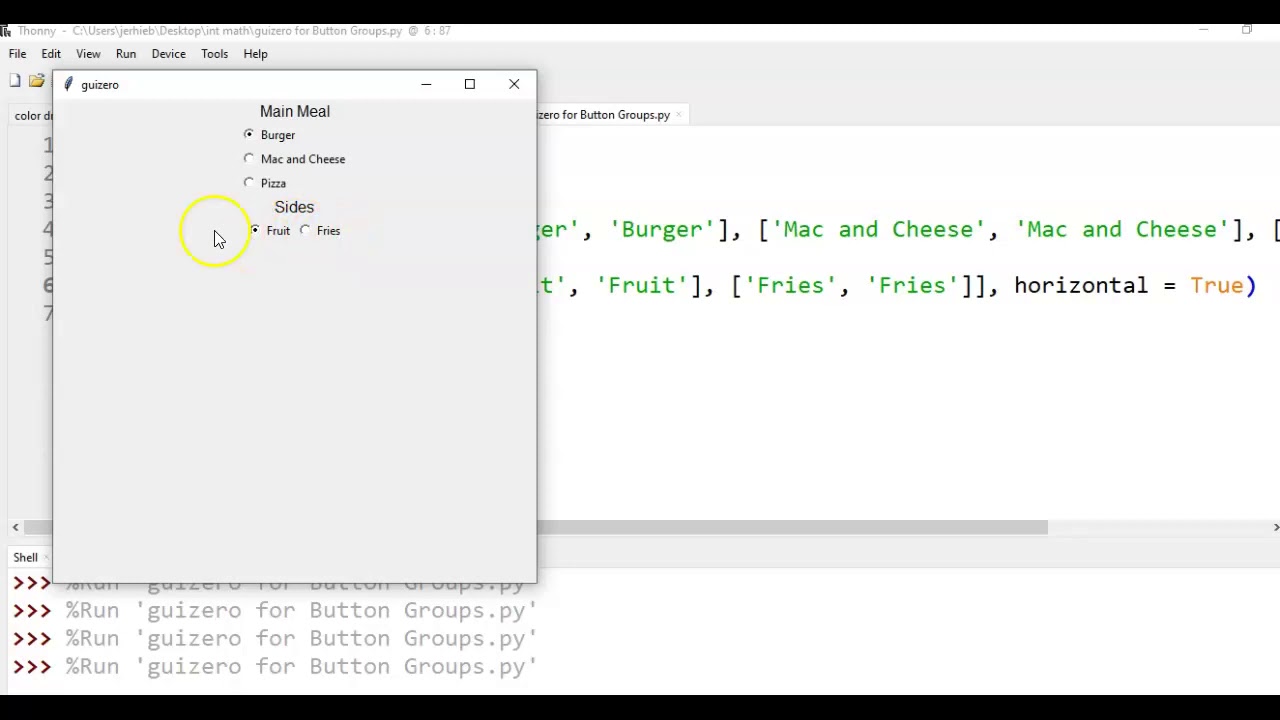
GUIZero is installed with pip install guizero and greatly simplifies Boot: instead of Tk() you use App() and instead of mainloop() call to display(). The objective is that Let the first steps be directespecially in educational settings. It changes Label by Text and provides controls such as PushButton, Picture, Window, slider, ListBox, MenuBar or the friendly one Waffle.
A key strength is the grid layout with grid= coordinates , which allows you to add a "keyboard" of buttons in minutes. Furthermore, you can open a second window ( Window ), hide or show it as needed, and even lock the main window until the user closes the secondary one with wait=True . This is exactly what you need for wizards or dialogs that shouldn't allow interaction with the rest of the interface.
Regarding dialog boxes, it offers `warn` , `yes` , `info` , and `error` , with a very straightforward API. It also exposes an `on_close` method in the app to intercept the closing process and ask the user if they want to exit, destroying the window only upon confirmation. If you're coming from Tkinter, the transition is minimal; if you're new, it saves you a lot of hassle.
As an added bonus, GUIZero encourages separating logic from visuals with simple functions: for example, pressing a PushButton calls a function that updates the value of a Text field . It also includes support for images, color management, and other basic widgets. It doesn't aim to compete with Qt or GTK; its niche is simplicity and accessibility.
EasyGUI: Simple modal dialogs for scripts and utilities
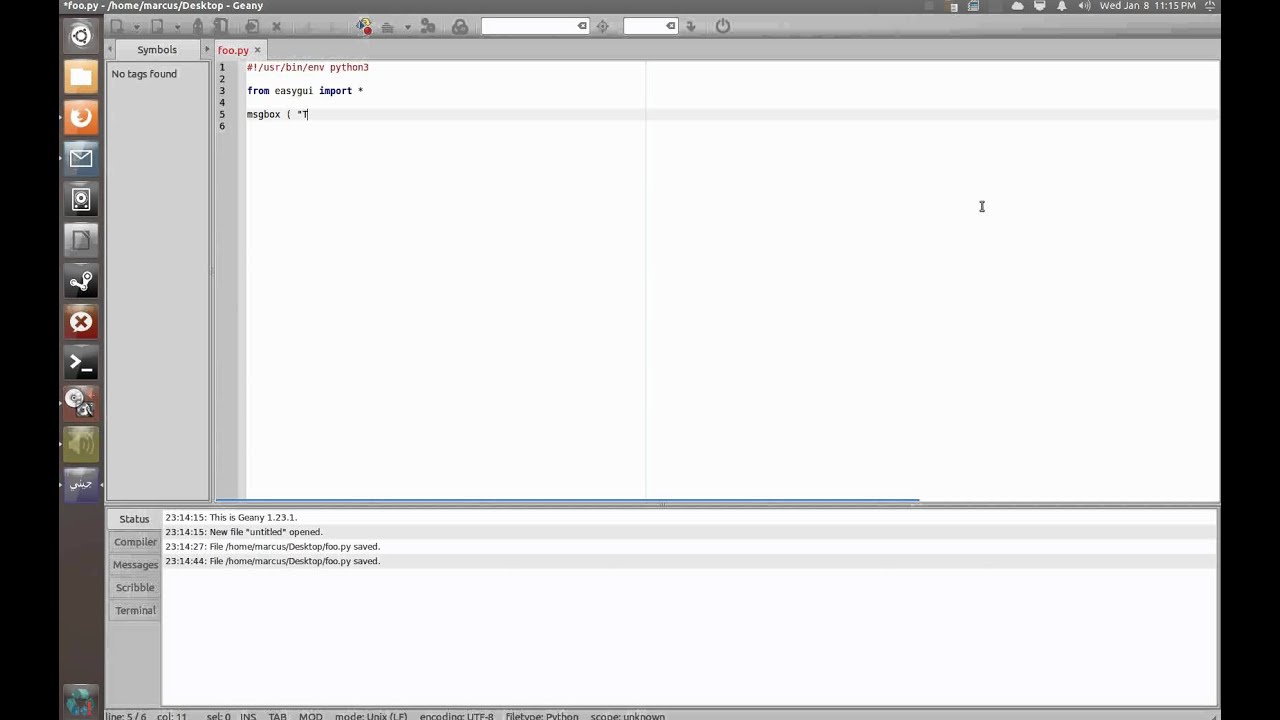
EasyGUI aims to get straight to the point by offering basic dialogs (messages, yes/no, text input, file selection) without the hassle of navigating the event loop. It's useful when your console script needs a bit of user interaction and you don't want to build a whole application. Under the hood, it relies on Tkinter and is perfect for rapid prototyping or internal tools.
Its weakness is also its strength: it's not suited for complex interfaces, advanced menus, or elaborate layouts. If your use case grows, the natural transition is to move to Tkinter or GUIZero (if simplicity is your priority) or to more robust frameworks like Qt if you need professional-grade capabilities.
When you need more: Qt, QML, Kivy, Toga, wxPython, GTK, Remi and company
If your project grows, Qt is the heavyweight. With PyQt or PySide, you have access to the entire framework: native widgets on Windows, macOS, and Linux, MVC-style models and views (tables, trees, spreadsheets), databases , multimedia (playback, effects, lists), vector graphics, printing, and a signals and slots architecture that makes it easy to build large apps from reusable components.
The tools are also included: Qt Creator features a WYSIWYG designer for quickly creating interfaces. There are significant differences in licensing: PyQt's free edition uses GPLv3 (if you don't purchase the commercial license, your app must be GPL), while PySide is under LGPL and is better suited for closed-source software at no extra cost. Both inherit Qt's dual nature (open source and commercial), so it's worth reviewing the details for your specific situation.
Qt isn't just about widgets. With Qt Quick/QML, you have a declarative language for fluid interfaces, incredibly useful for touchscreens, Raspberry Pi, and consumer electronics . You combine Python for logic and QML for the UI, and you can even use embedded JavaScript for animations and events. It's a modern way to build "live" interfaces without sacrificing the power of the framework.
If you're targeting mobile and touch, Kivy is your friend. It's mostly written in Python, highly customizable, and runs on Windows, macOS, Linux, Android , and iOS . The UI is defined with Kv , a declarative language similar to QML that separates the view from the logic. There's an extension called KivyMD that adds Material Design-style widgets. Keep in mind that it doesn't feel native on desktop, but for touch apps, it's a delight.
For full platform nativeity, check out BeeWare Toga . Toga uses operating system widgets, so your apps appear local on each OS. The BeeWare ecosystem adds Briefcase for packaging and distribution, libraries for accessing native APIs, and pre-compiled Python builds where there are no official installers. It's an interesting option if you want native apps and cross-platform deployment.
Another mature alternative is wxPython , which wraps wxWidgets and uses native widgets. It's agile and practical for desktop tools, although it can have platform-specific quirks and its abstraction layer is smaller than Qt's. It's currently being reimplemented as wxPython Phoenix . If you're looking for something classic and fast, it's an option to keep in mind.
If your focus is on the GNOME desktop, PyGObject (GTK+) is a perfect fit. It allows for modern, adaptive interfaces following the HIG guidelines, supports converged applications (desktop and mobile Linux), and includes tools like GNOME Builder and Glade. The Windows/macOS environment requires more steps, and outside of GNOME, the app may feel less native. Even so, it's powerful and licensed under LGPL 2.1.
For web UIs served from Python without HTML manipulation, Remi is a unique and useful tool. It renders the interface in the browser with an embedded server and is completely platform-independent . Ideal for Raspberry Pi or servers without a monitor. Note: it's not designed for multiple users with isolated sessions; if two users connect, they share the same state. Furthermore, it doesn't include built-in security (you can protect it with a username/password, but it doesn't enforce advanced security policies).
Finally, PySimpleGUI wrapped Tkinter, Qt (PySide), wxPython, and Remi with a unified API. It makes switching backends easy by changing the import, but limits access to native capabilities , and its Python event loop can be a bottleneck for streaming or multimedia. Important: version 4 was under LGPLv3 , version 5 was licensed commercially, and according to its own notice, the project was discontinued in 2025. A fork of version 4 called FreeSimpleGUI exists and is LGPL-compliant.
Recommendations by use case
If your goal is a serious and scalable desktop application (scientific, engineering, multimedia), start with PySide6 or PyQt6 . Qt offers everything you need, and while there is a learning curve, it accelerates development in real-world projects. For modern touchscreens or Raspberry Pi-type devices, consider Qt Quick/QML or Kivy depending on whether you prefer a native desktop experience or a cross-platform touch approach.
For simple, portable utilities, Tkinter works great; if you want to streamline the API and reduce the learning curve, GUIZero is very practical. Need minimal dialogs for a script? EasyGUI is a lifesaver. Looking for games or a way to learn about rendering and events? PyGame is educational, even without widgets; for control-oriented UIs, you can combine it with Tkinter or use Pyglet.
If you prioritize a native platform look and feel with a packaged distribution, try BeeWare/Toga + Briefcase . If your interface benefits from web technologies, pywebview or CEF Python let you use HTML/CSS/JS in a native window without setting up an entire external browser. And if your app runs on a server without a monitor and you only need users to connect from a browser, Remi is a straightforward solution (keeping in mind its session limits and default security).

Table of Contents
- 1 What problem does each tool solve?
- 2 Tkinter in depth: simple, portable, and with a powerful Canvas
- 3 PyGame in depth: total loop control, zero widgets
- 4 GUIZero: the fast track to learning and prototyping with Tkinter
- 5 EasyGUI: Simple modal dialogs for scripts and utilities
- 6 When you need more: Qt, QML, Kivy, Toga, wxPython, GTK, Remi and company
- 7 Recommendations by use case
