Let's say your phone has been stolen or lost, now the person who finds your phone won't be able to use it because you've already secured it with a PIN or numeric pattern. Right?
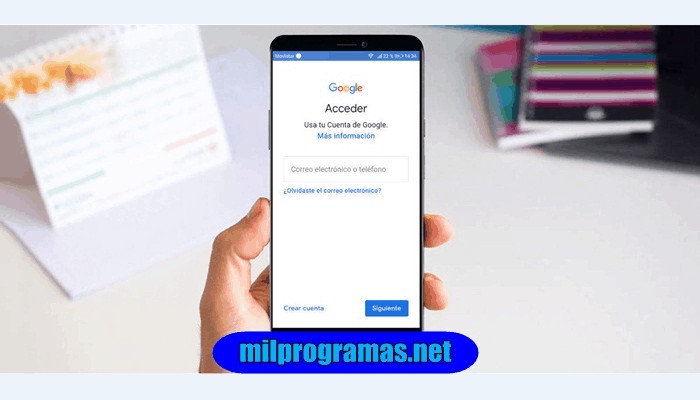
However, Android versions prior to 5.1 Lollipop could easily bypass the lock with a simple factory reset. To address this issue, Google introduced FRP, or Google Verification.
Now someone can't reset the phone so easily, they'll have to log in using the owner's Google email, or the one used to set up the phone.
Even if the person does a factory reset, the phone will be totally useless unless they know the Google credentials of the previous owner.
The 7 Best Programs to Delete Google Account
If you ever find yourself in such a difficult situation, you can use an FRP bypass app to circumvent Google verification. So, what are the top 7 FRP removal programs you shouldn't miss? Let's take a look at them below.
You might be interested in : The 7 Best Programs for Programming in Java
01. Pangu FRP Bypass APK
Pangu is a free way to remove a Google account and bypass FRP . It works for Lollipop 5.1, Marshmallow 6.1, Nougat 7.0 and 7.1.2, and Oreo 8.0. The tool can be used on all Android phone brands, such as Samsung, Motorola, etc.
You need to select the TalkBack option and use the Apex launcher to start the process. Then, disable Google Play services and Google Account Manager, and turn off Find My Device.
Next, you need to install Pangu FRP unlocker on your device to bypass Google verification. Pangu is easy to use and saves your precious time, you can unlock your device and start using it normally within minutes.
02. UnlockUnit Intelligent Assistant
Wondering how to bypass Google account verification? You can use this unique chat-oriented process to unlock your phone in easy steps. You don't need to have any technical knowledge as a chatbot helps you with all the instructions.
You are guaranteed a full money back if UnlockUnit Smart Assistant fails to unlock FRP. The bot provides you with superior technical support that bypasses Google verification in no time.
The advanced AI bot also offers a great conversational experience and keeps you engaged throughout the process. Try the FRP bypass tool UnlockUnit if other methods haven't worked for you. Many users have already tried it and are satisfied with the results.
03. GSM Flasher Tool
GSM Flasher is an application that flashes phones, but you can also use it to bypass your phone's FRP lock . The first step is to download the installation file to your PC and install it.
The program will work on various operating systems , including Windows and Mac . Once installed, you can bypass Google verification by connecting your phone to your PC with a USB cable.
The program also allows you to remove pattern locks in case you have forgotten yours. The tool can also reactivate locks.
04. GSM FRP Bypass and Flashing tool
This FRP tool for Android users seems quite outdated since it's a command bypass tool . Most users can bypass FRP on their Android device simply because of the robust algorithm used by this FRP bypass tool.
The graphical interface of this tool looks a bit dated as compared to the other tools but this tool is result-oriented and we really hope that you will be able to succeed in bypassing the FRP lock on your Android device.
GSM FRP Bypass and Flashing Tool is freely available for all the users which makes it a popular choice among everyone. There is a separate section available in this FRP bypass tool which is exclusively designed for Samsung phones.
Because in order to bypass FRP lock on Samsung phones, there are a few different tools that need to be used, that is why the developers of this software have separated and created two different sections out of which one is exclusively reserved for Samsung phones.
05. D&G Password Unlocker
D&G Password Unlocker can help Android users remove FRP restrictions from their phones and tablets in just a few seconds . The program will work for major brands, including Samsung, Lenovo, Motorola, Xiaomi, Huawei , HTC, and Yuphoria.
The program is compatible with all Windows platforms like XP, Vista, 7, 8 and 10. After downloading it, you need to follow the instructions to install this FPR unlock software on your PC.
Then you just need to connect your phone with USB cable and reboot it without any Google email and password. The tool also allows you to flash Android mobile phone and rewrite firmware. You can unlock your phone for free with this great FRP unlock tool.
06. UnlockJunky
If you don't mind paying a fee, you can get your Android phone unlocked by expert technicians. Just go to Unlock Junky and choose your phone make and model. Then select your unlock type (FRP, in this case) and download the software.
Now connect your device and start a live chat with a technician who will do all the work on your behalf. You can unlock your phone in 5 to 15 minutes without having to move an inch! The service is available from 9 am to 6 pm from Monday to Saturday.
07. Free Bypass APK for Samsung
To bypass the Google account, Samsung users can turn to this free tool. They can break the security restrictions of their phone to access their data, the tool is also useful when you have forgotten your Gmail credentials after a factory reset.
You need to install the APK on your device by allowing downloading from unknown sources, there will be two files: Samsung FRP bypass APK and SlideSync for PC setup. You will be able to access the app directly after installing the APK.
You might also be interested in : The 7 Best Inventory Management Software Programs
The Best Programs To Remove Google Account
We hope you have been able to find the program that suits your needs, these are The 7 best programs to delete Google account in 2020. En mundobytes.com We rate the best 7 programs to save you some time.
We hope you liked the article and if you have anything to add you can leave it in the comments bar.

My name is Javier Chirinos and I am passionate about technology. Ever since I can remember, I have been interested in computers and video games, and that passion has turned into a job.
I have been publishing about technology and gadgets on the Internet for over 15 years, especially in mundobytes.com
I am also an expert in online marketing and communication and have knowledge in WordPress development.