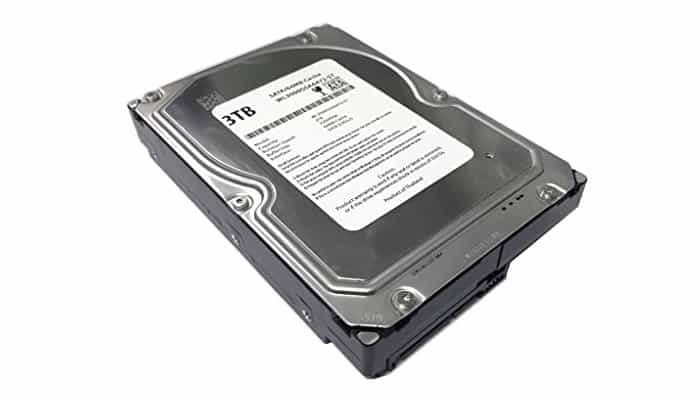
Hard drive cloning programs are basically the easiest way in the universe to make an exact copy of your hard drive/ SSD , creating a 100% identical and uncompressed replica.
However, don't confuse cloning software with disk imaging software. Cloning software keeps all your installed system data/software intact, so you won't have to reinstall all of that when you do the reinstallation.
This feature is especially useful if you've lost software keys, game keys, or licenses. Regarding backup software, disk cloning is quite similar to disk imaging, as both copy the contents of your hardware , but they do so in different ways.
The 7 Best Programs to Clone Hard Drives.
When it comes to ease of use, you need to consider the “noob factor” – the simpler the “cloning procedure” the better, especially if you are not very tech-savvy.
With that in mind, let’s take a look at the best cloning software currently available in no particular order.
1. Clonezilla.
Clonezilla is the best cloning software, and the best thing ever invented in the backup software niche, due to the fact that it is absolutely free, which makes it very popular.
This free and open source cloning software also allows disk imaging and is incredibly light on resources. There are two versions of the software available:
Clonezilla Live , which is aimed at home users and works very well on a single computer, and the business-oriented SE version , which can clone software on more than forty machines simultaneously.
Speaking of speed, some users report restore rates of 8 GB/min, which is quite impressive. Clonezilla supports multiple file systems, GPT/MBR partition formats, and can clone various operating systems , including Minix, NetBSD, and Chromium.
If you're already familiar with Debian/ Linux , you'll love this venerable cloning software.
Download it from their WebSite
2. Acronis Disk Director.
Acronis Disk Director is a high-quality piece of software, but it comes with a major caveat: it's a Windows- only program . If you can live with that, Acronis becomes an impressive disk cloning suite.
It can do, among other interesting things, format , create or label partitions, resize, split and merge volumes, including disk recovery.
You can format your disks in basically any format known to man, including FAT32 /16, NTFS , Ext3, Exts, Linux, Reiser3 or SWAP.
All versions of Windows from the "current era" are supported, starting from Windows XP and ending with the malware currently known as Windows 10.
Unfortunately, there is no support for the Linux or Apple ecosystems. Unlike Clonezilla, Acronis will cost you almost fifty dollars for a single PC license, or $80 for 3 machines.
For corporate environments, there is the workstation license with a retail price of $80, which includes free updates and 1 year of technical support.
Download it from their WebSite
3. Paragon Drive Copy.
If you're looking for good cloning software, one of the best is Paragon Drive Copy . It's an excellent cloning tool that's actually a small part of Paragon's complete suite of disk management utilities, namely Hard Disk Manager.
However, if you only want to clone your drive, you'll end up saving money in the process by purchasing Drive Copy alone instead of the entire suite. Using Drive Copy allows you to clone the entire drive or just a partition if you're inclined, which is a very nice feature.
It also gives you the ability to create a virtual clone of your operating system, which can run independently on a different PC.
There is also a recovery media generator included in the cloning software package that allows you to create a recovery operating system that can be used to boot an unbootable machine, for example.
The bad news is that a single PC license will cost you almost $40, so we consider it expensive for home users.
Download it from their WebSite
4. Minitool Partition Wizard.
Minitool Partition Wizard is yet another example of an open-source solution that offers free cloning software to home users, proving once again that not everything good has to be paid for.
There is also a paid version, Minitool Partition Wizard Pro respectively, which comes with many more features, but the free version does its job very well.
Obviously, since we are talking about disk cloning software, you can clone an entire disk, but on top of that, you get some additional extras.
To begin with, Minitool Partition Wizard Free is a powerful partition manager that helps you manage partitions/disks, align SSD partitions, verify file systems, convert MBR to GPT, and, most importantly, migrate your operating system to another HDD or SSD and/or clone a full disk.
If you're a home Windows user, Minitool Partition Wizard Free is an excellent choice, as the software is compatible with Windows 10, Windows 8.1/8, Windows 7, Windows Vista, and Windows XP, as well as HDD, SSD, SSHD, external HDD, USB flash drive , SD card, hardware RAID, and dynamic disk.
Download it from their WebSite
5. Macrium Reflect.
Macrium Reflect is a very popular cloning solution for both personal (especially the free version) and commercial/enterprise use.
In addition to cloning, Macrium Reflect also offers free disk imaging and backups in the free edition for home users, as well as thirty-day trial editions that let you try out all the exciting features available in the commercial version.
Essentially speaking, Macrium Reflect is a high-quality and very easy-to-use direct disk cloning software, and the free license also covers commercial use, which is awesome for small businesses.
You can completely restore non- bootable systems with the free version, as well as schedule backups or create live images of your operating system.
Additionally, you can add security features like backup encryption and ransomware protection, but that would cost you extra. And if you're wondering about file systems, Macrium Reflect supports FAT 16/12/32, exFAT, NTFS, HFS+, and ReFS.
Download it from their WebSite
6. Daemon Tools.
Daemon Tools Lite is a very popular disk emulation software, whose main purpose is to help you create virtual drives on your PC.
Regarding our topic, Daemon Tools isn't exactly cloning software, but it can work just as well, since it allows you to emulate up to 4 DT + SCSI + HDD devices, and also lets you mount virtually any type of image.
Since we're talking about cloning software here, arguably the best feature of Daemon Tools Lite is the virtual hard drive, which creates a VHD (virtual hard drive) backup of a physical hard drive partition, helping you keep your files safe.
Additionally, you can create a bootable image of your operating system and load it onto a bootable USB drive, which can be password protected. On top of that, you get an iSCSI initiator feature, which gives you access to remote images (virtual and physical drives, including VHDs).
Download it from their WebSite
7. EaseUs Todo Backup.
EaseUs Todo Backup is designed to be primarily a backup software solution; however, the free version also comes with a drive cloning option, which is a nice feature to have in a free software package.
And the best part is that, despite the fact that it's free, disk cloning comes with no strings attached. In addition to being free, Todo Backup comes with full Windows OS support, from the venerable XP version all the way to Windows 10, as well as hardware RAID, UEFI boot, and basically all kinds of SSDs and HDDs.
The only drawback is that the free version doesn't allow you to clone a larger disk to a smaller one, but if you really need to, you can always get EaseUs Partition Master Pro.
To summarize, EaseUs Todo Backup really delivers in the cloning software department, as the free version offers all the interesting features (more than most, actually): disk cloning, system cloning, and partition cloning.
Download it from their WebSite
What is the Best Program for Cloning Hard Drives?
You might also be interested in: The 7 Best Programs to Hide Your IP Address.
Without a doubt, the best hard drive cloning software is Clonezilla. The others reviewed here are very good and offer great competition, and you will even get some better features and functions from them, but overall, Clonezilla is the gold standard.

My name is Javier Chirinos and I am passionate about technology. Ever since I can remember, I have been interested in computers and video games, and that passion has turned into a job.
I have been publishing about technology and gadgets on the Internet for over 15 years, especially in mundobytes.com
I am also an expert in online marketing and communication and have knowledge in WordPress development.