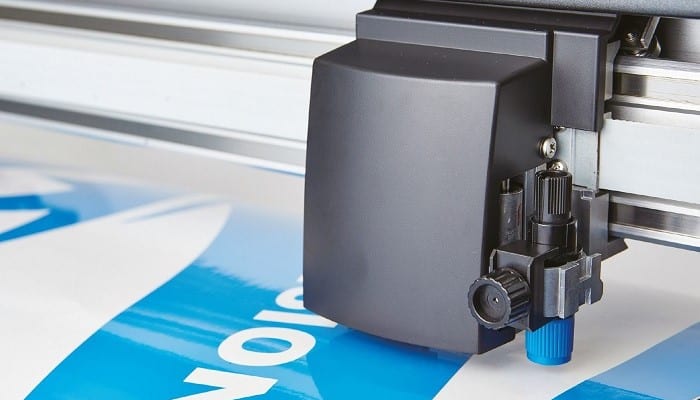
Almost all of today's signage is designed using desktop computer software, and much of it features vector graphics with a variety of tools and effects. Here, we'll show you the best cutting plotter programs that dominate the advertising and signage design scene.
Anyone with even a little experience in this field knows that the dominant suite is Adobe Creative Cloud , especially its vector design programs Illustrator and InDesign . Here we'll look at alternatives to Adobe, some of which offer equivalent features.
The 7 Best Programs for Cutting Plotter.
Looking through the alternatives you come across, it's not necessarily an either/or decision, but rather which of several programs you can run alongside each other. Let's get started.
1. CADlink SignLab V10.
The former SignLab has served as a springboard for a suite of software designed for signage, engraving, and similar professional services. These are perpetual license products, meaning they are not rented. However, you can opt for an annual service fee that includes support and updates.
There are several packages for different applications, all of which run on the latest 64-bit Windows 10. It has features to support print-and-cut machines, as well as separate cutters. Nesting is offered for saving material in large formats.
The entry-level option is Designer , priced at around €450, which offers text composition and vector design tools, as well as exporting to print-and-cut RIPs. CutPro costs the same and is optimized for vinyl cutters. Laser (€670) refers to laser engraving and is suitable for trophies and awards, signage, marking parts, and 3D engraving.
For screen printers, FilmMaker prints photographic masks on transparent film and is available as a desktop version and an XL version that supports more inkjet printers. It's a great, very complete package.
Download it from their WebSite
2. CorelDraw Graphics Suite.
The leading vector design application CorelDraw has long been a favorite among designers and plotters. Launched in 1989, it was relatively inexpensive compared to Illustrator, but what truly attracted users was the abundance of free add-ons that Corel included.
Hundreds of fonts, thousands of clip art graphics, and a surprising number of accessory programs are all in one package.
The Graphics suite used to be revised every 18 months or so, but starting in 2016, Corel said it would move to an annual cycle and name them after the year of release.
The latest version is called CorelDRAW Graphics Suite 2020. It costs €689 to buy new. A subscription plan costs €33,25 per month and includes all updates at no extra cost.
CorelDraw vector graphics is probably the most widely used program for signage work within the suite. It has been around almost as long as Illustrator and has developed along similar lines with largely similar features. Plugins tend to be less well-known, but they do exist.
Download it from their WebSite
3. EasySign.
This Dutch developer offers a range of signage software covering design, plotting, printing, routing, and production. File support is available for Adobe Photoshop , Illustrator, and CorelDraw.
EasySign Starter is a standalone software or runs as a plugin for Illustrator or Photoshop. It adds signage controls and features to designs created in the main programs.
These include more tools, cleaning support, optical mark generation, colour separation for vinyl plotters and the like. It is offered on a subscription basis at 30 Euros for three months or 90 Euros for one year.
EasySign Master adds more tools, such as vectorization, non-destructive editing, cloning, adjustable multiplication and nesting, capture, measurements to calculate media usage, masking, and copying effects.
This costs 35 Euros for a one-month subscription, 99 Euros for three months, or 349 Euros for a year. You can buy it outright for 999 Euros, with one year of support.
Download it from their WebSite
4. Inkscape.
This is a free vector graphics program, available for Linux , macOS, and Windows. It is open source and developed by project contributors. Its native graphics format is SVG, but it supports a variety of export formats, including PDF and EPS.
The developers claim that Inkscape has features equivalent to Illustrator or CorelDraw, although it lacks their range of effects such as pressure-sensitive brushes. Like Illustrator and CorelDraw, it is not specifically designed for sign work. It can be extended by Plugins.
Download it from their WebSite
5. Quark XPress.
QuarkXPress can handle any type of design work, from multi-page displays for print to HTML5 for digital publishing. Like CorelDraw and Adobe Illustrator, QuarkXPress originated in the 1980s and is still regularly updated.
It is primarily a multi-page layout application that is roughly equivalent to Adobe InDesign, but has additional built-in tools for basic vector art as well as imported image enhancement.
It also features HTML5 web page generation and can create designs for web, mobile devices , ebooks, and print, with extensive cross-design functionality. It can synchronize content across print designs, digital projects, and designs for different device screen sizes and orientations.
There are MacOS or Windows versions, 64-bit is now required, and native files older than 2009 need a separate (free) program to convert and open them.
Download it from their WebSite
6. SAi Flexi.
Sai stands for “ Scanvec Amiable International ,” a merger of two long-established software companies. Originally called PhotoPrint, Sai Flexi is a dedicated software suite offering all-in-one design features, including cutting and printing. It runs on Windows 10 and is available by subscription only.
Includes RIP, print, contour cut, vinyl cutting tools, and a decent selection of sign-related clip art including shape outlines and vehicle wrap templates.
A cloud access provides online access to additional tools, drivers, templates, etc. It also has a mobile app for phones and tablets.
Several tiers are available. Flexi Sign & Print is the complete package for design, printing, cutting, and direct vinyl production workflow. It includes RIP software with features for large-format cutting, printing, and production.
FlexiSign includes design features, text serialization, and color vectorization. It includes drivers for a wide variety of cutter models. FlexiPrint includes banner printing, textile repeat and stage finishing, and special color matching features.
FlexiSign SE is an economical version with a vinyl cutting and design kit that includes tools for importing and exporting files, basic text and drawing manipulation, plus drivers for 1.000 printers and cutters.
Download it from their WebSite
7. Serif Affinity Designer.
Serif Europe is a UK-based developer with a long history dating back to 1987. It created generally respected entry-level graphics programs until 2015, when it revised its approach to capitalize on the new trend for low-cost applications.
Their Affinity Photo and Affinity Designer were entirely new programs, initially only for Macintosh, but now also for Windows. They offer a comprehensive set of image editing tools with support for professional printing needs (such as CMYK work, various Pantone palettes, ICC profile support, and PDF and PDF/X export).
Affinity Designer is intended as a low-cost alternative to Illustrator, with the idea that it has all the tools you need without the "backlog" of features that Illustrator has gained over the years and adds complexity.
However, it has a long list of features and functions that were expanded with the recent v.1.5 version. It will open and place native Illustrator (AI) and Photoshop (PSD) files and will be able to open and edit PDF files.
Download it from their WebSite
What is the Best Program for Cutting Plotter?
You might also be interested in learning about The 7 Best Programs for Drawing.
As we've already mentioned, we're giving you alternatives to Adobe Creative Cloud, which has become the industry giant. Of the seven options we've listed, we're most partial to SignLab and CorelDraw.
However, all of the programs mentioned in this post have very particular and advantageous features, which, depending on your specific need, may be more useful or not. You can even use some of these programs in parallel.
The key is to know what you need, know what you are looking for, and compare the features of these packages. Prices vary greatly from one program to another, so this is another feature to take into account. The important thing is that your plotter can do the job you require.

My name is Javier Chirinos and I am passionate about technology. Ever since I can remember, I have been interested in computers and video games, and that passion has turned into a job.
I have been publishing about technology and gadgets on the Internet for over 15 years, especially in mundobytes.com
I am also an expert in online marketing and communication and have knowledge in WordPress development.