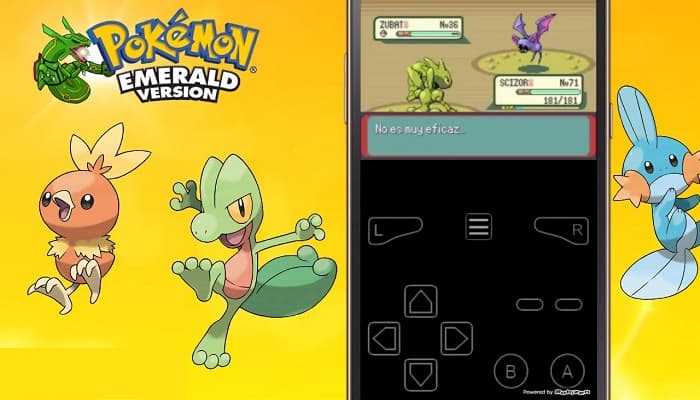
Ash Ketchum and his journey have continued to inspire millions of people around the world. Pokémon has defined a generation of children with its strong characters, fascinating story and progressive plot.
Much like the anime series, the games based on it were a record-breaking success. Each installment, spin-off, and the sequel were met with an astonishing reception. With the advent of emulation, you can enjoy these games using Pokemon emulators for PC. Install them, load the stock ROM and BIOS dump and you are good to go. Read on and learn with us.
The best Pokémon emulators for PC
Here are the best Pokémon emulators to play Pokémon games on PC. So take note of the following recommendations and start enjoying your favorite games.
1.- Pokémon emulator for GameBoy Advance – RetroArch
We start our list with RetroArch, the most popular emulator on the block. If you do everything right, it supports an extensive list of over 80 emulators through nucleiThe best thing is that you can get the list of cores and the option to download them individually.
It is the best emulator option for playing Pokémon games on PC. On paper, it has cross-platform support. But that doesn’t tell the whole story as it supports over 32 different platforms including gaming consoles, smartphones, browsers, and more.
Take advantage of Netplay for games multiplayer Online. Join or create lobbies to play with other players. While we’re talking about connecting, streamers have their bases covered with Twitch and YouTube’s live streaming support.
2.- Emulator for NES – Mesen

This is a NES emulator high-precision PC tool that is developed with beginners in mind. The tutorial wizard takes you through the basics to get familiar with how things generally work.
Like most emulators, cheats have been given a proper home in Mesen. Along with a cheat finder, it does the heavy lifting for you in finding the cheats.
The auto-save feature keeps your progress intact so you can catch all the Pokémon you need. Entering the technical department, there are several audio filters on top of an audio equalizer board.
A notable feature that is rare in console emulators is overlocking. It reduces slowdown in games by overlocking. It does this by increasing the scan line before NMI by a few hundred lines.
Before we forget, like RetroArch, Mesen has Netplay for online multiplayer gaming.
3.- Pokémon emulator for Nintendo 64- Project64

Project64 is a versatile Pokémon emulator for PC to run Nintendo 64 games, a fifth-generation home console. There is a portable version that doesn't seem to work as the program installs haphazardly.
The user interface keeps it on the simpler side. It consists of the following information: game title, status (running, closed, or paused), core, and plugin rows.
The audio and video options have pretty standard settings with less room for maneuver. In the controller department, we can connect up to 4 at a time.
Once you're well versed with the emulator, take advantage of the 50 keyboard shortcuts. They cover virtually all of Project64's functions.
4.- Emulator for Wii – Dolphin Emulator

When you need a reliable Wii and GameCube emulator, Dolphin is in your domain. It is multi-platform so you can enjoy it on distributions of Windows, macOS and Linux. And in recent times, it has also started to work on phones Android.
Graphics departments hit it out of the park with 4k and 5K resolutions. The graphics tab improvements of the configuration works wonders in that area.
The Wii controller works phenomenally well close to a real console. Other controllers like PlayStation, Steam Controller o Nintendo Switch can make it work through the alternate entry store (DSU).
You can check the compatibility of your favorite Pokémon games on the emulator. Installing and playing for the first time is a hectic task in this case. Accordingly, we wrote a guide on ways to use the Dolphin emulator.
5.- Emulator for Wii U – Cemu

Cemu It is the only Pokémon emulator that works on Wii U titles. It runs exclusively on x64 systems due to its high RAM usage, which exceeds 4 GB in all scenarios.
On first launch, you are greeted by an enthusiastic tutorial that helps you understand the basics. You can configure the mlc , the game's routes, along with the option to download the community graphics pack.
OpenGL and Vulkan hold the flag high for graphics. They can be switched between as per your requirements.
Here, playing online is different from what we talked about earlier in the post. You will need the original ROM dump to connect to the Wii servers.
6.- Emulator for 3DS – Citra 3DS
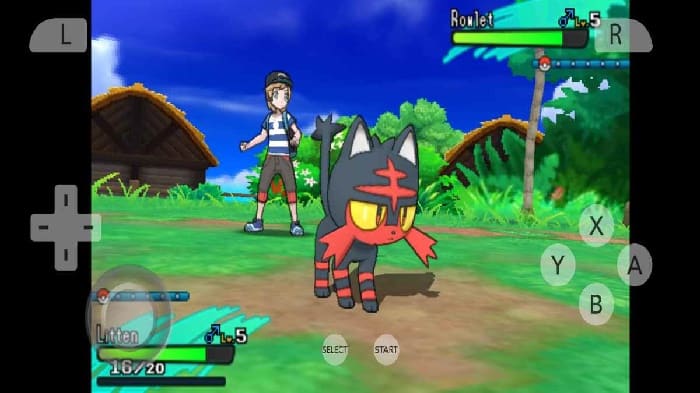
Since we last talked about Citra 3DS, has made great strides forward. They released an Android version a while back.
Starting with the exterior, we get the two options in themes: dark and light, with an additional option of colorful style. The Pokemon emulator for PC has a standard user interface, similar to what you find on other emulators.
You have the option to access other players' public rooms, which can be joined by permission. Alternatively, rooms can be joined using IP addresses, ports, and nicknames, along with room passwords.
It also has two installers, the first one is online based while the second one is a manual offline installer. Check your PC compatibility. game favorite Pokémon.
7.- Pokémon emulator for DS – NO $GBA
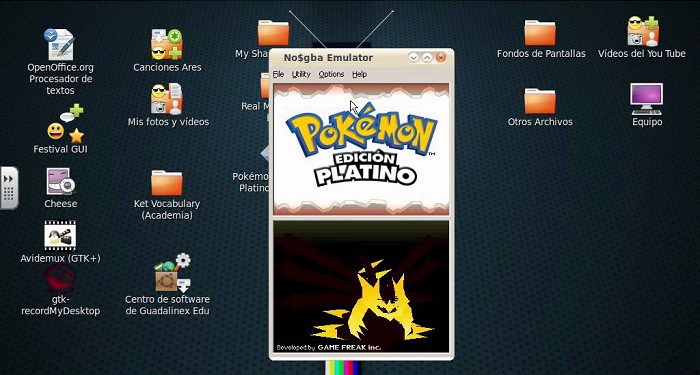
NOT$ GBA It is lightweight. If you are looking to play Pokémon DS games, this easy-to-use Pokémon emulator for computers is the right choice for you. It runs flawlessly on low-end computers, putting minimal strain on the available resources.
All the backend stuff is generic with minimal scope for changes. The quick save feature works on few versions of this emulator, which is not the confident statement made by the developer.
What it lacks in flash it makes up for in performance. Load your ROM along with the BIOS and give it a try. There have been hints about WIFI multiplayer support in the future, but we're not getting our hopes up.
8.- Pokémon emulator for Switch – Yuzu

This is one of the Pokemon emulators available for Windows, Linux and, more recently, Android. Yuzu has impressed in a short time. Moving on to the features, we have multiple user profiles. Create your own individual profile and maintain game progress, save states without worrying about others touching your computer.
Playing against your friends in local multiplayer was possible until it was removed, due to Nintendo's objection.
On the other hand, Ryujix, another Nintendo Switch emulator, offers local wireless multiplayer. A great alternative to Yuzu, give it a try and decide if multiplayer is important to you.
When you don't want to leave Yuzu, use Parsec, an online service, which can be used to play with your friends over the Internet.
We have covered the best Pokémon emulators for PC that work on Windows, Linux, and macOS. Sometimes, different Pokémon installments were released for multiple consoles at once. If you want to share your experience with us, you can do so in our comments section below. Don't forget that we have information of interest for you on our portal.

My name is Javier Chirinos and I am passionate about technology. Ever since I can remember, I have been interested in computers and video games, and that passion has turned into a job.
I have been publishing about technology and gadgets on the Internet for over 15 years, especially in mundobytes.com
I am also an expert in online marketing and communication and have knowledge in WordPress development.