
Comparing native ARM64 apps with emulated x86 and x64 apps on Windows 11 is no longer just a lab curiosity. With the arrival of new chips and system improvements, understanding which to choose based on your use case can save you time, battery life, and headaches.
If you're wondering when to go native and when to accept emulation , here you'll find a clear guide, with data on compatibility, performance, developer tools, ecosystem status, and real-world scenarios to help you decide without getting bogged down in unnecessary technical jargon.
What Windows 11 means for ARM and why it matters in this comparison
Windows 11 for ARM is the edition of Windows designed for 64-bit ARM processors , which are different from the usual x86 and x64 processors from Intel and AMD. ARM chips prioritize efficiency and low power consumption, resulting in thinner, cooler devices with longer battery life, although they don't offer the same sustained performance under heavy workloads as some desktop CPUs.
For years, ARM was a secondary consideration, but the rise of mobile devices, Raspberry Pi, and Arduino , along with the push for lightweight laptops , has changed the landscape. To avoid losing ground to Linux and to compete head-to-head with Apple and its Apple Silicon family, Microsoft has promoted its Windows platform on ARM to make the experience as close as possible to that of a traditional PC, with a focus on both battery life and compatibility.
Native ARM64 vs. x86 x64 Emulation on Windows 11
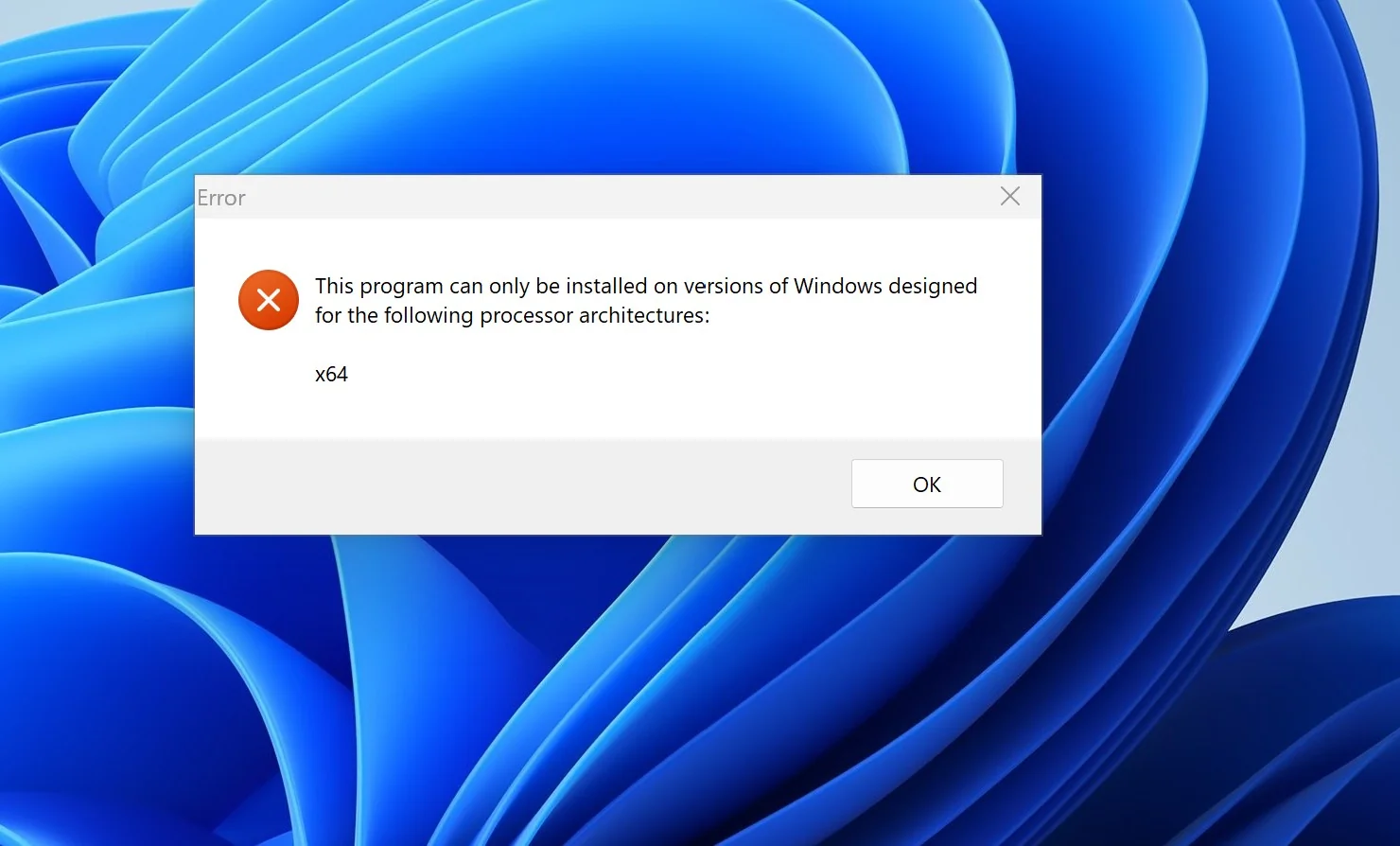
When you run a native ARM64 app, the code is compiled specifically for the ARM64 architecture . This results in better performance per watt, lower latency, and reduced battery consumption compared to running the same app translated or emulated.
Emulated x86 and x64 apps run on Windows 11 for ARM without any special user intervention . This translation allows legacy software to run without recompiling, but there is a performance and efficiency penalty, most noticeable in graphics-intensive or resource-intensive tasks.
State of the ecosystem and compatibility in 2025
By early 2025, the native ARM64 catalog had grown significantly: the complete Microsoft 365 suite , including Teams, PowerPoint, Outlook, Word, Excel, OneDrive, and OneNote, was already running on ARM; in addition, there were native versions of Chrome, Slack, Spotify, Zoom, WhatsApp , Blender, Affinity Suite, and DaVinci Resolve , among others.
For apps that don't yet have a native build, Microsoft has introduced Prism, its next-generation emulation engine , available on Copilot+ devices with Snapdragon X processors and expanding to more Windows 11 devices. The leap from previous generations is especially noticeable in overall fluidity and compatibility.
If you want to check what works and how, you can visit www.worksonwoa.com , an open site with an evolving list where Microsoft provides compatibility information. It's a very useful resource if you depend on specific titles or tools.
Performance and autonomy on ARM devices
One of the strongest reasons to choose native apps is that ARM's efficiency shines when the software is optimized . Devices with Qualcomm Snapdragon X Elite easily exceed 20 hours of battery life under typical use, with controlled temperatures and slim or even fanless designs.
In terms of productivity, the performance of chips like the Snapdragon X Elite or Microsoft SQ3 rivals that of 12th and even 13th generation Intel CPUs in office tasks, browsing, and communication. If your day involves documents, video calls, and web browsing, the native ARM64 architecture will provide the best experience and longer battery life.
Games and multimedia: where emulation is most important
In gaming, the situation is mixed. Steam officially supports Windows on ARM , but many games still rely on x86-64 binaries and complex anti-piracy measures. Emulation here can negatively impact FPS and loading times, especially in titles with engines heavily optimized for x86.
That said, with Windows 11's ARM64EC architecture, many developers are migrating their apps gradually, combining native ARM64 components with x64 modules. This hybrid approach improves compatibility without slowing down the transition , and we're likely to see more games and launchers adopting this strategy.
Recommended use cases for native ARM64 apps
Anything involving productivity, web development, lightweight multimedia, or moderate content creation benefits from native ARM64 apps . Office, browsers like Chrome, Edge, and Firefox, work clients like Citrix, Zoom, and Slack , and editors like Photoshop and Lightroom already have ARM-optimized builds.
If your key tool has an ARM64 version, the choice is clear: install it in its native build . You'll gain speed, responsiveness, and battery life, and your computer will run cooler—something you'll appreciate during long video calls or sessions outside the office.
When to accept x86 x64 emulation
If you rely on legacy or specialized software that isn't yet available on ARM, emulation is the necessary bridge . Prism has greatly improved the experience, and for non-critical tasks the difference can be acceptable. Even so, under heavy workloads, the performance penalty becomes noticeable.
In Windows 11 for ARM, emulation covers both 32-bit x86 and 64-bit x64. Windows 10 IoT on ARM only emulated x86, so the leap in Windows 11 opens the door to greater compatibility in professional environments.
Devices and target audience
Windows 11 for ARM is designed for 64-bit ARM CPUs and has been seen in devices such as the Surface Pro X, Samsung Galaxy Book Go, Acer Spin 7, and HP Elite Folio. These are laptops and convertibles that prioritize exceptional battery life, minimal thickness , and controlled temperatures, in exchange for not seeking the raw power of x86 systems.
The user experience is virtually identical to that of a standard Windows 11 if you use adapted apps. You might reach the performance ceiling sooner for very demanding tasks, but the advantage for mobile users, students, and remote workers is undeniable.
Comparison with Apple Silicon
Since 2020, Macs with Apple Silicon have been leading the way, and by 2025 the M3 Pro and M3 Max chips will dominate workloads like video, 3D, and large multithreaded compilations. Even so, Windows on ARM is closing the gap , and for office tasks and web browsing, there's no longer any debate.
Microsoft's collaboration with Qualcomm, MediaTek , and Samsung is pushing ARM towards the mainstream Windows market. There's more fragmentation than in Apple's closed ecosystem, but devices with Snapdragon X Elite perform close to the M2 in general use, falling behind the M3 in multi-threaded creative applications.
Developer support and migration path
The big question for any ISV is whether compiling an ARM64 version is worthwhile. With Visual Studio 2022 on ARM and ARM64EC , the transition is becoming increasingly easy, and the App Assure program helps companies migrate smoothly.
Projects like Project Volterra and the ARM Developer Kit have given developers native testing machines. Furthermore, frameworks such as Flutter, Electron, and .NET MAUI facilitate cross-platform builds and debugging of Progressive Web Apps , shortening development times and reducing friction when delivering ARM64 binaries.
IoT Enterprise on ARM vs x86 x64
Windows IoT Enterprise on ARM offers the same functional features as its x64 version, but with some differences in apps and drivers. On ARM, you can run native ARM64 apps as well as emulated x86 and x64 apps, depending on the system version.
The golden rule in IoT is clear: compile drivers natively for ARM64 . Many come with Windows or via BSP, and others through Windows Update . If one doesn't exist, you'll have to request it from the vendor or develop it in-house.
Regarding hardware , Windows IoT Enterprise on ARM supports SoCs from NXP and Qualcomm . NXP is ideal if you're looking for low power consumption and cost for thin clients, kiosks, or HMIs, while Qualcomm provides more power for advanced visualization or AI workloads.
Want to get started quickly with an ARM64 IoT development board? This NXP i MX EVK setup tutorial gets you up and running in no time, ready to prototype and evaluate.
Prism, ARM64EC, and the role of well-understood emulation
Prism is the new emulation engine that comes with the Snapdragon X-based Copilot Plus PCs and extends to other Windows 11 devices. It promises to raise the bar in performance and compatibility of emulated apps compared to previous generations.
ARM64EC allows developers to mix ARM64 and x64 modules . It's a very practical way to migrate large applications piecemeal without breaking compatibility with plugins, extensions, or SDKs that don't yet have a native build.
Operating costs and lessons from the server world
While our focus is on Windows 11 for clients and IoT, server metrics help explain why ARM64 is so appealing . Tests comparing equivalent cloud instances revealed key figures that favor ARM64.
According to these figures, the ARM64 servers processed 54 percent more requests than their x64 equivalents. Efficiency per second was also better, with 32 requests per second compared to 21,67 for x64, and a P95 latency of 383 ms versus 893 ms, demonstrating lower latency under load.
Translated to laptops, it's not a direct equivalent, but it explains why native ARM64 apps on Windows 11 often feel more responsive under the same load and why the battery lasts longer with optimized software.
Industry, availability and near future
Manufacturers like HP, Dell, and ASUS are adding new ARM models to their 2025 roadmaps. The success of these launches will be key to consolidating the market and encouraging more developers to release ARM64 builds on day one.
Everything points to ARM playing a crucial role in the PC, with Windows preparing deeper integrations for this architecture. Flagship laptops relying exclusively on ARM are expected in the business and ultraportable segments.
Practical recommendations for choosing native or emulated
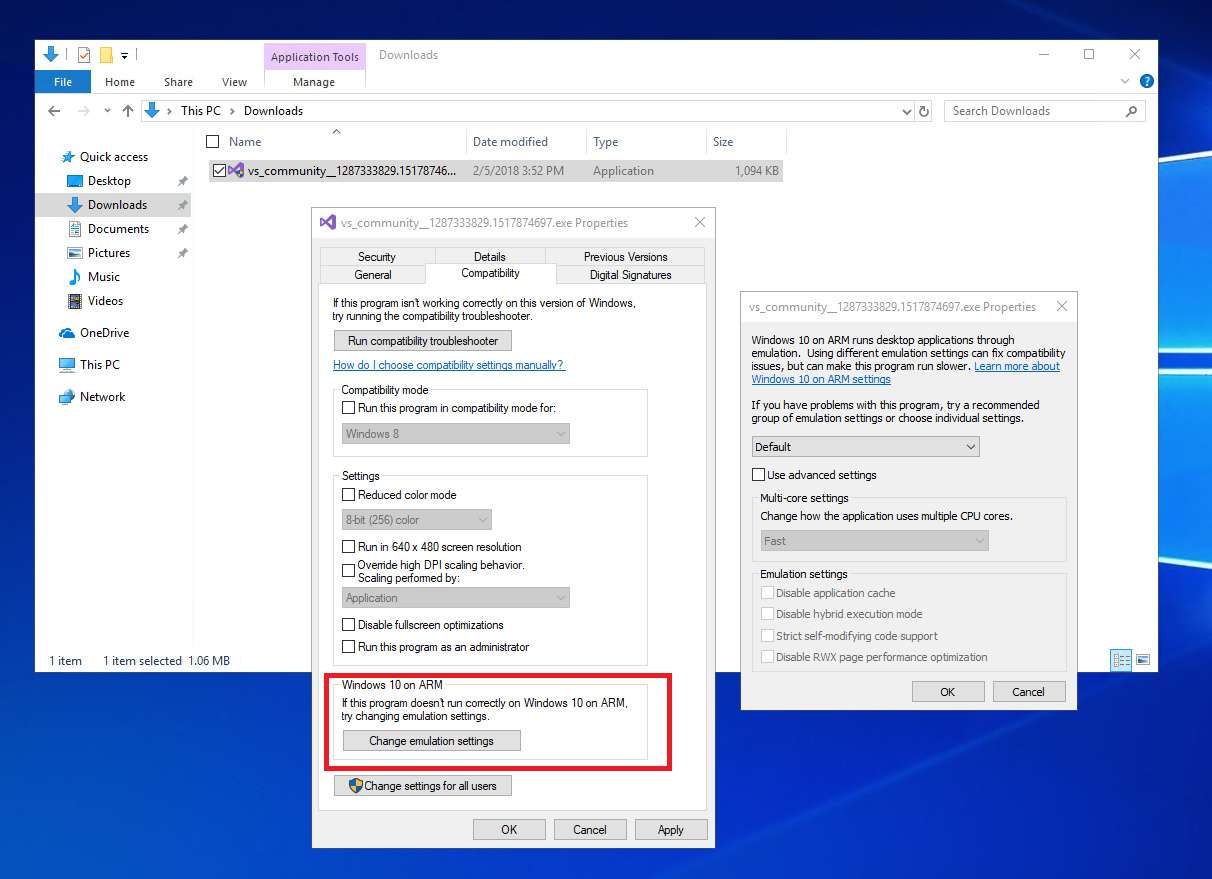
If your work suite is already natively on ARM64, prioritize those versions . You'll gain performance and battery life. For critical tools that aren't yet available on ARM, emulate them with Prism and check Workspace for any known issues.
For developers, a hybrid approach with ARM64EC is the sensible one , starting with modules that have the greatest performance impact. Don't forget native drivers in IoT solutions and validate third-party dependencies as early as possible to avoid late-stage crashes.
Historically, Windows for ARM was more closely tied to manufacturers, but the current push indicates a clear focus on the general market , with more hardware, more software, and mature tools for compiling and debugging on ARM.
To complete the picture, if your profile is mobile and prioritizes battery life and silence, native ARM64 is the winning move ; if you depend on legacy software and heavy creative workloads, emulation will get you through until native builds arrive, and in some cases an x86 system will still make sense until the transition is complete.
The current picture makes it clear that the Windows 11 and ARM combination is no longer an experiment and is moving forward steadily, with increasingly complete native catalogs, finer emulation thanks to Prism and ARM64EC, and developer support that drives adoption; choosing the right combination of native and emulated apps, depending on your apps and workflow, is key to maximizing the battery life and performance offered by this platform.


Passionate writer about the world of bytes and technology in general. I love sharing my knowledge through writing, and that's what I'll do on this blog, show you all the most interesting things about gadgets, software, hardware, tech trends, and more. My goal is to help you navigate the digital world in a simple and entertaining way.