- Flexible co-management to move workloads from ConfigMgr to Intune without business disruption.
- Integrated capabilities: deployments, compliance, security, and analytics with native Microsoft integrations.
- Intune Suite adds remote help, privileges, analytics, and cloud PKI for enhanced security.
- Clear requirements: Entra/Intune licenses, versions Windows supported and appropriate roles for each action.

Microsoft Endpoint Manager (MEM) combines Microsoft Intune and Configuration Manager (ConfigMgr) to deliver modern management of cloud and on-premises devices without disruptive migrations or complicated licensing. The idea is simple: leverage the best of your existing infrastructure while adding cloud capabilities at your own pace.
The result is a unified platform for managing PCs, servers, mobile devices, and applications , with consistent security, regulatory compliance, and more efficient operations . Furthermore, the current version of Configuration Manager is part of the Microsoft Intune family , allowing workloads to be gradually moved to the cloud while maintaining control from a single console.

What is Microsoft Endpoint Manager (Intune + ConfigMgr)
Microsoft Endpoint Manager is a hybrid (cloud + on-premises) endpoint security and management solution that protects data and devices wherever they are . It integrates services and tools to monitor and manage mobile devices, desktops, virtual machines , embedded devices, and servers , combining the mature experience of ConfigMgr with the agility of Intune.
The goal is to reduce manual tasks, improve IT productivity, and give users the software they need on time . With MEM, you can deploy applications, update operating systems , enforce security policies, and perform real-time actions on both internal and external devices.

Key components and services within the Microsoft Intune brand
Intune provides modern, cloud-based management for Windows, iOS , Android , and macOS. It enables MDM (device management) and MAM (application management) , conditional access and compliance, with native integration with Microsoft Entra ID.
Microsoft Endpoint Configuration Manager (ConfigMgr) remains the on-premises cornerstone for managing software, inventory, updates, and operating systems . It integrates with Intune for co-management and with other services such as WSUS, SQL Server, and IIS.
Microsoft Entra ID (formerly Azure AD) provides identity, security, service location, and user and device discovery . It's the glue that binds users, devices, and applications together to enable access control and compliance.

Prerequisites and permits
Licenses : You need a Microsoft Enter ID P1 or P2 and at least one Intune license for the administrator accessing the admin center.
Configuration Manager : Uses a supported current branch ; you can connect multiple ConfigMgr instances to an Intune tenant . Co-management does not require site enrollment in Entra ID, but for web-based customers, you will need Cloud Management Gateway (CMG) , which does require site enrollment in Entra ID.
Windows : Upgrade to Intune-supported Windows 11 or Windows 10 and adopt the Windows-as-a-service approach for predictable update cycles.

User interfaces: Console and Software Center
Configuration Manager Console : After installation, this is the primary tool for configuring sites, clients, and management tasks , with support for multiple sites and role-based management to limit the scope of each operator.
Software Center : An application installed with the ConfigMgr client on Windows. Users can search for and install apps , updates, and new system versions , view request history , and check their device's compliance . Custom tabs can also be added as needed.

Co-management with Intune and Configuration Manager
Co-management connects your ConfigMgr environment with the Microsoft 365 cloud and unlocks capabilities such as conditional access . A single Windows 10/11 device can be managed simultaneously by both ConfigMgr and Intune , allowing you to choose which workloads are moved to the cloud.
Workload control : You decide whether to move Compliance Policies, Windows Update , Resource Access, Endpoint Protection, Device Configuration, Office Click-to-R Applications cannot be maintained in disconnected mode.
Safe pilots : test a workload with pilot collections before scaling it up, evaluating impact and results.

Prerequisites and permits
Licenses : You need a Microsoft Enter ID P1 or P2 and at least one Intune license for the administrator accessing the admin center.
Configuration Manager : Uses a supported current branch ; you can connect multiple ConfigMgr instances to an Intune tenant . Co-management does not require site enrollment in Entra ID, but for web-based customers, you will need Cloud Management Gateway (CMG) , which does require site enrollment in Entra ID.
Windows : Upgrade to Intune-supported Windows 11 or Windows 10 and adopt the Windows-as-a-service approach for predictable update cycles.

Supervision and panels
The joint management panel allows you to review co-managed devices , with graphs that help detect equipment that needs attention and make data-driven decisions.
MDM and MAM: Device and App Control
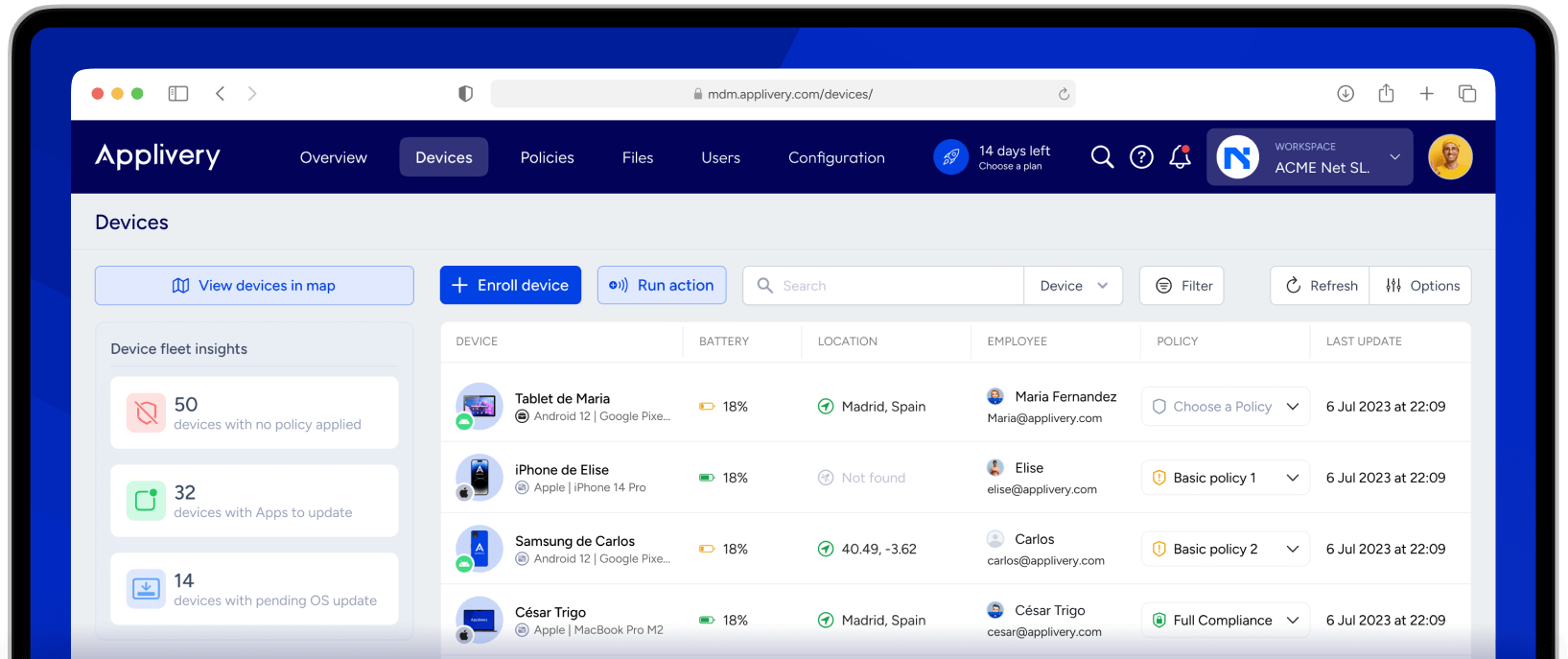
Mobile Device Management (MDM) : Define default configurations, VPNs , access policies , issue certificates , monitor usage, and track activity . In BYOD, you can apply controls to Microsoft apps to protect data without intruding on privacy.
Mobile Application Management (MAM) : Enforces policies on apps to protect business information on both corporate and personal devices . Along with compliance and conditional access, it isolates corporate data , enables encryption , and allows selective wiping in case of loss or theft.
Practical benefits : You deploy security policies and updates centrally, enable conditional access by compliance level (e.g., OS version, AV status, location), and maintain user privacy in BYOD scenarios.

Intune Suite: Advanced Security and Management
Intune Suite unifies workflows and endpoint management solutions to simplify IT and security operations. It strengthens your security posture with Microsoft signals and advanced capabilities to mitigate cyber threats and protect data.
Cost reduction : By consolidating vendors and licenses, you increase efficiency and productivity across all devices. The suite's products integrate seamlessly with Microsoft 365 and Microsoft Security.
What's included : Intune Remote Help, Endpoint Privilege Management , Advanced Analytics , Enterprise Application Management , Cloud PKI , and advanced features from Intune Plan 2. An Intune Plan 1 subscription is required.

Passionate writer about the world of bytes and technology in general. I love sharing my knowledge through writing, and that's what I'll do on this blog, show you all the most interesting things about gadgets, software, hardware, tech trends, and more. My goal is to help you navigate the digital world in a simple and entertaining way.