- The Adreno X1 GPUs offer outstanding performance per watt compared to Intel and AMD iGPUs, but their potential is limited by x86 emulation and a lack of native optimization for Arm.
- The unified memory architecture requires at least 32 GB of RAM in Snapdragon laptops if you want to play games smoothly at 1080p or 1440p.
- The biggest problems with gaming on Windows on Arm with Adreno are game compatibility (anti-cheat, AVX/AVX2, drivers) and the slow pace of driver updates.
- Today, a laptop with a Snapdragon processor and Adreno GPU is more recommended as an efficient and versatile machine for occasional gaming than as a primary PC gaming machine.
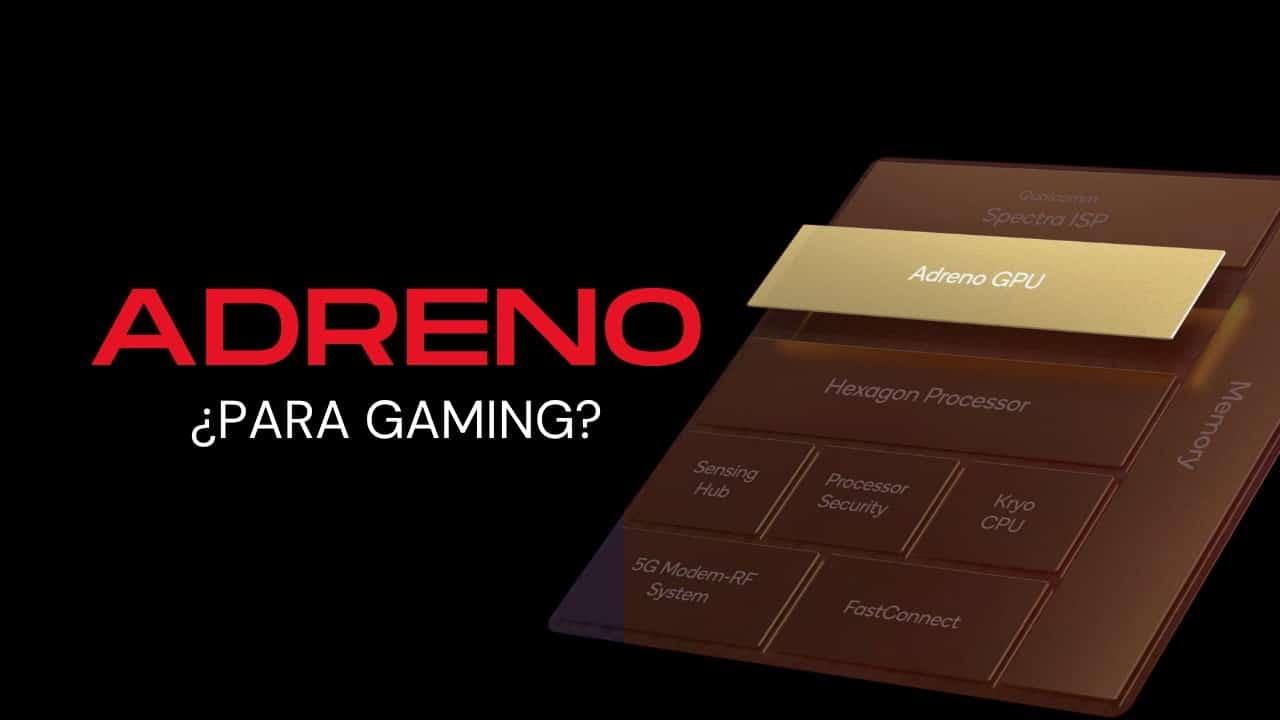
If you are considering buy a laptop with Snapdragon X and the idea of using the Adreno GPU for PC gamingIt's normal to have doubts. On paper, these Arm SoCs promise brutal performance per watt and incredible battery life, but the real world of gaming on Windows is much more complicated, especially when you delve into x86 emulation, anti-cheat systems, and drivers.
Let's clearly break down what you can expect from the Adreno GPUs in Windows 11 laptops for ArmHow does unified memory work, how well does it perform against Intel and AMD iGPUs, what compatibility issues arise with games and programs, and what your situation is if you want a computer primarily for gaming or for demanding 3D software.

What exactly is the Adreno GPU in PCs and what does it look like for gaming?
Qualcomm has made a strong commitment to bringing its Snapdragon SoCs to the PC market. with the Snapdragon X family (Elite, Plus and later generations such as X2 Elite or X2 Elite Extreme). These chips integrate CPU, Adreno GPU, NPU and memory controller into a single package, following a very similar approach to Apple's M-series.
La Adreno X1 GPU, integrated into the Snapdragon X Elite and PlusIt's the graphics heart of these devices. We're not talking about your typical mobile phone graphics card, but an iGPU designed specifically for laptops running Windows on Arm, capable of competing in raw performance and, above all, energy efficiency, with the best integrated graphics from Intel and AMD.
In terms of specifications, the top-of-the-range version of the Adreno X1 can include up to 6 Shader ProcessorsThis adds up to 1.536 FP32 ALUs, capable of processing 96 texels per cycle. In simpler terms, this translates to peak performance of up to 4,6 TFLOPs and a throughput of up to 72 gigapixels per second—very impressive figures for a GPU integrated into a low-power SoC.
According to data from the manufacturer itself, the Adrenowhich in turn outperforms AMD's Radeon 780M in many scenarios. What's remarkable is not only its increased power, but also the significantly lower energy consumption it offers, which in a laptop translates to less heat, less noise, and longer battery life.

Arm architecture, unified memory, and what it means for gaming
One of the key concepts when we talk about Snapdragon X, Apple M, and modern integrated GPUs It's unified memory. This term was popularized by Apple, but Qualcomm follows a similar philosophy in its PC SoCs: CPU and GPU share the same RAM pool, instead of having separate memory for each as with an x86 CPU and a dedicated GPU.
On a traditional PC with a dedicated graphics card, the The CPU has its cache hierarchy and the GPU has its own VRAM (more internal cache). Every time textures, geometry, or any data needs to be passed from the CPU to the GPU, it is done through the PCIe bus, which introduces some latency and can become a bottleneck.
With the unified memory in an Arm SoCThe CPU and GPU work in the same physical memory space. There's less data to copy back and forth; external bus traffic is reduced, and data access is improved. The result is a smaller bottleneck, better performance per watt, and more efficient resource management, especially under mixed CPU and GPU workloads.
In the case of laptops with Snapdragon X, it is typical to find LPDDR5X soldered to the boardThis unified memory acts as both system RAM and VRAM for the Adreno GPU. When you launch a game, the operating system reserves several GB of this unified memory for that process. Both the CPU and GPU draw from this same pool, preventing duplication and massive data copies.
However, this architecture comes at a price: if you want to play with a certain amount of fun in 1080p or 1440pYou need a lot of memory. Between Windows itself, x86 emulation, background services, and graphics processing, you'll want at least 32 GB on a Snapdragon laptop if you plan on playing relatively modern games. On Apple, thanks to macOS optimization and the smaller size of many processes, 16 GB goes a long way, but on Windows, it's a different story.
Qualcomm also boasts very high bandwidth. For example, a Snapdragon X Elite can reach speeds of around 136 GB/sAnd an Apple M4 is around 150 GB/s. These figures help prevent the integrated GPU from becoming overwhelmed when the game starts using heavy textures and higher resolutions, but they don't work miracles if the total memory falls short.
Windows 11 for Arm, Prism and x86 game emulation
Another fundamental pillar when assessing the Adreno GPU for PC gaming It is the operating system. Microsoft has released a specific version of Windows 11 for Arm devices (build 26H1, colloquially known as Windows 11 for Arm), designed for processors such as the Snapdragon X Elite and X Plus.
The main headache here is the compatibility with x86/x64 applications and gameswho still make up the vast majority of users in the Windows ecosystem. To bridge this gap, Microsoft has created Prism, a translation system and x86 emulation which allows running x86 software on Arm CPUs, with support for extensions such as AVX and AVX2.
In theory, this means you can install and run many classic PC games on a Snapdragon laptop. In practice, Prism adds a layer of complexity and overhead. which affects performance and stability, especially in titles that push the CPU to its limits or make intensive use of advanced vector instructions.
For older or moderately demanding games, the combination of Prism + Adreno GPU + Qualcomm drivers It can give pretty decent results, but you'll have to accept that not everything will work perfectly from day one, and that some settings may require patience, testing, and manual adjustments.
Game compatibility: Graphics APIs, anti-cheat, and realistic limits
When playing games on a PC with a Snapdragon processor and Adreno GPU, the Game compatibility is the first hurdle that you're going to find. There are titles that already come with native Arm support and others that work reasonably well via emulation, but there are quite a few that simply won't start or crash.
On the positive side, the Snapdragon X processors offer Native support for APIs such as DirectX 11, Vulkan 1.3, and OpenCLQualcomm has developed specific drivers for these calls, and Windows on Arm handles the translation of x86 code to Arm using Prism. Many games based on DX11, Vulkan, or OpenCL 3.0 can run without excessive problems, provided there are no overly aggressive protections.
The major obstacle is the games with low-level or kernel-level anti-cheatGames like Valorant, League of Legends, Rainbow Six Siege, Destiny 2, and PUBG use these protection systems, which are designed to interact very closely with the operating system and x86 hardware. Emulation breaks many of their assumptions, leading to intentional crashes or erratic behavior.
Even without anti-cheat, there are other factors that can cause total incompatibilities in certain gamesOne of these issues is the intensive use of highly specific and complex AVX/AVX2 extensions, which are particularly difficult to map efficiently to an emulated Arm CPU, resulting in errors and significant performance penalties. Another is the use of low-level driver calls that simply don't exist or aren't implemented on the Adreno GPU, leading to critical errors.
Among the things that do tend to work, there are quite a few single-player games and titles less dependent on anti-cheat which can run relatively well on these systems. Interestingly, Fortnite is one example of a playable game, whether thanks to Prism on Windows or similar solutions in other environments. However, it's always worth noting that not everything will be plug and play for the average user.
Comparison with Apple Silicon and the macOS approach
Although Windows on Arm and macOS are different worlds, The gaming situation with Adreno GPUs and Apple M has some points in common.On Macs with Arm architecture, native game support is even scarcer, and much of what is played goes through translation or compatibility layers.
Apple does not support DirectX or Vulkan nativelyInstead, the entire graphics component is based on Metal, its own API. To port Windows games, tools like the Game Porting Toolkit (GPTK) translate DirectX instructions to Metal, while in the Vulkan world, MoltenVK is used as a compatibility layer. This translation is resource-intensive, but it can deliver surprisingly good results, achieving up to 30% better performance in optimized Metal compared to emulating DirectX 11 directly.
To run Windows games on macOS, many users resort to solutions such as Crossover or other payment tools that recreate a Windows environment or translate API calls. Again, support for modern anti-cheat systems (Apex Legends, Call of Duty with Ricochet, Counter-Strike 2, Overwatch, etc.) is a pain, and some titles are simply unplayable.
In both cases, both with Adreno GPU in Windows on Arm, just like with Apple M in macOSThe main bottleneck for gaming is not so much the raw power of the hardware, but the combination of compatibility, drivers, anti-cheat, and a lack of specific optimization for Arm.
Snapdragon 8 Elite Gen 5: what Adreno promises in mobile gaming
Although the focus here is on PC gaming, it's worth mentioning what's happening Qualcomm with its Adreno GPU in the Snapdragon 8 Elite Gen 5 for mobileBecause many of these technologies end up filtering into the PC ecosystem and show where the manufacturer's graphics architecture is headed.
This mobile SoC's new Adreno GPU boasts Up to 23% more performance with 20% less energy consumption compared to the previous generation. This is achieved, in part, thanks to technologies such as Adreno High Performance Memory (HPM), which adds 18 MB of dedicated high-speed memory to relieve pressure on the overall RAM and increase FPS in demanding games.
It is also introduced Tile Memory Heap to optimize memory usage and allocationThis reduces power consumption and improves tile-based rendering, a common technique in mobile GPUs. In addition, Mesh Shading allows developers to better manage scene geometry in real time, gaining detail with a low energy cost.
What's interesting for the PC world is that this GPU Adreno It is fully compatible with Unreal Engine 5
Regarding APIs, the The Snapdragon 8 Elite Gen 5 Adreno supports OpenGL ES 3.2, OpenCL 3.0 FP, and Vulkan 1.3It also hardware-accelerates codecs such as H.265, VP9, and AV1. All of this comes with support for HDR gaming with 10-bit color and Rec. 2020 gamut, plus compatibility with HDR10, HDR10+, HLG, and Dolby Vision formats in multimedia playback.
Although this chip is focused on smartphones, it makes it clear that the The Adreno ecosystem aims for a level of visual quality very close to consoles.This will be taken advantage of on PC as the tools, drivers and APIs in Windows on Arm are refined.
Adreno Control Panel in Windows: Settings and Optimization
Until recently, a major deficiency of the Adreno GPU in Windows environments The problem was the lack of an advanced control panel like the NVIDIA App or AMD Adrenalin, which would allow users to adjust performance profiles, image quality, and easily update drivers. Qualcomm has begun to address this issue with the release of a first beta version of its own Adreno control panel for Snapdragon X processors on PCs.
This software allows users modify game graphics parameters such as texture quality, V-Sync, FPS limits and targets, as well as tweaking video options to find the ideal balance between smoothness, resource consumption, and quality. It also integrates the ability to update drivers to the latest available version directly from the application, just like NVIDIA and AMD do.
The Adreno GPU in these processors also incorporates technologies to intelligently increase the number of frames per secondThis is similar to what DLSS, FSR, or XeSS offer. However, just like with its rivals, to take advantage of these features, games need to implement explicit support, and currently the list of compatible titles is quite limited.
In any case, this control panel is a step forward because It brings the user experience closer to that of a traditional PC GPU.It typically includes a driver management center, game profiles, metrics, and a performance/silent mode. It's still in beta and development is slower than desired, but it establishes a foundation that didn't exist before.
Adreno driver updates on PC: the Achilles' heel
If something is holding the Adreno GPU in laptops with Snapdragon X It's the driver update cadence. While NVIDIA, AMD, and even Intel have become accustomed to releasing new packages practically every month (or even several times a month in Intel's case) with support for recent releases and performance improvements, Qualcomm is considerably slower.
A recent example is version 31.0.121.0 of the Adreno drivers for Snapdragon X, which adds stability and graphics quality improvements to a number of specific titles such as Coral Island, DIRT 5, Dota 2, Final Fantasy XV, Ghost Recon Breakpoint, Granblue Fantasy: Relink, Horizon Zero Dawn, Red Dead Redemption 2, Valheim or World War Z.
In addition, they have been introduced Performance optimizations for games like Alien: Rogue Incursion Evolved Edition and Fortnitealong with specific improvements in stability and speed in professional applications such as AutoCAD or Adobe Camera Raw 16.5. Specific problems with display connections have also been fixed.
Although these are steps in the right direction, the user community perceives that The update frequency is still too low For an environment as dynamic as PC gaming, if Qualcomm wants to seriously compete with Intel, AMD, or NVIDIA, it will be crucial for them to adopt a more aggressive driver release schedule, especially as the Snapdragon X2 Elite and more powerful variants arrive.
Qualcomm claims that the Adreno X1 GPUs have already been validated with hundreds of applications on WindowsIt also promises future monthly driver updates, along with a more comprehensive Adreno Control Panel that includes automatic graphics quality adjustments based on SoC power and detailed GPU usage metrics.
Performance per watt compared to Intel and AMD: where Adreno shines
Where the The Adreno X1 GPU really shines in performance per wattQualcomm compares its Adreno X1-85 directly with the Intel Arc 8 Xe-Core iGPU integrated into the Intel Core Ultra 7 155H, and the results are conclusive.
According to the company's tests, With the same energy consumption, the Adreno X1-85 can be up to 67% faster than Intel's iGPUIf Intel wants to match the performance of the Adreno, it needs to increase power consumption by around 62%, which means more heat, more noise, and less battery life.
Front of AMD Radeon 780M, considered until now the top-of-the-line iGPU for lightweight gaming laptopsQualcomm claims to offer more than double the performance at the same power consumption. And if the Adreno GPU decides to increase its power consumption within the SoC's thermal limits, it's still able to stay ahead while maintaining superior efficiency.
The problem is that Windows and most games still think in x86 format.So, even though the hardware has headroom, emulation and a lack of optimization limit some of that potential. The feeling is that, with time and better native Arm support, the Adreno GPU could scale very well, but currently, raw power alone cannot be assessed without considering the compatibility context.
How does a mobile Adreno GPU perform compared to a PC GPU?
Beyond the Snapdragon X processors for laptops, many are wondering if A mobile Adreno GPU could be compared to a PC graphics card Low-end. Cross-platform benchmarks are not simple because many variables are involved (TDP, cooling, drivers, different APIs), but there are some approximate references.
In rankings like those of Notebookcheck, a Adreno 740 mobile It is ranked around 430th.
In short, mobile Adreno GPUs They are not intended to replace a desktop graphics cardbut to offer a very decent gaming experience on phones and, in the case of the Adreno X1/X2, to act as an iGPU in Arm laptops, where the balance between power and consumption is as important as pure performance.
Impact on professional and creative applications
The debate about Using Adreno for PC gaming This also extends to professional programs. Many of the big names in CAD, 3D, music production, and virtualization have historically been designed with x86 CPUs in mind, and the transition to Arm is not happening immediately.
In the case of Windows on Arm, applications such as Autodesk AutoCAD Revit, Ableton Live, FL Studio or VMware In many cases, they lack native ARM64 versions, forcing users to resort to emulation or even preventing their use altogether. This affects both the CPU and GPU, as many of these programs rely on graphics acceleration and highly specific drivers.
Similar problems occur on macOS with Apple Silicon: VirtualBox and VMware only allow Arm virtual machinesDocker has limitations, and many older VST plugins for DAWs either don't work or require cumbersome workarounds. In other words, on both Apple and Windows Arm systems, anyone relying on highly specialized software should thoroughly check compatibility before making the switch.
In practical terms, if you're thinking about a Snapdragon X with Adreno GPU for working with established x86 professional softwareYou must assume a transition phase with possible incompatibilities, bugs, and a lack of optimization, similar to what early Apple M1 users experienced, but with an even less mature ecosystem in terms of native support.
Given all of the above, the current situation is that Adreno GPUs on PCs shine in efficiency, integrate advanced technologies, and have enormous potential, but the ecosystem isn't yet ready to make them the primary gaming option. For the average user who just wants to install the game and hit play without any fuss, buying a laptop with a Snapdragon X and Adreno GPU for "classic Windows" gaming remains a risky proposition. Between the need for 32 GB of unified RAM for smooth gameplay, Prism's challenges with x86 instructions, kernel-level anti-cheat, slow driver updates, and the scarcity of Arm-optimized titles, it's still a gamble. As a highly efficient machine for office work, multimedia, some AI with Copilot+, and occasional gaming, it's more than adequate. However, if your priority is gaming and full compatibility, it's still wiser to opt for an x86 system with a dedicated GPU or a mature Intel/AMD iGPU while Qualcomm works out its development.

Passionate writer about the world of bytes and technology in general. I love sharing my knowledge through writing, and that's what I'll do on this blog, show you all the most interesting things about gadgets, software, hardware, tech trends, and more. My goal is to help you navigate the digital world in a simple and entertaining way.