- Wispr Flow acts as a universal AI keyboard that transforms your voice into clean, structured text in almost any application.
- Its advanced Spanish recognition, command mode, and personal dictionary allow you to edit, format, and reuse content with minimal keyboard use.
- The tool is especially useful for capturing raw thinking, documenting “human algorithms,” and powering AI workflows across multiple professions.
- Their freemium and enterprise plans offer flexibility, but you have to consider resource consumption, privacy, support, and alternatives in the voice-to-text ecosystem.
If you feel that Your mind works much faster than your fingers.You're not alone. In knowledge work, losing ideas because you can't type them out in time is practically an everyday occurrence. The good news is that our voice, that tool we use constantly to think and converse, is becoming the best shortcut for writing more and better without being glued to the keyboard.
In this context, Wispr Flow appears, a universal AI-powered dictation keyboard that promises something very concrete: Convert what you say into clean, structured, and ready-to-use text in virtually any app. It's not "just another voice note app," but a bridge between your spoken thoughts and your voice. ecosystem of digital tools, including AIs like ChatGPT or Claude.
What is Wispr Flow and why is it generating so much buzz?
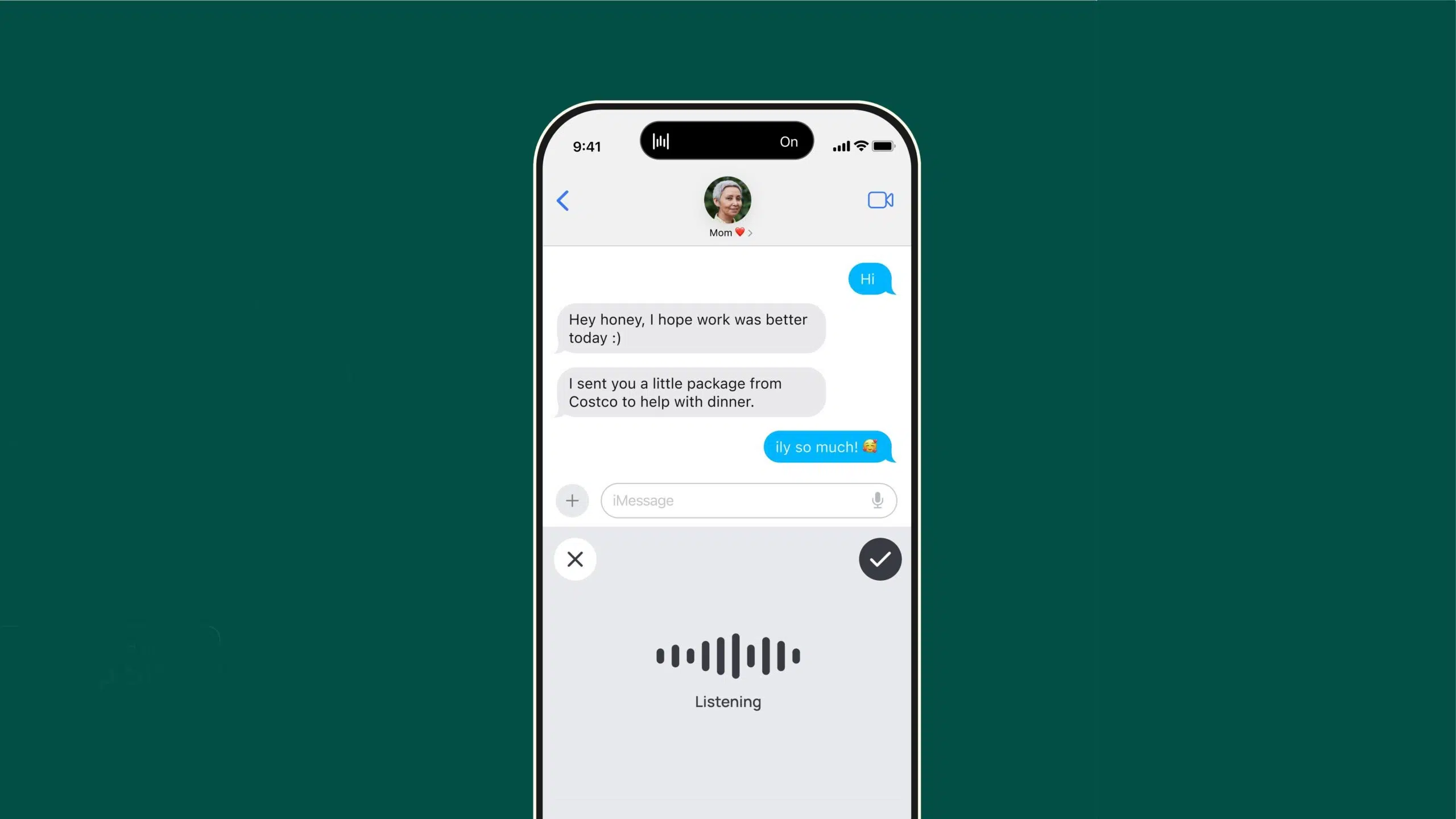
Wispr Flow is, in essence, a voice dictation tool with artificial intelligence for Mac, Windows And on iOS, it acts like just another system keyboard. Wherever you have a cursor—an email in Gmail, a chat in Slack, a document in Google Docs, or a message in WhatsApp Web—you can speak and let Flow type for you, without having to copy and paste text from another app.
The key lies not only in the transcription, but also in the fact that its AI is designed to Clean up your speech in real timeIt eliminates filler words, uses commas and periods, adds capital letters, and understands the context well enough that the result resembles something you would have written yourself, but without having to dictate "comma" or "paragraph break" as if you were in the 2000s.
One of the strengths that its users highlight the most is its performance in Spanish. Voice recognition in our language It's especially refined compared to what many general-purpose AIs offer when spoken to directly through a microphone. This makes it very useful for those who work and think in Spanish all day but want a seamless AI workflow.
Beyond the marketing, the underlying idea is for Wispr Flow to become a kind of external brain for your spoken thoughtYou can vent, reflect, brainstorm, or develop hypotheses for 15 or 20 minutes while walking, driving, or tidying the house, and then use that raw material as a basis for working with ChatGPT, Claude, your strategy documents, or your business plans.
This paradigm shift isn't just about writing faster: it's about externalize your mind without friction, capture it as it comes out, and then use AI to refine, sort and turn all of that into decisions, content, processes or automations.
Key features of Wispr Flow: much more than basic dictation
Wispr Flow's proposition rests on a handful of features that, combined, differentiate it from traditional dictation tools. It's not just about "listening and writing," but about Understanding what you say, how you say it, and why you say it.
Real-time speech recognition and structured text
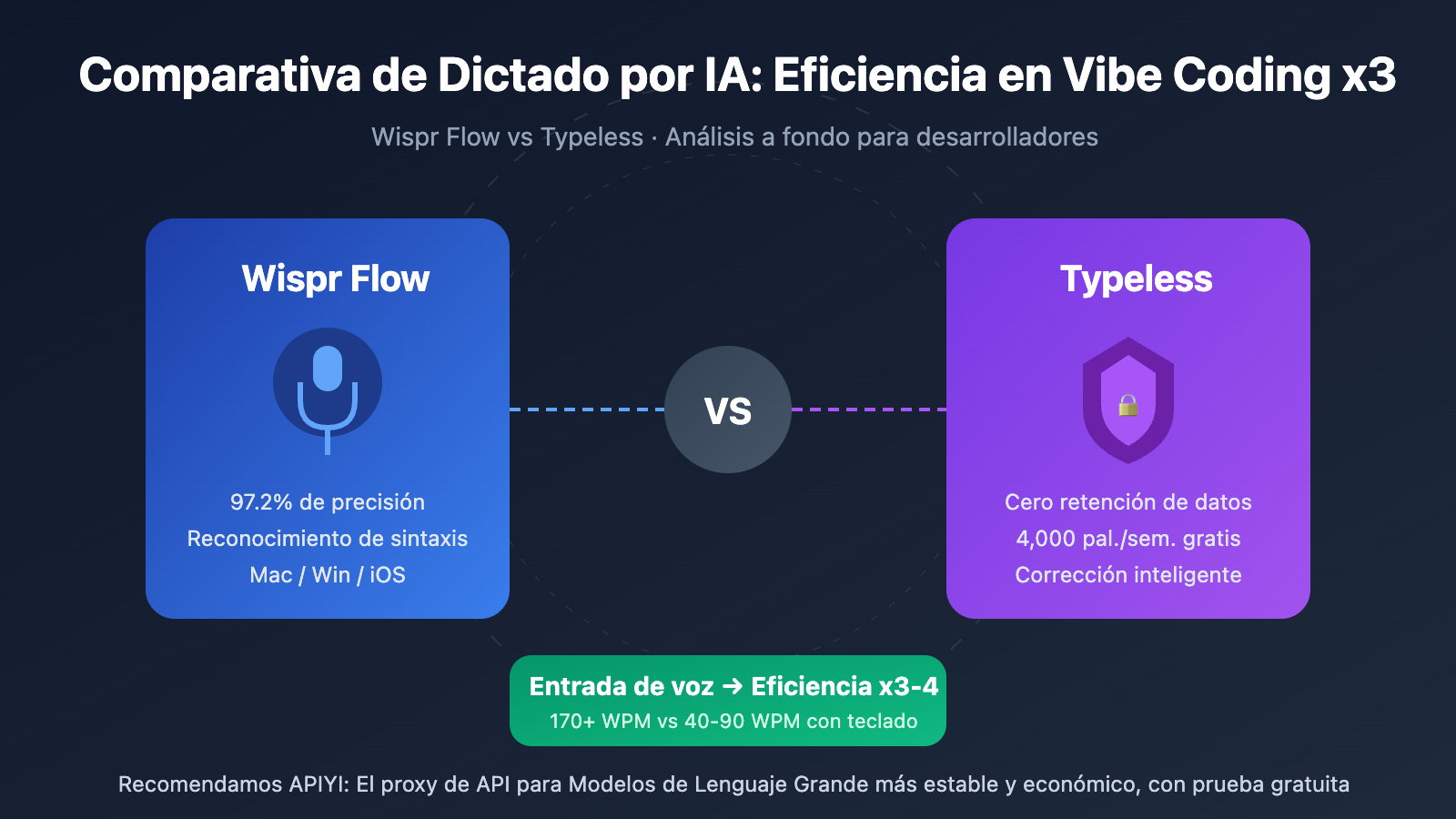
The foundation of Flow is its ability to transform voice into text at high speedUp to 220 words per minute, roughly three times faster than typing for most people. As you speak, the system shapes the text: adding punctuation, correcting basic errors, and adapting the result to make sense without you having to think too much about the form.
AI is capable of interpreting things like "well, no, better put..." and performing what they call “course correction”In other words, it preserves your final intention instead of leaving a jumble of unfinished sentences. If you say, "Let's meet tomorrow... or better yet, Friday," what you'll see written will be simply, "Let's meet on Friday." This significantly reduces the time spent editing afterward, which is where most voice-to-text solutions tend to fail.
It can also generate lists and bullet points naturally. If you're dictating an action plan, you can mark points and subpoints with your voice, and Flow converts them into clean and organized bullet points, perfect for pasting into a project manager, email, or shared document.
AI-powered edition and Command Mode
One of the most interesting features is the so-called Command ModeIt doesn't just transcribe; it lets you edit existing text with voice commands. You select a paragraph with your mouse and say something like, "Make this sound more intimate" or "Turn this block into a bulleted list." The AI rewrites the content according to your intention without you having to go back to the keyboard.
This approach makes Wispr Flow something more like a hands-free writing assistantYou can rearrange ideas, polish an email, change tone, or summarize a text without stopping talking, which is especially useful when you're in concentration mode and don't want to break the flow to start editing with the keyboard.
Support for over 100 languages and automatic detection
Another key element is that Wispr Flow It supports over a hundred languages. It also allows for automatic language detection, which is very useful if you work in bilingual or trilingual environments. You can mix Spanish, English, and another language throughout your day, and the tool will identify the language and adapt the transcription accordingly—something especially useful for professionals who interact with international clients or teams.
This opens the door to uses such as Write email replies in multiple languages, take multilingual notes in meetings or even practice languages while speaking and see the written result with a good level of accuracy.
Whisper mode and dictation in sensitive environments
Wispr Flow also incorporates a mode of low-volume recognitionThis is what many call "whisper mode." Basically, you can speak very softly—ideal in shared spaces, libraries, open offices, or even at home while someone is sleeping—and the AI is still able to understand and accurately transcribe.
This detail makes all the difference when you want to take advantage of those spare moments to to share ideas without bothering anyoneFor example, while traveling by train, waiting in a meeting room, or working in a coworking space with other people nearby.
Personal dictionary and reusable fragments
To gain accuracy over time, Flow incorporates a personal dictionary and a library of fragmentsLearn proper nouns, internal acronyms, technical jargon, or terms from your industry so you don't have to keep correcting the same words over and over again.
The snippet library lets you save frequently used blocks of text and recall them with a voice command. For example, you could say “insert email signature” or “insert calendar link,” and your complete block, with links, formatting, and everything, will appear. It’s a simple way to automate responses, templates, and repetitive text without going crazy with keyboard shortcuts.
History, statistics, and light gamification
Wispr Flow maintains a history of your dictations and recent activitiesIt acts as a repository for ideas, quick notes, or spoken "vents." This is useful for retrieving thoughts you had while walking or driving and then want to refine them later.
In addition, it offers statistics on voice usage: number of words dictated, average speed, usage time, etc. This information can help you understand How are you integrating dictation into your workflow? And, for those who enjoy challenges, it works as a small gamification that encourages more use of the tool.
Security, encryption, and business options
In terms of security, Wispr Flow runs on a cloud infrastructure with transmission and storage of encrypted dataFor businesses and regulated sectors, it offers plans with SOC 2 compliance, zero data retention options by default, SSO/SAML, and mandatory exclusion from modeling with your data.
This means that, in its most advanced plans, the tool can be adjusted to environments where privacy and confidentiality are critical, such as law firms, health clinics, or companies that handle particularly sensitive information.
How to use Wispr Flow step by step in your daily life
Beyond the technical specifications, what matters is how Wispr Flow integrates into real life. The goal is for you to be able to Open any app, hold down a key, and start talking. without thinking too much about the tool.
Registration, installation and activation
The usual process begins by going to the official website, creating an account and Download the app for your operating system (currently Mac and Windows, with iOS mobile support and integrated keyboard on iPhone and iPad). Once installed, you log in with your credentials and follow the short initial setup wizard.
On a desktop computer, you most often activate dictation by holding down a function key (for example, Fn) or a combination of your choosing. From that moment on, Every time you press that key, Flow "listens" and writes wherever your cursor is.Whether it's a Word document, an email in Outlook, or a message on Discord (see how) Activate dictation in Outlook).
Dictate, correct, and use AI commands
When you start dictating, you'll see the text appear instantly, with punctuation adjusting as you go. You can speak naturally, with your filler words and changes of opinion, and let the AI clean up the result to make it sound polished.
If you want to go a step further, you can use AI commands for live editingAsk for a new line, delete the last sentence, rephrase a paragraph, or change the tone of a specific block by selecting it first. This reduces the gap between "bursting ideas" and "having something you could confidently send to a client or your team."
Integration with apps and work ecosystems
One of the most powerful advantages is that Wispr Flow integrates virtually seamlessly with the tools you already useGmail, Google Docs, iMessage, Slack, Notion, Raycast, Front, advanced email clients like Superhuman, and even development environments like Cursor, Replit or VS Code.
By behaving like a universal keyboard, Flow eliminates the classic process of opening a voice note app, dictating, exporting the text, and pasting it where you need it. You type (speak) directly into the final text field, cutting out many intermediate steps and It reduces the frictions that often kill the adoption of new tools.
Mobile use and ergonomic problems when activating the keyboard
On iPhone, Wispr Flow installs as an additional keyboard. This means that, to use it, you will typically need to Tap the keyboard icon in the bottom left corner Then press the dictation button to start speaking. For many people this is convenient, but if you're holding the phone with one hand it can become somewhat awkward.
There are users who, for example, use it while out for a walk to dictate emails or Slack messages and encounter the difficulty of not being able to reach those buttons properly with my thumbA practical trick is to activate the "Reachability" feature in iOS Settings or use accessibility gestures that bring the top of the screen down, making it easier to reach icons without changing your grip.
Another option is to combine Wispr Flow with system shortcuts or accessibility features (such as AssistiveTouch) to create shortcuts to activate dictationminimizing the number of touches required. While not perfect, these solutions make one-handed use more viable, especially if you're someone who dictates and then briefly edits on the fly.
Real-world use cases: from “raw thinking” to strategic productivity
The value of Wispr Flow becomes clearer when we look at examples. It's not just about sending messages faster, but about... Turn your voice into a strategic asset that you can exploit with AI and your own methodologies.
Capture your “raw brain” as you move
One of the most powerful uses is simply going for a walk with your mobile phone and Let your ideas flow out loudStrategic reflections, business hypotheses, venting, complex decisions you're mulling over... all that stuff you rarely sit down to consciously type can be effortlessly recorded.
That material then becomes raw material For in-depth work sessions: you can take it to ChatGPT or Claude, export it to Notion, turn it into scripts, newsletters, decision frameworks, or prioritization criteria. The difference compared to writing directly is that your voice carries nuances, emotion, and rhythm that are often lost when filtered through a keyboard.
“Human algorithms” and smarter automation
Throughout the day we make decisions based on what we might call “human algorithms”These are patterns, criteria, and mental rules that we apply almost unconsciously. From trivial things like our morning routine to delicate decisions like breaking a strategic alliance or approving a major investment.
The problem is that many of these algorithms are unclear and undocumented. Wispr Flow allows break down out loud how you decideWhat variables do you look at, what signals trigger an alert, and which ones give you peace of mind? This verbalization, once transcribed, can be turned into checklists, prioritization models, or decision frameworks that AI can then help you apply consistently.
For example, you could dictate your “human executive prioritization algorithm,” listing factors such as impact, urgency, reputation, available energy, risks, strategic opportunities, etc., until you complete a framework with more than a dozen variablesDocumenting this manifesto reminds you that progress is not synonymous with moving a lot, that importance does not always equal urgency, and that reputation is not the same as noise.
Once you've mapped it out with Flow, you can ask the AI to integrate that framework into its recommendations, transforming your way of thinking into humanized automation that respect your criteria, instead of letting the algorithm "decide for you" without that context.
Productivity for creators, developers, sales, support, and students
Beyond high-level executives and strategists, Wispr Flow adapts to very different profiles. For content creatorsIt's a way to overcome writer's block: dictate ideas for videos, scripts, long posts or newsletters and let AI convert it into structured text on which to then polish details.
In the case of developersFlow fits well with the "coding by vibes" trend: commenting code, writing commit messages, or drafting PR descriptions in natural language, while AI translates that into clear, organized, and even formatted text for tools like Cursor or VS Code.
For professionals in salesRapid dictation after a call allows send immediate and highly personalized follow-ups, record notes in the CRM without losing nuances of the conversation and generate messages that sound less robotic than a hastily written email.
En Customer SupportFlow can help agents respond faster to tickets or chats by speaking instead of typing. But it's important to clarify: dictation speeds up typing, yes, but it doesn't solve the problem of... find the correct answerYou still need the appropriate knowledge base article or internal procedure. To go a step further, you need "support copilot" tools (like eesel AI) that connect to all of the company's documentation and write pre-written, well-founded responses; Flow complements this scenario, but doesn't replace it.
In the field of accessibility and educationWispr Flow offers a powerful solution for people who find the keyboard insufficient: students taking spoken notes, people with reduced mobility who find voice a more natural way to communicate, or users who need to work in multiple languages without constantly switching tools.
Regulated sectors: lawyers, healthcare, team leaders
Wispr Flow is also finding a niche in sectors that demand extreme precisionFor example, it's useful for lawyers to dictate contracts, case notes, or meeting minutes, where it's vital that the transcription is clean, consistent, and easily editable. Enterprise plans add guarantees such as SOC 2 Type II and HIPAA eligibility, making it attractive for legal and healthcare environments.
For leaders and managers, Flow becomes an ally for capturing decisions, feedback, and strategic visions On the spot: after a meeting, during a trip, or at the end of the day. This spoken “leadership log” is transformed into internal communications, team guidelines, or organizational culture documents without having to set aside time to write from scratch.
Plans, prices and alternatives to Wispr Flow
Like almost all modern SaaS, Wispr Flow operates on a freemium model. This allows you to Try the tool with no obligation and then decide if it's worth switching to a paid plan based on how much you'll use it.
Main plans and prices
The Basic plan is free and includes access to Flow with a weekly word limit (around 2.000 in some recent offers). It's enough to try the experience and use it lightly, but if you get used to it, you'll probably find it insufficient soon.
The Pro plan is around $10-15 a month (with a slightly reduced price if you pay annually) and offers unlimited dictation, desktop and mobile synchronization, Command Mode for voice editing, and priority access to new features. It's the most logical plan for individual professionals who want to integrate Flow into their daily workflow.
Teams' plans start from some $10-12 per user per month With a minimum number of users, they offer centralized billing, administrator controls, and shared context or team shards. They are geared towards departments that want to standardize usage and style across multiple users.
Finally, the Business or Enterprise plan works with custom price It includes enterprise-level APIs, advanced integrations, dedicated support, zero data retention by default, SOC 2 compliance, and options such as SSO/SAML. It's the ideal solution for large organizations that require security guarantees and customization.
It's always a good idea to check the pricing information on the official website because Fees and limits may change Over time, and depending on promotions or new releases.
Limitations and weaknesses to consider
Despite all the good points, not everything that glitters is gold. A recurring criticism among some users is a certain feeling of opacity or vagueness in the privacy policyEspecially when compared to tools that are hyper-focused on security. For those handling highly sensitive data, this can raise reasonable concerns.
It is also mentioned that Flow can be somewhat greedy in CPU and memory (values) AI-accelerated hardwareThis is especially true on older computers or those with limited RAM, and the application size is larger than expected. On modest machines, having Flow always running can negatively impact performance.
On Windows, several users report occasional bugs, stability issues, and a somewhat less polished experience than on Mac. In addition, Customer support isn't always as responsive as one might hope., with slow or non-existent responses in some cases.
Finally, as of today, the main availability is in Mac, Windows and iOSUsers of other platforms or smaller ecosystems have to wait for compatibility to be expanded or resort to alternatives.
Prominent alternatives in the world of voice-to-text
If you're considering Wispr Flow, it's also a good idea to know what else is available. Among the most talked about alternatives are:
Rev.ai, a speech-to-text API with support for dozens of languages and a developer-focused approach; Nutria.ai, focused on real-time meeting transcription; OpenAI's Whisper, an open-source model that allows local processing with high privacy control; and Dragon NaturallySpeaking, a classic of professional speech recognition for Windows.
There are also services like Sonix, Temi, Happy Scribe, and Vibe Transcribe, which cover different niches of Automatic transcription, subtitling, and offline processingEach has its strengths: flexible APIs, focus on video, offline functionality, etc.
Wispr Flow is placed in a rather particular location: It doesn't want to be just an API or just a meeting transcriberbut a universal keyboard with AI designed for everyday work, which understands the context and helps you edit as much as dictate.
Given all of the above, Wispr Flow establishes itself as a very powerful tool for anyone who wants their voice to become their greatest competitive advantage: it accelerates writing, captures raw thought, documents your human algorithms, and integrates seamlessly into your workflow, provided you are willing to live with its platform limitations, resource demands, and the reasonable concerns that any tool of this type raises regarding privacy and support.


Passionate writer about the world of bytes and technology in general. I love sharing my knowledge through writing, and that's what I'll do on this blog, show you all the most interesting things about gadgets, software, hardware, tech trends, and more. My goal is to help you navigate the digital world in a simple and entertaining way.