- El Windows Driver Kit (WDK) is essential for developing, testing, and debugging drivers on Windows.
- Includes key tools, documentation, and examples to ensure the quality and stability of the drivers.
- Integration with Visual Studio and support for ARM64 make current development easier and more modern.
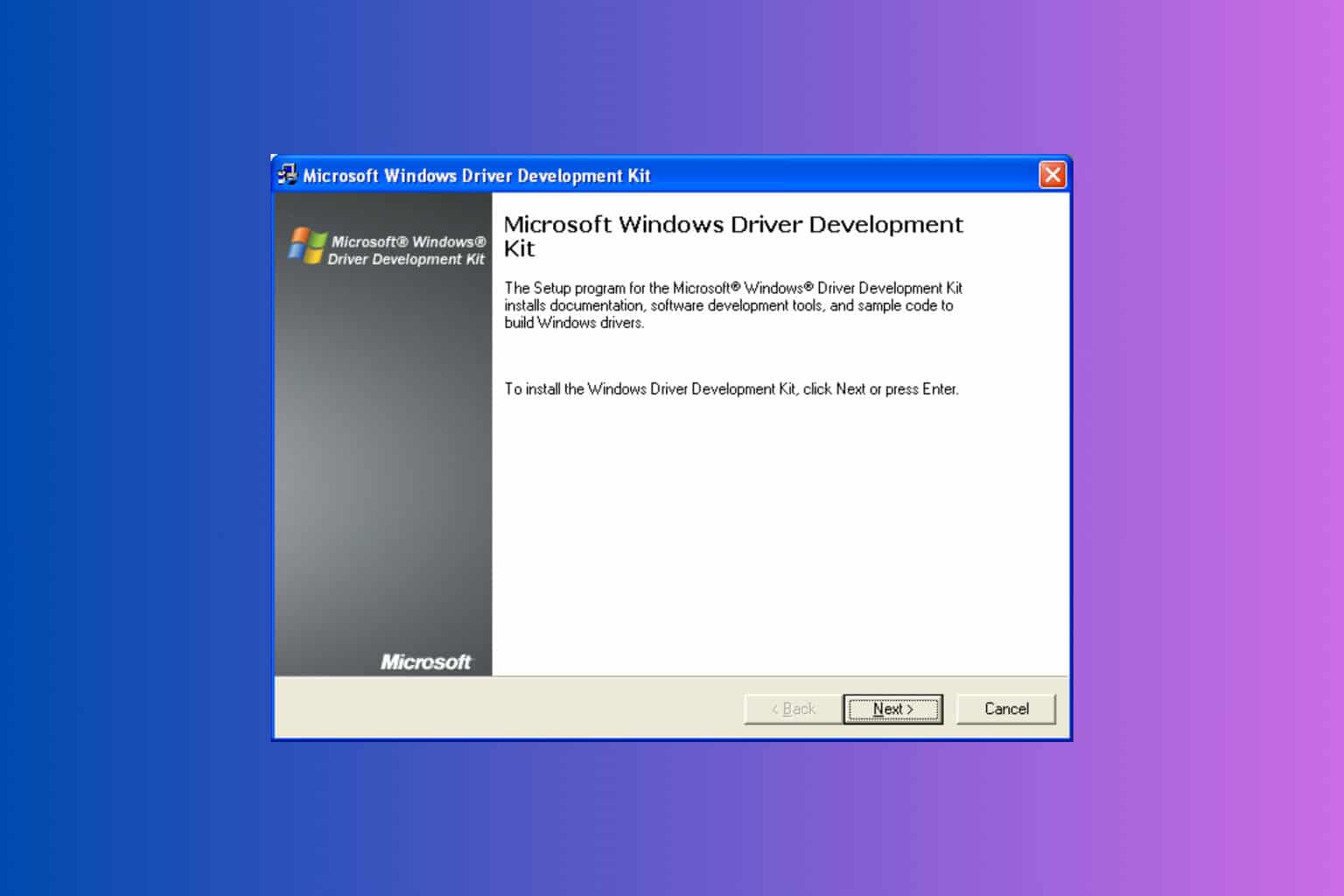
When discussing Windows development, one of the most frequently mentioned terms in the professional sphere is the Windows Driver Kit (WDK) . If you've ever wondered how drivers work in Windows or where developers get all the tools to create robust drivers, the answer is usually found in this comprehensive suite of utilities. Although the official documentation is extensive, it often relies on technical jargon, leaving gaps in understanding for less experienced users. Therefore, today we're going to delve into this topic and break down everything behind the WDK, using clear and accessible language while maintaining accuracy.
Whether you're a beginner developer, a curious student, or someone interested in the ins and outs of Windows, this article will explain what the WDK is for, its evolution over time, how to install and use it, and why it remains essential to the Microsoft ecosystem. We'll also explore how it integrates with other tools, its compatibility (including the recent arrival of native ARM64 support), and how it has adapted to changing needs both at the enterprise level and in personal projects.
What is the Windows Driver Kit (WDK) really?
The Windows Driver Kit , commonly called WDK , is a software package provided by Microsoft specifically for developing device drivers for Windows operating systems . This kit includes a set of tools, APIs, documentation, examples, and build environments that allow users to create, test, and debug all types of drivers required by the operating system.
In short, any hardware manufacturer or organization that needs its devices to be recognized, managed, and used correctly in Windows ends up using this kit. It serves as the indispensable bridge between real-world hardware and Microsoft's operating system.

History and evolution of the Windows Driver Kit
The origins of the WDK are not recent. Its roots go back to the early days of Windows, in the 90s, when drivers were developed with much more rudimentary and less integrated tools. Initially, Microsoft called it the Device Development Kit (DDK) during the Windows 3.x and Windows 9x era. Developers at that time were heavily focused on developing for the VxD driver model, which served systems like Windows 95.
As Windows evolved and versions like Windows NT and Windows 98SE emerged, the kit changed its name to Driver Development Kit (also DDK) and began supporting the driver model known as the Windows Driver Model (WDM) . The big leap came with Windows Vista , when Microsoft decided to unify various kits under a single name and concept: the DDK, as we know it today, was born.
This change marked a turning point because, in addition to making life easier for programmers, it brought together essential elements such as the Installable File System Kit (IFS Kit) and the Driver Test Manager (DTM) under one umbrella , although the latter was later eliminated.
Key components of the WDK
The WDK is not just a random collection of tools . Its structure is designed to cover the entire driver development lifecycle. Among its most important elements are:
- Official and detailed documentation on driver models, Windows APIs and practical examples.
- build tools custom builds, including compilers compatible with different versions of Visual Studio and Microsoft's own toolchain to ensure consistent results.
- Test and debug environments which allow simulating real situations, injecting faults and analyzing the behavior of drivers under load and adverse conditions.
- Libraries and headers designed specifically for driver development, not for conventional applications.
- Code examples and templates for various types of drivers (for graphics, network, storageetc.).
In addition, WDK usually requires the installation of the Windows SDK and additional tools such as Windows HLK (Hardware Lab Kit) to perform certain advanced tests and validations.

WDK Compatibility and Requirements
One of the most important aspects for any developer is which versions of Windows and Visual Studio the WDK supports at any given time . According to the latest information, the public version of WDK 10.0.26100.3323 (March 2025) can be installed and function correctly on Windows 7 and later , in both client and server versions. However, what's truly important is that it allows compiling drivers for Windows 10, Windows Server 2016, and later versions.
Some editions of Visual Studio 2022 have been validated as compatible, but it's critical to always check the specific requirements for each tool combination (for example, it's very common for the SDK and WDK build numbers to match to avoid headaches when building binaries).
Another significant new feature is native support for ARM64 processors . This means that drivers can now be developed, tested, and deployed directly on ARM64 hardware, without using emulation. Furthermore, the ability to emulate x86 drivers on these machines is maintained, providing enormous flexibility for new ARM-based devices and laptops .
WDK and NuGet: Easier Installation
In recent years, Microsoft has focused on distributing WDK components through NuGet packages . This has greatly simplified things for developers, as they can now install, update, and maintain the kit directly from nuget.org using Visual Studio. Starting with WDK version 10.0.26100.1 , it's possible to use these packages, which also automatically manage dependencies like the SDK. This ensures that the toolchain is always up-to-date and perfectly integrated.

Typical steps to install and start using the WDK
If you want to get started with driver development on Windows, there's a recommended process for setting up your working environment, which includes three main steps:
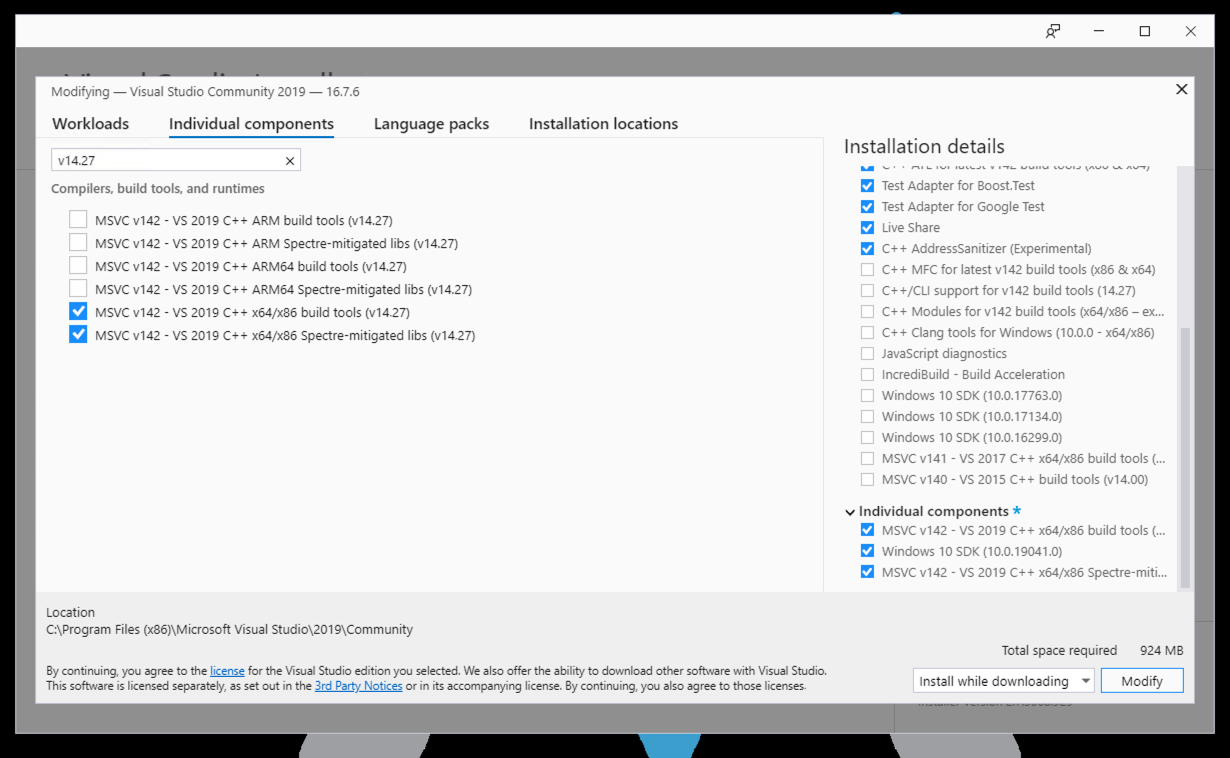
- Installing Visual Studio 2022: The WDK relies on Visual Studio being installed, preferably version 2022. It's a good idea to enable the 'Desktop Development with C++' workload and add the recommended individual components, such as libraries and build tools for different architectures and the latest versions of the Windows Driver Kit.
- Installing the Windows SDKIt's important to download the SDK version that matches the build number of your chosen WDK to ensure everything works perfectly. Using different pairings can lead to subtle incompatibilities.
- Download and install the WDKSince version 17.11.0, the Visual Studio installer allows you to add the WDK component directly. If it's not present, you're prompted to download and install it to ensure integration.
In more advanced scenarios or when seeking to automate and better control every aspect of the environment, there is the option of using the Enterprise WDK (EWDK).
What is the Enterprise WDK (EWDK)?
The Enterprise Windows Driver Kit ( EWDK) is an alternative version, primarily aimed at businesses and developers who prefer working from the command line and want a portable environment completely independent of conventional Visual Studio installations. Instead of a traditional installer, the EWDK is distributed as a .zip or .iso file that you can extract to any directory and run directly from there, without needing to install anything on the system. It contains all the necessary build tools, linkers, libraries, and headers , as well as specific versions of the Visual Studio Build Tools, the SDK, and the WDK. It is ideal for projects where consistent build environments must be maintained over time or for development teams working with very strict version control.
The EWDK assumes you'll be working in the console, so it doesn't include a visual integrated development environment. However, you can use Visual Studio if you wish, as long as the versions of both tools match to avoid conflicts.
Configuring and starting up the EWDK
Using the Enterprise WDK is quite simple:
- Download the EWDK from the official Microsoft website.
- Unzip the contents into a directory of your choice, for example D:\ewdk.
- Open a command console as administrator, navigate to the created folder and run LaunchBuildEnv.cmdThis automatically configures all necessary routes and variables.
- From there, you can build your projects with MSBuild commands, just like in a classic environment.
Version management: a fundamental detail
Version control is especially important in the world of drivers. Each WDK and SDK installation is associated with a specific build number and, sometimes, a value called QFE (Quick Fix Engineering), which indicates quick fixes or additions to the base kit. For everything to work correctly, the build number of the installed SDK must match that of the WDK . If there are discrepancies, builds may fail or, worse, incompatible drivers or drivers with subtle bugs may be created.
Checking this information is simple: just go to Windows application settings and look for the installed kits; the complete build string will be displayed there. It's important to note that, except in specific cases, the QFE value doesn't always have to match, unless the driver uses features added in later QFEs.
Driver development on ARM64: new opportunities
One of the major improvements in the latest editions of WDK is full support for ARM64 . As of today, you can:
- Run WDK/EWDK natively on ARM64 hardware.
- Continue emulating x86 drivers on ARM machines, if necessary.
- Perform remote debugging and driver deployment from x64 or ARM64 machines to ARM64 devices.
- Automatically install all dependencies and build tools, ensuring proper operation in these environments.

Signing and installing drivers on modern versions of Windows
Currently, Windows 8 and later versions have very strict requirements regarding digitally signing drivers . Microsoft requires that drivers be digitally signed and accompanied by a catalog file (.cat) generated from the driver's INF file. The general process to achieve this is:
- Generate the .cat file using the Inf2Cat utility (included in the WDK).
- Obtain or create a valid digital certificate, preferably issued by a recognized certification authority (CA).
- Sign the .cat file using SignTool (also included in the WDK).
- Install the public certificate on the target machine so that Windows can validate the driver and allow its installation.
This procedure is mandatory for any custom driver you wish to install in Windows 8, Windows 10, or 11 (although unsigned drivers were still possible in Windows 7, it is no longer recommended or safe). Additionally, the process helps ensure the integrity and trustworthiness of the drivers installed on your system.
Practical examples and use cases
The WDK includes a suite of ready-to-use examples , with projects ranging from very simple "Hello World" drivers to much more complex cases for graphics hardware, storage, network devices, HID, and more. Thanks to these examples, developers can start from a solid foundation and adapt their code to the specific needs of the hardware they want to control.
These resources are especially useful for beginners who want to better understand how to implement specific features and perform real-world debugging tests.
Integration with testing and deployment tools
In addition to its development and compilation capabilities, the WDK is complemented by other Microsoft kits for validation and certification, such as the Windows HLK (Hardware Lab Kit). This tool allows for automated testing on real or virtualized hardware and generates reports that facilitate driver certification, ensuring compliance with Microsoft requirements and enabling official distribution through Windows Update and other platforms.
These tests are key for manufacturers to certify that their drivers meet quality and safety standards, facilitating their deployment in professional and end-user environments.
Strengths of the current WDK
The main advantages of modern versions of WDK are:
- Frequent updates that align with each new version of Windows.
- Better integration with Visual Studio and other development environments.
- Automation in processes and dependencies, simplifying the work.
- Debugging and testing tools robust, which guarantee quality and reliability.
- Development capabilities for ARM64, increasingly in demand in today's market.
Additional considerations for work teams and companies
For those who manage teams, the use of the EWDK and the ability to move compressed or version-controlled environments is vital to maintaining consistency in large projects and ensuring reproducibility in development and testing environments.
By not relying on traditional installations, rapid deployment of environments is facilitated in minutes, a significant advantage for companies or projects that prioritize automation and efficient resource management.
Common problems and challenges
When working with the Windows Disk Kit (WDK), one of the main challenges is ensuring exact compatibility between the WDK, SDK, and Visual Studio versions . Any mismatches can lead to errors that are difficult to diagnose. Furthermore, digital signature policies and Windows security policies can be complex for those unfamiliar with them. It is advisable to dedicate time to understanding the signing process and conducting tests in controlled environments before proceeding with the final deployment.
It is also important to always review the official documentation and compatibility notes from Microsoft when new versions of the operating system are released, as changes in requirements or policies can affect the driver development, signing, and deployment process.
These aspects ensure that drivers function properly and remain secure in modern systems.
Overview and usefulness for all profiles
Whether you're a freelance programmer, work for a small business developing its own hardware, or are part of a large corporation, the WDK is and will remain the key tool for projects requiring advanced interaction between hardware and Windows . It offers everything from graphical environments to command-line options, includes up-to-date examples, technical support, and an active community that facilitates learning and problem-solving.
Furthermore, the commitment to NuGet and support for ARM64 ensure that the WDK will remain relevant, adapting to future versions of Windows and market demands.
Investing in learning how to use the Windows Driver Kit is a surefire way to stay current in one of the most complex and rewarding disciplines of Windows development. Mastering it offers advantages in performance, stability, and professionalism, solidifying its position as the standard for creating quality drivers for the Microsoft ecosystem.
Table of Contents
- 1 What is the Windows Driver Kit (WDK) really?
- 2 History and evolution of the Windows Driver Kit
- 3 Key components of the WDK
- 4 WDK Compatibility and Requirements
- 5 WDK and NuGet: Easier Installation
- 6 Typical steps to install and start using the WDK
- 7 What is the Enterprise WDK (EWDK)?
- 8 Configuring and starting up the EWDK
- 9 Version management: a fundamental detail
- 10 Driver development on ARM64: new opportunities
- 11 Signing and installing drivers on modern versions of Windows
- 12 Practical examples and use cases
- 13 Integration with testing and deployment tools
- 14 Strengths of the current WDK
- 15 Additional considerations for work teams and companies
- 16 Common problems and challenges
- 17 Overview and usefulness for all profiles
