- Velxio is an open source and self-hostable simulator that emulates Arduino, ESP32 and Raspberry Pi directly in the browser.
- It supports 19 boards, 5 CPU architectures, and more than 48 interactive components with real CPU emulation.
- It allows multi-board on the same circuit, serial monitor, library management and collaborative work.
- Its AGPLv3 license for educational use and commercial option makes it useful for makers, education, and startups.
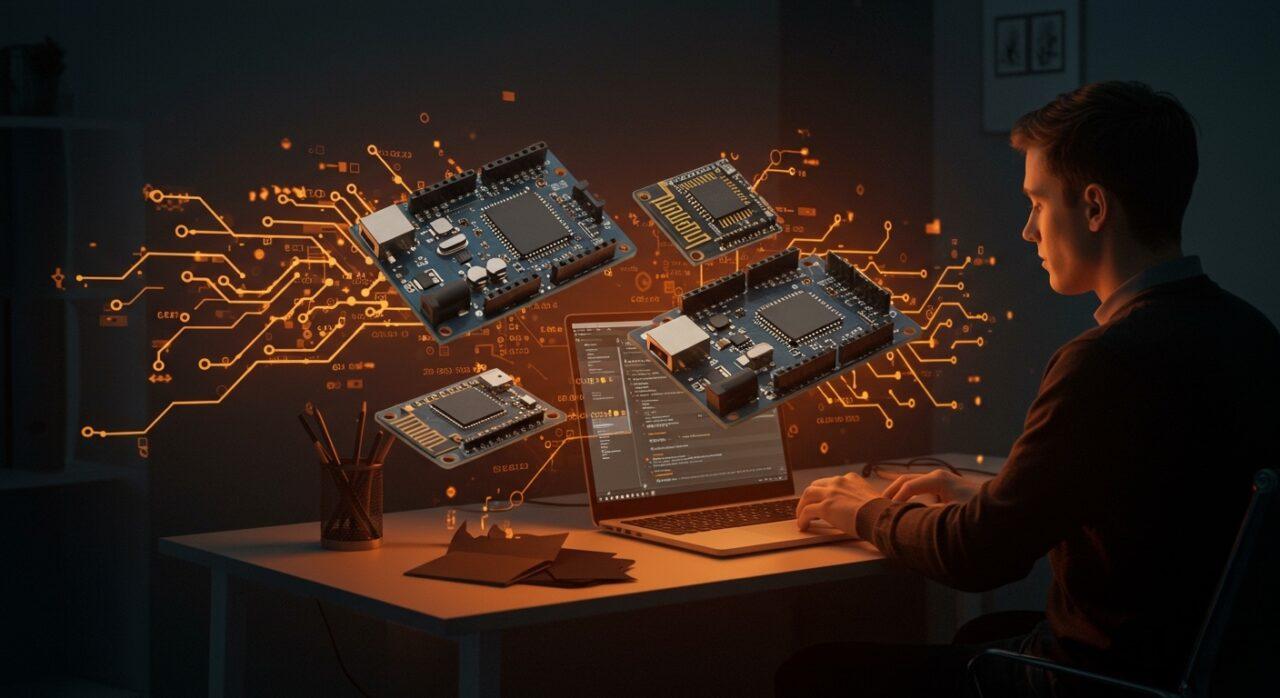
Trying out ideas with Arduino, ESP32, or Raspberry Pi often starts with great enthusiasm but frequently ends in endless waits for orders, failed assemblies, and a good dose of frustration. Having to constantly rely on physical hardware slows down the pace of experimentation and complicates both teaching and the professional development of embedded projects.
This is where Velxio comes in , a web-based embedded hardware simulator that aims to change the way we prototype. It allows you to emulate entire boards, connect graphics components, write code, and see it running directly in your browser, without needing the device on the bench or uploading anything to the cloud if you don't want to. And all of this is built on an open-source, self-hosting foundation.
What is the Velxio simulator and what is its philosophy?
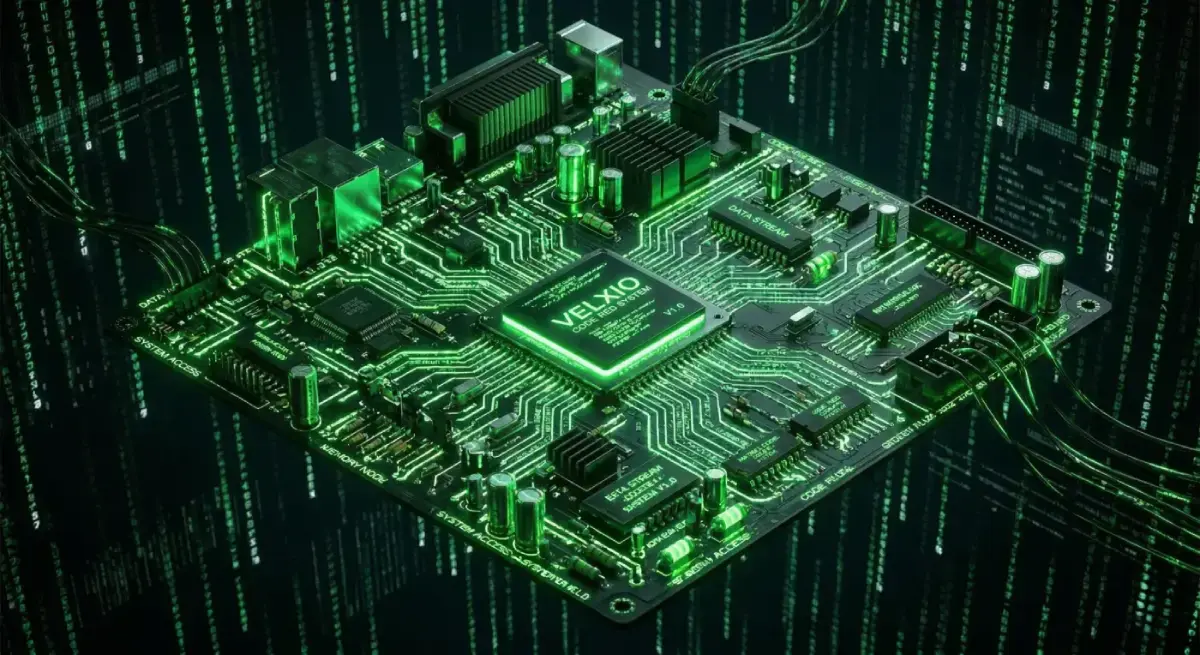
Velxio is a web-based simulator for boards like Arduino, ESP32, and Raspberry Pi that runs directly in your browser . It was created as an alternative to cloud-based tools (like Wokwi) with a very clear goal: to offer the same high-level simulation experience, but with the ability to run everything locally and self-hosted, without relying on external servers.
Its creator began by developing an open-source simulator specifically for Arduino , with the intention of enabling offline work, greater control over the environment, and without needing to send code to third-party services. From this foundation, the project has grown into a multi-board simulation platform capable of going far beyond basic Arduino sketches.
The project's philosophy rests on three pillars: free software, self-hosting, and realistic emulation . The goal is for anyone to be able to run Velxio on their own computer or server, integrate it into educational or professional workflows, and maintain a behavior very close to that of real hardware.
Furthermore, Velxio presents itself as a tool designed for both the maker community and for schools, universities and startups that need to experiment, teach or validate hardware ideas without the cost or logistics of physical assembly in the early stages.
Under the hood, the project is published on GitHub and relies on a modern technology stack: a React frontend with TypeScript, a Python backend with FastAPI , and reuse of emulation engines from established projects like Wokwi, all under open licenses.
How Velxio works internally: realistic emulation and workflow
One of Velxio's strengths is that it doesn't just remain a "toy" simulation; it emulates the real CPUs of the supported boards . For example, for Arduino with AVR8 microcontrollers (like the ATmega328p in the Arduino Uno), it uses the same cycle emulation engine as Wokwi, released under the MIT license. This allows the code's behavior to be synchronized at the instruction and clock cycle levels.
In practice, this means that when you write a typical blinking sketch, the virtual LED turns on and off in response to actual changes in the emulated microcontroller's pins . It's not an artificial animation: the CPU model calculates the GPIO state, and those changes are propagated to the circuit components in real time.
The basic workflow in Velxio follows the same logic as when programming real hardware: you write the code, compile it, and then run it on the simulated board . From the web editor (based on Monaco, the same engine as VS Code), the user writes their program and clicks to compile. The browser sends the code to a backend server implemented with FastAPI, which launches arduino-cli as a subprocess to generate the corresponding binary or HEX file.
Once compiled, the resulting file is returned to the browser , where the CPU emulator interprets and loads it onto the virtual board. When the user clicks "run," the emulated CPU begins processing instructions, registers and pins are updated, and the interface displays the circuit's behavior just as it would on a physical board.
The system is not limited to a simple LED: Velxio incorporates a library of interactive components (screens, sensors, inputs, outputs, etc.) based on Wokwi's own interface elements. This creates a visual environment where components can be dragged and dropped and connected using a graphical wiring system.
Motherboards, CPU architectures and supported components
With the upgrade to Velxio 2.0, the platform has taken a significant leap in scope: it now offers support for 19 different boards and 5 CPU architectures . This expands its capabilities beyond the classic Arduino and allows for working with much more varied and even complex environments.
According to available information, supported architectures include AVR8, ARM Cortex-M0+, RISC-V, Xtensa, and ARM Cortex-A53 . In practice, this translates to the ability to simulate boards such as various Arduino models, ARM-based microcontrollers, several ESP32s, and a Raspberry Pi 3 capable of booting a complete operating system.
Another key feature is the peripheral library: over 48 interactive electronic components ranging from LEDs and resistors to sensors, TFT displays, text screens, and other modules commonly used in electronics and IoT projects. This variety allows for rigorous testing of logic, interaction, and timings before working with actual hardware.
The browser-based integrated development environment uses Monaco Editor , resulting in an editing experience very similar to Visual Studio Code: syntax highlighting, autocompletion, convenient tab and file management, etc. In addition, Velxio integrates a serial monitor, library management, and the ability to work with multiple boards in parallel.
One particularly striking feature is its ability to simulate multiple heterogeneous boards on the same circuit . For example, you can have two Arduinos communicating via SPI, an ESP32 communicating serially with an Arduino-based board, or even a Raspberry Pi 3 interacting with a Raspberry Pi Pico, all within the same simulation environment.
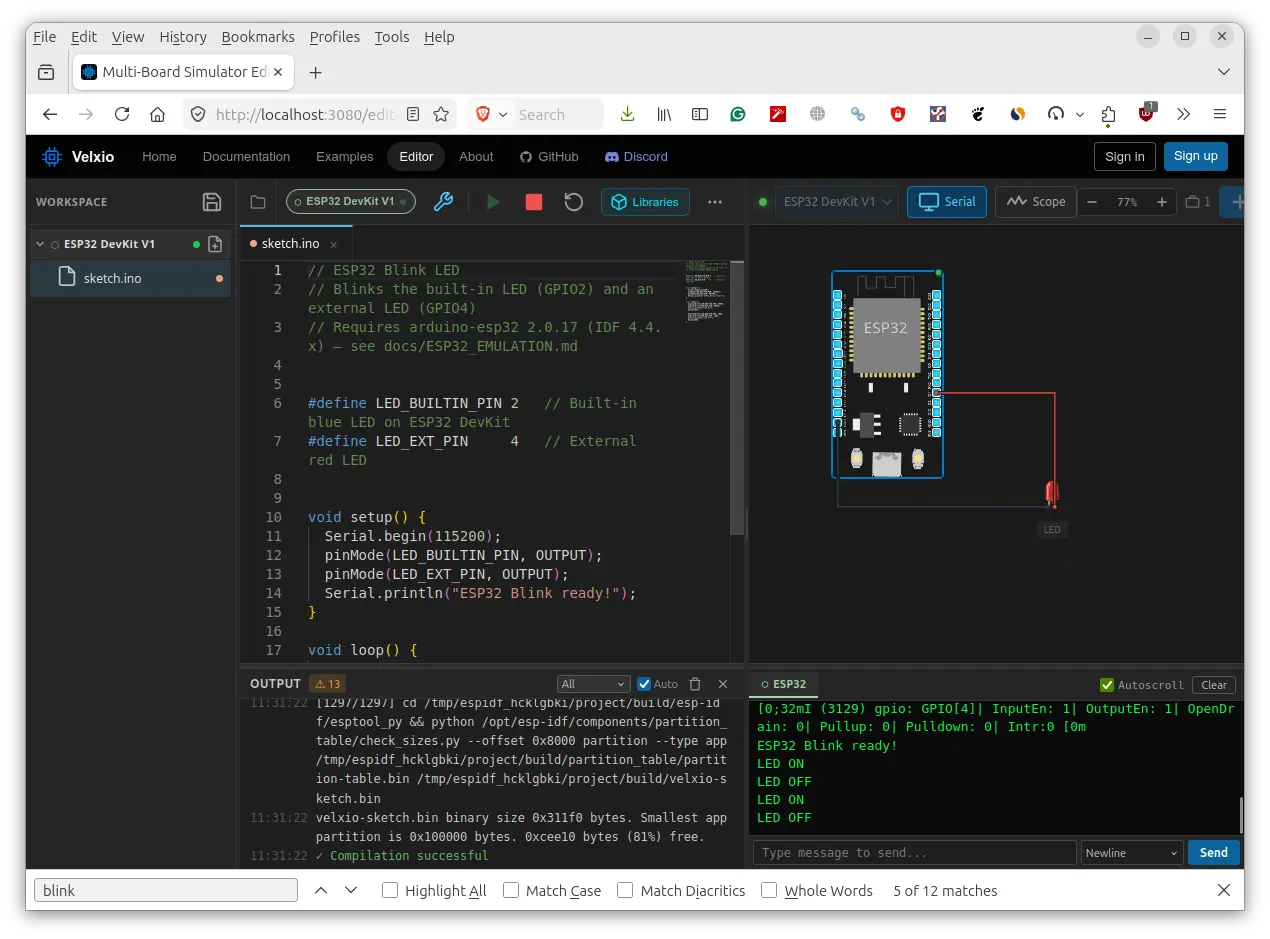
Velxio was born with a strong focus on Arduino and the AVR ecosystem , but its current scope goes far beyond that. In the case of Arduino, the simulator compiles the code with arduino-cli and runs it with the cycle-accurate AVR8 emulator inherited from the Wokwi infrastructure, offering high fidelity in timing, interrupts, and pin behavior.
For ESP32s, the project combines several emulation strategies: there is support for both Xtensa variants and the RISC-V-based ESP32-C3 . Specifically, it mentions that the ESP32-C3 runs on a RISC-V emulator written entirely in TypeScript , executing directly in the browser without requiring an additional backend. For other ESP32 variants, Velxio integrates a fork of QEMU, also from the Wokwi ecosystem, to provide emulation of the Xtensa core.
In the Raspberry Pi realm, Velxio can simulate a Raspberry Pi 3 by booting the full Raspberry Pi OS using QEMU within a web browser . This theoretically allows users to work with a real Linux environment, run Python or Bash scripts, and connect the virtual Pi to other circuit components. While this feature is still in beta and limitations have been reported (such as difficulty accessing the serial console in some cases), it opens the door to fairly advanced simulation scenarios.
For smaller boards like the Raspberry Pi Pico, Velxio relies on dedicated RP2040 emulators , reusing the work of the Wokwi community. The result is an environment where projects with multiple different microcontrollers interacting simultaneously can be tested without needing to have all those boards on the table.
All of this is accompanied by a flexible approach to programming languages: it is possible to work with Arduino (C/C++) and Python , and the project mentions compatibility with other development environments depending on the board, making it attractive to both more electronic profiles and high-level programmers.
Key features of Velxio 2.0 for makers, education and startups
Beyond its list of boards and components, Velxio 2.0 stands out for its set of features geared towards real-world work: testing, debugging, and collaboration . The tool includes an integrated serial monitor, allowing users to view program output just as they would on a physical board, and manage libraries for each project without having to deal with complex local installations.
One of the project's greatest strengths is multi-board simulation on a single circuit . This is especially useful for testing typical IoT distributed architectures: ESP32-based sensor nodes, a Raspberry Pi-based central unit, Arduino-controlled expansion modules, and so on. Being able to model all of this in the browser before investing in hardware saves time and money.
In the educational field, Velxio allows students and teachers to work on complex projects without needing a full hardware lab . In classrooms where budgets or logistics are limited, or where internet connectivity is unreliable, having a simulator that can be deployed on the local network or on individual computers greatly facilitates the adoption of embedded electronics and programming.
For startups and product teams, the value lies in speed: validating ideas quickly, failing cheaply, and showcasing functional prototypes to customers or investors without relying on physical prototyping in the early rounds. The project itself highlights that Velxio can be key to accelerating proof-of-concept stages and training new developers.
The ability to save projects in the cloud and work collaboratively is also a plus. Distributed teams can share circuits, code, and configurations, reducing friction in remote work. Even so, the option to self-host the tool on their own infrastructure remains available for those who need complete control.
Open source, licenses and self-hosting
Velxio is built on a clearly open foundation: the project's code is available on GitHub under a dual-license model. On the one hand, AGPLv3 is offered for personal, educational, and open-source projects , allowing students, teachers, and makers to use the tool free of charge as long as they comply with the license terms. On the other hand, there is a commercial license intended for proprietary products, closed SaaS, or integrations where releasing the source code is not desired.
This hybrid approach seeks to balance the philosophy of free software with commercial sustainability , allowing companies to integrate Velxio into their products or platforms without being forced to open all of their code, in exchange for a specific license.
Another key feature is the ability to self-host Velxio with a single Docker command . If you already have Docker installed and configured on a Linux machine (for example, Ubuntu 24.04), you can deploy the complete simulation environment with a single command and access it from your browser using http://localhost:3080 or the machine's local IP address. This greatly simplifies installation in development environments, classrooms, and laboratories.
There's also an online demo accessible from the official website (velxio.dev) , so anyone who wants a quick look doesn't need to install anything. Clicking on "Try Simulator Free" opens the simulator directly with a blinking example on an Arduino UNO, ready to compile and run.
Finally, the fact that the project reuses components and emulators from Wokwi, released under MIT and similar licenses, demonstrates a transparent approach to collaboration with other open source projects rather than reinventing the wheel, focusing on adding value in the areas of self-hosting, multi-boarding, and integrated experience.
Advantages of Velxio compared to other simulators like Wokwi or PicsimLab
In the current ecosystem, several tools already exist for simulating electronics and microcontrollers. Wokwi, for example, is a well-established platform that allows you to simulate Arduino, ESP32, and other components directly on the web, with a polished interface and a clear educational and maker focus.
Wokwi offers a collaborative workspace, support for a wide range of components , and the ability to write and test code directly in the browser. It's ideal for quickly learning, experimenting, and sharing projects, and even features desktop integrations through applications like WebCatalog, allowing you to run it in dedicated windows on macOS and Windows.
However, Wokwi's approach is primarily cloud-first : everything runs on its servers, and the user doesn't have the same level of control over the infrastructure or deep integration into self-managed corporate or educational environments. This is where Velxio sets itself apart, offering a simulator that is very similar in basic capabilities but self-hosted and extensible.
As for PicsimLab, it's another simulation option with both web and local versions , also offering support for multiple microcontrollers, including the ESP32. However, its web version is described as considerably slower and resource-intensive, with significant room for performance improvement. Velxio's approach, supported by modern browser-side technologies and optimized emulators, aims precisely to minimize this friction in use.
In summary, Velxio stands out for its: easy self-hosting via Docker, support for multiple boards and architectures on the same circuit, QEMU integration for devices like the ESP32 and Raspberry Pi 3, and a licensing model that allows both free educational use and commercial integrations. All this without sacrificing a visual experience similar to Wokwi, with interactive components and a VS Code-style editor.
Current limitations and maturity level of the project
Although Velxio is now fully usable, it is still under active development and has some limitations typical of a young project. For example, problems have been reported when trying to access the serial console of the simulated Raspberry Pi 3 even after several minutes of booting, indicating that the emulation of a complete operating system within the browser still needs work.
In the case of ESP32, compilation errors have been observed in certain more complex examples when loading specific libraries or projects, both in local installations and in the online demo. However, simple examples like the classic Blink LED work correctly, so this is more a matter of improving compatibility with specific environments and dependencies than a general lack of support.
Another aspect under development is the visual wiring system . Currently, it already allows drawing connections between pins and components, but in early versions, some connections were more cosmetic than functional. The goal is for all these links to represent actual signal paths, reflecting state changes and enabling more in-depth debugging.
Despite these points, the project's foundation is solid, and the roadmap includes adding more sensors, displays, and utilities such as a more comprehensive serial monitor , as well as refining performance details in the purely web-based version. In any case, for educational purposes, experimenting with Arduino and ESP32, and quickly validating ideas, the tool is already very useful.
The author himself has expressed interest in receiving honest feedback from the community to prioritize improvements: knowing what kind of features users value most (schools with poor internet connections, developers who want to integrate simulation into their own tools, makers who prefer to keep their projects local, etc.) is key to deciding where to continue investing time.
Use cases and profiles that can best benefit from Velxio
For a maker or hobbyist, Velxio is a great tool for quick testing . Instead of waiting for boards and components to arrive or struggling with test setups, you can model the circuit in your browser, write the code, and iterate until the logic is clear. Then, the transition to real hardware is much smoother and less unpredictable.
In an educational setting, schools with limited resources or unreliable internet connectivity can deploy Velxio on a local server or classroom computers, giving each student the opportunity to experiment with virtual motherboards without fear of damaging anything. This also reduces maintenance and hardware replacement costs.
For startups and companies prototyping IoT products, Velxio becomes a validation and demonstration environment : interactive examples can be prepared to show clients or investors how the system will behave, without having to carry a briefcase full of boards and cables to every meeting. Furthermore, the ability to self-host the platform is a plus for those handling sensitive intellectual property.
Firmware and embedded software development teams can use the simulator to automate testing and initial debugging , integrating it with their own tools if desired. The project's open-source nature makes it easy to incorporate into internal pipelines, training environments, or virtual labs.
And, for the open source community, Velxio opens the door to collaborating on the development of new boards, components and simulation scenarios , contributing examples, documentation and improvements to the ecosystem without depending on a proprietary company that dictates the pace of development.
Velxio's proposal ultimately rests on a powerful combination: realistic emulation, multi-board support, a user-friendly interface, and the option for local or cloud-based use . While it still has some rough edges, it's already mature enough to become a very useful tool in the toolkit of anyone working with Arduino, ESP32, or Raspberry Pi who wants to experiment seamlessly from their web browser.

Passionate writer about the world of bytes and technology in general. I love sharing my knowledge through writing, and that's what I'll do on this blog, show you all the most interesting things about gadgets, software, hardware, tech trends, and more. My goal is to help you navigate the digital world in a simple and entertaining way.
Table of Contents
- 1 What is the Velxio simulator and what is its philosophy?
- 2 How Velxio works internally: realistic emulation and workflow
- 3 Motherboards, CPU architectures and supported components
- 4 Arduino, ESP32 and Raspberry Pi simulation in the browser
- 5 Key features of Velxio 2.0 for makers, education and startups
- 6 Open source, licenses and self-hosting
- 7 Advantages of Velxio compared to other simulators like Wokwi or PicsimLab
- 8 Current limitations and maturity level of the project
- 9 Use cases and profiles that can best benefit from Velxio