- IRQL defines execution priorities and masks interrupts by level, above DISPATCH it commands the IRQL, not the thread priority.
- The BSOD 0xA/0xD1 are usually caused by accesses to pageable or invalid memory at high IRQL and incorrect addresses or pageable code.
- WinDbg and Driver Verifier are key: use !analyze, !irql, ln, .trap, !pool, !address and examine parameters 1, 3 and 4.
- En drivers, prevents page faults at high IRQL, uses non-paged memory and spin locks; for user, updates/isolates problematic drivers.
If you've ever encountered a blue screen with messages like IRQL_NOT_LESS_OR_EQUAL or DRIVER_IRQL_NOT_LESS_OR_EQUAL , you've likely come across a concept little known outside the world of drivers: IRQL (Interrupt Request Level). In Windows , this interrupt priority level takes precedence over thread priority when the system exceeds a certain threshold, and this has direct consequences for stability.
In the following lines, you'll find a complete guide in Spanish (Spain) explaining what IRQL is, how it works , why it triggers blue screens, how to diagnose the problem with WinDbg, and what to do whether you're a user experiencing the issue or a kernel-mode driver developer. Let's get started.
What is IRQL (Interrupt Request Level) in Windows?
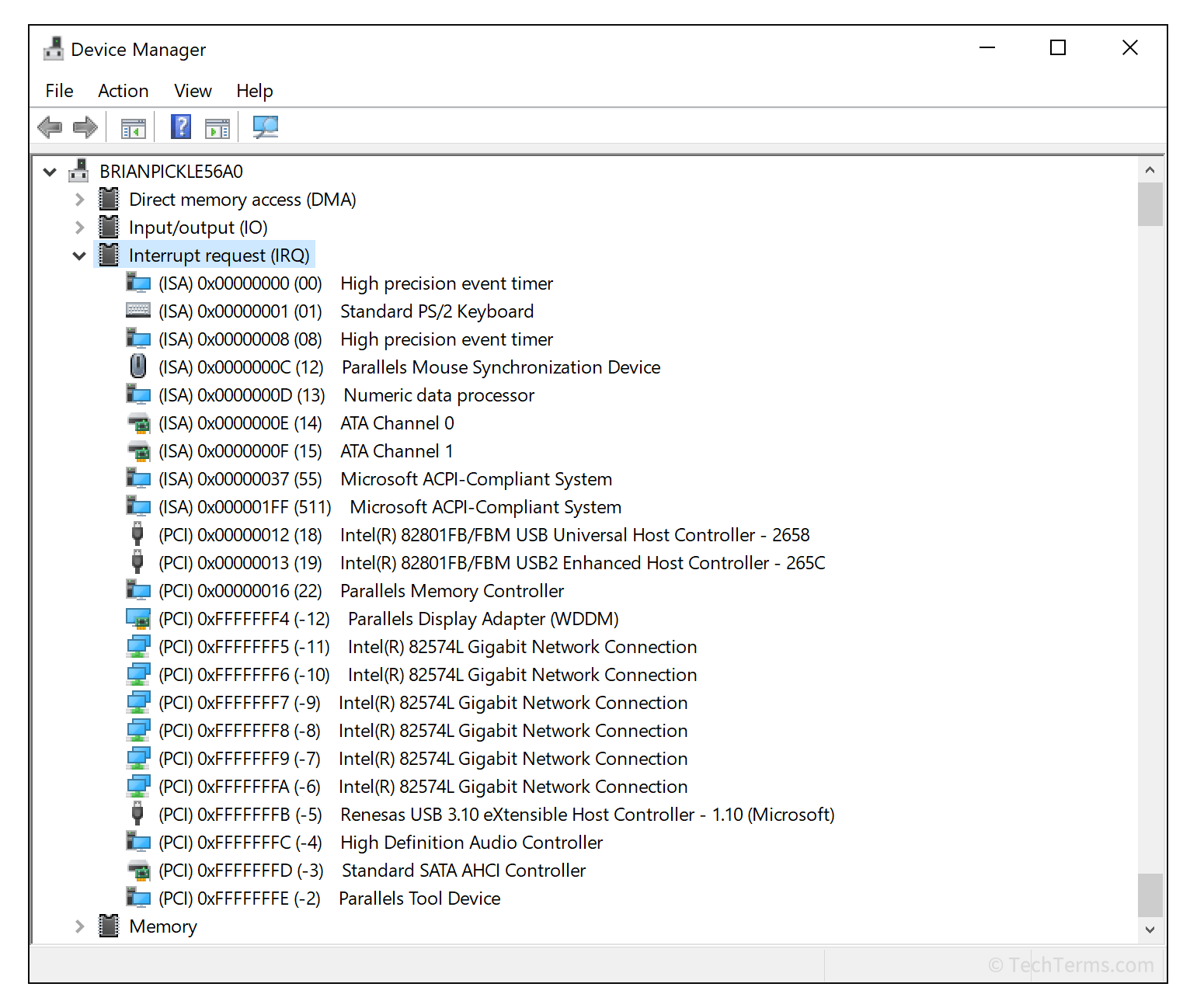
In Windows, the IRQL defines the hardware priority at which a processor operates at any given time. Within the Windows Driver Model (WDM), code running at a low IRQL can be interrupted by code running at a higher IRQL. In fact, on a single multi-core computer, each CPU can be at a different IRQL, which complicates synchronization.
There is a key rule: when a CPU executes an IRQL above PASSIVE_LEVEL, it can only be preempted by activity to an even higher IRQL . This governs the coexistence of user code, kernel functions, deferred command calls (DPC), and device interrupt service routines (ISRs).

Levels and priorities: PASSIVE_LEVEL, APC_LEVEL, DISPATCH_LEVEL and DIRQL
Generally speaking, in x86, IRQL values between 0 and 31 are used; in x64, between 0 and 15. The practical meaning is the same: IRQL 0 (PASSIVE_LEVEL) is where normal user code and many driver functions are executed; APC and page faults are usually mapped to IRQL 1 (APC_LEVEL); IRQL 2 (DISPATCH_LEVEL) encompasses the thread scheduler and DPC. Above DISPATCH_LEVEL are levels reserved for device interrupts (known as DIRQL) and other internal uses, such as HIGH_LEVEL.
In the driver ecosystem, many common routines run at DISPATCH_LEVEL : for example, DPC and StartIo. This design ensures that while one of them is accessing internal queues or other shared resources, another routine at the same level does not preempt it on that CPU, because the preemption rule only allows interrupts at higher levels.
Between DISPATCH_LEVEL and the profiling/high levels, there is space for each device's hardware interrupts (DIRQL) . A device's IRQL defines its priority relative to other devices. A WDM driver obtains this DIRQL during IRP_MJ_PNP with IRP_MN_START_DEVICE. This device IRQL is not a fixed global value, but rather the one associated with the specific interrupt line.
IRQL vs. Thread Priority
It's important not to confuse these concepts: thread priority determines when the scheduler preempts and which thread executes ; IRQL controls what type of activity can be executed and which interrupts are masked. Above DISPATCH_LEVEL, there is no thread switching: IRQL, not thread priority, is what matters.
IRQL and Paging: What You Shouldn't Do
An immediate effect of raising IRQL is that the system cannot handle page faults. Golden rule: code running at or above DISPATCH_LEVEL cannot cause page faults. In practice, this means that those routines and the data they touch must reside in non-paged memory. In addition, certain kernel helpers restrict their use based on IRQL: for example, KeWaitForSingleObject DISPATCH_LEVEL can only be called if you are not blocking (zero timeout), and for non-zero timeouts, you need to be below DISPATCH_LEVEL.
Implicit and explicit control of IRQL
Most of the time, the system itself invokes your routines at the correct IRQL for their intended function. Dispatch routines for IRPs run at PASSIVE_LEVEL (they can block or call any helper), StartIo and DPC run at DISPATCH_LEVEL to protect shared queues, and ISRs run at DIRQL.
If you need to control it explicitly, You can raise and lower the IRQL with KeRaiseIrql y KeLowerIrqlThere is a very used shortcut: KeRaiseIrqlToDpcLevel() returns the previous IRQL and leaves you at DISPATCH_LEVEL. Important: Never lower the IRQL below the value it was at when the system called you; breaking that synchronization can open very serious race windows.
IRQL-related blue screen errors: IRQL_NOT_LESS_OR_EQUAL and DRIVER_IRQL_NOT_LESS_OR_EQUAL
Two classic bug checks associated with these issues are IRQL_NOT_LESS_OR_EQUAL (0xA) and DRIVER_IRQL_NOT_LESS_OR_EQUAL (0xD1) . Both indicate an attempt to access a pageable (or invalid) address at an excessively high IRQL. This is usually due to drivers using incorrect addresses, dereferencing bad pointers, or executing pageable code at inappropriate levels.
In the specific case of DRIVER_IRQL_NOT_LESS_OR_EQUAL (0x000000D1), the parameters are very informative: 1) referenced memory address; 2) IRQL at that time; 3) access type (0 read, 1 write, 2/8 execute); 4) address of the instruction that referenced the memory. With the debugger you can use ln on parameter 4 for list the nearest symbol and know what function was running.
Common causes to keep in mind
Beyond the specific code, there are recurring patterns. Dereferencing an invalid pointer to DISPATCH_LEVEL or higher is a recipe for disaster. Accessing pageable data at that level, or executing pageable code (for example, a function marked as pageable), also triggers the bug check.
Other common cases include call a function in another driver that has already been downloaded (dangling function pointer), or indirectly invoked via an invalid function pointer. Often, if the system is able to identify a module, you'll see its name on the blue screen itself, and it's also saved in KiBugCheckDriver, accessible with dx KiBugCheckDriver from WinDbg.
A practical detail: in most D1/A cases, the real problem isn't the IRQL itself , but the referenced memory address. That's why parameters 1, 3, and 4 are invaluable for focusing the diagnosis.
Diagnostics with WinDbg: Useful commands and parameter reading
To work on these cases, WinDbg is the key tool, and if the BSOD mentions ntoskrnl.exe This information provides a lot of guidance as to whether the fault is in the kernel subsystem. Start by !analyze -v to get a summary of the bug check, the stack, and, if you're lucky, the module involved. If the dump includes a capture frame, .trap puts you in the context of the failed CPU.
The commands of pile as k, kb, kc, kd, kp, kP, kv They show you different levels of backtrace detail. With ln on parameter 4 you can skip to the instruction that referenced the memory and get the nearby symbol. And if you suspect the priority level running before the interrupt, !irql shows you the saved IRQL for the target processor (e.g. DISPATCH_LEVEL).
To analyze the direction of parameter 1, !pool It will tell you if it belongs to a paged pool; !address y !pte delve into the memory mapping of that area. You can use the memory display commands to inspect the content that was attempted to be accessed. Finally, u, ub, uu allow you to disassemble around the address of parameter 4.
Do not forget lm t n to list loaded modules y !memusage for the general state of memory. If KiBugCheckDriver has something, dx KiBugCheckDriver It will return the name of the Unicode module: in a typical example, “Wdf01000.sys” was seen as the driver involved during the bug check.
System Tools: Driver Verifier, Event Viewer and Diagnostics
El Driver Verifier Examines the behavior of drivers in real time and forces errors when it detects incorrect resource usage (such as the pool), raising an exception to isolate the problematic area of the code. It is launched with verifier from symbol of the system and it is advisable to select the smallest set of drivers possible to avoid adding too much overhead.
If you're not using WinDbg, try some basic troubleshooting steps : check the system log in Event Viewer for errors pointing to a specific device/driver; update or disable the driver mentioned in the blue screen; verify hardware compatibility with your version of Windows; and use Windows Memory Diagnostic if you suspect a RAM issue. These simple actions resolve many cases.
Real-life cases: When BSODs seem random
A user with Windows 10 Pro (AMD Ryzen 5 3400G CPU, NVIDIA GeForce GTX 1660 Ti GPU , Gigabyte B450 AORUS PRO WIFI motherboard , 16 GB of RAM) was experiencing intermittent "IRQL_LESS_OR_NOT_EQUAL" blue screens. They had already updated essential drivers (network, graphics), installed all Windows updates, and run the memory troubleshooter without detecting any problems.
In scenarios like this, The next step is to analyze dumps with WinDbg and look for patterns: processes involved when it falls (for example, explorer.exe), graphical interface modules (win32kfull.sys) and functions such as xxxProcessNotifyWinEvent appearing in the stack. Although this module is Windows, the trigger is often a third-party driver (graphics, input, overlay, capture cards) that uses memory at an inappropriate IRQL and the fault arises within win32k.
The practical recommendation here is to temporarily disable overlay software (capture, GPU OSD), peripheral drivers with aggressive software (mice/keyboards with macros), and beta versions of graphics drivers, and then narrow down the problem. Using Driver Verifier on suspected drivers can help pinpoint the issue with a clearer stack of drivers.
A very common network pattern: ndis.sys is not always the culprit
Another typical case: a screenshot showing an error with ndis.sys (the Windows network layer). On a real machine, the system crashed immediately upon startup. The practical solution was to boot into Safe Mode without networking, open Device Manager , and disable adapters under "Network adapters" to isolate the problematic one.
In that team there was a Realtek PCIe GBE Family Controller and an Atheros AR5007G. By deactivating both, it was detected that the real cause was the athrx.sys (Atheros), although the blue screen mentioned ndis.sysThe dump confirmed this: the stack passed through ndis!NdisFreeTimerObject but the guilty module was athrx.sysThe final correction was uninstall the device and install updated official drivers From the Atheros manufacturer's website. Moral: The module cited in the BSOD may be part of the affected subsystem, not the source.
Typical support response and quick steps for users
In a genuine support exchange, a technician replied: "I'm sorry for the inconvenience. It's possible there's a problem with the drivers, memory, or antivirus software. Update your drivers, and if the problem persists, run the memory diagnostic ." It's basic but valid advice; however, if the errors continue, it's advisable to go further with Verifier and dump analysis.
For non-technical users, a reasonable protocol would be: 1) review system events, 2) update key drivers (chipset/network/graphics), 3) check RAM with the built-in tool, 4) try a clean boot without third-party software that inserts hooks into the kernel/GUI, and 5) use Verifier on third-party drivers if nothing clear appears.
Best practices for driver developers
If you're developing and encounter D1/A, verify that the running routine isn't marked as pageable or calling pageable functions while running at DISPATCH_LEVEL or higher. This includes avoiding data references in paged sections and respecting the IRQL restrictions of kernel helpers described in the DDK.
To synchronize shared data, apply the rule "always access shared data at the same high IRQL" and use spin locks when appropriate. On multiprocessors, IRQL alone does not guarantee exclusion between different CPUs; spin locks raise the IRQL (to DISPATCH_LEVEL) and coordinate access between cores. If you need to operate on sensitive hardware registers, KeSynchronizeExecution helps you execute critical sections at the correct DIRQL.
When the plan requires raising IRQL, uses KeRaiseIrqlToDpcLevel for DISPATCH_LEVEL or KeRaiseIrql carefully, saving the previous IRQL and restoring it exactly with KeLowerIrql. Go below the input IRQL, even for just an instant, It is a serious synchronization error.
Relationship with interrupts and hardware
IRQL is the mechanism Windows uses to manage interrupt priorities and certain internal tasks . At the architectural level, it's related to concepts like "Interrupt," "Interrupt handler," and "Interrupt priority level," and on traditional platforms, to the Programmable Interrupt Controller (PIC) . In other systems, priority control is expressed via mechanisms like spl in Unix ; the general idea is the same: who can interrupt whom.
Advanced Debugging Tips
In dumps where the stack points to win32kfull!xxxProcessNotifyWinEvent with bug check 0xA/0xD1, inspect context with .process y .thread (if available), look at processes like explorer.exe en !process 0 1 and check overlays and GUI interaction drivers. Many times the problem It is memory corrupted by a third party that emerges on that route.
Don't forget to check the IRQL with !irql, and contrast: if you are at DISPATCH_LEVEL (2) and parameter 3 indicates read/write/execute on a paginable page, you already have a clue as to why it has fallen. Cross that clue with ln in parameter 4 to obtain the specific function.
Understanding what IRQL is and how it fits into kernel execution helps separate the noise from the signals. If you're a user, focus on drivers and hardware (using Verifier, events, and elimination tests). If you're a developer, strictly adhere to the rules of IRQL, non-paged memory, and synchronization with spin locks. With the right tools (WinDbg, Verifier) and careful reading of parameters (1, 3, and 4), these bug checks cease to be a mystery and become problems that can be addressed methodically.

Passionate writer about the world of bytes and technology in general. I love sharing my knowledge through writing, and that's what I'll do on this blog, show you all the most interesting things about gadgets, software, hardware, tech trends, and more. My goal is to help you navigate the digital world in a simple and entertaining way.