- Magic Design generates visual proposals and templates based on instructions, while Magic Write writes texts with IA.
- Magic Write relies on technology from OpenAI type ChatGPT and it's integrated into Canva, without the need for manual linking.
- Key advantages: speed, versatility, customization and editing; limitations: limited free use and sometimes generic results.
- Improve results with specific instructions, pitch and length adjustments, manual review, and use of keywords.
Creating stunning designs and engaging copy is no longer just for experts. With Canva's AI ecosystem , features like Magic Design and Magic Write simplify the creative process, taking you from idea to finished product in moments, combining speed with professional results. If you're looking for productivity without sacrificing quality , these tools have become indispensable.
In this article, we've gathered, explained, and expanded upon everything you need to know to understand what Magic Design and Magic Write are, how to use them, their advantages and limitations, and what alternatives exist. You'll also find practical recommendations and a path to further your training if you want to take it a step further. The goal is for you to leave with a clear and actionable roadmap to make the most of them.

Table of contents
- What is Canva's Magic Design and what is it used for?
- What is Canva's Magic Write and how does it help with writing
- Main benefits of Magic Write
- How it works step by step
- Use of ChatGPT-type technology in Magic Write
- Link between ChatGPT and Canva
- Alternatives to Magic Write
- Disadvantages and limitations to take into account
- Tips to optimize results
- Training to master these tools
What is Canva's Magic Design and what is it used for?
Magic Design is Canva's feature that, with just a few prompts, suggests ready-to-customize compositions and templates. You enter an idea, a theme, or even some initial content, and the tool proposes designs for presentations, social media posts, posters, or video content. Its mission is to accelerate the visual creation process and overcome writer's block.
In practice, Magic Design saves you time by suggesting styles, palettes, fonts, and structures that align with your goal. You can generate variations, choose the best fit, and refine every detail with Canva's editor . This makes it useful for both non-designers and professionals looking to iterate quickly.
Furthermore, you can leverage Magic Design for specific formats: slideshow presentations, social media posts, and advertising materials—for example, to create a tri-fold brochure from scratch. The idea is to transform a brief brief into a solid starting point that you can then easily adapt to your brand or campaign.
What is Magic Write by Canva?
Magic Write is Canva's AI-powered writing assistant that generates drafts and text pieces from brief instructions. Its goal is to simplify writing for content creators, marketing teams, and anyone who needs to write quickly and consistently. The tool combats writer's block by suggesting ideas and text in seconds.
Powered by OpenAI's language modeling technology, Magic Write generates a wide range of content types: from product descriptions, biographies, and engaging headlines to outlines, social media posts, and more. Simply tell it what you need and, if desired, specify the tone and length. In moments, it delivers a coherent draft that you can edit and refine to your liking.
Benefits of using Magic Write
Time saving
Magic Write automates much of the writing process and delivers proofread-ready texts in no time. For frequent publishers or those who work with multiple formats, this translates into a direct boost to productivity. Less time spent getting started and more focus on the final quality.
Versatility of use
You can use it for quick ideas, social media posts, ad copy, product descriptions, or microtext for your user interface, among other things. The tool adapts to different objectives and sectors, making it a true Swiss Army knife for everyday tasks. A single assistant for a wide variety of jobs.
Personalization.
Before generating the content, you can adjust parameters such as length and tone to align the result with your brand or communication intent. This way, the initial draft is already geared towards your editorial guidelines. The more context you provide, the closer it will be to the desired style.
Ease of use
Like the rest of Canva, Magic Write's interface is straightforward and has no steep learning curve. You don't need technical expertise to get value from day one. It's one click , one prompt, and you're done—something that makes it easy for large teams to adopt.
Editable results
Everything it produces is 100% editable, so you can adjust nuances, details, tone, and structure. The AI generates the draft, but you retain control and final judgment over the text. That combination of speed and human editing is key.
How Magic Write works step by step
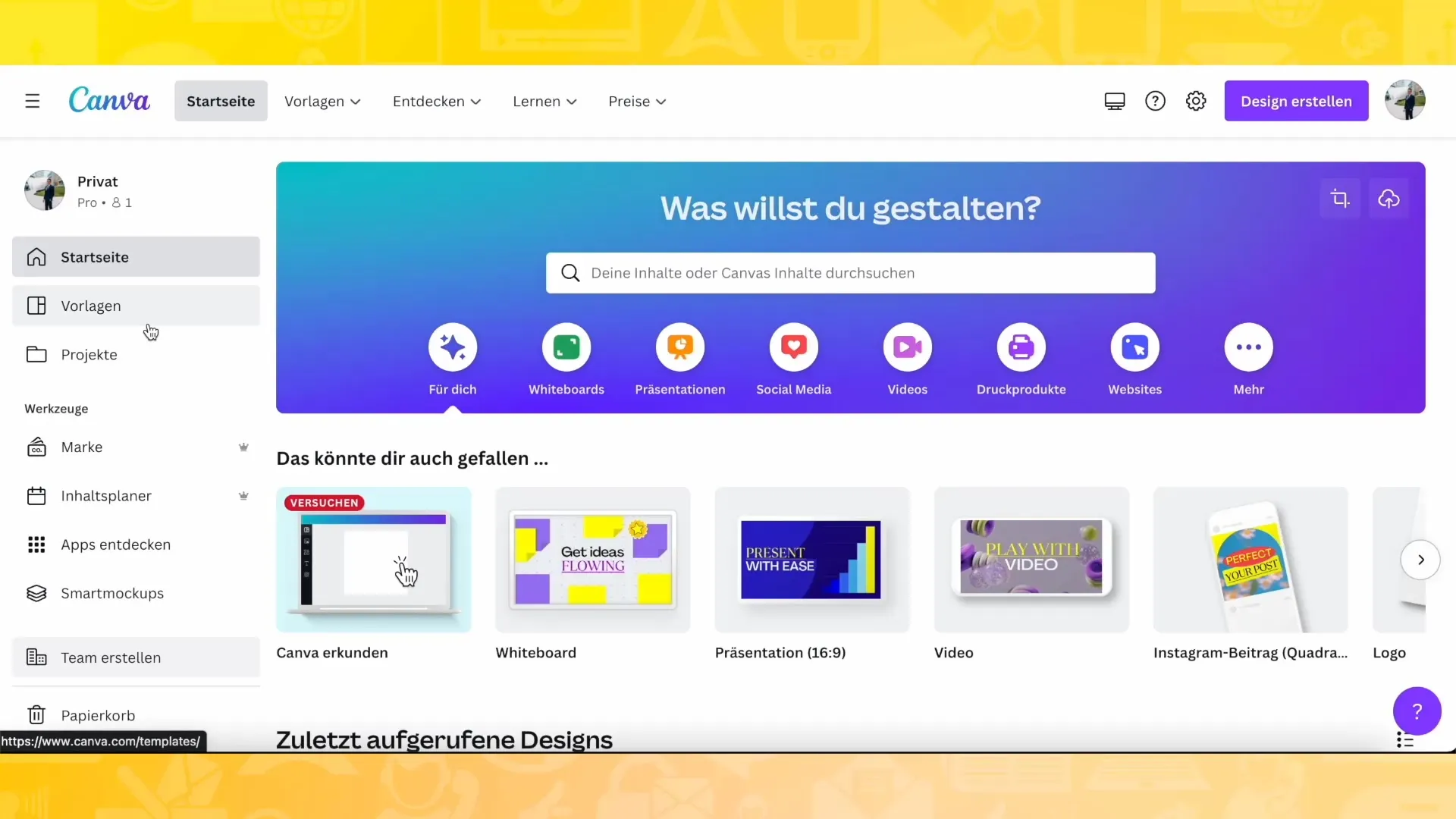
Step 1. Access the function
Log in to Canva, open your design or a template, and locate the writing assistant. Depending on the interface, you'll see it as Magic Write or as a text assistant in the sidebar. The native integration makes it easy to find without any extra setup.
Step 2. Write a clear instruction
Describe specifically what you need: for example, a creative headline for a social media post or a short paragraph for a product description. Avoid vagueness and provide contextual information if possible. Good instructions guide the AI toward a more accurate result.
Step 3. Adjust the customization
Configure the length and style so that the generated content aligns with your brand or the purpose of the text. You can experiment with different tones until you find the perfect fit. This step makes a significant difference in perceived quality.
Step 4. Generate the content
Click Generate and wait a few seconds. Magic Write will offer options aligned with your initial request, ready to try in your design. The goal is to give you several creative avenues from the very beginning.
Step 5. Review and edit
Read carefully, correct, identify repetitions, and tailor each sentence to your audience. This human touch will polish the piece and ensure it meets specific requirements. The final edit is the layer that transforms a draft into polished content.
Does Magic Write use ChatGPT-type technology?
Yes. Magic Write is powered by advanced language models developed by OpenAI, similar to those popularized by ChatGPT. Thanks to extensive text training, it understands instructions and generates coherent, creative, and adaptable responses. This technological foundation allows it to support multiple styles and formats.
How to link ChatGPT and Canva?
You don't need to do any manual linking. The technology that powers Magic Write is integrated into Canva, so you can use it as is, without configuring any external connections. Open, specify, and generate —it's that simple.
Alternatives to Magic Write
copy.ai
Copy.ai is a leading AI-powered content generation tool for a wide range of use cases: product descriptions, social media posts, copy ideas, and more. It's user-friendly and multilingual, making it ideal for teams operating in multiple markets. A solid choice if you're looking for AI-assisted copywriting expertise.
Copy
Copyter is heavily focused on copywriting, with an emphasis on persuasive pieces. It can be a good option when you need conversion-oriented copy and want alternatives to Canva's workflow. Its focus on sales copy makes it competitive for campaigns and sales pages.
Neuroflash.ai
Neuroflash stands out for its ability to generate everything from short texts to longer pieces from simple ideas. Its offering is competitive in versatility and ideation features, which is valuable if you're looking for a variety of creative approaches. It's another serious alternative within the AI content ecosystem.
Disadvantages and limitations of Magic Write
Limit in the free version
In the free tier, Magic Write usage is limited to approximately 25 generations. Once you exceed that limit, you'll need to upgrade to a paid plan . If you work with tight budgets, this cap could impact your workflow.
Results are sometimes generic
Although it produces useful text quickly, the output can sometimes sound overly generic. It's advisable to review, add nuance, and personalize it to reflect your voice and value proposition. Human editing is the antidote to homogeneity.
Some users have reported occasional difficulties with certain browsers, which may affect the user experience. If you work in very specific environments, it's advisable to verify behavior and performance. Technical stability directly impacts efficiency.
Pauses on mobile devices
On mobile devices, some users have experienced freezes or brief pauses when using the feature. It's not widespread, but it can disrupt the flow when it happens. Whenever possible, prioritize desktop for longer sessions.
How Magic Design and Magic Write complement each other
The combination of these two functions accelerates both the visual and textual aspects. With Magic Design, you get composition and style suggestions; with Magic Write, you generate copy and supporting text. Together, they allow you to prototype campaigns, presentations, or publications comprehensively , drastically reducing production time .
A typical workflow would be: you use Magic Design to create a set of templates that align with your objective, and then you use Magic Write for headlines, descriptions, calls to action, and captions. Next, you adjust typography, colors, and microcopy to ensure brand consistency. This process gives you speed without sacrificing creative control.
Featured Frequently Asked Questions
What can Magic Write generate ? From ideas and outlines to short descriptions, posts, headlines, and persuasive copy. It's also useful for overcoming writer's block and getting started when inspiration is lacking.
Do I need technical knowledge ? No. The function is integrated into the Canva interface and is used with simple instructions, allowing you to adjust length and tone without complications.
Can everything it generates be edited ? Yes. And it's recommended: personalize, correct, and add unique value, especially for public or branded materials.
Boost your skills with specialized training
If you're interested in delving deeper into tools like Magic Write and the potential of generative AI , there's a specific training path to help you take that professional leap. EBIS Business Techschool offers a Master's in Generative AI focused on the use and optimization of these technologies, with a curriculum designed by specialists to boost your profile and employability.
The program includes certification from the institution itself and from the University of Vitoria-Gasteiz, as well as the opportunity to prepare for the Azure AI Fundamentals (AI-900) exam. It also incorporates the prestigious Harvard ManageMentor Leadership certification, offered by Harvard Business Publishing Education. This combination of academic and practical training is highly attractive for those seeking to stand out.
You can complete it through flexible online formats, with an active networking system to connect with professionals and colleagues in the sector. If you've been waiting for a boost to update your skills , this type of training could be the change that makes all the difference.
The main value of Magic Design and Magic Write lies in their speed and precision: they allow you to go from zero to a first visual and textual draft in minutes, with full customization and editing options. Keep in mind their limitations, such as the free usage cap and potential for genericity , and apply best practices for instruction, customization, and revision. Furthermore, if you enhance your skills, you'll be in an optimal position to create and iterate better than ever with the help of Canva's integrated AI. Share it on your social networks.

Passionate writer about the world of bytes and technology in general. I love sharing my knowledge through writing, and that's what I'll do on this blog, show you all the most interesting things about gadgets, software, hardware, tech trends, and more. My goal is to help you navigate the digital world in a simple and entertaining way.
Table of Contents
- 1 Table of contents
- 2 What is Canva's Magic Design and what is it used for?
- 3 What is Magic Write by Canva?
- 4 Benefits of using Magic Write
- 5 How Magic Write works step by step
- 6 Does Magic Write use ChatGPT-type technology?
- 7 How to link ChatGPT and Canva?
- 8 Alternatives to Magic Write
- 9 Disadvantages and limitations of Magic Write
- 10 How Magic Design and Magic Write complement each other
- 11 Featured Frequently Asked Questions
- 12 Boost your skills with specialized training