- Snoop, Catfish and FSearch cover different needs: full text, simplicity and ultra-fast indexing.
- There are powerful alternatives such as Recoll, DocFetcher, KFind, Clapgrep or Albert for more specific uses.
- The GNOME and KDE desktops themselves integrate advanced searches that cover many common cases.
- The term catfish connects both with online impersonation and with traditional catfish fishing.

Search for files in Linux has gone from being an almost esoteric task in the terminal to become something Fast, visual and convenient thanks to several applications with a graphical interfaceFor years, commands , the find, locate o grep They were practically the only option for locating documents, photos, or projects lost in the system, forcing many users to memorize complex syntax and unfriendly regular expressions.
Today the landscape is very different: tools like Snoop, Catfish, and FSearch compete head-to-head with classic desktop search engines and Windows- based "Everything" alternatives . These are joined by powerful utilities such as Recoll, DocFetcher, and KFind, versatile launchers like Albert, and minimalist search engines like CoreHunt and ANGRYsearch. The result is an ecosystem where almost any type of user can find their ideal solution, without needing to open a terminal if they don't want to.
Snoop vs Catfish vs FSearch: three very different approaches

When comparing Snoop, Catfish, and FSearch , you're actually comparing three different search philosophies: a search engine with an emphasis on file content and personal data (Snoop), a simple tool well integrated into lightweight desktops (Catfish), and an extremely fast index-type search engine focused on file names (FSearch).
Snoop stands out for being able to find text strings within plain text filesIn addition to locating files by name, Catfish relies on the database of locate/plocate and offers a clean and uncomplicated interface, very popular in Xfce but usable in almost any environment. FSearch, directly inspired by Everything for Windows, opts for a ultra-fast proprietary index which returns results as you type, with support for regular expressions and basic filters.
The key to choosing between the three lies in asking yourself if you need to search only by name , also by content, or both, and how important index settings, inclusion/exclusion filters, and integration with your daily workflow are to you.
Beyond this "triple comparison," the Linux ecosystem offers other applications that cover complementary niches: from veteran full-text tools like Recoll or DocFetcher, to comprehensive launchers (Albert) or minimalist search engines (CoreHunt). It's worth getting to know them to determine whether, in your case, it's better to combine several or opt for a single versatile solution.
Catfish: a lighthearted classic that delivers without overcomplicating things
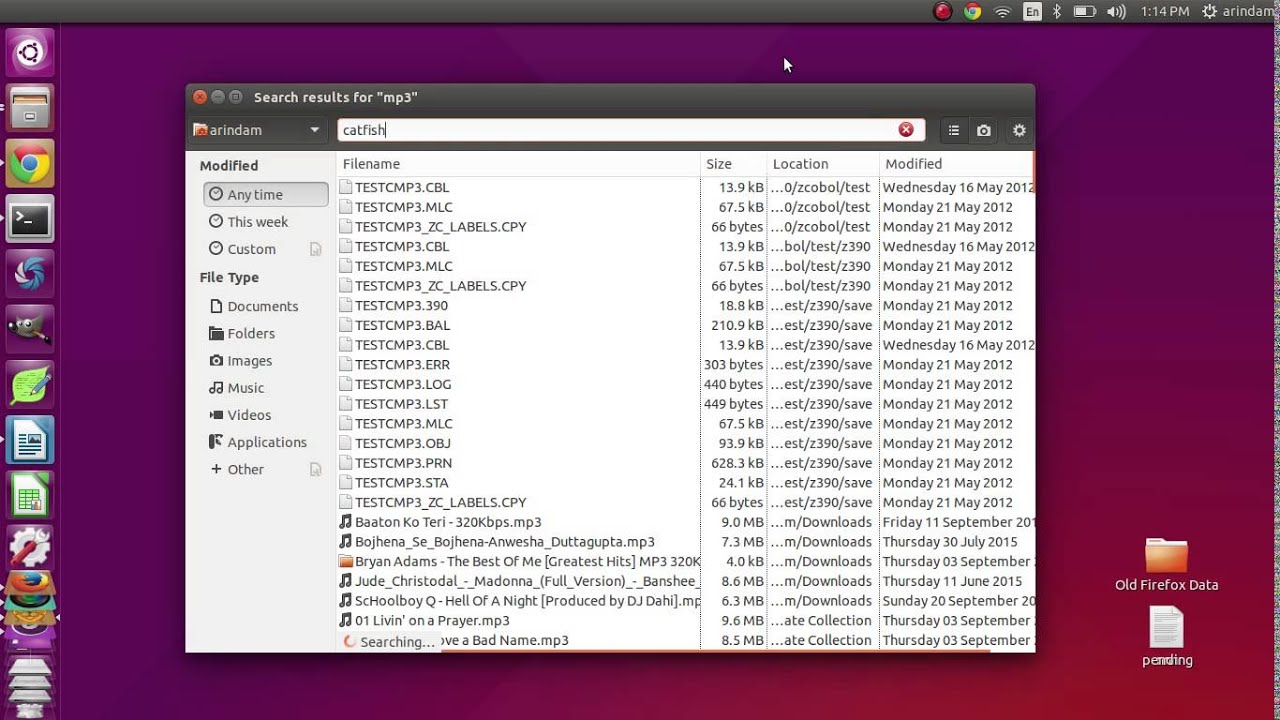
Catfish is a familiar name on the Linux desktop, especially in environments like Xfce, where it's often pre-installed as the default file browser . Although its origins are quite old, the program has evolved considerably and today offers a clean, clear, and sufficiently fast interface for most users.
On a technical level, Catfish integrates with the locate/plocate database to accelerate filename searches. This allows for quick and easy queries on systems with many files, without the need to create a complex custom index. Furthermore, it can be run seamlessly on other GTK desktops and is compatible with virtually any modern distribution.
In some versions and configurations, Catfish includes options for searching within archives and compressed files , although its most notable feature is its performance in searches by name. It offers filters for file type, time range, location, and other basic criteria, making it easier to refine your search without sacrificing its characteristic simplicity.
An interesting detail is that Catfish supports so-called "fuzzy search", which means It doesn't require you to get the capitalization right or the entire text correct.If you create documents called ejemplo_test.ods, ejemplo_test.odt y ejemplo_test.txtYou can find them by trying different variations of "example" without worrying too much about exactly how you named them.
While Catfish is very practical for quickly locating a file, some users miss the ability to directly manipulate the results with more advanced features (moving, batch deleting, organizing, etc.) without having to switch to an external file manager. Therefore, many use it as a first filter and, once they find what they need, open the corresponding folder in their preferred file manager to finish the job.
Catfish can usually be installed from the standard repositories of most distributions , either through the graphical software center or using the terminal's package manager. The source code is also available in its GitLab repository, should you wish to compile or review the project.
FSearch: extreme speed at the cost of preparing the index
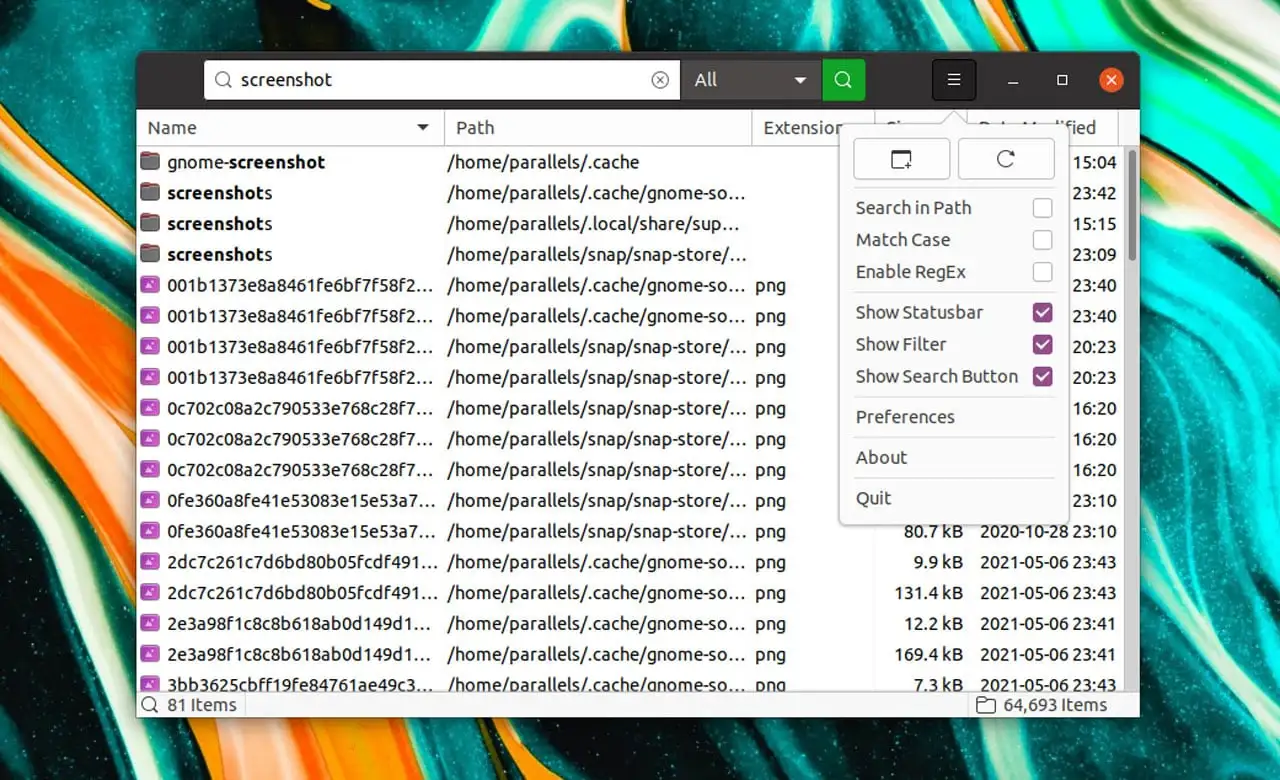
FSearch is the Linux community's answer to Windows' popular Everything search engine, sharing its philosophy of speed and instant response . Its strength lies in how quickly it displays results as you type, without waiting for you to finish typing your search term.
The trick with FSearch is that it maintains its own indexed database of directories . This means that before you can search within a folder, you have to add it to the Database section in the program's preferences. Once added, FSearch indexes it and can then return matches almost instantly.
This need to prepare the index can be confusing at first, because if you haven't added your home folder or your drives to the database, searches will return zero results and it will seem like the application "isn't working." In reality, you just need to go into the settings, choose the paths to index, and decide how often you want the database to be updated.
In addition to locating files by name at top speed, FSearch supports regular expressions and some type filtersThis allows for particularly precise searches if you have some experience with regular expressions. Similarly, you can define both directories to include and exclude: for example, indexing your home folder but leaving out subdirectories like .cache to avoid noise in the results.
Once the index is up to date, FSearch lets you open a file directly by double-clicking the result or, depending on the settings, with a single click. You don't need to go through the file browser first, saving you a step when you just want to run or open something specific.
The main limitation is that it doesn't search within the content of files , only by file name. For full-text tasks or to locate words within complex documents, you'll need to combine it with other tools more geared towards full-text search, such as Snoop, Recoll, or DocFetcher.
Regarding access, FSearch is available on many systems via distribution repositories and also as a Flatpak on Flathub . The source code is regularly published on its releases page, although the latest versions are usually found in the GitHub repository. It's a lightweight application with dark theme support and a modern interface without cluttered menus.
Snoop: search in text files and personal data
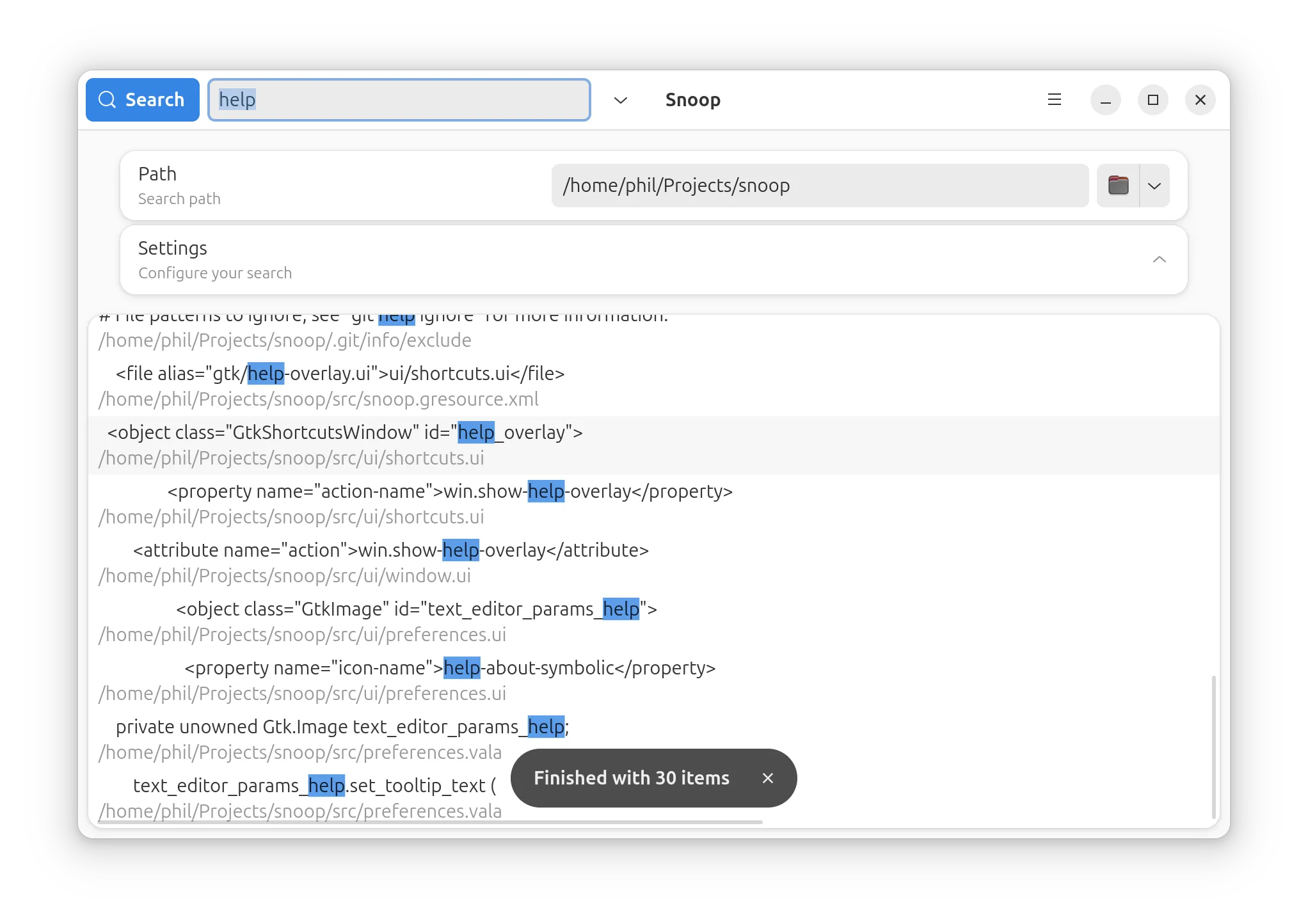
Snoop is a relatively new tool designed for those who need more than just locating files by name. Its approach involves offering full-text search in plain text files and, in addition, in certain personal data such as Firefox bookmarks or emails stored by Thunderbird, giving it a scope distinct from most graphical search engines.
When using Snoop to search within files, you must be aware of an important limitation: It is only able to examine content in text filesIf you type the word “Linux” into a .txt and a .odtThe program will find the match within the plain text file, but not in the LibreOffice document, as it is a compressed and binary format that Snoop does not interpret.
The application is easy to use, although it requires you to define a search path before running the query . You don't have to choose a very specific directory: if you point to your home folder, the program will also search its subdirectories, such as Documents, Downloads , or any other folder within it.
Among its most distinctive features is the ability to search Firefox bookmarks and Thunderbird email repositories , something uncommon in general-purpose search engines. Furthermore, it offers optional integration with Nautilus (GNOME's file manager), allowing you to perform searches directly from the browser with relative ease.
One of Snoop's weaknesses is precisely the opposite of what it is in FSearch: It does not have a directory exclusion system.This means that when searching your personal folder, you're likely to get results from locations such as .config o .cachewith configuration and temporary files that you may not be interested in. This can make the match list denser and require subsequent manual filtering.
Even with its limitations and some peculiarities in its preference organization, Snoop is a truly interesting option if your priority is finding text within files and personal data , rather than performing massive system-wide searches by name. It's distributed for free in the repositories of many Linux distributions and is also available as a Flatpak on Flathub, with a modern design based on GTK 4 and libadbita.

Passionate writer about the world of bytes and technology in general. I love sharing my knowledge through writing, and that's what I'll do on this blog, show you all the most interesting things about gadgets, software, hardware, tech trends, and more. My goal is to help you navigate the digital world in a simple and entertaining way.