- Importance of system state backups and supported methods for protecting domain controllers.
- Differences between authoritative and non-authoritative restoration in Active Directory and when to use each one.
- Detailed procedures for recovering physical and virtual DCs, including SYSVOL issues and USN rollbacks.
- Mitigation strategies: forced degradation, metadata cleansing, and domain controller reconstruction.
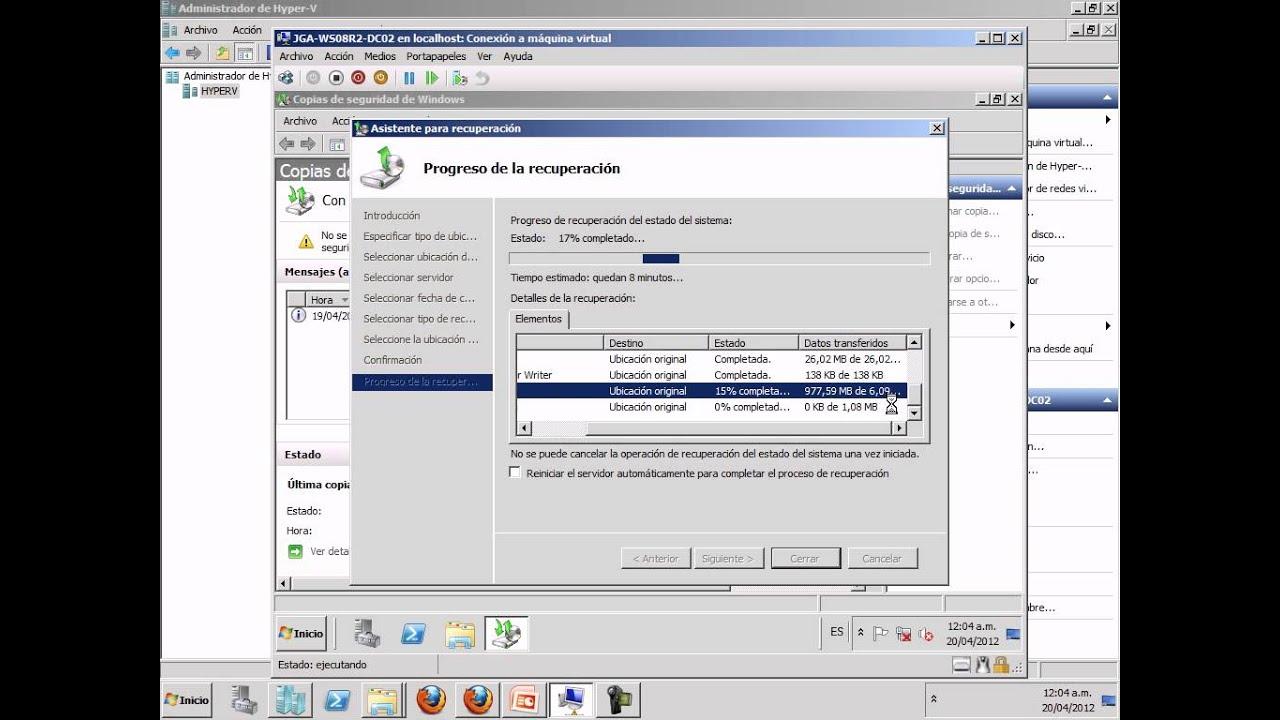
When a domain controller becomes corrupted or is incorrectly restored, the scare is enormous: Logins fail, GPOs stop applying, and replication breaks down with almost no clues.The good news is that there are clear procedures for recovering a physical or virtual DC, provided that the accepted backup and restore methods are respected.
In modern Windows Server environments, restoring a domain controller requires a good understanding of concepts such as system status, authoritative/non-authoritative restore, SYSVOL, DFSR/FRS and USN rollbacksIf these issues are tackled hastily or with incompatible imaging tools, the result can be a forest full of silent inconsistencies that are very difficult to diagnose.
Why it is critical to properly protect and recover a domain controller
Active Directory is the heart of authentication and authorization in a Windows domainIt stores users, computers, groups, trust relationships, group policies, certificates, and other critical elements. This information resides primarily in the database. Ntds.dit, the associated log files and folder SYSVOL, among other components that make up the so-called “state of the system”.
The system status includes, among other things, Active Directory log files and data, the Windows Registry, the system volume, SYSVOL, the certificate database (if a CA exists), the IIS metabase, boot files, and protected operating system componentsTherefore, any serious business continuity strategy must include regular backups of the system state of each data center.
When actual corruption of the Active Directory database occurs, a serious replication failure, or a problem with permissions on SYSVOLThe domain controller may stop processing queries, fail to start Active Directory services, or trigger cascading errors throughout the forest. In these cases, A quick and proper recovery makes the difference between a serious incident and a prolonged disaster..
Before attempting a restore, it's crucial to distinguish between a genuine database problem and more mundane failures. Very often, The cause lies in DNS, network changes, firewalls, or routes modified with tools such as netsh commandTherefore, it is advisable to rule out these factors first before touching the AD database.
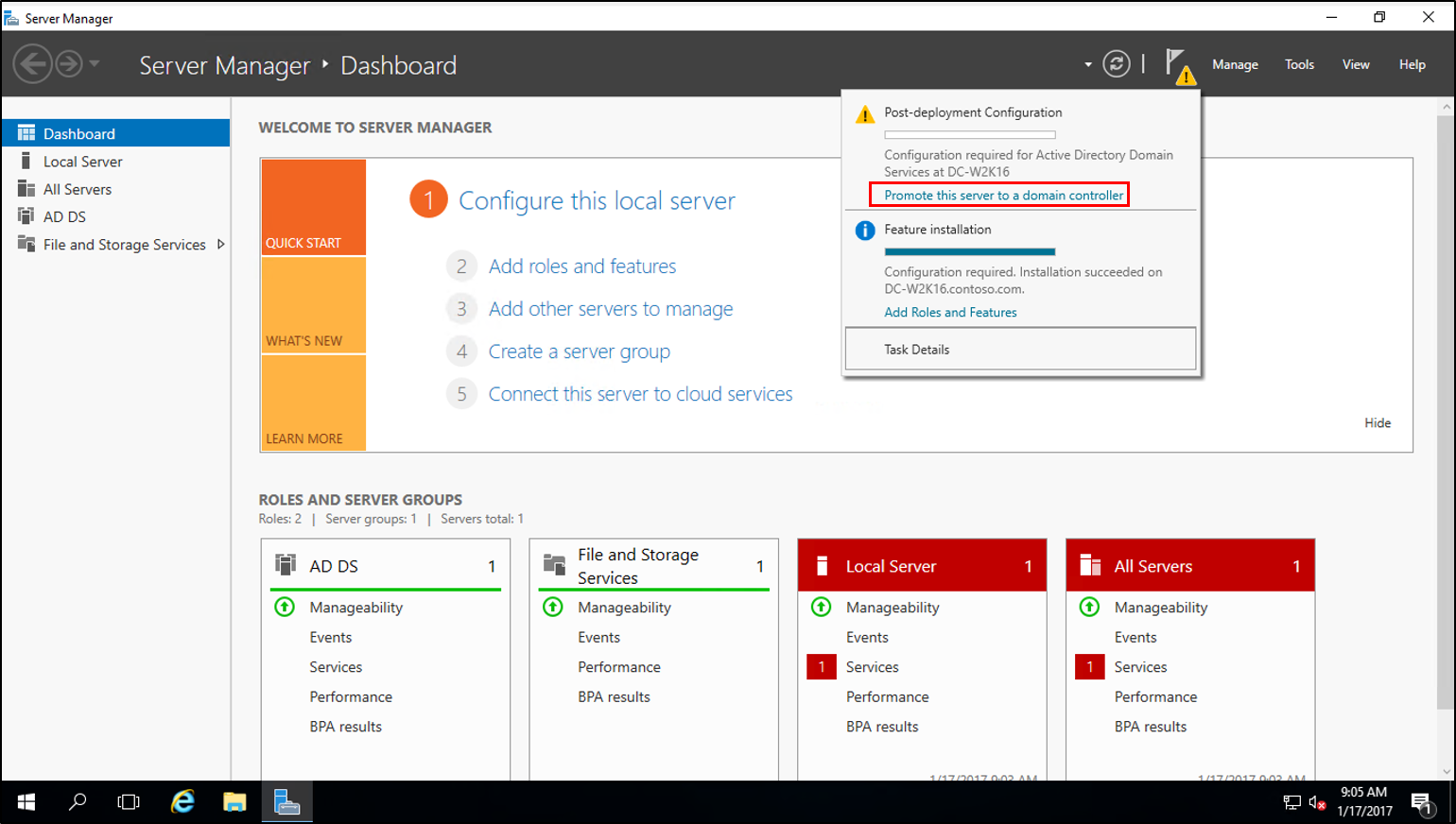
Basic diagnostic and replication control tools
In the event of symptoms of corruption or replication failures, the first sensible step is to check the state of the environment using native tools. DCDiag, Repadmin, ReplMon (in older versions) and the Event Viewer They are your best allies before considering aggressive restorations.
With DCDiag A general check of all domain controllers is performed, identifying problems with replication, DNS, AD DS services, etc. Repadmin It allows you to view replication status, replication partners, USN watermarks, and detect persistent objects. In older versions of Windows, ReplMon It offered a graphical view of replication errors within the domain.
In addition to these tools, it is essential to review the Event Viewer for “Directory Services” and “DFS Replication”. Events like 467 and 1018 point to actual corruption of the database, while events 1113/1115/1114/1116 relate to enabling or disabling input/output replication.
If a suspected DC needs to be temporarily isolated to prevent it from spreading corruption, we can Disable inbound and outbound replication with Repadmin:
repadmin /options DCNAME +DISABLE_INBOUND_REPL
repadmin /options DCNAME +DISABLE_OUTBOUND_REPL
And to restore replication to normal, simply remove those options:
repadmin /options DCNAME -DISABLE_INBOUND_REPL
repadmin /options DCNAME -DISABLE_OUTBOUND_REPL
Supported system state backups on domain controllers
To be able to recover a DC with guarantees, it is essential to have System state backups performed using Active Directory compatible toolsThese tools use Microsoft's backup and restore APIs and the Volume Shadow Copy Service (VSS) in a supported manner.
Among the most common solutions are Windows Server Backup, third-party solutions integrated with VSS (such as NAKIVO, Backup Exec, and others)or older utilities such as Ntbackup in Windows 2000/2003. In all cases, they must respect the AD APIs to ensure the consistency of the database and its replicas after restoration.
Windows Server 2012 and later versions feature an important new addition: Hyper-V Generation ID (GenID)This identifier allows a virtual domain controller to detect that its disk has been rolled back to a previous point in time. When this occurs, AD DS generates a new InvocationID and treats the situation as if it had been restored from a successful backup.notifying its replication partners, thus allowing safe rewriting without incurring a USN rollback.
It is essential to respect the tombstone lifetimeThis indicates how long a system state backup can be used without risking the reintroduction of objects deleted long ago. It's typically 180 days in modern versions, and it's recommended to perform backups at least every 90 days to maintain sufficient safety margin.
Unauthorized methods that cause USN reversals
One of the most dangerous causes of silent inconsistencies in Active Directory is the USN rollbackThis situation occurs when the contents of the AD database are rolled back using an unsupported technique, without the InvocationID being restored or the replication partners being notified.
The typical scenario is to boot a DC from a disk image or a virtual machine snapshot taken in the pastwithout using a compatible system restore. Or copy the Ntds.dit file directly, use imaging programs like Ghost, boot from a broken disk mirror, or reapply a storage snapshot at the array level.
In these cases, the domain controller continues to use the same InvocationID as before, but its Local USN counter goes backwardsThe other DCs remember receiving changes up to a high USN, so when the reverted DC tries to send back already recognized USNs, Their partners believe they are up to date and stop accepting concrete changes.
The result is that certain modifications (for example, user creation, password changes, device registration, group membership changes, new DNS recordsThese errors are never replicated from the restored DC to the rest of the network, but monitoring tools may not show clear errors. This is an extremely dangerous silent failure.
To detect these situations, Windows Server 2003 SP1 and later drivers log the Directory Services event 2095 When a remote DC is detected sending already acknowledged USNs without a change in InvocationID, the system It quarantines the affected DC, pauses Netlogon, and prevents further changes from occurring. that could not be replicated correctly.
As additional forensic evidence, it can to be consulted in the Registry the key HKLM\SYSTEM\CurrentControlSet\Services\NTDS\Parameters and value Dsa Not WritableIf this value is set (e.g., 0x4), it indicates that the DC was put into a no-write state by USN reversal detection. Manually modifying this value to "fix" it is completely unsupported. and leaves the database in a permanently inconsistent state.
General strategies in the event of corruption or reversion of a domain controller
The procedure to follow when dealing with a corrupted or incorrectly restored DC depends on several factors: Number of domain controllers in the domain/forest, availability of valid copies of the system state, presence of other roles (FSMO, CA, global catalog), and temporal scope of the problem.
If there are other healthy DCs in the domain and There is no unique critical data on the damaged domain controllerThe quickest and cleanest option is usually to remove that domain controller and rebuild it. However, if it's the only domain controller, or if it hosts sensitive roles and data, a more careful restoration (authoritative or non-authoritative) will be necessary.
In general terms, the options are:
- Forcibly demote the corrupt DC and remove it from the domain, followed by metadata cleaning and, if applicable, new promotion.
- Restore from a valid system state backup, whether in authoritative or non-authoritative mode.
- Rebuild the DC from another using IFM (Install From Media), when there is no recent copy but there are other correct DCs.
- Using a VHD snapshot of a virtual DC, applying the additional steps to mark the database as restored from backup (Database restored from backup = 1) and ensure that a new InvocationID is generated.
If a USN rollback is clearly suspected (for example, after restoring a VM from a snapshot without following best practices) and event 2095 appears, the most sensible course of action is usually to Remove that DC from service and do not attempt to "fix" it on-site., unless it is possible to revert to a backup of the supported system state taken before the rollback.
Forced demotion and metadata cleanup
When a domain controller is so damaged that it cannot be demoted normally, or has been incorrectly restored and you want to prevent it from spreading problems, you can resort to a forced demotion.
In older versions, this operation was performed with dcpromo /forceremovalWhich Remove the AD DS role without attempting to replicate the changes to the rest of the forest.In modern environments the wizard has changed, but the concept is the same: to remove the problematic DC from the AD topology without it participating in further replication.
After a forced downgrade, it is mandatory to execute a command from a healthy DC. metadata cleaning using the tool NtdsutilThis process removes all references to the deleted DC (NTDS Settings objects, DNS references, etc.) from the AD database, so that no "ghost" remnants remain to confuse replication.
If the degraded controller had FSMO roles (PDC Emulator, RID Master, Schema Master, etc.), it will be necessary to transfer or seizes those roles to another DC before or after the demotion, depending on the situation. Later, the operating system can be reinstalled on that server and it can be promoted back to a clean DC.
Non-authoritative vs. authoritative restoration in Active Directory
When a valid copy of the system state is available, AD recovery can be done in two ways: non-authoritative and authoritativeUnderstanding the difference is key to not missing recent changes or replicating outdated data.
In a non-authoritative restorationThe DC is returned to a previous point, but once it starts, The other domain controllers are considered the referenceIn other words, after startup, the restored DC requests inbound replication and updates its database with any missing changes from the other DCs. This option is ideal when There are other healthy controllers, and we want the restored one to catch up with them..
In a authoritarian restorationHowever, it is explicitly stated that The restored data is what should prevail. over what the other DCs have. This means that, after the restore, the recovered objects will have a higher version number to force them to be replicated from that DC to the rest of the domain. It is the appropriate choice when We have accidentally deleted objects or OUs, or we want to revert the contents of SYSVOL and GPO to a previous state and have it replicated..
An important detail is that authoritative restoration doesn't necessarily have to be for the entire database. With the utility Ntdsutil Individual objects, subtrees (e.g., an OU), or the entire domain can be marked as authoritative. This offers considerable flexibility for, for example, retrieve only a user, a group, an OU or the subtree dc=mycompany,dc=local.
General procedure for restoring system status in a DC
The basic scheme for restoring the system state of a DC (whether physical or virtual) with compatible tools is always similar: Boot into Directory Services Restore Mode (DSRM), restore using the backup tool, and restart.
In summary, the typical steps for a virtual domain controller would be:
- Start the virtual machine in the Windows Boot Manager (usually by pressing F5/F8 during startup). If the VM is managed by a hypervisor, it may be necessary to pause the machine to capture the keystroke.
- In the advanced boot options, select Directory services restore mode (Directory Services Restore Mode). This mode starts the server without mounting the Active Directory database in a functional way.
- Log in with the DSRM administrator account defined during the original promotion of the DC (not with a standard domain administrator account).
- Run the backup tool used (Windows Server Backup, NAKIVO or other compatible) and choose to restore the system state to the desired backup point.
- Complete the restoration wizard and Restart the DC in normal modeIn a non-authoritative restore, the server will initiate replication to catch up with the other DCs.
When we talk about third-party backup products, such as NAKIVO Backup & ReplicationIts "app-aware" mode is able to recognize that the machine being recovered is a DC and automatically adjust the process to preserve AD consistencyIn most scenarios with multiple controllers, a full recovery in non-authoritative mode is sufficient.
Authoritative restoration with Ntdsutil
If you want the changes on the restored domain controller to take precedence over the rest, you need to add an extra step after the non-authoritative restore: use Ntdsutil to mark objects as authoritative.
The simplified flow would be:
- Restore the system state in the standard way and leave the server still in DSRM mode (Do not restart in normal mode yet).
- Open a command prompt with elevated privileges and run
ntdsutil. - Activate the AD instance with activate instance ntds.
- Entering the context of authoritative restoration with authoritative restore.
- Use commands like
restore object <DN_objeto>orestore subtree <DN_subarbol>, where DN is the distinguished name of the object or subtree to be restored authoritatively. - Confirm the transaction and, once completed, Restart the DC in normal mode so that the marked objects are replicated with priority to the rest of the domain.
This type of restoration requires great caution. If the entire domain is authoritatively restored and the backup is oldThere is a risk of losing legitimate changes made after the backup (for example, user creation, password changes, or group modifications). Therefore, it is common practice to limit authoritative restores to only the strictly necessary objects or trees.
SYSVOL restoration and recovery (FRS vs DFSR)
SYSVOL is a key component of the domain controller: It stores startup scripts, group policies, security templates, and other essential shared resources.A failure in your permissions, file corruption, or replication problems can render GPOs unusable or cause erratic behavior in clients.
Depending on the Windows Server version and the migration status, SYSVOL may be replicated by FRS (File Replication Service) or by DFSR (Distributed File System Replication)The procedure for an authoritative restoration of SYSVOL varies depending on which of the two is in use.
To determine this, you can check the key in the Registry. HKEY_LOCAL_MACHINE\System\CurrentControlSet\Services\DFSR\Parameters\SysVols\Migrating Sysvols\LocalStateIf this subkey exists and its value is 3 (DELETED), DFSR is being used. If it does not exist or its value is different, we are dealing with an environment that still uses FRS.
In environments with FRS, authoritative recovery of SYSVOL usually involves adjusting the value Burflags en HKLM\System\CurrentControlSet\Services\NtFrs\Parameters\Backup/Restore\Process to a specific value (e.g., 212 decimal / 0xD4 hex) to indicate that this DC is the authoritative source.
If SYSVOL is replicated by DFSR, the process is somewhat more elaborate: it involves using ADSIEdit to modify SYSVOL subscription objects (attributes msDFSR-Enabled y msDFSR-Options) on the authoritative DC and on the others, force AD replication, execute dfsrdiag pollad and confirm in the event log the appearance of events 4114, 4602, 4614 and 4604 that certify that SYSVOL has been initialized and replicated correctly.
Recovering virtual domain controllers from VHD
In virtualized environments it is very common to have VHD/VHDX files of domain controllersIf you do not have a system state backup but do have a working "old" VHD, you can mount a new DC from that disk, although you must do so very carefully to avoid causing a USN rollback.
The recommendation is Do not start that VM directly in normal modeInstead, you should boot from the previous VHD in DSRMOpen the Registry Editor and navigate to HKLM\SYSTEM\CurrentControlSet\Services\NTDS\ParametersThere, it's advisable to check the value Count of previous DSA restorations (if it exists) and, above all, create a new DWORD (32-bit) value called Database restored from backup with value 1.
By selecting this value, Active Directory is told that the database has been restored from a backup, which forces generating a new InvocationID when booting in normal modeIn this way, the other DCs interpret it as a new instance and correctly adjust their replication watermarks, preventing the USN rollback.
After restarting the DC in normal mode, it's advisable to check the Event Viewer, specifically the log of directory services, looking for the event 1109This event confirms that the server's InvocationID attribute has changed and displays the old and new values, as well as the highest USN at the time of the backup. Additionally, the value of Count of previous DSA restorations It should have been increased by one.
If these events do not appear, or the count does not increase, you should check the operating system versions and Service Packs, since Certain restoration behaviors depend on specific patchesIn any case, it is always advisable to work on a copy of the original VHD, keeping an intact version in case the process needs to be repeated.
Practical scenarios and additional recommendations
In practice, problems of corruption or improper restorations often appear in everyday scenarios: Manual modifications of permissions in SYSVOL, attempts to update ADMX/ADML templates, GPO changes that are not replicatedetc. It is relatively easy to cause inconsistencies if shared folders are manually modified, such as SYSVOL\Policies without respecting replication.
In the event of a primary DC with broken replication (both AD data and SYSVOL) and monitoring messages of the type “The database was restored using an unsupported procedure. Possible cause: USN rollback”, the prudent thing to do is:
- Check with dcdiag y repadmin the extent of the errors and whether there are “persistent objects”.
- Check event 2095 and the value Dsa Not Writable in the Registry.
- Assess if it is possible remove that DC and rebuild it (If there are three or more other healthy DCs, this is usually the best option).
- If it's the only DC or critic, raise a system state restoration from a compatible backup, ideally recent and within the tombstone period.
In domains with multiple controllers, it is highly recommended that the DCs be as "pure" as possible: without additional roles or local user dataIn this way, if one fails or becomes corrupted, a new one can be formatted and promoted based on another DC or through IFM, greatly reducing the complexity of recovery.
Furthermore, it is worth remembering limitations such as that System state copies are only valid during the tombstone period (60, 90, 180 days depending on the configuration) to avoid reviving deleted objects, and that NTLM machine keys change every 7 days. In very old restores, it may be necessary to reset team accounts problems from “Active Directory Users and Computers” or even removing them and rejoining them to the domain.
Having procedures in place for regularly backing up the system's state, Clearly document the FSMO roles, global catalog, and replication topologyAnd testing the restoration steps in a lab environment are time investments that save a lot of headaches when the day comes that a domain controller becomes corrupted or someone applies a snapshot without thinking.

Passionate writer about the world of bytes and technology in general. I love sharing my knowledge through writing, and that's what I'll do on this blog, show you all the most interesting things about gadgets, software, hardware, tech trends, and more. My goal is to help you navigate the digital world in a simple and entertaining way.