- Define the objectives, audience, and scope of each document before writing to create truly useful documentation.
- It combines process, product, API, and operational documentation to cover the entire software lifecycle.
- Write clearly, structure well, keep your documentation up to date, and use style guides.
- Choose tools with versioning, search, and collaboration to make documentation live and shared.
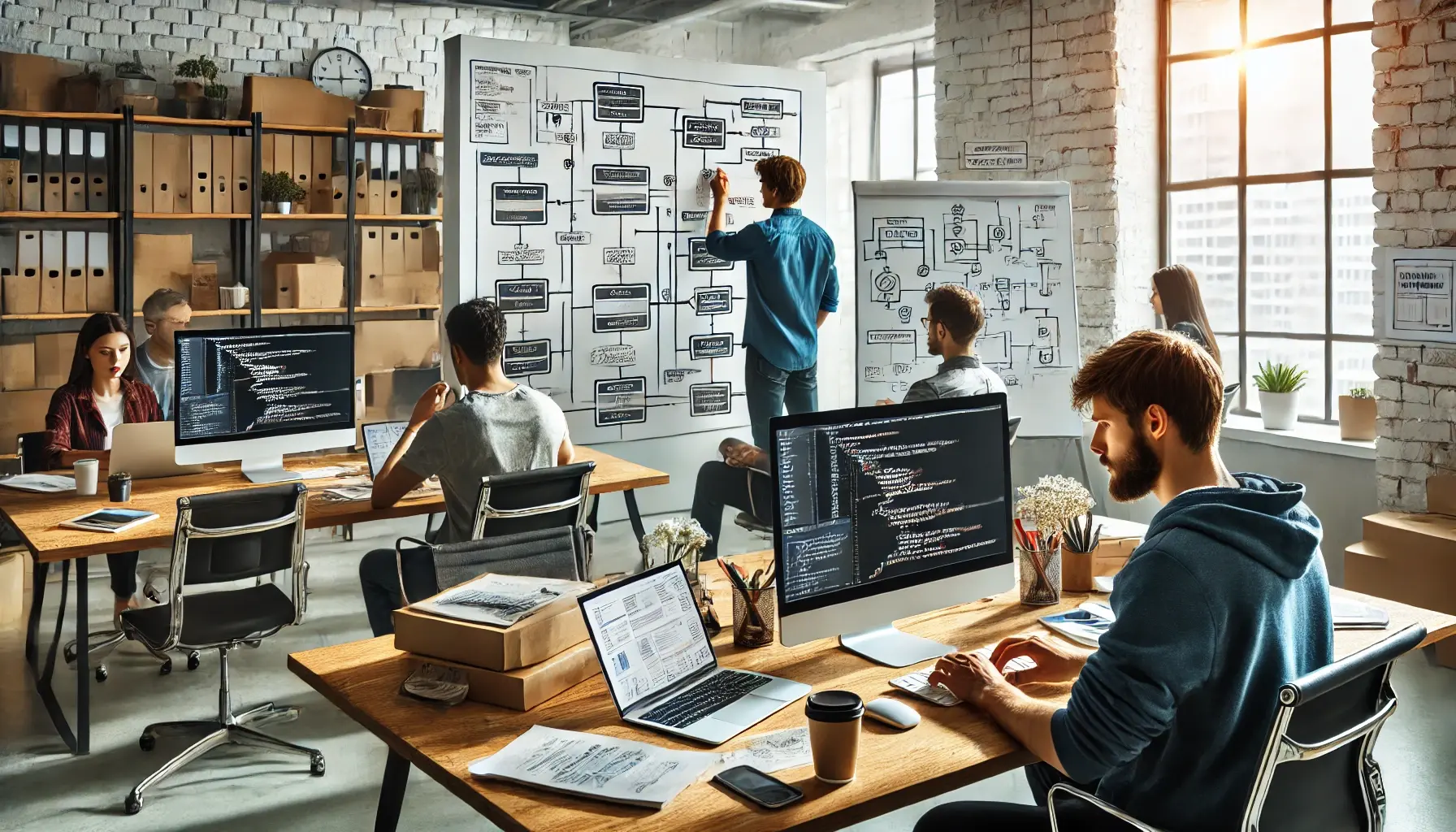
Software technical documentation is often that task that gets put off until "when there's time," yet it makes all the difference between a healthy project and one that's impossible to maintain. It's not just about writing manuals: it's about capturing decisions, processes, and functionality in a way that allows anyone (today or three years from now) to understand what the system does and how to work with it.
At the same time, many teams feel that documentation is a waste of productivity : it takes away development hours, becomes outdated quickly, and often no one reads it. The trick isn't to document everything, but to know what's worth documenting, for whom, with what level of detail, and how to keep it alive without it becoming an unmanageable monster.
A bit of history: from waterfall to agile and its impact on documentation

In the early days of development, the classic waterfall approach relied on tons of documents: requirements specifications, detailed analyses, complete system designs… Versatile “bibles” were generated that were written before programming a single line of code, and which rarely reflected the final product 100%.
This way of working resulted in a huge documentary overload : planning everything at the beginning was practically impossible, changes in scope were inevitable, and a good part of those documents became outdated or directly ignored because they no longer described the real system.
With the arrival of agile methodologies , the balance tipped to the other extreme: fewer heavy documents, more face-to-face conversations, iterative requirements, and a focus on working software. This led many teams to relegate documentation to a secondary role, trusting that "the code explains itself."
The reality is that, even in agile environments, a minimum of high-quality documentation is still necessary : to describe APIs, detail business flows, explain architectural decisions, or help users and support teams. The key is no longer to document out of habit, but to do so in a lightweight, dynamic way, focused on the people who will be using it.
What exactly is software technical documentation?

When we talk about technical software documentation, we're referring to a structured set of documents that explain how a system is designed, how it works, how it's used, and how it's maintained. It's not a single file, but rather an ecosystem of materials tailored to different user profiles.
This documentation includes, for example, requirements specifications , user manuals, installation guides, API documentation, architecture drawings, standard operating procedures (SOPs), knowledge base articles and release notes, Markdown (.md) files , and other formats.
Its main objective is not to "check the box", but to make the software usable and sustainable : that a user can work with the tool without going crazy, that a new developer can add value in a short time, that support can resolve incidents without depending on the memory of a single person, or that an audit can track how a system is operated.
Unlike other content (marketing, legal, sales), technical documentation prioritizes clarity, precision, and repeatability : it must allow you to repeat a configuration, procedure, or integration step by step, without having to call anyone to "fill in the gaps."
Real benefits of good technical documentation
Investing time and resources in proper documentation isn't just a quirk of organized people: it has a direct impact on costs, quality, and business continuity . When documentation is scarce or poor, time is wasted on questions, mistakes are repeated, support requests multiply, and maintenance becomes more complicated.
Solid documentation helps reduce help requests : if users (internal or external) find clear guides, well-structured manuals, and helpful FAQs, they open fewer tickets and resolve most common problems on their own.
It also accelerates the onboarding of new members : developers, support agents, and IT professionals can quickly understand systems, configurations, and processes if these are explained with a minimum level of rigor. Each new hire takes less time to become productive, which makes a noticeable difference in terms of costs.
Furthermore, thorough documentation improves the perceived usability of the product : when an app comes with good tutorials, clear release notes, and usage examples, users explore more features, make fewer mistakes, and take better advantage of what the software offers.
Finally, documentation acts as corporate memory : it preserves decisions, configurations, and processes beyond who is currently on staff. When a key person leaves, the knowledge doesn't disappear with them, but remains accessible to the rest of the team.
Key principles of quality documentation
Beyond the specific format, all effective technical documentation shares a series of characteristics that should always be kept in mind when writing or reviewing documents.
First, it must be clear and easy to understand . This means avoiding unnecessary jargon, explaining specific terms, writing straightforward sentences, and putting yourself in the shoes of someone who may not have all the technical background that the author has.
Secondly, it needs to be well-structured and navigable : indexes, logical sections, links between related sections, consistent headings, and a decent search system. People rarely read a technical document from beginning to end; they jump to the part they need.
Another fundamental principle is that documentation should be dynamic and aligned with the software . If the system changes but the documents don't, the documentation becomes problematic: it leads to errors, misunderstandings, and incorrect configurations. Less material, but accurate, is better than tons of outdated information.
Finally, the documentation must be consistent in style and format . Style guides help with this: they provide common criteria for language, terminology, title formatting, how to write examples, how to display commands or code snippets, and so on. This prevents each author from "inventing" their own style and the overall result from looking like a collage.
Types of technical documentation in software development
Within the software development life cycle, two main sections are typically distinguished: development process documentation and product documentation . Both are necessary, but they focus on different audiences and answer different questions.
Documentation of the development process
Process documentation explains what will be built and how it will be built . It helps coordinate teams, make informed decisions, and learn from past projects.
- Requirements and specifications (SRS/ERS)These documents describe the system's objectives, functional and non-functional requirements, constraints, stakeholders, and use cases. They bridge the gap between business and development.
- Planning and monitoringProject plans, schedules (e.g., Gantt charts), and backlogs are created here. Decisions are made about what to do, in what order, and with what resources, and progress and deviations are recorded.
- Development reports and metrics: summaries of effort invested, times per discipline (analysis, programming(testing, deployment), quality metrics, or team performance metrics. They allow for refining future estimates and a better understanding of the true cost of projects.
- Code documentation: structured comments and annotations in the source code that, through tools such as Javadoc, Doxygen or PhpDocumentor, are automatically transformed into navigable documentation.
Architectural guidelines also fall within this category : documents that describe the architectural vision, the principles followed, the patterns adopted, the main components, and the data flows between them. They typically use standardized diagrams (such as UML) to ensure everyone understands them in the same way.
Product and user documentation
Product documentation is intended for the people who use, administer, or maintain the system once it's in production. Its purpose is to enable them to perform their tasks without constantly relying on the developers.
- System overview: high-level document that explains what problem the software solves, what functionalities it offers, what requirements it has (functional and non-functional) and what limitations must be taken into account.
- User manuals: comprehensive guides that detail how to use the various functions, from the most basic to the advanced, including steps, screenshots, tips and solutions to common problems.
- Quick guides and tutorialsThese are lighter versions, focused on "where to start" or guided walkthroughs of common tasks. They can be short articles, videos, or interactive tutorials.
- FAQs and knowledge base articlesAnswers to frequently asked questions, organized by topic and aimed at providing immediate solutions. They are usually based on the experience of the support team.
Standard operating procedures (SOPs) are also key for operations and support teams , documenting repetitive tasks (e.g., user registration, backups, deployment processes), as well as incident resolution guides for recurring problems.
Technical documentation for developers: APIs, code, and architecture
When the audience consists of other developers, whether internal or third-party, the documentation must go into a much greater level of detail and be extremely accurate.
In the case of APIs , endpoints, input and output parameters, data structures, error codes, usage limits, authentication requirements, and real-world call examples are documented. Tools such as OpenAPI/Swagger, Docusaurus, and ReadMe facilitate the creation of clear and navigable API documentation portals.
Source code documentation acts as a map for navigating the codebase: it describes modules, the responsibilities of each class or component, contracts between layers, and style conventions. It doesn't replace good design, but it helps to understand why certain things are done one way and not another.
In addition, software architecture documents explain how the system is organized at a macro level: what services exist, how they communicate, what databases they use, what architectural decisions were made (and why), and what technical or business constraints condition the design.
Operational documentation: installation, maintenance and safety
Another essential component is the documentation focused on the system's implementation and daily operation . This involves roles such as system administrators, DevOps teams, and security managers.
The installation and configuration guides detail hardware and software requirements , steps for deploying in different environments (development, pre-production, production), configuration of associated services, and post-installation checks to verify that everything works.
Maintenance and monitoring documentation covers topics such as backups, restores, upgrade procedures, performance monitoring, log management , alert thresholds, and escalation protocols when something goes wrong.
Regarding security and compliance , access policies, implemented controls, data protection mechanisms, audit processes, vulnerability management, and incident response plans are all documented. This is crucial in regulated sectors or those with strict compliance requirements.
How to write good technical documentation step by step
Writing useful documentation isn't a matter of inspiration, but of process. It's advisable to follow a series of steps to ensure that the final result addresses a specific need and is manageable in the long term.
The first step is to define the target audience and purpose : writing for a user with no technical knowledge is not the same as writing for a backend development team. Before typing anything, you must answer: Who is this document for? What problem should it help them solve?
Afterward, it's very practical to create an outline with sections and subsections. This forces you to organize your ideas, avoids repetition, and makes it easier for several people to divide up the work without overlapping. A well-structured index is half the documentation.
Next comes gathering information : talking to subject matter experts, reviewing code, analyzing business flows, and collecting screenshots, diagrams, and real-world configurations. The better this research phase, the fewer gaps there will be later.
It's important to choose the right format for each situation : in some contexts, an HTML page accessible directly from the product will be best; in others, a PDF with version control ( open PDF files in Edge ); in still others, a documentation portal with a search engine and topic navigation. The essential thing is that the content is where people will look for it.
While drafting, it's advisable to use internal templates and style guides : specific models for SOPs, user guides, API design, etc. This maintains visual and structural consistency between documents, even if they are written by different people.
Visual elements (diagrams, tables, screenshots ) are great allies as long as they are well labeled and relevant ; a clear outline can save paragraphs of explanation and greatly facilitate understanding, especially in matters of architecture or complex processes.
Before finalizing a document, it's essential to test it with someone from the target audience : ask them to follow the steps exactly as written and observe where they get stuck, what parts they find confusing, or what information they feel is missing. This feedback is invaluable for refining the content.
Finally, the documentation should be published in a visible location (not buried in a random shared folder) and undergo regular reviews. Last update dates, responsible parties for each document, and a simple approval workflow help prevent the material from becoming outdated without anyone noticing.
Good practices that work across the organization
Technical documentation is no longer exclusive to IT or Development; with Enterprise Service Management approaches, virtually all departments offer internal services and need to explain processes: HR, Legal, Finance, Facilities, etc.
For documentation to be effective across an organization, the content should be modular and focused on a single topic : each article answers a specific question (“how to request permission,” “how to order new equipment,” “what to do if the VPN fails”). This makes it easier for users to quickly find what they need and for teams to keep their materials up to date.
The structure of the articles should be predictable : a brief introduction or context, then detailed steps, followed by related links, and finally, the date of the last update. When the format is consistent, users already know how to navigate the documents without extra effort.
Metadata and tags also play a key role: classifying articles by department, content type, or process allows filtering, generating reports, and easily locating outdated or redundant material.
Each team should adapt its language to its target audience . A legal department won't speak the same way as a technical support team, but everyone should avoid unnecessary jargon and explain terms that might cause confusion outside their area.
Finally, a genuine self-service approach should be encouraged : articles should be comprehensive enough that users don't need to contact the team again with obvious questions. This means anticipating frequently asked questions, including what to do when something goes wrong, and clearly explaining when and how to escalate if the procedure doesn't resolve the issue.
Tools for creating and maintaining software documentation
The choice of tools makes a big difference when writing, organizing, and keeping documentation up to date. It's not just about "a word processor," but about how you collaborate, version, and publish content.
Platforms like Confluence offer spaces and pages where teams can create structured documentation, link it to development tasks (for example, in Jira), and collaborate in real time. They are especially useful for internal and process documentation.
Specialized solutions like Document360 make it easy to create knowledge bases focused on user experience: visual editors, versioning, design customization, usage analytics, and features designed for external documentation or help portals.
In the field of documentation generated from code, tools like Doxygen analyze structured comments and produce documentation in HTML, LaTeX or other formats, with the ability to generate class diagrams and navigate through large codebases.
On the other hand, documentation managers for developers, such as Docusaurus, Swagger, or ReadMe , help to build fast, indexable, and user-friendly documentation sites, with version control and interactive examples, which are very appropriate when exposing public APIs or SDKs.
Regardless of the stack, it's recommended that the tool offers version control, a powerful search engine, collaboration options, and ease of publishing . And, if possible, it should be hosted on its own domain with reliable hosting to ensure accessibility and good performance.
Organization of documentary work within the team
One of the most common mistakes is thinking that “anyone can write documentation.” In practice, it’s advisable to identify people with strong technical writing skills and, when the volume warrants it, to hire dedicated technical writers.
It is advisable to develop a documentation plan at the beginning of each project: what documents will be needed, at what point in the life cycle they will be created, who will be responsible for each one, and how they will be reviewed. This avoids improvisation and gaps in documentation.
Version control of documents is also essential : documentation must evolve at the same pace as the product. Each major software version should be accompanied by its corresponding version of documentation, easily accessible to those still using previous releases.
The healthiest approach is collaborative work : even if there's a document "owner," the entire team should contribute. Developers can propose technical changes, support can suggest new FAQs, business can refine the functional description, and so on.
To prevent this collaboration from turning documents into chaos, it is almost mandatory to have a style guide : recommended language, treatment of acronyms, formatting criteria, how to cite references, how to represent commands or code fragments, and also guidelines on legal and copyright aspects when reusing content.
When it comes to technical documentation, having clear processes and assigned responsibilities ensures that people take the documents seriously and not just treat them as "that task to be done at the end if there's time left." Ultimately, well-maintained documentation becomes a tangible competitive advantage because it allows teams to move faster, make fewer mistakes, and better leverage accumulated knowledge.
Throughout a product's life cycle, documentation becomes the common thread that connects the initial idea, design decisions, code, daily operations, and user experience. When well-designed, it saves countless hours of scattered work, repeated discussions, and errors that were already resolved but no one had documented.


Passionate writer about the world of bytes and technology in general. I love sharing my knowledge through writing, and that's what I'll do on this blog, show you all the most interesting things about gadgets, software, hardware, tech trends, and more. My goal is to help you navigate the digital world in a simple and entertaining way.
Table of Contents
- 1 A bit of history: from waterfall to agile and its impact on documentation
- 2 What exactly is software technical documentation?
- 3 Real benefits of good technical documentation
- 4 Key principles of quality documentation
- 5 Types of technical documentation in software development
- 6 How to write good technical documentation step by step
- 7 Good practices that work across the organization
- 8 Tools for creating and maintaining software documentation
- 9 Organization of documentary work within the team