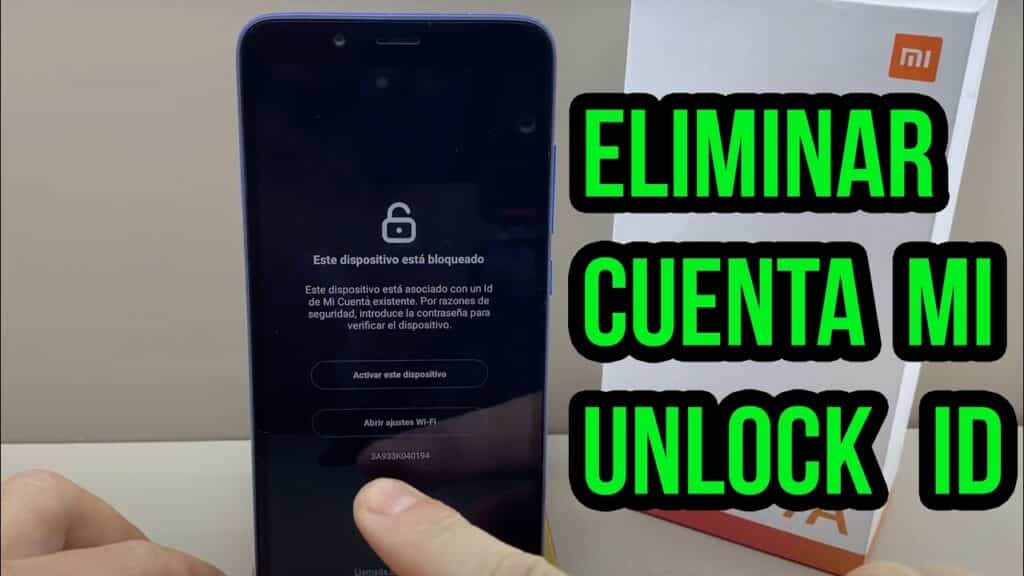
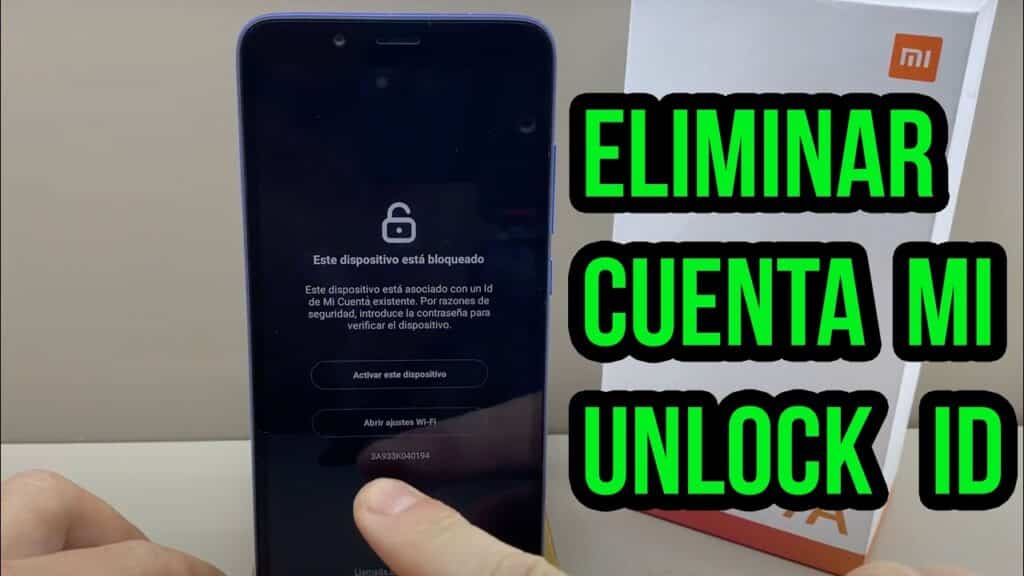
Imagine having complete control over your Xiaomi Redmi Note 8, customizing every aspect and optimizing its performance to the max. But what if you run into a snag? What happens when your Mi Account is locked and you can't access all the features of your device? Don't worry, you're in the right place! Here you'll learn how to unlock Mi Account on Xiaomi Redmi Note 8 effectively and safely.
Before we begin, it is essential to understand why this blockage occurs and what the importance of the Mi Account is. Continue reading and discover everything you need to know to regain control of your smartphone.
Reasons for blocking the Mi Account
There are several reasons why you might encounter a block on your Mi Account. Some of the most common ones are:
- Password problems: If you have entered an incorrect password too many times, Xiaomi may temporarily block your account as a security measure.
- Security settings changes: If you change important security aspects of your account, such as the associated email or phone number, Xiaomi may block it as a precaution.
- suspicious activity: If Xiaomi detects unusual behavior on your account, such as logging in from strange locations or at unusual hours, it may block your account to protect your data.
- Non-compliance with usage policies: If you have used your Mi Account for activities not permitted by Xiaomi policies, you may face a ban.
Recover My Account Password
The first step to unlock Mi Account on Xiaomi Redmi Note 8 is to try to recover the password. To do so, follow these simple steps:
- Enter the official Xiaomi website account.xiaomi.com From a Web navigator.
- Select “Forgot your password?” under the “Sign in” button.
- Enter your email address or phone number associated with your account and click “Next.”
- Complete the verification process requested (this may be email, SMS, or other verification).
- Once you have passed verification, create a new password and confirm it.
- Done! You can now log in to your Mi Account on Xiaomi Redmi Note 8 with your new password.
Contact Xiaomi support
If the password recovery did not work or the lockout is due to another reason, you may need to contact Xiaomi support to resolve the issue. You can do so through the following methods:
- Live Chat: Go to Xiaomi's official website and look for the live chat option, where you can speak to a customer service representative in real time.
- E-mail: Please send an email to service.global@xiaomi.com explaining your situation and requesting assistance to unlock your Mi Account.
- Phone: Call the customer service number for your country. You can find this information on the customer service page. Xiaomi Global Support.
In any of these channels, be sure to provide detailed information about the issue and your device, including the model, serial number, and IMEI.
Unlocking the bootloader
If the above solutions didn't work or you want to take full control of your Xiaomi Redmi Note 8, you may want to consider unlocking the bootloader. However, it's important to note that this process may void your device's warranty and carries certain risks. Also, some Mi Account features may not be available after performing this procedure.
To unlock the bootloader of your Xiaomi Redmi Note 8, follow these steps:
- Access the official page of Xiaomi unlocking and download the “Mi Unlock” tool.
- Install “Mi Unlock” on your computer and launch it.
- On your Xiaomi Redmi Note 8, go to “Settings” > “My Account” and link your Mi Account to the device.
- enable debugging USB and OEM unlocking in your phone's developer options.
- Turn off the device and reboot it into Fastboot mode (by simultaneously pressing the power and volume down buttons).
- Connect your Xiaomi Redmi Note 8 to the computer using a USB cable.
- In the “Mi Unlock” tool, log in with your Mi Account and follow the instructions to unlock the bootloader.
Once you have unlocked the bootloader, you will have the option to install a custom ROM or gain access to root, which will allow you to manage your device without restrictions. However, remember that this process carries risks and could affect the performance or security of your Xiaomi Redmi Note 8.
Conclusions
Unlocking the Mi Account on Xiaomi Redmi Note 8 may be necessary if you are facing access issues or restrictions on your device. Make sure to follow the steps and recommendations mentioned in this article to regain control of your smartphone effectively and safely. Don't forget that if you have any questions or problems, you can always contact Xiaomi support for assistance.
How to Delete MI Xiaomi Account (any model 2022)
Delete account Xiaomi Mi Redmi Note 9S 2022
What are the common reasons why the Mi Account on a Xiaomi Redmi Note 8 might be blocked and how to identify them?
The Mi Account on a Xiaomi Redmi Note 8 could be blocked for a number of reasons, and it is important to identify them in order to take appropriate action. Some of the common reasons are:
1. Incorrect password: If you have entered an incorrect password multiple times, your account may be temporarily locked as a security measure. To resolve this, please verify that you are using the correct password and wait a while before trying again.
2. Activating the anti-theft lock: Some Xiaomi devices have a feature called “Find Device” that allows you to lock your device in case of loss or theft. If this feature has been activated, you will need to unlock the Mi Account using the correct password.
3. Change of phone number: If you have recently changed your phone number and have not updated it in your Mi Account, you may experience issues receiving text messages with verification codes. Make sure to keep your account information up to date.
4. Unauthorized access attempt: Your Mi Account may be blocked if unauthorized access attempts or suspicious activities are detected. In this case, please follow the instructions provided by Xiaomi to verify your identity and regain access to your account.
5. Breach of Terms of Use: If you are found to have violated Xiaomi's terms of use, such as making unauthorized modifications to the device software (rooting) or violating privacy policies, your account may be blocked.
To identify the reason for the blockage, please check any messages or notifications you may have received from Xiaomi on your email or device. You can also visit Xiaomi's official website or contact their customer service for more information and assistance.
What are the steps to follow to effectively unlock the Mi Account on a Xiaomi Redmi Note 8 using the official Xiaomi website?
To effectively unlock the Mi Account on a Xiaomi Redmi Note 8 using the official Xiaomi website, follow these steps:
1. Enter the official Xiaomi website: Go to Xiaomi website on your browser (https://www.mi.com/global).
2. Sign in to your My account: Click on the profile icon in the top right corner and select “Sign in.” Enter your Mi Account credentials that is linked to the device you want to unlock.
3. Go to the bootloader unlock page: Scroll down the main page and click “Unlock” under the “Services” section or go directly to the page (https://en.miui.com/unlock/).
4. Download Mi Unlock Tool: On the unlock page, click “Download Mi Unlock” and save the file to your computer.
5. Extract the downloaded file: Once you have downloaded the Mi Unlock tool, extract the ZIP file to a folder of your choice.
6. Activate developer mode on your Xiaomi Redmi Note 8: Go to Settings > About phone and tap “MIUI version” several times until a message appears saying that developer mode has been activated.
7. Enable OEM Unlocking and USB Debugging: Go to Settings > Developer options and enable “OEM Unlocking” and “USB Debugging”.
8. Connect your Xiaomi Redmi Note 8 to the computer: Use a USB cable to connect the device to the computer where you extracted the Mi Unlock tool.
9. Turn off your Xiaomi Redmi Note 8 and enter Fastboot mode: Press and hold the power and volume down buttons at the same time until the Fastboot logo appears on the screen.
10. Run Mi Unlock Tool: Go to the folder where you extracted the Mi Unlock tool and double-click on the “MiFlashUnlock.exe” file.
11. Log in to the Mi Unlock tool: Enter your Mi Account credentials linked to the device you want to unlock.
12. Unlock the bootloader: Click on “Unlock” in the Mi Unlock tool and wait for the process to complete. Once complete, you will receive a message indicating that the unlocking was successful.
13. Restart your Xiaomi Redmi Note 8: The device will automatically reboot after unlocking. You can now access your unlocked Mi Account on your Xiaomi Redmi Note 8.
What precautions and security aspects should be taken into account when unlocking the Mi Account on a Xiaomi Redmi Note 8 to avoid possible complications or loss of information?
When unlocking the Mi Account on a Xiaomi Redmi Note 8, it is important to take precautions and consider security aspects to avoid possible complications or loss of information. Below are some of the most important aspects to keep in mind:
1. Make a backup: Before you begin the unlocking process, make sure to backup all your important data such as contacts, photos, apps, and settings. This will help you recover your data in case something goes wrong during the process.
2. Research the unlocking process: It is essential to research and understand the process of unlocking your Mi Account before attempting it. Make sure you follow detailed and reliable instructions, preferably from official sources or experts on the subject.
3. Download tools and files from trusted sources: During the process, you might need to download some specific tools or files. Make sure to get them from trusted sources and verify their authenticity to avoid any potential security issues.
4. Keep your device charged: Make sure your Xiaomi Redmi Note 8 has enough charge throughout the unlocking process. Interruptions due to lack of battery could cause problems with the device.
5. Avoid using untrusted third-party services: There are online services that offer to unlock your Mi Account for a fee. However, it is advisable not to trust these services as they could compromise the security of your device and personal data.
6. Warranty and technical support: Please note that unlocking your Mi Account may void your device's warranty. Also, if you face any issues during the process, official technical support may not be able to help you.
7. Understand the associated risks:Unlocking the Mi Account on your Xiaomi Redmi Note 8 may carry certain risks, such as data loss, security vulnerabilities, or even irreparable damage to the device. Make sure you understand these risks before proceeding with the unlocking.
By following these tips and precautions, you can minimize the risks and complications when unlocking the Mi Account on your Xiaomi Redmi Note 8.
Are there any alternatives or third-party tools to unlock the Mi Account on a Xiaomi Redmi Note 8 and what is their level of reliability and effectiveness compared to the official method?
There are several alternatives or third party tools to unlock the Mi Account on a Xiaomi Redmi Note 8, although its level of reliability and effectiveness may vary compared to the official method offered by Xiaomi. Some of the most popular tools include:
1. MI Account Unlock Tool: This tool is quite well known in the Xiaomi user community and allows you to delete the Mi account associated with the device in question. Its effectiveness is relatively high, but its reliability depends on the source of the download and the developer.
2. TPS Xiaomi Tool: Another popular option is TPS Xiaomi Tool, which offers the ability to unlock Mi Account on Xiaomi devices, among other features. Its reliability level is moderate, but its effectiveness may vary depending on the software version and the device.
3. UFI Box: UFI Box is a mobile phone repair tool that also includes the feature of unlocking user accounts on Xiaomi devices. Although its effectiveness is high, its reliability can be questionable because it is a paid tool and is not officially endorsed by Xiaomi.
Compared with the official Mi Account unlock method, these third-party tools may have advantages and disadvantagesOn the one hand, they may be faster and easier to use, but on the other hand, they may present security risks and potential compatibility issues with future system updates. In addition, by using these tools, the device's warranty may be voided and there is a risk of damaging the equipment or losing data.
In conclusion, although there are alternatives to unlock the Mi Account on a Xiaomi Redmi Note 8, it is always advisable to follow the official method provided by Xiaomi, as it offers greater reliability, security and technical support.
Share and unlock your social networks!
Did you love this article on how to unlock Mi Account on Xiaomi Redmi Note 8? Don't keep it to yourself! Share it on your social networks and help your friends unlock their Mi account. Don't let them miss out on this valuable information!
Comment, laugh and connect with us!
Do you have any questions or comments? We'd love to hear from you! Leave your comments in our comments section and if you want to speak directly with the administrator, don't hesitate to contact us. We're here to help you and continue growing together in the world of technology!

My name is Javier Chirinos and I am passionate about technology. Ever since I can remember, I have been interested in computers and video games, and that passion has turned into a job.
I have been publishing about technology and gadgets on the Internet for over 15 years, especially in mundobytes.com
I am also an expert in online marketing and communication and have knowledge in WordPress development.