- There are two approaches: a large TNT cube with lava and a block of Commandos with /summon tnt_minecart.
- The Command Block must be in Repeat mode and Always active to constantly summon TNT carts.
- The advanced version is extremely destructive; stay away from important areas and prepare a backup.
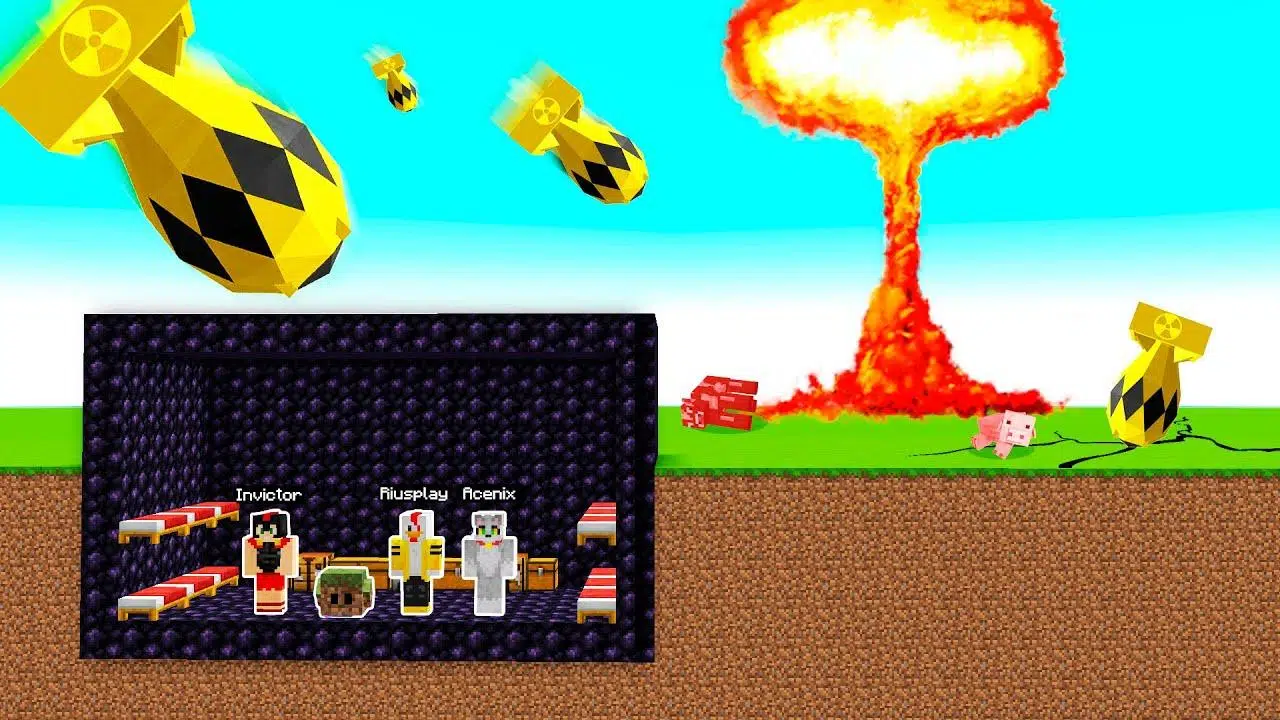
Want to unleash a massive explosion in your Minecraft world but don't know where to start? The famous atomic bomb trick isn't an official item or weapon in the game, but rather a way to trigger giant chain reactions with TNT or TNT carts that leave a colossal crater. Here's how to do it, what you need, and what to keep in mind to avoid accidentally destroying something important.
There are two simple ways to achieve this: a basic one based on TNT and lava blocks , and a more advanced one that uses a Command Block in repeat mode to continuously summon TNT minecarts with the command `/summon tnt_minecart`. Both work, but the second can be so devastating that it's advisable to prepare the area and take safety precautions before activating it.
What exactly is the "atomic bomb" trick and why does it work?
When the Minecraft community talks about an "atomic bomb ," they're referring to a technique for creating a massive explosion: either by detonating a huge volume of TNT almost simultaneously, or by saturating an area with TNT carts until it triggers a colossal reaction. There are no nuclear weapons as such in the base game, but there are mechanics that, when combined, produce effects comparable to a gigantic detonation.
The most affordable approach is to lift a massive cube (or solid block) of TNT and ignite it so the reaction spreads quickly. Another, more technical, method involves creating a "factory" of TNT carts with a Command Block configured in repeat mode and permanently active, which summons TNT entities nonstop until the server or the world can't handle any more and everything explodes.
In both cases, the key is to concentrate a lot of virtual gunpowder in a very small space and ignite it with a spark (fire, redstone, or the sheer chaos of accumulated entities) to unleash the controlled catastrophe. The main difference lies in the ease of execution, the control you have over the detonation, and the performance demands placed on the game.
It's worth remembering that massive explosions can cause lag, stuttering, and even unexpected world or client crashes. Therefore, before launching, back up your data and test in an isolated environment if you don't want to lose hours of progress.
Easy method: large bucket of TNT with lava
This method is straightforward: build a very large cube of TNT , preferably far from your base and valuable structures, and prepare an ignition source. The essential instruction is "make a large cube of TNT and pour lava on it," meaning you want the fire to appear near or within the TNT pile to start the reaction.
You can make it solid or hollow; if you make it hollow, you'll save resources by placing only a "skin" of TNT around it and leaving air inside. On the other hand, if it's solid, the detonation is usually even more powerful because a larger quantity of explosive accumulates, but it will cost you more to gather materials.
To activate it, you have several options: pour lava from the top so that the associated fire ignites nearby TNT blocks, or use flint and steel to manually ignite TNT at some point on the cube. Under normal conditions, TNT is ignited by fire, flint and steel, or redstone signals, and lava can cause fire to appear and start the chain reaction.
Ideally, prepare the surrounding area: move a good distance away before igniting the spark , lower the render distance if your system is struggling, and have a shelter or safe position ready. The shockwave will destroy terrain, vegetation, and structures in its path, so choose an area you can afford to sacrifice.
A useful logistical trick is to place some sturdy blocks like obsidian to channel the blast if you want to protect a particular side or slightly reduce its spread. Note: always look for uninhabited areas of the map and avoid placing them near villages, farms, or structures you want to protect.
Hard method: Block of repeating commands with /summon tnt_minecart
The advanced variant uses a Command Block configured to continuously generate TNT carts . This scales the destruction far beyond that of traditional TNT, as the accumulation of explosive entities in one spot can cause massive terrain collapse.
The conceptual steps are clear: place a Command Block , edit it to "Repeat" mode, and set it to "Always active" to execute the command continuously without redstone signals. In the text box, enter the command: /summon tnt_minecart. As soon as it becomes active, it will begin continuously summoning TNT minecarts.
It's important to understand that once you confirm these settings, the area will enter a high-risk state . The original recommendation is to "wait," because as the carts accumulate, the system will eventually trigger a massive explosion due to collisions, damage, or chain reactions. This process may take a few moments depending on performance and available space.
If you want to hasten this moment, you can pour lava on top of the Command Block or use plenty of flint and steel nearby to generate fire; both actions create conditions that facilitate ignition or reactions. It's also possible that, through sheer accumulation of entities and collisions, the area will explode without you doing anything else.
As a control measure, keep emergency commands like /kill @e[type=tnt_minecart] handy to remove all TNT minecarts if things get out of hand or you notice performance plummeting. In many situations, this command is the only lifeline when continuous invocation spirals out of control.
Command Block Configuration and Activation
To make the trick work without relying on levers or buttons, use "Repeat" mode and "Always On" activation; the goal is to automatically execute /summon tnt_minecart repeatedly . If you prefer manual control, you can switch to "Requires redstone" and activate only when you place a summon sign, but in the context of an "atomic bomb," the focus is on speed and volume of the summon.
Before clicking OK, it's a good idea to have a backup plan: adjust your render distance to a low value , disable shaders or other resource-intensive applications, and if you're on a server, inform others to avoid crashes. This won't reduce the trick's effectiveness, but it will help keep the game running long enough to see the results.
Once the summoning begins , quickly move away from the spawn area . A buildup of carts can cause pushes, collateral damage, and unmanageable side effects. The farther away you are, the less impact it will have on your immediate experience (and the greater the chance that the game won't crash).
If the detonation doesn't happen, remember this handy tip: lava on the command block or flint and steel at will . Adding fire sources helps trigger the process if the buildup alone is taking too long for your liking.
Risks, warnings and good practices
You must be absolutely clear that the advanced method is extremely destructive . Do not use it near important buildings, chests with valuable items, villages, or farms. The warning is literal: if you use the hard version, stay away from everything important because the devastation can be tremendous and practically irreversible without a backup.
To minimize problems, first create a backup of the world or server . Experiment, and if you're happy with the result, repeat the process in a disposable environment or enable the cheat only in test areas. Avoid advanced survival worlds unless you have a compelling reason and a recent backup.
Another key point is performance: thousands of entities or TNT blocks exploding at once can overload the CPU and memory. If you notice stuttering, reduce graphics and rendering settings, and stay calm; sometimes the game needs seconds (or more) to process the explosions and regain control.
Consider preparing barriers of resistant materials if you want to limit part of the shock wave; obsidian and bedrock are not destroyed by TNT , so they can serve as containment or "laboratory walls" to direct the damage away from what you are interested in preserving.
Finally, if you're playing with friends or in multiplayer , agree on the tests beforehand. Dropping a bombshell like this without warning can ruin entire sessions and create a bad atmosphere. Courtesy and having a copy of the world will prevent problems.
Practical tips for the TNT + lava method
To lift a large cube of TNT without dying in the attempt, plan your workspace: choose a flat or open area , and establish a secure base from which to work. If you're building it hollow, set up temporary scaffolding and carefully seal each face to prevent accidental gaps that could allow sparks to escape prematurely.
Igniting with lava can take a while to ignite nearby fire, so be patient and keep an eye on it . If you prefer to speed it up, ignite one or more blocks with flint and steel at strategic points; this ensures the reaction starts when you want it to.
If you need the crater to be deeper, place several internal "layers" of TNT , or expand the cube downwards so the explosion takes advantage of the subsoil. This will increase the cost of gunpowder and sand, of course, but the result will be more spectacular.
In survival worlds, gather resources using creeper farms and desert sand. Logistics is the most tedious part , so the Command Block method is tempting if you're playing in creative mode or have admin privileges.
Practical tips for the Command Block method
The most important thing is control: before setting "Always active" to Repeat, make sure you've typed /summon tnt_minecart correctly . A typo might lead you to think it's okay... and when you correct it, you'll suddenly summon a bunch of minecarts.
Place the block in a test chamber or buffer. Avoiding direct view of the cart cloud can reduce the graphical load and improve stability, as seeing fewer entities on screen reduces some stress for the client.
Think about the exit strategy too: keep `/kill @e[type=tnt_minecart]` handy , and if you change your mind, quickly destroy the Command Block or change its mode to "Requires redstone" to stop the summoning. The sooner you stop the flow, the less risk of a crash.
If the wait becomes too long, follow these instructions: apply lava to the block or use flint and steel liberally around it to create an ignition environment. At some point, the system will collapse in a monumental explosion.
Game versions and compatibility considerations
The command mentioned, /summon tnt_minecart, is standard in modern editions; however, behavior can vary between versions or server settings . In some environments, administrators limit explosions or the mass generation of entities to protect the world, which reduces or negates the effect.
The Command Block modes may appear as "Repeat" and "Always On" depending on your client's language. The important thing is not the language, but the function : that it runs continuously and without relying on redstone.
If you notice the command isn't responding, check your permissions. You need to be in Creative mode or have privileges to place and edit Command Blocks on most servers. In single-player worlds, use /give to get it if it's not available.
In any case, remember: the difficult trick may exceed the limits of your machine . If your hardware is modest, prioritize the traditional TNT method, which gives you a huge spectacle with less risk of crashing.
Security, performance, and minor optimizations
Large explosions are loud and generate a lot of particles. If the noise bothers you, lower the "Hostile/Ambient" volume and consider reducing particles in the graphics settings to minimize stuttering while watching the detonation.
For easier experimentation, set up a test world and use coordinates far from your spawn point . This way, if something goes wrong, you won't ruin your main areas and can continue playing normally.
If you want to capture the moment, do so with caution: taking screenshots or recording video increases system load. Adjust the quality before you start to avoid worsening lag when the shockwave arrives.
Consider the possibility of marking natural boundaries (oceans, ravines, obsidian domes). Channeling the energy of the explosion not only looks spectacular, but also reduces collateral damage in unwanted directions.
The key is to have a clear objective: if you're looking for a gigantic explosion for fun or experimentation, both methods will do the trick. The first is simple and reliable; the second, a controlled madness that can push your limits. With common sense, distance, and a backup, you'll see how the atomic bomb trick becomes one of those epic moments that provides plenty of material to show off to your friends or record unforgettable clips.

Passionate writer about the world of bytes and technology in general. I love sharing my knowledge through writing, and that's what I'll do on this blog, show you all the most interesting things about gadgets, software, hardware, tech trends, and more. My goal is to help you navigate the digital world in a simple and entertaining way.
Table of Contents
- 1 What exactly is the "atomic bomb" trick and why does it work?
- 2 Easy method: large bucket of TNT with lava
- 3 Hard method: Block of repeating commands with /summon tnt_minecart
- 4 Command Block Configuration and Activation
- 5 Risks, warnings and good practices
- 6 Practical tips for the TNT + lava method
- 7 Practical tips for the Command Block method
- 8 Game versions and compatibility considerations
- 9 Security, performance, and minor optimizations