- Humble Bundle has been key in bringing DRM-free, cross-platform games, including many native Linux titles, to consumers at affordable prices and with donations going to charity.
- The current situation mixes bundles and stores that are still very useful in Linux, but a Humble Choice subscription is increasingly focused on Windows thanks to an exclusive launcher.
- Tools like Lutris allow you to easily integrate and run Humble Bundle games on Linux, both native and Windows games, using Wine and community scripts.
- By understanding how to manage 32-bit dependencies and sound and video libraries, it is possible to run complex games like Undertale downloaded from Humble without problems.
If you're a Linux user and love video games, you've probably already heard of Humble Bundle, its amazing deals on DRM-free game bundles , and the option to support charity while expanding your library. However, when it comes to installing and running those games on your favorite distribution, things aren't always as straightforward as on Windows, and you might run into some questions or minor headaches.
In this article you will find a very complete guide to understanding exactly what Humble Bundle is, how they have historically treated Linux users, how to install and play your Humble titles on Linux (both natively and through tools like Lutris) and, in addition, a practical case with Undertale and its troublesome 32-bit dependencies, which have caused problems for more than one person.
What is Humble Bundle and why does it matter so much in Linux?
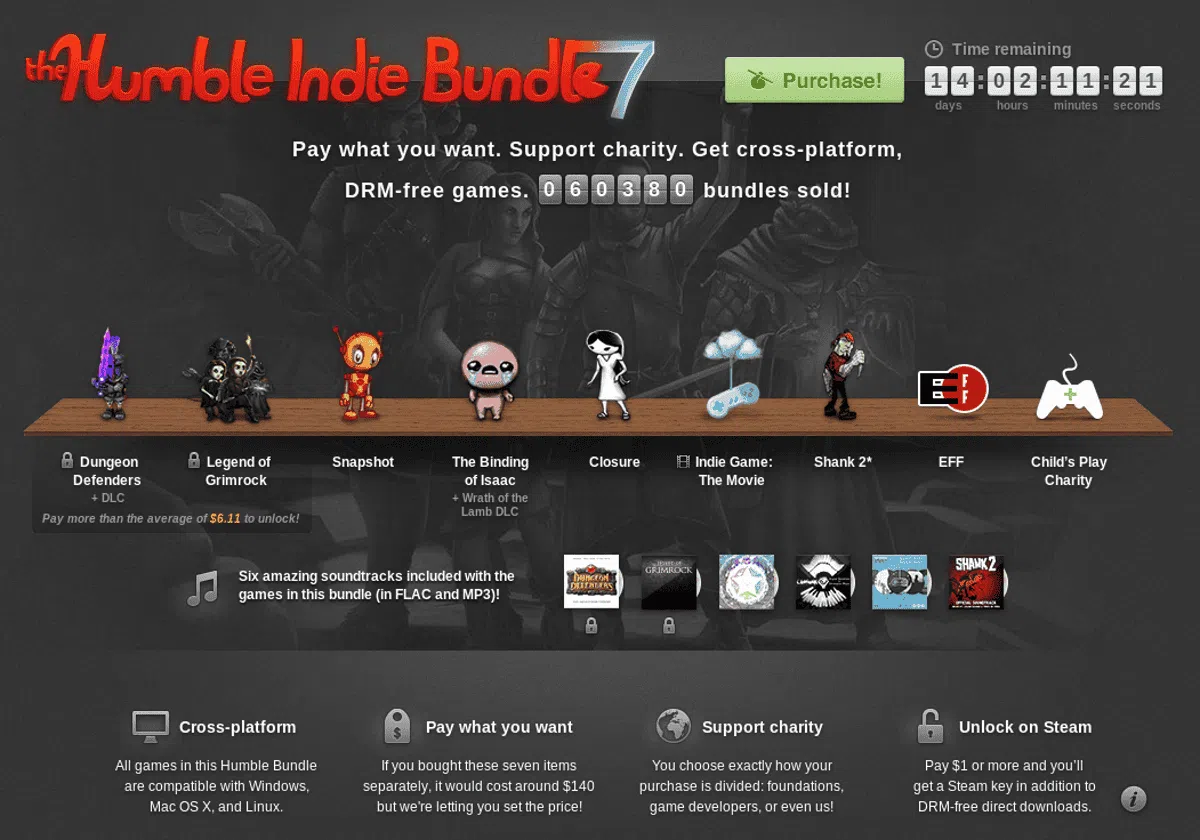
Humble Bundle was born as a curious and rather groundbreaking initiative in the world of video games: instead of selling individual titles at a fixed price, they offered bundles of indie games where users could pay virtually whatever they wanted. A portion of that payment is divided between developers, the platform itself, and charities, and you can adjust the percentage that goes to each.
The idea quickly caught on because these bundles included DRM-free games, Steam keys, and, most interestingly for us, Linux versions in addition to Windows and macOS. Not all titles were cross-platform, but many bundles contained a significant number of GNU/Linux compatible games, something quite unusual at the time.
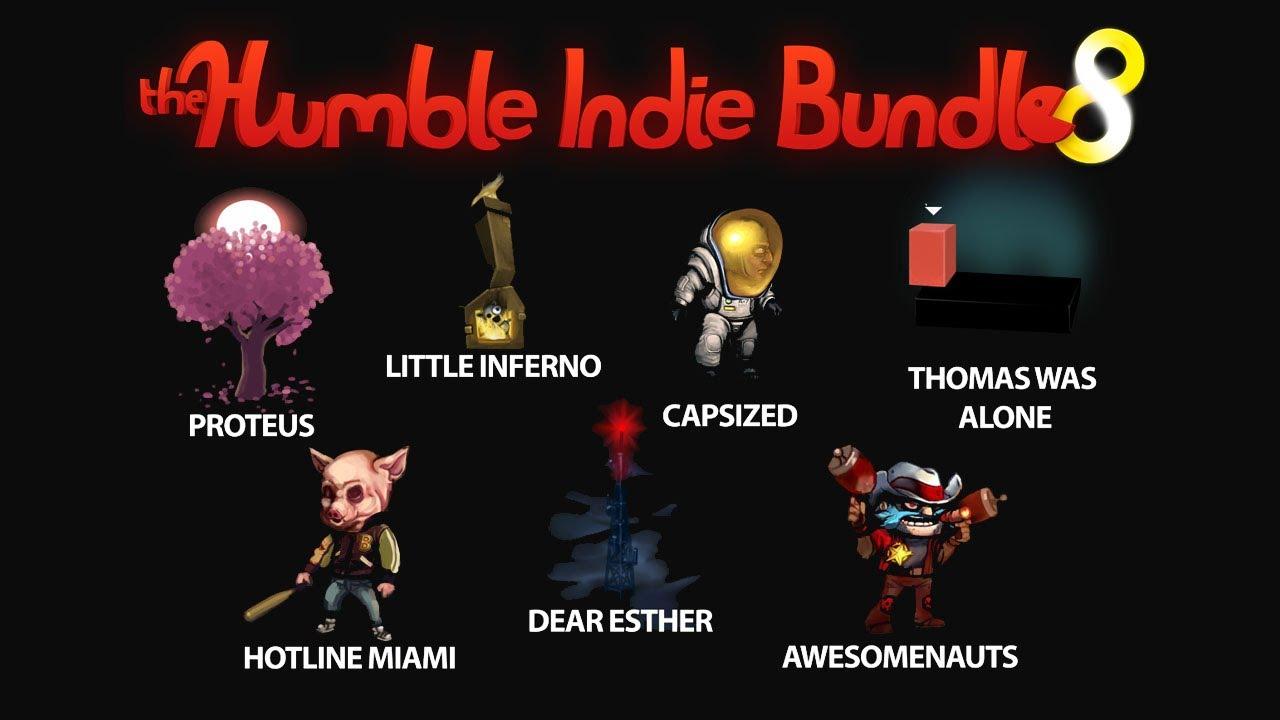
One of the most iconic bundles, the Humble Indie Bundle 8, included Hotline Miami, Proteus, Dear Esther, Capsized, Awesomenauts, Thomas Was Alone, and Little Inferno , all with Linux support. They also typically included the games' official soundtracks in digital format, making the offer even more enticing for fans.
Another striking point was that, although the minimum price could be as low as one cent , if you wanted Steam keys you had to pay at least $1. Even so, Linux users stood out for their generosity: statistics showed they contributed the most on average, at $8,64, compared to $6,58 for macOS and $5,32 for Windows in that particular bundle.
Over time, Humble expanded its formula and launched specific offers like the Humble Bundle for Android, which included games such as Anomaly: Warzone Earth, Osmos, EDGE, and, if you paid above the average price, World of Goo . Interestingly, this bundle wasn't limited to mobile devices: it also included versions for GNU/Linux, Mac, and Windows, as well as the soundtracks for all the titles.
These bundles always followed the same philosophy: choose how much to pay, cross-platform compatibility, no DRM, and an option to donate to charity . They even created compatibility pages and downloadable demos so you could check if a game would work well on your Android device before buying. And once again, the statistics made it clear that GNU/Linux users were the ones who spent the most money on average on these packages.
In its early years, Humble Bundle was key for many Linux gamers to access quality titles. They even ported over a hundred games specifically to our system, just to make the bundles more appealing to the Linux community . Before Steam seriously arrived on Linux, Humble was practically the best platform for getting cross-platform commercial games without the headaches of DRM; you can also check out a comparison of Steam, GOG, and Humble Bundle.
Another striking point was that, although the minimum price could be as low as one cent , if you wanted Steam keys you had to pay at least $1. Even so, Linux users stood out for their generosity: statistics showed they contributed the most on average, at $8,64, compared to $6,58 for macOS and $5,32 for Windows in that particular bundle.
The evolution of Humble Bundle and its current state on Linux
Over time, Humble Bundle evolved from those humble bundles into a full-fledged store (Humble Store) and subscription service . In addition to games, they began offering books, comics, and other digital content, maintaining their commitment to supporting charitable causes. Meanwhile, Steam officially launched on Linux (first rumored in 2010, then officially announced in 2012, and finally fully available in 2013), significantly changing the gaming landscape on our system.
The arrival of Steam somewhat diminished Humble Bundle's impact on the Linux community. Too many new games were being released through Valve's platform, and although Humble continued to release cross-platform bundles and port titles, it was no longer the only decent way to play games on Linux . Even so, it remained relevant, especially for keeping games DRM-free and for its donation model.
In recent years they've released some very interesting themed bundles, such as The Humble Very Positive Bundle 2 , a selection of games with "very positive" Steam ratings. This bundle stood out because almost all the included games were cross-platform and playable on Linux, with the sole exception of a final bonus related to Middle-earth: Shadow of War (which included a physical t-shirt and was only available for pre-order on Windows).
However, it's not all good news for Linux users. According to reports from outlets like PCGamer, Humble Bundle has begun phasing out explicit support for Linux and macOS in its Humble Choice subscription service . This change is being rolled out to subscribers via email, without much public announcement, but with significant consequences.
Humble Choice is moving from multiple subscription tiers to a single $12-a-month plan that grants access to a catalog of games, the Humble Trove collection of classic titles, and a rotating selection in the Humble Games Collection. The problem is that all of this will be managed through a new official launcher that is only available for Windows , directly excluding Linux and macOS users.
It's unclear whether tools like Proton (Steam's Wine-based compatibility layer) can somehow circumvent this limitation , but what is certain is that this move significantly complicates matters for Linux and macOS users who want to get the most out of their subscription. Furthermore, it has been announced that Linux and macOS-specific games will be removed from the Humble Choice catalog on a specific date (February 1st was mentioned in one of the announcements), so it's recommended to download all DRM-free titles for your system as soon as possible if you already have them in your library.
In other words: Humble Bundle still exists, the store still offers many cross-platform titles, and the special bundles continue, but the subscription service is clearly shifting its focus to Windows . Even so, with some ingenuity and the right tools, we can still enjoy a good portion of their games on Linux.
Install and manage Humble Bundle games on Linux with Lutris
To make life easier for Linux gamers, community projects like Lutris have emerged. This application is designed to unify all your games into a single library, regardless of their source: Steam, GOG installed on Linux , Humble Bundle, the Humble Store, native games, emulated games, games installed via Wine, etc. Its goal is to eliminate the hassle of dealing with countless different configurations every time you want to play.
Before installing anything from Humble, it's important to understand that you need two basic things: Lutris installed on your system and a Humble account with purchased games . If you're using an Ubuntu-based distribution or similar, it's generally recommended to follow the official documentation or specialized guides to install Lutris, whether by adding its repository, using Flatpak, or the method recommended by your distribution.
Once you have Lutris ready, you can connect it to your various game sources. In the case of Humble Bundle, the easiest way to install titles is to use the "Sources" section within Lutris and take advantage of the "Community Installers," which are scripts created by the community to automate complex installations (especially for Windows games that run with Wine).
For example, suppose you want to install Outlast, a first-person horror game with impressive 3D graphics, developed and published by Red Barrels. If you have it in your Humble account, you can open Lutris, go to Sources, type "Outlast," and find it in the "Community Installers" tab . Once you find it, select it and click the familiar "Install" button at the bottom.
When you click "Install," Lutris will ask you which source you want to install the game from. In this case, select Humble Bundle, since that's where you have the license. Confirm the installation again in the dialog box that appears (another "Install"), and then the program will ask you to specify the directory where you want to install the game . Choose your preferred folder and confirm.
A window will then appear listing the dependencies or additional components that the community installer needs (runtimes, specific Wine versions, libraries, etc.). In some cases, you might be able to provide a local file, but if the script already downloads everything automatically, simply click "Continue" to begin downloading everything necessary.
When the process is complete, Lutris will display the control button again, this time with the "Launch" command to start the game. If everything went well, Outlast will launch and you can play without further issues. Once installed, when you search for it in your Lutris library, you'll see that the control button changes to "Play," and from there you can launch the game whenever you want.
If you ever get tired of the game or want to free up space, uninstalling it is easy: just press the arrow next to the control button and choose the "Remove" option. And if you want to make sure the game closes completely, in addition to exiting from the title menu itself, it's a good idea to press "Stop" on that control button within Lutris to close any processes that might have become stuck.
Running native Humble Bundle games on Linux and common problems
Many games you buy on Humble Bundle (whether in classic bundles, the Humble Store, or special promotions) include native Linux versions as executables or packages . In theory, this makes installation simpler, since you don't need Wine or compatibility layers: you download the file, give it execution permissions, and you're done. But in practice, minor problems can arise, usually related to unmet dependencies.
Sometimes, developers choose to package all third-party libraries with the game, even older versions, to ensure it works the same across all distributions. This can save you headaches, but it has the drawback of including a lot of outdated libraries that accumulate on your system. Other development teams decide to do the opposite: they don't package external libraries and try to rely on those provided by your distribution . This second option is cleaner, but if dependencies aren't properly listed, you might encounter errors when trying to run the game.
A much-discussed example is the case of Undertale downloaded from Humble. The game appears as compatible with Linux and, on most modern distributions, it works quite well, but some users have encountered specific problems: the executable launches without sound, consumes 100% of the CPU, and seems to be missing "something ." The issue stems from how the dependencies have been managed and the fact that the distributed binary is 32-bit.
How to get Undertale from Humble Bundle working on Linux (practical case)
Let's assume you've downloaded Undertale from Humble Bundle, extracted the file, opened the folder, and found an executable called "runner." You might encounter errors, audio problems, or your CPU usage might spike to 100% when you try to run it directly. We'll explore a method that has worked on Debian/Ubuntu-based distributions, such as Linux Mint 19.1, to install the missing libraries and fix the sound and CPU usage issues.
The first step is to open a terminal and update the information about the packages available on your system with:
sudo apt update
Next, you need to install a series of libraries in their 32-bit version, since The Undertale executable is a binary for i386 architectureTo check this, you can use the command file Regarding the "runner" file, which tells you both that it's an executable and its architecture. Once this is confirmed, on a 64-bit distribution you'll need to add the 32-bit versions of several graphics and sound libraries.
A set of packages that has proven sufficient on Debian/Ubuntu-based systems is as follows:
sudo apt install zlib1g:i386 libxxf86vm1:i386 libgl1:i386 libopenal1:i386 libssl1.0.0:i386 libxext6:i386 libx11-6:i386 libxrandr2:i386 libglu1-mesa:i386 libglx0:i386 libglvnd0:i386 libsndio6.1:i386 libxcb1:i386 libxrender1:i386 libasound2:i386 libbsd0:i386 libxau6:i386 libxdmcp6:i386
This list includes libraries related to OpenGL, sound (OpenAL, ALSA), core X11 components, and some network and low-level dependencies. Some names may vary slightly in your distribution, or certain versions may no longer be in the repositories (for example, libssl1.0.0:i386 may have been superseded ), so you should adapt the command to the packages available on your specific system.
Once those libraries are installed, one important piece remains: the 32-bit ALSA plugins, necessary for the game to communicate correctly with PulseAudio or other sound systems. To do this, install the corresponding package with:
sudo apt install libasound2-plugins:i386
The command used in the original diagnostic process ldd on the executable "runner" to list all the dynamic libraries it attempts to load. Whenever a dependency marked as "not found" appeared, it resorted to apt-file search to find out which package provided it and then install it with apt installAfter resolving most of the broken links, the game still had no sound when starting and CPU usage remained at its maximum.
Looking at the messages that appeared on the console, an ALSA warning similar to this was detected: ALSA lib conf.c:3523:(snd_config_hooks_call) Cannot open shared library libasound_module_conf_pulse.soThis indicated that a library related to the integration of ALSA and PulseAudio in 32-bit was still missing. Again, using apt-file It was possible to locate which package contained it (libasound2-plugins:i386) and install it.
With all those dependencies now in place, it was time to test again. The game was run again from the terminal to ensure no further library errors appeared. Finally, Undertale launched with working sound, and the 100% CPU usage issue disappeared , leaving the game perfectly playable on Linux Mint 19.1.
However, there's one extra detail: some users have had to force OpenGL software rendering to launch the game to avoid conflicts with their graphics drivers. This is achieved by adding the appropriate environment variable to the execution command:
LIBGL_ALWAYS_SOFTWARE=1 ./runner
This trick instructs the graphics stack to use software implementation instead of hardware acceleration, which can resolve issues with certain proprietary driver combinations or specific Mesa versions. It might not be necessary on your system, but if you're experiencing unusual graphics glitches, trying this option could make a difference.
In summary of the technical process that was followed: it was identified that the binary was 32 bits with file, its dependencies were listed with ldd, each missing bookstore was sought with apt-file search and the corresponding package was installed with apt installAfter several attempts and the installation of ALSA plugins for PulseAudio on i386, Undertale finally worked correctly, with audio and without overloading the processor.
Although this case study focuses on Undertale, the same philosophy can be applied to other Humble Bundle games distributed as native 32-bit executables without clearly listing their dependencies. The key is to use tools like `file`, `ldd`, and `apt-file` to resolve the missing links in the library chain one by one.
The story of Humble Bundle on Linux is a somewhat complicated love affair: they were among the first to take the penguin seriously, porting games and offering DRM-free bundles that the GNU/Linux community responded to enthusiastically, paying more than anyone else. Over time, the arrival of Steam and the platform's growth have changed Humble's role. Today, it remains a very interesting source of cross-platform games and DRM-free titles , but its subscription model is increasingly geared towards Windows. Even so, with tools like Lutris, a good understanding of how dependencies work, and attention to download deadlines for compatible games, Linux users still have many ways to enjoy the bundles, deals, and indie gems that have made this platform famous.


Passionate writer about the world of bytes and technology in general. I love sharing my knowledge through writing, and that's what I'll do on this blog, show you all the most interesting things about gadgets, software, hardware, tech trends, and more. My goal is to help you navigate the digital world in a simple and entertaining way.