- IT infrastructure documentation centralizes inventory, processes, policies, and security, reducing errors and resolution times.
- It is key to cover hardware, network, cloud, SOPs, incident management, APIs and costs, with a clear structure and defined roles.
- Collaborative tools, code generators, and Infrastructure as Code make it easier to keep documentation alive and up-to-date.
- Solid documentation supports high availability, cybersecurity, and economic planning, aligning IT with the business.
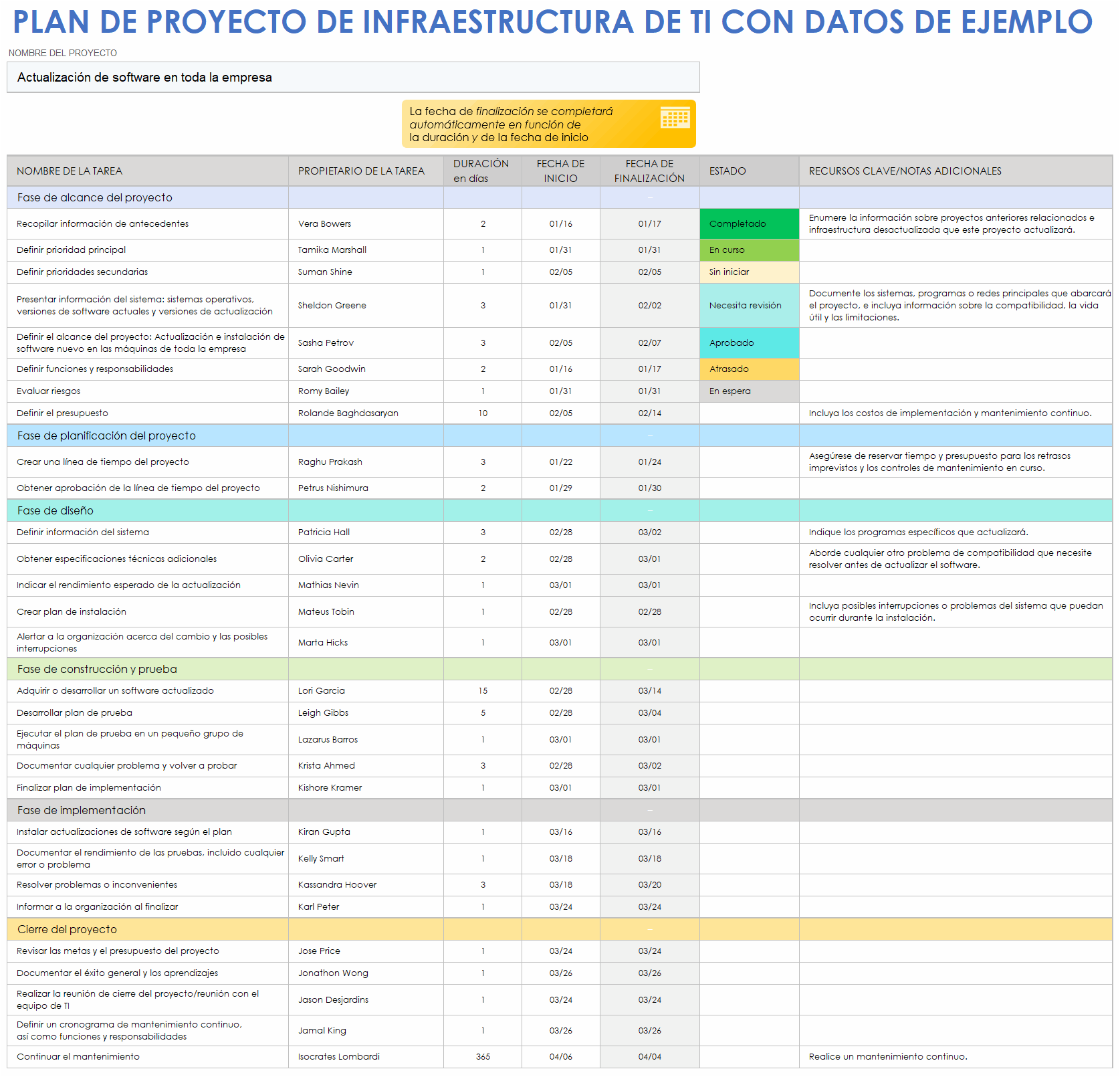
If your IT team is constantly asking "where is this recorded" or "who touched this server ," you don't just have an organizational problem: you lack documentation of your IT infrastructure. When critical information is scattered across old spreadsheets, lost emails, or just in the heads of a few people, any incident becomes a minor disaster, and time is wasted searching for data instead of solving problems.
Furthermore, a lack of clear records leads to frustration, reliance on tech experts, and security risks . Various studies indicate that most employees become frustrated when they can't quickly access the information they need, resulting in wasted minutes, hours, and money. Creating robust IT infrastructure documentation isn't bureaucracy; it's building the backbone that makes your IT department scalable, auditable, and resilient.
What exactly is IT infrastructure documentation?
When we talk about IT infrastructure documentation, we are referring to the entire set of written records, diagrams, and references that describe how your technical environment is set up: hardware, network, physical and virtual servers, cloud, applications, operational processes, security policies, and incident plans.
This documentation works like a map: it reduces reliance on people's memory , unifies criteria, helps everyone understand how the pieces fit together, and minimizes misunderstandings when multiple teams work on the same systems.
It includes everything from an inventory of devices with their serial numbers to detailed backup procedures, network topologies , firewall rules, Docker container configurations, or service level agreements (SLAs) that set availability goals.
Without that written foundation, any change, audit, or serious security issue will catch you off guard, because there's no single source of truth about what you have, how it's configured, and who's responsible for each piece.
Why it's worth documenting your IT infrastructure
Proper documentation isn't just a nice-to-have; it's a direct tool for improving efficiency, security, and business continuity . Its benefits are evident in daily operations and during critical moments.
First, it speeds up incident resolution: the team doesn't waste time guessing configurations or asking who made the last change. They consult the log and take action. This translates into less downtime and less stress when something goes wrong in production.
It also makes onboarding much smoother: new team members can get up to speed without relying on someone to explain everything verbally. With clear guides, diagrams, and SOPs, the learning curve is shortened, and senior employees don't spend weeks answering the same questions.
From a legal and compliance perspective, solid documentation helps demonstrate compliance with regulations such as GDPR or ISO 27001 , which require evidence of how you protect data, how you manage access, and how you ensure the availability and resilience of services.
Finally, documentation provides transparency and improves collaboration: everyone sees the same up-to-date picture of the infrastructure , dependencies are understood, single points of failure are identified, and investments and changes can be planned with sound judgment rather than blindly.
Which parts of the IT infrastructure need to be documented?
One common fear is not knowing where to begin. The key is to prioritize the types of documentation that have the greatest impact and cover them in sufficient detail, without resorting to writing novels that no one will read.
Physical, virtual, and cloud infrastructure
The first layer is the infrastructure inventory. Here you should register all the physical and virtual elements that make up your IT environment , both on-premises and in the cloud.
- Hardware inventory: Servers, workstations, switches, routers, firewalls, storage arrays, access points, etc. Include model, serial number, purchase date, location, responsible party, and, if applicable, which service or user it is assigned to.
- Network diagrams: A visual representation of how network devices are connected, what subnets exist, what firewalls segment traffic, and what WAN/Internet links you have. This is invaluable for diagnosis. connectivity problems and bottlenecks.
- Server configurations: Operating system and version, allocated resources (CPU, RAM, disks), installed software, running services, and critical dependencies. If a server goes down or needs to be rebuilt, this information reduces recovery time.
- Cloud services: virtual machines, containers, managed databases, load balancers, security policies, VPCs, security groups, and integration points in providers such as AWS, Azure, or Google Cloud.
Ideally, this work should be supported by an ITAM tool or an IT documentation solution to automate change discovery and tracking whenever possible, rather than keeping everything manually in a spreadsheet that ages poorly.
Standard Operating Procedures (SOPs)
The next section is Standard Operating Procedures, the famous SOPs. These are documents that describe, step by step, the team's recurring tasks , with the goal of enabling anyone to perform them consistently.
- Backup and recovery: What is backed up, how often, on what media or service, how long the backups are kept, and how restoration is performed. You can also include RPO and RTO targets for key systems here.
- Patch and update management: how updates are tested, in what order they are deployed, how to roll back if something fails, and what maintenance windows are used to reduce impact.
- Onboarding and offboarding: clear checklists of what to do when someone enters or leaves the organization: account creation and removal, device assignment and recovery, additions/deletions in groups and permits, etc.
A good SOP prevents each technician from doing things "their own way" and ensures consistency and traceability in critical tasks such as applying security patches or revoking access.
Policies, rules and acceptable use
Another essential type of documentation is policies, which define the rules for using IT systems, data, and services . These tend to be more stable over time than procedures, but are just as necessary.
- Access control policy: principles of least privilege, who can request access to what, how it is authorized, what authentication mechanisms are required (e.g., MFA) and how permissions are revoked.
- Password policy: minimum complexity, expiration, when the use of password managers is allowed, how resets are handled, and what practices are prohibited (such as sharing credentials).
- Acceptable Use Policy: limits on the use of corporate equipment, restrictions on the installation of unauthorized software, use of personal cloud services, connection of external devices, etc.
These policies, when well written and communicated, set clear expectations and also serve as evidence in security and compliance audits.
Incident management and business continuity
If there's one thing we've learned over the years, it's that incidents aren't a remote possibility; they're a statistical certainty. That's why you need specific documentation for incident response and business continuity.
- Incident classification: Criteria for assigning severity (low, medium, high, critical) based on business impact, data affected, or geographical scope.
- Escalation procedures: who is notified at each level, what channels are used, and what response times are expected according to the SLA.
- Containment and recovery: Specific guidelines for isolating compromised systems, analyzing root cause, and restoring services to normal. Includes technical runbooks with commands, sequences, and checkpoints.
In organizations with high availability, this part connects directly with the SLAs, where metrics such as uptime, MTBF and MTTR are defined , and details are made about what downtimes are acceptable, how they are accounted for and what compensation mechanisms exist.
Software, applications and APIs
Beyond the infrastructure, it is important to document the software that runs on it, both for internal users and for external developers and systems.
- Settings: Key application, database, and middleware options, with their current values and possible ranges. This allows for the replication of environments and Avoid errors when modifying critical settings.
- Update procedures: Steps to update versions of applications, databases or services, what tests to run before and after, and what dependencies to consider.
- Integrations and dependencies: map of which systems talk to which, which APIs are used, what endpoints exist, what data formats they handle, and what happens if a piece fails.
In the development field, this layer is complemented by more specific technical documentation: user manuals, API documentation, developer guides , installation guides, release notes, FAQs or white papers that delve deeper into certain solutions.
Key categories of IT technical documentation
When discussing technical documentation in general, not just infrastructure, it's important to understand that not all documents serve the same purpose or are intended for the same audience . Understanding the categories helps you avoid mixing content, ensuring that each user can find what they need.
On one hand, there is documentation designed for end users: user manuals, quick guides, FAQs, written or video tutorials that explain how to use an application or service without needing to know what's underneath.
On the other hand, there is the technical and product documentation, which goes into detail about requirements, architecture and system design: functional and non-functional specifications , UML diagrams, module descriptions, API documentation, integration guides or test documentation (cases, acceptance criteria, results).
Finally, we have documentation focused on developers and internal IT teams: commented code, programming style guides, deployment instructions , development environment configuration, changelogs, release notes, or manuals for system administrators.
Not everything is technical documentation, and it is important to distinguish it from marketing materials, business plans, purely internal policies or commercial proposals , which may use technical language but are not intended to explain how a product works or is used from an operational point of view.
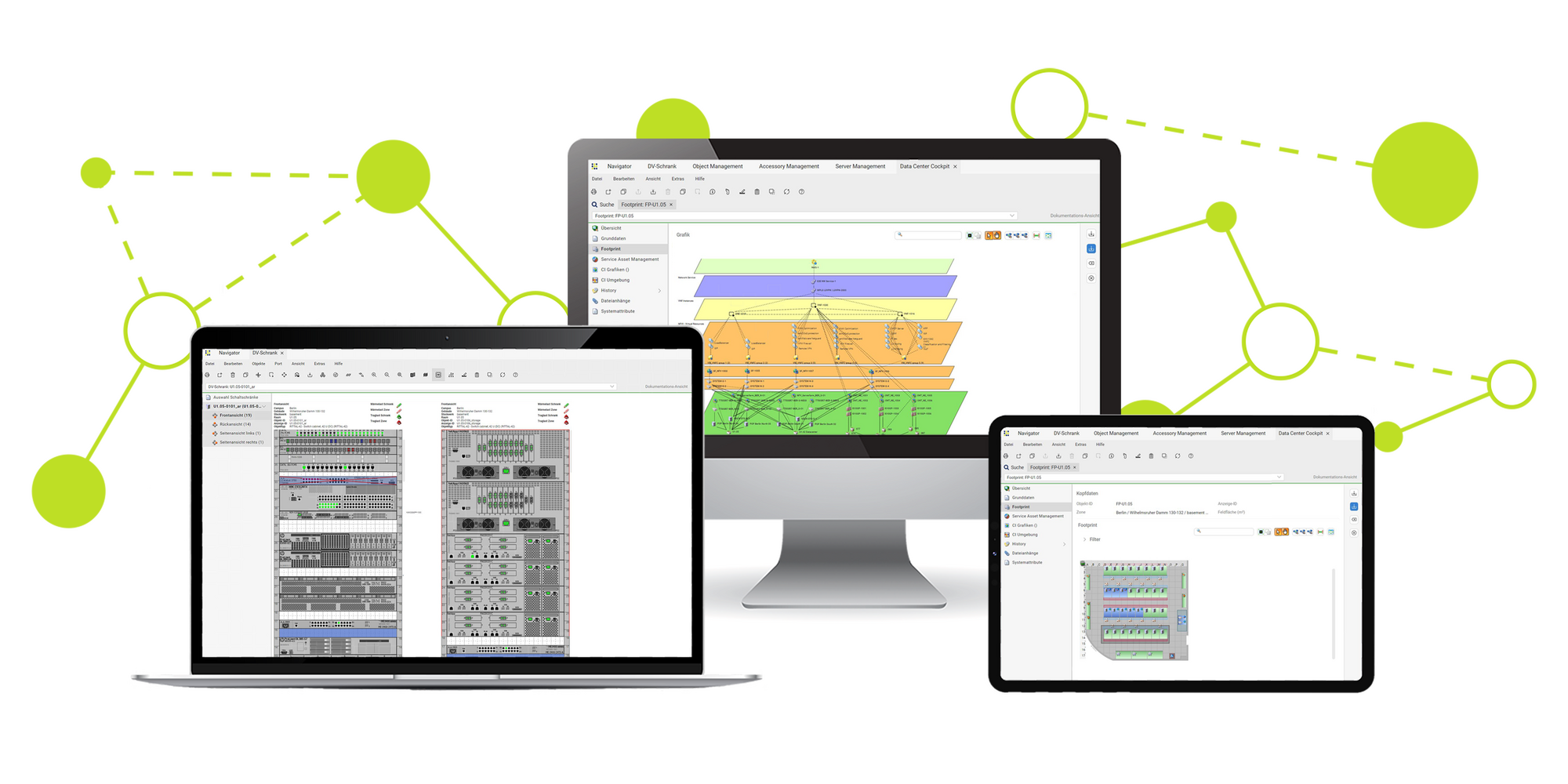
How to write truly useful IT infrastructure documentation
Once you know what you want to cover, it's time to get to work. To prevent your documentation from becoming a useless mess, each document should follow a basic structure that makes it easy to read and maintain.
Always begin by defining the purpose and scope : why the document exists, what it covers (and what it doesn't), and who it is intended for. Then, provide detailed step-by-step instructions for the procedures, using clear numbering, lists, and, where appropriate, flowcharts or network maps.
Don't forget to assign roles and responsibilities : who maintains the document, who should follow its instructions, and who should approve changes. And, very importantly, include version control information : date of last revision, author, and a brief change history.
To prevent this from becoming outdated, define a document lifecycle management process: needs identification, drafting, peer review, publication, and periodic reviews . Assign specific responsibilities and set reminders; otherwise, no one will find the time "later."
Regarding style, use simple and direct language, avoiding unnecessary jargon. Reinforce the text with diagrams, screenshots, and concrete examples when a step might be confusing or have a significant impact if done incorrectly.
Tools to document your infrastructure and software
These days, it doesn't make sense to compile all your documentation from loose documents and spreadsheets. There's a wide range of tools that help you centralize, version, and share knowledge much more effectively.
In the collaborative field, platforms such as Confluence, Notion or Document360 allow you to create spaces organized by areas (infrastructure, security, development, product), edit with multiple hands, control permissions and connect with other tools such as Jira or project managers.
For documentation more focused on development, tools like GitBook, Docusaurus, or MkDocs make it easy to generate static sites from Markdown or similar content, integrated with code repositories and CI/CD pipelines, which fits especially well with teams that already work with Git.
If you want to generate documentation directly from the code, you have utilities like Javadoc, Doxygen, JSDoc or Sphinx , capable of reading structured comments in the source code and producing HTML documentation with references to classes, methods and structures.
For specific infrastructure and network inventory and documentation, there are dedicated solutions such as Hudu or IT documentation suites that integrate password management, change tracking, CMDB, cabling documentation, licenses, maintenance contracts, and relational views between assets.
Best practices to ensure documentation works effectively in daily operations
Beyond the tool itself, what makes the difference is the culture and practices adopted by the team. A good guideline is to treat documentation as a living product, not as a one-time deliverable.
First, make navigation simple: structure the documentation like a textbook with a clear index and an efficient search function , so finding something takes only seconds. Avoid mazes of links or endless menus.
Second, add interactive or practical examples. A Standard Operating Procedure (SOP) with ready-to-copy commands, or an API guide with working examples in various languages, is much more useful than an abstract description. Stripe, Twilio, and MDN are excellent resources in this regard.
It's also a good idea to open feedback channels: allow users of the documentation to rate pages, suggest improvements, or report errors . This continuous improvement loop helps you adapt the content to reality and identify gaps.
Finally, define maintenance routines: quarterly reviews of critical documents, verification that the described steps remain valid, and updates after every relevant change in infrastructure or software. Outdated documentation is almost worse than no documentation at all , because it creates a false sense of security.
High availability, IT security and its reflection in documentation
In more complex architectures, IT infrastructure documentation intersects directly with high availability (HA) and cybersecurity . Knowing what hardware you have is no longer enough; you must be able to demonstrate how you guarantee that services will remain operational despite failures and attacks.
Start with the SLAs: clearly document the uptime, MTBF, and MTTR targets for each critical service, how they are calculated, what maintenance windows are considered, and what escalation mechanisms come into play when they are not met. This information should directly guide redundancy design and response procedures.
In terms of design, the documentation should describe hardware, network, and data redundancy strategies : active/active or active/passive clusters, duplicate network links, load balancers, replicated storage, etc. It should also describe failover mechanisms and load balancing configurations that allow traffic to be diverted if a node fails.
If you work with microservices, you need to reflect the architecture: what services exist, what each one does, how they communicate via APIs, what resilience patterns are used (circuit breakers, retries, timeouts, fallbacks) and what role the API Gateway plays as a single point of entry, authentication, request limiting and caching.
In terms of security, the documentation should detail identity and access management (IAM) , encryption mechanisms in transit (TLS) and at rest (e.g., AES-256), the use of WAF in front of public APIs, and the integration of IaC template analysis tools or vulnerability scanners into the pipelines.
Infrastructure as code, documented monitoring and resilience
Infrastructure as Code (IaC) changes the way infrastructure is documented: much of the documentation is now in the definition files themselves (YAML, HCL, JSON) and in the repositories that manage them.
In this context, it's important to document how the repositories are organized, what modules or stacks exist, what variables control behavior, and what environments are generated from the same commits . This reinforces the idea that staging, pre-production, and production should be as identical as possible.
Monitoring and observability also require their own layer of documentation: what tools you use (Prometheus, Grafana, Datadog, etc.), what standard dashboards are available, what key metrics you monitor (the “four golden signals” of latency, traffic, errors and saturation) and what thresholds trigger alerts.
Another key element is resilience testing and so-called Game Days: documented simulations where controlled failures are caused (node failures, network outages, database loss) to verify that the architecture responds as expected and that recovery times align with SLAs and continuity objectives.
All of this must be documented: tested scenarios, results, lessons learned , and changes applied to the design or procedures as a consequence. In this way, resilience ceases to be a matter of "we have faith" and becomes something measurable and verifiable.
Costs, licenses, and asset management in IT documentation
One aspect that's often left until last, and then causes problems, is the relationship between infrastructure documentation and ongoing IT costs . If you don't know exactly what you have, it's impossible to optimize what you're paying for.
Your documentation should include not only a list of assets, but also their maintenance contracts, renewal dates, associated licenses, and approximate costs (hardware, SaaS subscriptions, cloud services, etc.). This allows you to anticipate renewals, avoid surprises, and identify underutilized resources.
With a well-maintained database, it becomes easier to make investment decisions: migrating services to another provider, consolidating servers, adjusting cloud instance sizes, or negotiating better terms with manufacturers and partners.
Furthermore, by having a clear understanding of the relationship between assets, services, and users, you can more accurately assess the economic impact of an incident or an improvement project, which helps to align IT with the business and justify budgets.
In short, IT infrastructure documentation is not just a technical repository; it is also a management and planning tool that becomes essential as the environment and dependencies grow.
A well-documented IT infrastructure is noticeable because teams solve problems quickly, new technicians integrate smoothly, audits cease to be an ordeal, and decisions about changes or investments are based on data, not hunches. Dedicating time and method to this documentation transforms what may seem like a lot of tedious tasks into a strategic asset that provides control, security, and the ability to evolve without being in a constant state of emergency.


Passionate writer about the world of bytes and technology in general. I love sharing my knowledge through writing, and that's what I'll do on this blog, show you all the most interesting things about gadgets, software, hardware, tech trends, and more. My goal is to help you navigate the digital world in a simple and entertaining way.
Table of Contents
- 1 What exactly is IT infrastructure documentation?
- 2 Why it's worth documenting your IT infrastructure
- 3 Which parts of the IT infrastructure need to be documented?
- 4 Key categories of IT technical documentation
- 5 How to write truly useful IT infrastructure documentation
- 6 Tools to document your infrastructure and software
- 7 Best practices to ensure documentation works effectively in daily operations
- 8 High availability, IT security and its reflection in documentation
- 9 Infrastructure as code, documented monitoring and resilience
- 10 Costs, licenses, and asset management in IT documentation