- Shein centralizes its customer service through a chatbot and an online help center with extended hours.
- The phone call is only offered after going through the chatbot and during reduced working hours.
- Social media can be helpful, but it is usually slower than official channels.
- Refunds are managed from the user's account with several methods and clear deadlines.
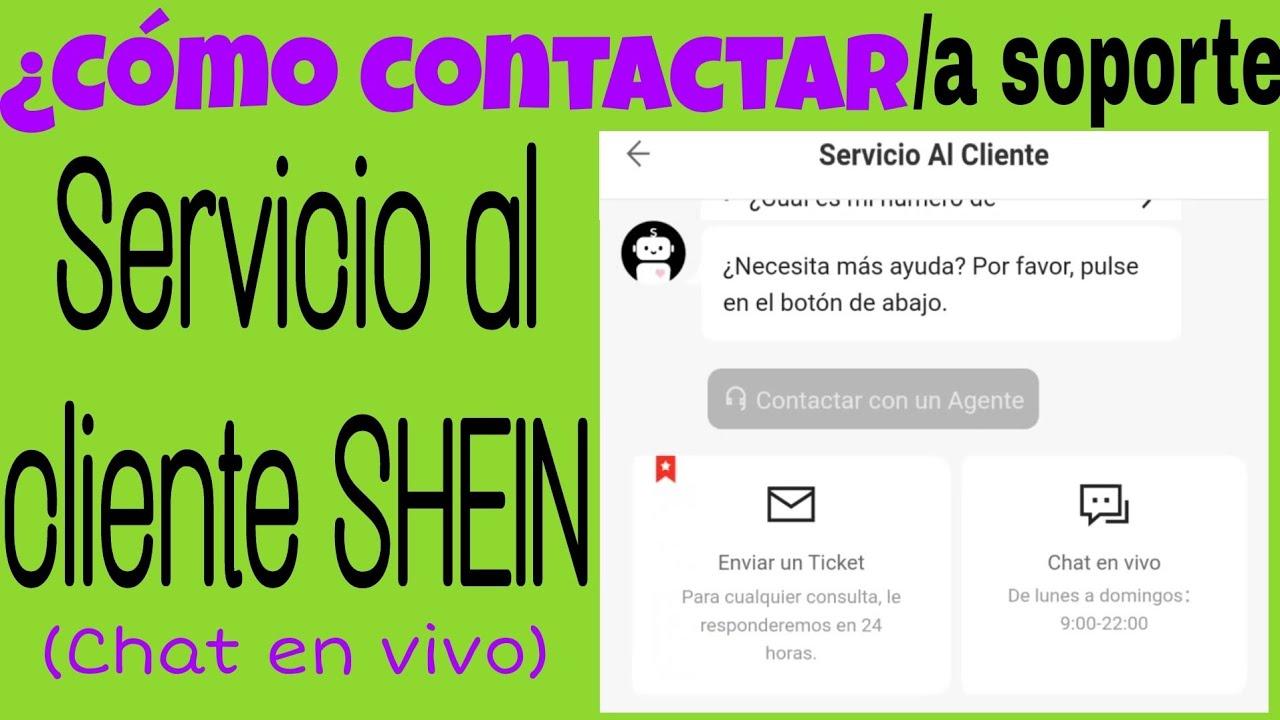
If you shop at Shein frequently, sooner or later you'll need to contact Shein customer service to resolve a question or issue with your orders, payments, or returns. While the platform is designed to be almost entirely automated, there are times when it's helpful to have someone lend a hand on the other side of the screen.
The problem is that it's not always clear how best to contact Shein , what their hours are, if they have a real phone number, or if you can reach them through social media in Spanish. Here you'll find, neatly organized, all the official ways to communicate with the brand, how their chatbot works, when they might call you back, what options are available within the app, and how to manage returns without waiting for an agent.
Ways to contact Shein customer service
Before we delve into each channel in detail, it's important to understand that Shein centralizes almost all of its support in its own online help center. From there, you can access the chatbot, review orders, manage returns, and, if necessary, speak with a person via chat or even phone.
According to the company's own support page, general customer service hours are from 9:00 AM to 22:00 PM, Monday to Sunday, for online service (chat and web support). For phone calls, the hours are more limited and only cover Monday to Friday from 09:00 AM to 17:00 PM , excluding holidays.
In addition to the help center, Shein also encourages users to explore the FAQ sections , which are quite comprehensive and cover everything from order and delivery issues to payment, promotions, stock availability, and account management. And, as an added bonus, there are support channels on social media platforms like Facebook, Instagram, and TikTok that can help if you're having trouble with the main system.
However, the company makes it clear that, given its large customer base ( tens of millions of users worldwide , with figures close to 89 million according to Statista), social media platforms tend to be slower. Therefore, they always recommend starting with the help center and chatbot before sending private messages.
In the following sections you will see, step by step, how to take advantage of all these channels : Shein's chatbot, possible telephone contact, social networks, the app, frequently asked questions and how to process returns without complicating your life.
Shein's chatbot: the main support channel
The brand's flagship support channel is an automated chatbot available 24/7 , designed to instantly answer most common user questions. Shein prioritizes this tool for handling all aspects of orders, shipping, returns, and account issues.
To access the chatbot from the website, you need to log in with your Shein account and look in the top right corner for the "Customer Care" icon or link. From there, you'll enter the help center and see the option to open the chat to start a conversation with the virtual assistant.
Once inside, the chatbot allows you to manage a wide variety of inquiries : order cancellations that are still in process, questions about the status of a shipment, inquiries about returns, refunds, coupons, payment problems, or even issues with specific products. It typically guides you through a series of predefined options to better understand your needs.
As the conversation progresses, the system may offer to escalate your case to a human agent , either within the chat itself or by suggesting a phone call. This doesn't always happen, but it does occur when the issue is unusual or the bot detects that it hasn't been able to resolve your problem automatically.
The reality is that Shein tries to resolve as much as possible through a 100% automated system , reserving human intervention for more specific or complex cases. This reduces waiting times, but also requires a bit of patience at first and following the bot's suggested options, even if they seem somewhat repetitive.
Regarding hours, the chatbot is available continuously, although Shein's official information indicates customer service hours from 9:00 AM to 22:00 PM for its standard service. You can usually start a conversation at any time, but if you need to speak to a live agent, you're more likely to get one within those hours.
Shein customer service by phone
One of the biggest questions many users have is whether Shein has a direct phone number to call when there's a serious problem or when we're having trouble with the chatbot. The company does offer phone support, but it manages it in a fairly controlled way to avoid being overwhelmed with calls.
As the company itself explains, you won't find a publicly visible phone number in the customer service section of the website. In other words, even if you search through the help center options, you won't see a link like "Call us at…". Instead, the call option is only offered after you've tried to resolve the issue through the chatbot.
Therefore, if you want to be assisted by phone, you'll first need to start a conversation with the bot , explain the problem in some detail, and follow the instructions it provides. If the system detects that the issue is complex or cannot be resolved automatically, it may give you the option to request a call back or display the number so you can call it yourself.
This way of working makes sense from Shein's point of view: by filtering all cases through the chatbot , they ensure that only the queries that really need it reach the phone, preventing the service from collapsing with basic questions that could be resolved in seconds in an automated way.
Regarding the hours, the company itself indicates that telephone support is only available Monday through Friday, between 09:00 AM and 17:00 PM , excluding holidays. This means that if the chatbot offers you the option of a callback, you'll need to check that your request falls within that timeframe; otherwise, the call option will not be available.
With this in mind, the most practical approach is to try contacting them by phone first thing in the morning or early in the afternoon within that timeframe. During peak hours, there is usually a higher volume of inquiries, and although no estimated waiting time is published, it's reasonable to expect that it could take longer than desired.
Contact Shein through social media
In addition to the help center and chatbot, Shein offers the option to contact customer support through its social media channels . It's not the primary channel (and the brand itself asks for patience if you choose this route), but it can be helpful if you've already tried the official options and still haven't resolved your issue.
The most commonly used social network for these topics is Facebook . To use it, you need an account on the platform and to find the corresponding official Shein page. The support page is usually in English, and according to the brand's own information, there isn't a specific Spanish-language profile dedicated exclusively to customer service.
When you visit Shein's Facebook page, a chat window usually opens automatically in the bottom right corner. From there, you can explain your issue, and if agents are available, someone from the support team will respond. The conversation might be slower than with the chatbot, but in return, the service tends to be more personalized.
If language is a barrier and you're not fluent in English, you can always use tools like Google Translate to write your messages or understand the replies you receive. It's not the most convenient option, but it can get you out of a bind if you prefer to talk to a human, even if it's in another language.
Shein also has active profiles on Instagram and TikTok , where you can send direct messages. On Instagram, there are Spanish-language profiles you can try to contact them through, and on TikTok, you can usually send up to three messages while your request is pending. Links to these accounts appear at the bottom of the official website, and Facebook and Instagram are especially useful as first options.
However, on X (formerly Twitter), the situation is different: the brand's main profile is usually dedicated to news, press releases, and corporate content , and not so much to support. From that account, they indicate that any questions should be directed through Shein's help page, so it's not the best way to resolve specific issues.
In any case, the company itself warns that if you choose social media, patience is key due to the large volume of messages they receive daily. There's no guaranteed response time, and in many cases, you'll get a faster solution by using the support center and chatbot on their website or app.
How to contact Shein from the mobile app
If you usually shop on your mobile device, you'll probably find it more convenient to contact customer service through the Shein app than through a web browser. The app replicates almost all the options from the website, but groups them into slightly different menus that are worth familiarizing yourself with.
To access support from the app, first log in to your user profile . Once there, locate the "Support" section or something similar, usually found under "More services" or "Other services." Tapping on this option will open the mobile-specific help center.
In this help center, Shein lets you search by category for frequently asked questions : order issues, shipping status, returns, refunds, payments, promotions, products, stock, or information related to your account. It's virtually the same as on the website, but adapted for faster navigation via taps.
If you still can't find what you're looking for after browsing the categories, the app itself shows you the option to contact customer support directly below . Selecting this option opens the chatbot we mentioned earlier, but integrated into the app so you don't have to switch devices or open a browser.
From this chat in the app you can follow the same steps as in the web version: explain your problem, review the automated responses and, if necessary, try to get the query to a human agent or lead to a phone call within the established hours.
Shein FAQs: Get your questions answered instantly
One of the most time-saving resources is Shein's FAQ section , available on both the website and the app. The company has organized it into thematic blocks that compile the main problems users typically encounter throughout the purchasing process.
In these FAQs you will find sections for orders, deliveries, returns and refunds , as well as payment and promotions, product and stock issues, and questions related to your account (login, password change, modification of personal data, etc.). Each section includes subcategories and specific articles.
Thanks to this system, it's quite easy to find answers to very specific questions such as: how to change the shipping address, what to do if you haven't received the order confirmation email, how to apply a discount coupon, what the different package statuses mean, or how long it takes to receive a refund after returning an item.
In addition to browsing the categories, you can use the search bar at the top of the help center . Simply type in a keyword related to your issue (for example, "late return" or "undelivered order") and the page will display the most relevant answers for that term.
Each help article typically features clear dropdown menus or blocks of text that explain the steps to follow or the company's terms and conditions for that specific topic. This often allows you to resolve your question in under a minute without needing to open a chat or wait for assistance.
An important detail is that, at the end of many of these responses, Shein adds a link such as "Contact customer service ." If you feel the explanation doesn't resolve your specific situation, you can use that link to jump directly to the chatbot and explain your case in more detail.
How to manage returns on Shein without complications
One of the most common reasons for contacting customer service is to process a return on a Shein order . However, the platform has greatly simplified this process, so in most cases you don't need to contact anyone and can manage everything from your user area.
To initiate a return, log in to your account and access your order history . Find the order from which you wish to return one or more items and, within the order details, click on the "Make a return" option or the equivalent in your language. From there, the system will guide you step by step.
According to Shein's Return Policy, orders can be returned within 30 days of receipt. This timeframe is crucial: after 30 days, the system will likely not process the return automatically, and you'll have to contact customer support.
Once you confirm that you want to return one or more products, the platform offers you four main return methods , which may vary slightly depending on the country but, in general, are the following:
Parcel Shop : Shein sends you a return label to print, affix to the package, and take to an InPost or similar collection point. It's a convenient option if you have one nearby and don't mind traveling.
Post Office : You'll also receive a return label that you can print at home or, in many cases, have printed at the post office at no extra cost. Then you just need to hand the package in there with the label clearly visible.
GLS : Similar to the previous options, but using GLS courier service collection points . Again, you can print the label yourself or request that it be printed for free at the corresponding collection point, according to the instructions you receive.
Self-shipping : In this case, you are responsible for arranging the return shipment. Write the return address provided by Shein on the package and take it to your preferred post office. Then, enter the tracking number and proof of shipment in the "Returns Log" section within "My Orders" so they can track the package and process your refund.
One important point to remember is that the return label for the first order is usually free . If you return some items and then decide to send back more products from the same order in a second shipment, that new label will have a cost (for example, €4,50 in many cases). Therefore, it's advisable to carefully check everything you want to return and pack it all in one package whenever possible.
If you correctly follow the steps indicated on the website or in the app, you will rarely have to contact customer service for a simple return, unless the system fails, the label is not generated , or you have any doubt about the deadlines or the methods available in your specific area.
When and how is it best to contact customer service
Although Shein offers several communication channels, not all of them are equally fast or work equally well at all times of day. Therefore, it's worth carefully choosing the time and channel before requesting assistance, especially if your issue is urgent.
In general, it's recommended to contact us first thing in the morning or late in the afternoon , within official business hours. During peak hours (especially around midday), the workload is usually higher, agents are more overwhelmed, and wait times are likely to increase significantly, both via chat and telephone support.
If you're hoping to get a call, remember that the phone line is only operational Monday through Friday, from 09:00 AM to 17:00 PM . Trying to force a call outside of those hours is pointless, as the system won't offer that option and you won't be able to schedule an appointment with an agent.
In addition, before opening a chat or contacting support via social media, it's a good idea to take a few minutes to review the frequently asked questions in the help center. You'll be surprised how many problems can be resolved with a simple article on the website itself, avoiding unnecessary waiting and back-and-forth communication with support.
If you still have a question after reading the FAQs, then escalating to the chatbot, requesting an agent, or contacting social media platforms like Facebook or Instagram makes sense. Responses on platforms like X or TikTok tend to be slower or less support-oriented, so they're less suitable for urgent issues.
Ultimately, the key is to combine the options well: first the FAQs and the chatbot , then, if necessary, a human agent or a call within the permitted hours, and, as support, social media if everything else doesn't convince you or you've had a problem with the official channel.
From everything we've seen, it's clear that Shein has set up a support system heavily focused on the chatbot and online help center , reserving phone support and social media contact for more specialized cases or when users can't find the answer in the FAQs. Familiarizing yourself with these channels, their hours of operation, and return policies will allow you to resolve almost any issue without too much trouble and make the most of the tools the platform itself provides.

Passionate writer about the world of bytes and technology in general. I love sharing my knowledge through writing, and that's what I'll do on this blog, show you all the most interesting things about gadgets, software, hardware, tech trends, and more. My goal is to help you navigate the digital world in a simple and entertaining way.