- PipeWire unifies audio and video management, overcoming the limitations of PulseAudio in professional environments.
- Latency reduction depends on the precise quantum configuration and system clock frequency.
- The use of professional audio profiles and optimized kernels allows for near real-time performance.

If you're a music producer, a hardcore rhythm gamer, or simply hate that slight delay between what happens on screen and what you hear, you'll know that audio on Linux has been a minefield. For years, PulseAudio reigned supreme, but while it served its purpose for the average user, it fell short when you needed immediate sound response without those annoying clicks and delays.
This is where PipeWire comes in, a modern media server that aims not only to replace the old system but also to unify the entire ecosystem. It's not that PulseAudio was a disaster, but needs have evolved toward complex Bluetooth devices and professional workflows that require a much more flexible and powerful architecture.
Site Installation and Preparation

To start getting the most out of your system, the first thing you need is the necessary toolset installed. Depending on your distribution, you'll need to look for the pipewire, pipewire-pulse, pipewire-alsa, and pipewire-jack packages . Don't forget to include wireplumber, which is the brain that manages the sessions, and pwvucontrol for visual control of what's happening with your sound cards.
In distributions like Ubuntu 22.04 or Linux Mint 21, the process involves disabling PulseAudio using systemctl commands and masking its services so they don't interfere with the new infrastructure. For maximum performance, a highly recommended option is to install the Liquorix kernel , which is specifically optimized for desktop and real-time audio tasks, drastically reducing dropouts.

Deep Latency Adjustments in PipeWire
The key to restoring the audio is in the file. pipewire.conf (which you can locate or create in ~/.config/pipewire/). Within the section context.propertiesYou should focus on the default clock quantumThis value determines the buffer size; the lower it is, the lower the latency. For modest systems, 64 is usually a safe value, while on powerful machines it can be lowered to 32. It is essential that these numbers follow a base 2 geometric sequence (such as 32, 64, 128).
Don't just keep the main file. In pipewire-pulse.confIt is vital to adjust the priority levels nice.level y rt.prio so that the system gives it absolute preference to audio regarding other processes. Also, in the file jack.confYou must synchronize the node.latency and the node.quantum with the values you defined earlier so that applications using the JACK protocol do not create bottlenecks.

Hardware Optimization and WirePlumber
To take the configuration to the next level, you need to access WirePlumber's settings. Creating a file alsa.conf In the configuration folder, you can force your sound card to work in Pro Audio modeTo achieve this, first use wpctl status to identify your device and then define that the api.alsa.period-size match your default quantum.
If you are an advanced user, you can modify the system boot process by changing GRUB to enable it. CPU Governor in performance modeThis prevents the processor from lowering its frequency to save energy, which is the number one enemy of audio stability. It is also advisable to adjust the sysctl.conf to reduce the swappingpreventing the system from writing audio data to the hard drive, which would cause instant clicks.
Enhancements for Gaming and Professional Production

For those who play rhythm games like O2Jam or DJMax, using Lutris and optimized Wine prefixes (like those in osu-winello) makes a world of difference. An extra tip is to disable your desktop's window compositor, as V-Sync and other visual effects can introduce a subtle but annoying lag. For musicians, installing the KXStudio repository opens the door to a vast number of VST plugins and tools like Carla or REAPER.
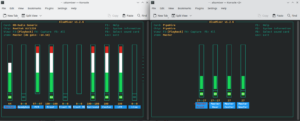
If you work with Windows virtual machines, projects like PWAR (PipeWire ASIO Relay) They allow bridging ASIO audio directly to Linux, eliminating the need for expensive physical hardware and allowing live monitoring with almost nonexistent latency. To verify that everything is in order, the command pw-top It's your best ally, because it shows you in real time which quantum is each application using?.
The transition to a PipeWire-based architecture allows Linux to shed its reputation as a difficult system for audio and transform into a formidable workstation. By combining a low-latency kernel, proper quantum management, and process prioritization, it's possible to achieve professional-level audio performance capable of satisfying both competitive gamers and sound engineers.


Passionate writer about the world of bytes and technology in general. I love sharing my knowledge through writing, and that's what I'll do on this blog, show you all the most interesting things about gadgets, software, hardware, tech trends, and more. My goal is to help you navigate the digital world in a simple and entertaining way.