- Pop-in is the sudden appearance of objects and textures in video games due to technical or optimization limitations
- The main causes include hardware Slow, poorly optimized graphics engines, and inefficient resource loading systems
- The most effective solutions are the use of SSD, technologies such as Nanite, and a correct graphic and performance configuration drivers
- Extensive quality testing and advancements in graphics engines promise to minimize pop-in in future games.
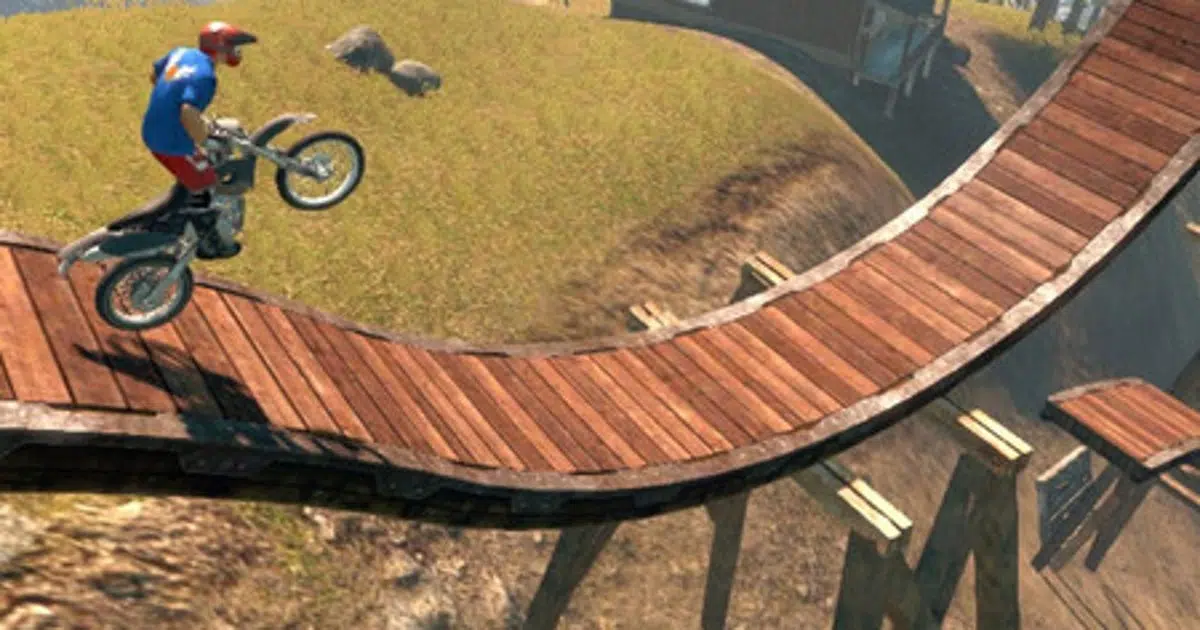
Have you ever noticed that while exploring an open world or traversing a stage in your favorite video game, a tree, a house, or the texture of a mountain that wasn't there a second ago suddenly appears before you? That, my gamer friend, is the dreaded pop-inIt's one of those visual issues that can completely take you out of the experience and make an environment that should be immersive feel artificial. In this article, you'll discover What pop-in is, why it occurs, and most importantly, how to avoid it so your gaming experience is as smooth and spectacular as possible.So, if you want to enjoy your digital adventures to the fullest without any visual scares or things magically materializing before your eyes, keep reading, because we'll tell you everything here, in detail, and why each one happens.
El pop-in It's not a new phenomenon; it's been with us for many years and has been present in legendary series and AAA titles, but also in indie and lower-budget games. However, technologies are advancing, and there are increasingly more solutions (some truly impressive) to eliminate it, or at least disguise it as much as possible. In this extensive and detailed article, we explain not only the concept but also the technical reasons for pop-in, the graphics engines that suffer most from it, and the measures, both hardware and software, to overcome it whenever possible.
What is pop-in in video games and where does it come from?
El pop-in It is a visual phenomenon that occurs when Elements such as objects, textures, or even entire sections of the scenery suddenly appear on the screen. when we get too close to them. They are not usually present from the beginning, but the graphics engine decides that "it's time" to display them because we have gotten close enough. The reason is related to the resource management and video game performance. To learn more about diagnosing graphics and performance issues on your hardware, you can visit What is pop-in in video games and how to avoid it? and optimize your system.
Basically, when a video game developer designs their environments, especially in open worlds or very large scenarios, they have to make decisions to ensure that everything works correctly and does not saturate the system memory, graphics card, or processor. Therefore, techniques of Level of Detail (LOD), which determine when and how object and texture details are loaded based on their distance from the player.
It is usual that at a great distance we see objects with low level of detail, or even that they don't appear at all. As we approach, the graphics engine replaces simplified models with more detailed versions and higher-resolution textures. However, if this change is not well programmed or the hardware isn't fast enough, the dreaded “pop-in”: Objects or textures appear as if by magic, suddenly and often in a very visible way.
El pop-in can affect:
- 3D Objects: trees, rocks, buildings, vehicles, secondary characters…
- Textures: surfaces of walls, floors, roads, mountains…
- Shadows and light effects: Sometimes shadows only appear when we are close.
- Complete parts of the stage or set: especially in games with very large scenarios.
The result, as you might imagine, can break the sense of immersion and even be annoying, especially when it occurs in the middle of a spectacular scene, in action games, or any time you expect visual coherence.
Why does pop-in occur? Technical causes
Pop-in is not just a glitch, but a optimization strategy that developers resort to due to various technical limitations. To better understand how to solve these problems, we recommend consulting How to troubleshoot graphics card issues in Windows 11Let's review the main reasons:
- Hardware limitations: RAM, GPU speed, CPU and especially the storage (HDD vs. SSD) are key factors. If there isn't enough memory to load all the details of the scene, the graphics engines prioritize what to display on screen and when. If the hardware takes time to read data from the disk, objects may take longer to appear.
- Optimization and graphics engines: The graphics engine usually assigns low-quality models to things that are far away, and increases the level of detail as we get closer. If the LOD system or the streaming textures are not well adjusted, the jumps can be abrupt and noticeable.
- Mala Beads programming or lack of polishingIn some cases, it's a matter of a lack of time, resources, or experience on the development team. Poorly optimized games or games that prioritize other aspects can experience pop-in even on powerful machines.
- Driver bugs or errors: Sometimes pop-in can be caused by incompatibilities with certain graphics cards or driver versions, especially when using new or untested technologies.
An anecdote: in famous titles like the first Assassin's Creed, the sudden appearance of objects and buildings was so noticeable that it happened even on very powerful PCs, proving that it's not always the player's equipment that's to blame, but rather how the game is programmed and optimized.
Pop-in vs. Popping: The Term and Its Variants

In Spain, we sometimes talk about «popping» to refer to this problem, although the correct and most widely used term internationally is "pop-in." The difference is subtle, but "pop-in" refers to the sudden appearance of elements, while "popping" can be used more generically to refer to things that appear and disappear (pop-in and pop-out). To understand the evolution of graphics engines, you can also consult Troubleshooting tools in Windows 11.
Pop-in It is therefore the preferred form in the industry, although many Spanish forums continue to use both terms interchangeably. The phenomenon is exactly the same.
Classic and current examples of pop-in: from Assassin's Creed to Cyberpunk 2077 and Remnant 2
There are games where pop-in has been especially noticeable, while others, thanks to technological improvements, are barely noticeable. Let's look at some notable examples:
- Assassin's Creed (first installment)Even with very powerful rigs, it was common for buildings, NPCs, and environmental elements to appear at the last minute. In its sequels, Ubisoft refined this technique, but the problem was clearly with the graphics engine.
- Rage 1 and Alien Isolation: : Late texture and object appearance issues have been reported, especially on certain AMD cards with poorly optimized drivers. Sometimes switching cards (e.g., from AMD to NVIDIA) was solved thanks to better drivers, something you can also verify in .
- Cyberpunk 2077 on PS4 and Xbox One: Aside from the known launch bugs, texture pop-in was constant due to memory and storage speed limitations. However, in Nintendo Switch 2, thanks to the use of faster storage (SSD) and technologies like DLSS, pop-in is virtually eliminated, according to CD Projekt Red.
- Remnant 2 and Unreal Engine 5: One of the first commercial titles to use Epic Games' Nanite technology, which eliminates pop-in by dynamically and automatically managing the LOD. To understand how it works in video games, visit How to insert and edit charts in PowerPoint.
- Games developed with engines such as Unreal Engine 3 or Gamebryo: They were very prone to pop-in, especially on older generation consoles and PCs with mechanical hard drives.
Pop-in affects all types of video games and platforms, although it is decreasing each year thanks to technology.
The hardware that influences pop-in: CPU, GPU, RAM, and most importantly, storage
One of the most determining factors in the appearance of pop-in is the quality and speed of your hardware:
- Hard Drive (HDD) vs SSDOne of the most common causes of pop-in is the use of slow hard drives, which are unable to load textures or objects in a timely manner. Upgrading to an SSD can significantly reduce this problem, as the read and write speeds are much faster.
- Processor (CPU): The CPU manages what the system loads and when. Bottlenecks in it delay the appearance of elements.
- Graphics card (GPU): If the GPU is old or limited, it prioritizes performance over details, causing pop-in to maintain fluidity.
- RAM: Insufficient RAM causes textures to load and unload with delays and sudden appearances.
The role of drivers and compatibility
Not all hardware components respond equally to every game. For example, some pop-in issues on AMD cards improve when switching to NVIDIA, due to the optimization in driversKeeping your drivers up to date and checking the game's compatibility with your hardware can prevent many issues related to delayed object or texture appearances, as explained in .
Virtual texture systems and real-time streaming
To combat pop-in, some studios develop Advanced texture streaming and virtual texturing techniquesAn example is the system in "Trials Evolution," which analyzes the scene and loads only the textures needed at that time, allowing for huge resolutions without saturating memory and reducing pop-in. To understand how to optimize texture loading, you can refer to 5 best programs to diagnose hard drives and SSDs.
Additionally, technologies like FXAA help smooth transitions between levels of detail and reduce the perception of abrupt texture changes.
Nanite and Unreal Engine 5: Pop-in almost eliminated
A revolution in reducing pop-in has been nanite, Unreal Engine 5's micropolygon technology. Nanite automatically manages the level of detail through polygon density, making objects change seamlessly and barely perceptibly, eliminating abrupt transitions. For more details, visit .
This advancement improves the visual experience and makes it easier for artists and programmers to create more detailed environments without worrying about changing levels of detail. It also optimizes resource loading and unloading and reduces memory usage.
Examples like "Remnant 2" show how Nanite allows you to navigate intricately detailed worlds without anything magically appearing out of thin air, maintaining immersion.
The importance of quality assurance (QA) testing: detecting and correcting pop-ins
Reducing or eliminating pop-in also depends on extensive testing during developmentQA teams test various hardware configurations, resolutions, and drivers to detect issues and fix them before release. For improved performance, you can consult Troubleshooting performance issues in video games.
These tests include:
- Variety of hardware: from low-end PCs to high-end equipment, with different brands and models.
- Performance and stress: simulations to keep pace in complex scenes.
- Loading textures and models: in fast movements and dense scenes.
- LOD Systems: ensuring smooth transitions.
This process helps make the experience as pop-in-free as possible, although in projects with fewer resources it can be difficult to eliminate it completely.
Practical tips to reduce pop-in at home
If you experience pop-in in your games, you can try these recommendations:
- Use an SSD: Biggest improvement in loading times and item spawns.
- Update drivers: Especially those of the graphics card, to improve compatibility and performance.
- Set the graphic quality: Adjusts draw distance and texture quality to balance performance and detail.
- Close background programs: to free up resources and speed up loads.
- Community Mods and Patches: which improve draw distance and LOD systems.
- Upgrade hardware: If your equipment is very old, to reduce limitations.
- Optimize operating system settings: High performance mode and disk defragmentation on HDD.
Real experiences and user opinions
On forums like ElOtroLado.net, gamers share that pop-in persists on older hardware or with outdated drivers. Some report that switching graphics cards (for example, from AMD to NVIDIA) resolved their issues, while others mention that in older or poorly optimized titles, even with powerful hardware, pop-in appears in critical scenes.
With current technological improvements, such as SSDs and engine optimizations, these failures are becoming less frequent and tend to reduce with time. There.
Texture pop-in and streaming: how it works and how to combat it
El texture pop-in It's very common and manifests itself in the transition from blurry to sharp textures, because the high-quality texture hadn't loaded yet. This is most noticeable on consoles with low memory and PCs with slow hard drives. To improve this experience, it's important to understand how the .
The most effective solutions include:
- Texture preloading: load heavy objects before they are needed.
- Dynamic streaming: Load and unload textures based on player movement.
- fast compression: to speed up transmission.
Thus, texture transitions in modern games are becoming smoother, helping to minimize visual pop-in.
Graphical settings to minimize pop-in
Many games allow you to adjust options to reduce pop-in, such as:
- Draw distance: Increasing it reduces the effect, but requires more hardware.
- Texture quality: raising it helps to avoid textural pop-in.
- LOD levels: adjust for smooth shifting and manageable distances.
I recommend experimenting with these settings to find a balance that reduces pop-in without sacrificing too much performance, especially on moderately powerful computers.
Quality testing and its impact on pop-in
Specialized QA companies, such as , detect and correct pop-in issues during development. They review different configurations, hardware, scenarios, and driver combinations to ensure that objects and textures load properly and on time, eliminating the unwanted visual effect in the final development phase.
These checks allow us to polish the final product to make it as stable as possible and to minimize or eliminate pop-in at launch, although in projects with fewer resources, it can be a challenge to completely eliminate it.
How to reduce player pop-in?
For users who want to minimize this problem in their own games, some practical tips are:
- Using an SSD: The most significant improvement in loading times and element appearance.
- Update drivers: especially those of the GPU.
- Adjust graphic settings: Increase draw distance and quality if hardware allows.
- Close background programs: to release resources.
- Apply mods or community patches: to improve draw distance and LOD.
- Update components: if the equipment is very old.
- Optimize Windows: High performance mode and defragment on HDD.


Passionate writer about the world of bytes and technology in general. I love sharing my knowledge through writing, and that's what I'll do on this blog, show you all the most interesting things about gadgets, software, hardware, tech trends, and more. My goal is to help you navigate the digital world in a simple and entertaining way.