 The OS They are the intangible part of a technological device or equipment. They provide us with the virtual and configuration environment to be able to take advantage of and manage the entire hardware interconnected.
They are generally identified with the prefix '(YOU)' at the end of the name and we can use them to install programs or applications that serve to expand their functions to the maximum, so let's get to know the types of operating systems there.
▷You may also be interested in: How to Download and Install Cursors for Windows 10 ▷
What are operating systems?
The operating system is the software that manages, configures, handles and executes the hardware resources, working together to perform tasks, execute programs and connect the user to all these elements.
It is important to consider that an OS is a computer system, totally virtual and intangible, that is, the software. While the hardware is the tangible and physical part of computers, such as the PC, monitor, keyboard, etc.
The 6 Types of Operating Systems That Exist Currently
Although there are several ways to classify operating systemsWhether due to the equipment on which they are installed, the number of users who can use them, or even the capacity they can offer, there are some types of OS that you should take into account if you are studying how they work.
1. Computer Operating Systems
Un PC operating system, of computers or for desktop computers, it is perhaps the most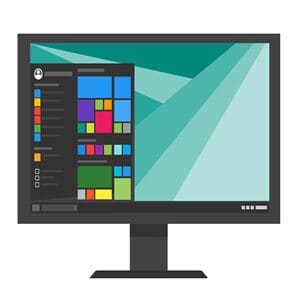 used all over the world. Although at first it was used for simple tasks such as word processing, today they are much more efficient and powerful.
In fact, this type of OS stands out for allowing the expansion of the resources of the hardware (RAM, processors, video card, etc…) to control more complex software such as video editors, simulation systems and a host of other options.
Windows It is the most widely used worldwide, followed by MacOS and Linux, the latter with lots of distributions and systems based on its initial code, although there are still many other proposals to install and that differ according to their capabilities, efficiency and functions.
It is important to consider that the computer systems They are usually multi-user, they are periodically updated via the Internet according to their developers' reviews and they change versions over the years, evolving according to the technological needs of the moment.
List of PC operating systems
- Windows
- webOS
- WaveOS
- Unix
- Ubuntu Linux
- suse linux
- Solaris
- Sabayon
- Red Hat Enterprise Linux
- ReactOS
- (inside Solna Centrum)
- OpenSUSE OpenBSD
- Mac OS
- LindowsOS/Linspire
- Kali Linux
- HP-UX
- Haiku Google Chrome OS
- Gentoo Linux
- freespire
- FreeBSD
- Fedora
- Elementary OS
- Debian
- BeOS
- Android x86
2. Mobile Operating Systems
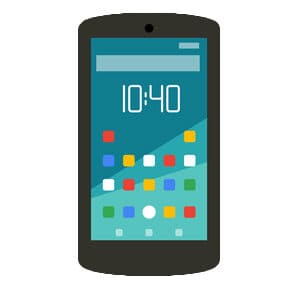 In terms of marketing, the mobile operating systems They have gained relevance because they were created with the portability of cell phones in mind, even before the term “smart” was considered.
In fact, by nature this type of system was developed even for the first cell phones that came onto the market, but without including very advanced features or functions, something far from what we are used to today, which allow us Expand your options through a store of apps.
Mobile operating systems are notable for having device customization options, so that users and developers can configure them according to their own needs, for example, Android.
However, in cases like iOS These types of settings are less accessible, which prevents their codes from being compromised. There are several well-known options on the market for installing them, and they are not only useful for cell phones but also for tablets.
List of mobile operating systems
- Android
- Bada
- BlackBerry 10
- Asha Platform
- CyanogenMod
- BlackBerry OS
- Firefox OS
- HarmonyOS
- HP webOS
- iOS
- LineageOS
- Palm os
- Sailfish OS
- Symbian OS
- Tizen
- Ubuntu Phone OS
- 10 Windows Mobile
- WebOS
- Windows Phone
3. Operating systems for smart watches
Also known as Smartwatch, smart watches have recently emerged on the market and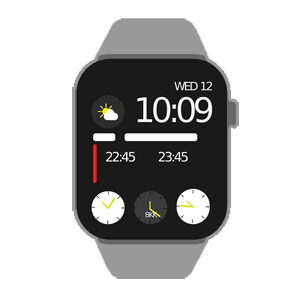 They occupy a share of the devices that users purchase the most, so their operating systems are adapted to their needs. features and capabilities.
These types of systems tend to be more limited, basic and designed to perform tasks similar to those of mobile phones. (such as reading notifications or playing music), but they also include other options such as pedometers, heart rate reading systems, among other things.
It must be considered that a OS for Smartwatch It links to other systems via Bluetooth to be able to read messages, make calls or calculate a GPS location in some cases, so They are not completely independent or self-employed as is commonly thought.
Unlike old mobiles, these systems emerged because traditional and classic clocks require a mechanism, so nowadays That feature is replaced by software with some new capabilities.
Types of operating systems for Smartwatch
- Android
- OpenWatch
- WATCH
- WearOS16
- A
4. Operating Systems for Televisions
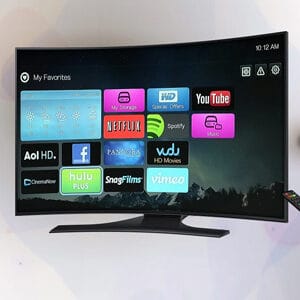 Whether they are intelligent or not, digital televisions They include a small software or operating system that allows you to perform some of its most basic functions, such as adjusting the quality parameters or entering the multimedia reader to play content via USB flash drive.
But the most advanced are those that use the Smart TV and they are given that definition because they can connect to the internet, run applications or play channels through streaming, IPTV and the like.
There are some amazing features of a TV operating system such as connecting to smartphones, computers or devices like Chromecast to mirror the screen, exchange the content and play it, as well as play on the console wirelessly.
Similarly, these systems typically support the incorporation of external hardware such as keyboards and mice, sound reproduction equipment such as speakers, as well as connection to headphones and peripherals via Bluetooth.
List of operating systems for Smart-TV
- WebOS (LG)
- TizenOS (Samsung)
- VIDAA
- AndroidTV
- Firefox OS
- Saphi (Philips)
- Year of the TV
5. Operating Systems for Video Game Consoles
 Video game consoles are other great beneficiaries of operating systems, although these generally tend to include your own software because they are designed for the exclusivity of their brands.
These systems come with all kinds of restrictions and blockages, such as not allowing you to play pirated content via hard drives or external drives, unless they are duly accredited to do so.
Although as it often happens, users end up making all kinds of configurations and finally manage to “hack them” to modify the operating system and add some patches or changes that allow them to be unlocked, something that ends up being illegal.
In recent years, the ability to install applications or channels in which you can play has been added. streaming content or via USB sticks, but this depends on the console conditions.
List of operating systems for video game consoles
- Windows (Xbox)
- Orbis OS FreeBSD (PlayStation)
- IOS (Nintendo) Not related to Apple System.
- OtherOS (PlayStation)
- Xbox One System Software (Xbox One)
- Android
▷Read: How to Use a Computer as a Windows 10 Router: Easy and Simple ▷
6. Operating Systems for Home Appliances
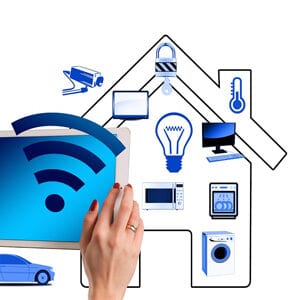 We are increasingly familiar with the concept of “smart home”, Home appliances can now be controlled via mobile phone or from wherever you are, allowing them to perform tasks autonomously.
For this, an operating system that adapts to this type of device is important, generally with technology of Artificial Intelligence which gives them the ability to behave independently.
For example, we can find refrigerators that tell you what food is inside, as well as security systems that can protect your home remotely. There are even operating systems for cars and these are part of this classification.
The most visible feature of these operating systems is that they are very simple, but they still make our tasks and daily life easier. However, appliances that come packaged with similar software tend to be more expensive than those that do not include it.
Types of operating systems for household appliances
- Smart Thinq (LG)
- Android Thinq

My name is Javier Chirinos and I am passionate about technology. Ever since I can remember, I have been interested in computers and video games, and that passion has turned into a job.
I have been publishing about technology and gadgets on the Internet for over 15 years, especially in mundobytes.com
I am also an expert in online marketing and communication and have knowledge in WordPress development.