- The macOS dock and the Windows 11 taskbar offer similar functions, but with a very different design and visual layout.
- TaskbarXI allows you to transform the Windows 11 taskbar into a macOS-style dock without modifying the registry or installing anything.
- The app is portable, reversible, and focused exclusively on Windows 11, which reduces risks and keeps the system stable.
- This approach brings the macOS visual experience closer to Windows users who value desktop customization.
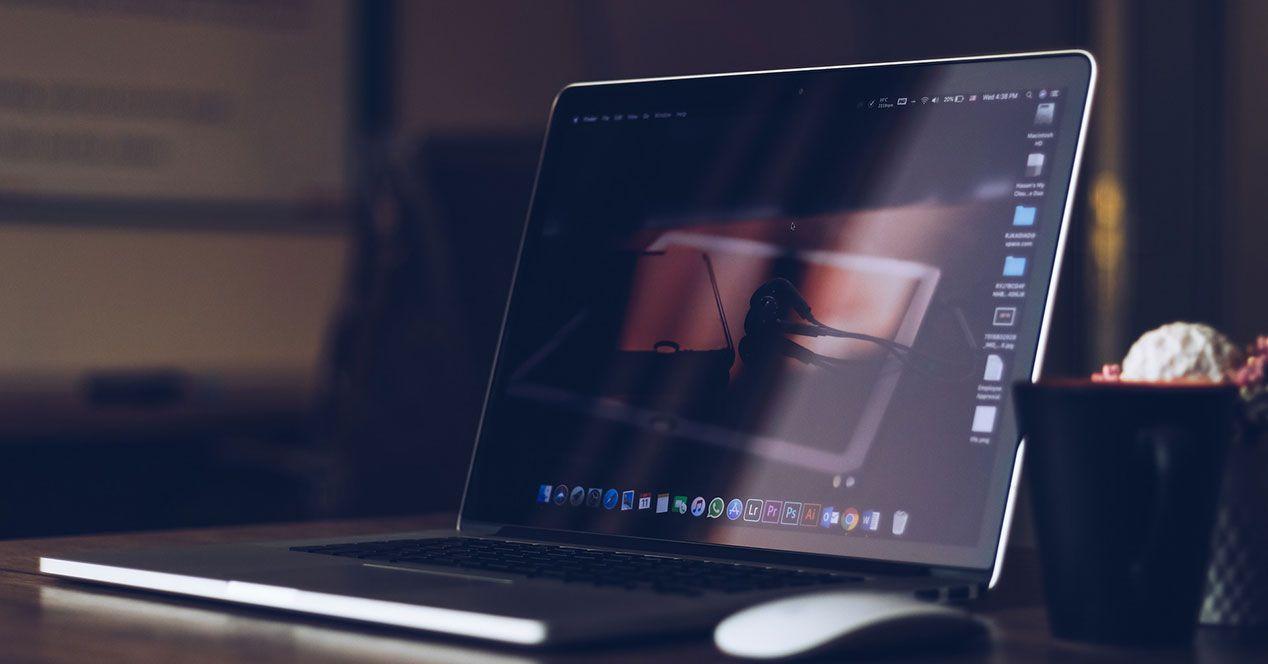
If you come from You've been using Windows 11 your whole life and you're curious about macOSOne of the first things that catches your eye is Apple's famous dock at the bottom of the screen. That "dock" of icons is one of the defining features of the macOS desktop, and if you like its look, you're probably wondering how to get something similar on your PC without having to switch operating systems.
The good news is that you can Turn the Windows 11 taskbar into a dock very similar to macOS's. Thanks to a small, portable application, without touching the registry or making irreversible changes. And, as a bonus, you'll better understand how the actual macOS dock works if you're thinking of switching from Windows.
Key differences between the Windows 11 taskbar and the macOS dock
Before you start tinkering with anything, it's important to be clear about... What are the differences between the classic Windows taskbar and the macOS dock?Because although they may look different, deep down they do practically the same thing.
On macOS, the dock is located usually in the center of the bottom part of the screenThe app icons are large and aligned, but it's not a bar that takes up the entire width. Its size adapts to the number of apps you place there, so if you add more icons, the dock expands horizontally up to a certain limit.
In Windows 11, the taskbar extends from side to side at the bottom of the screenRegardless of the number of icons you have pinned, you can pin apps, see which ones are open, and have the home button, search, and system shortcuts, but the concept is more of a continuous bar than a "floating block" like in macOS.
In terms of functionality, both the dock and the taskbar serve a very similar purpose: Launch applications, switch between open programs, and access system optionsIn both you can pin shortcuts to your favorite programs and open them with a single click, so practically speaking there's no huge difference in what you can do with one or the other.
Where it is quite noticeable is in the ability to move and customize the position of the macOS dockOn a Mac, you can place the dock at the bottom, on the left side, or on the right side of the screen, and adjust it to whatever is most comfortable for you. Windows 11, by default, doesn't offer as much freedom with its taskbar, as it remains fixed at the bottom, although there are registry tricks to reposition it, which isn't recommended if you're not very familiar with what you're doing.
How to bring the macOS dock design to Windows 11 with TaskbarXI
If you want your Windows 11 desktop to look more like macOS, the easiest way is to use TaskbarXI, a free portable application available on GitHubIts goal is to transform the Windows 11 taskbar into something much more like Apple's dock, both in appearance and in the way the icons are grouped.
TaskbarXI does not come pre-installed on the system; you have to Download it from its GitHub repositoryFrom there you can get the necessary executable files. It doesn't require installation as such, so simply save the file to a folder and run it when you want to use it.
Inside the package you will find mainly two executables: TaskbarXI.exe and TaskbarXIMFCGUI.exeThe first one directly applies the base configuration that turns your taskbar into a dock, without overwhelming you with extra settings. In other words, you run it and automatically see how the taskbar's appearance changes.
The second file, TaskbarXIMFCGUI.exe, is the tool that allows you to customize the style of the new dock in detail.With it, you can adjust design parameters, behavior, and other small visual touches to customize the bar to your liking. If you enjoy fine-tuning every detail, you'll love it; if you just want something quick and functional, the main executable is more than enough.
As soon as you run TaskbarXI.exe, you will see that The taskbar no longer occupies the entire bottom width It then groups the app icons into a central block, separate from the clock, sound, Wi-Fi connection, and background app icons. The result is quite similar to macOS's floating "dock" concept, where apps are clearly differentiated from the system area.
Customizing and Options for TaskbarXI in Windows 11
One of TaskbarXI's strengths is that it allows you to Move and adjust the bar to bring it even closer to the macOS experienceWhile maintaining the basic functionality of Windows 11. It's essentially the same taskbar, but with a different presentation.
Among its configuration options is the possibility of Move the icon block to the leftThis is similar to how you can adjust alignment in Windows 11's native settings. It's useful if you find it frustrating to have everything centered, or if you prefer a layout closer to classic Windows, but with the new dock-style interface.
You can also play with minor visual adjustments, such as transparency levels, borders, and the behavior when you hover over elements or open new windows. Thanks to TaskbarXIMFCGUI.exe, The customization reaches a pretty fine level. without having to install other packages or aggressively modify system themes.
It's important to keep in mind that, even if the look changes, The logic remains the same as the Windows 11 taskbarThe icons show which applications are open, you can pin apps you use daily, and you'll still have access to the typical context menu with right-click, close options, pinning, and other usual functions.
If you've already tried the actual macOS dock, you'll notice that the feel is similar but not identical, because there are Apple-specific details that Windows doesn't replicate exactly. Even so, For everyday use, the aesthetics are very similar to a Mac desktop. and it's enough to get you used to that philosophy of quick access to apps from the center of the screen.
Advantages of using a portable app versus tinkering with the system
One of the biggest concerns when talking about customizing Windows is not to break anything important in the systemThere are tools that modify the registry, change internal files, or install background services that are then difficult to remove completely.
TaskbarXI, on the other hand, is an application Fully portable, it does not make permanent changes to the Windows registry.This means you don't need to install it; you simply run it and it starts working, and as soon as you close it, the system returns to its original state without leaving any relevant trace.
If at any point you get tired of the dock-style design or you have problems with a Windows 11 update, simply Closing the application will restore the taskbar to its usual appearance.There's no need to uninstall anything from the control panel or undo technical modifications, which is appreciated if you just want to try it out without commitment.
Furthermore, being portable, it also doesn't add any automatic startup services unless you configure them manually. So It does not increase long-term resource consumption or fill the system with unnecessary processes.It will only be active when you decide to use it, which is ideal for more modest setups or for those who are very performance-conscious.
Of course, it is worth keeping in mind that TaskbarXI is designed specifically for Windows 11It doesn't work on Windows 10, as it relies on the taskbar design in the latest version of Microsoft's operating system. If you're still using Windows 10, you'll need to find other solutions, because this particular one won't activate any dock mode in that environment.
What can you expect if you're coming from Windows and are interested in the macOS dock?
If you're considering upgrading from Windows 11 to macOS, or simply want to Get used to the dock concept without leaving your current PCTransforming your taskbar with TaskbarXI can be a good starting point. It's not the same as using a Mac directly, but it helps you internalize the idea of having your main apps concentrated in one clearly visible block.
On a real Mac, the dock has some additional features: it allows Show minimized apps as icons, place separators, adjust the zoom effect on hover. and manage stacks of documents or downloads, among other details. Windows doesn't replicate all of that natively, but with these kinds of tools you get pretty close to the visual experience.
The big mindset shift for someone coming from Windows is thinking of the dock as the central hub for accessing applications and workspacesWhile in Windows many users rely more on the Start menu, search, or desktop shortcuts, adopting a dock tends to make the desktop cleaner and encourages you to open everything from that central area.
Using TaskbarXI in Windows 11 lets you experiment with this workflow without losing your usual references. You still have the Start button, notification panel, and system area where you always have them, but with a visual presentation that's closer to the familiar. in the understated and focused style that Apple has been using for years on macOS.
Ultimately, if you do make the switch to a Mac, you'll feel like the dock is no longer a surprise. And if you decide to stay with Windows, You'll be left with a desktop with a look very similar to macOS.Which, aesthetically, can be a plus if you like that cleaner, more modern type of design.
This whole approach is especially interesting considering that, historically, Windows has always been one of the most customizable operating systems of the market, especially compared to other more closed environments. For years, it has been possible to modify almost any aspect of the interface through internal options or third-party applications.
However, many of these customization tools aren't always well optimized. Some consume too many resources, others cause conflicts after system updates, and a few end up slowing down the computer or causing unpleasant graphical glitchesThat's why lightweight and portable solutions like TaskbarXI are so attractive to those who want to change the look of Windows without compromising system stability.
In this context, giving your Windows 11 a look similar to the macOS dock becomes a kind of middle ground between the two worlds: You maintain the flexibility and compatibility of Windows. But you get a little piece of Apple's iconic design for your PC desktop.
From all of the above, it can be deduced that if you need a more organized visual environment and you like the look of the dock, Windows 11 offers a solid foundation to build upon. And, with applications like TaskbarXI, you can shape that desktop to make it much closer to what you see on a Mac, without giving up your usual tools and habits.

Passionate writer about the world of bytes and technology in general. I love sharing my knowledge through writing, and that's what I'll do on this blog, show you all the most interesting things about gadgets, software, hardware, tech trends, and more. My goal is to help you navigate the digital world in a simple and entertaining way.