
Have you ever wished that a website you frequently use would work like an application installed on your computer? Thanks to Google Chrome , this is entirely possible. This browser isn't just for browsing the internet; it also allows you to transform any website into a functional desktop application that you can pin, run, and open just like native software.
The ability to turn a website into an app is available in both standard and advanced versions of Chrome, such as Chrome Canary . Although this tool has been around for some time, it remains unknown to many users. Let's explore all the possible ways to create web apps from Chrome, how they work, their advantages, and how you can get the most out of them.
What is a web app or progressive web application (PWA)?
A progressive web app (PWA) is a website that functions as a standalone browser application . Although it opens using browser technology, it runs in its own window, without tabs, an address bar, or other browser elements , providing an experience much closer to that of a native app.
These applications can enjoy advanced features such as access to notifications, local storage , offline functionality, operating system integration, and the ability to start automatically with the system . Furthermore, they are accessed via an icon on the desktop or the applications menu , with their own name, icon, and even settings.
How to turn any web page into an app using Chrome
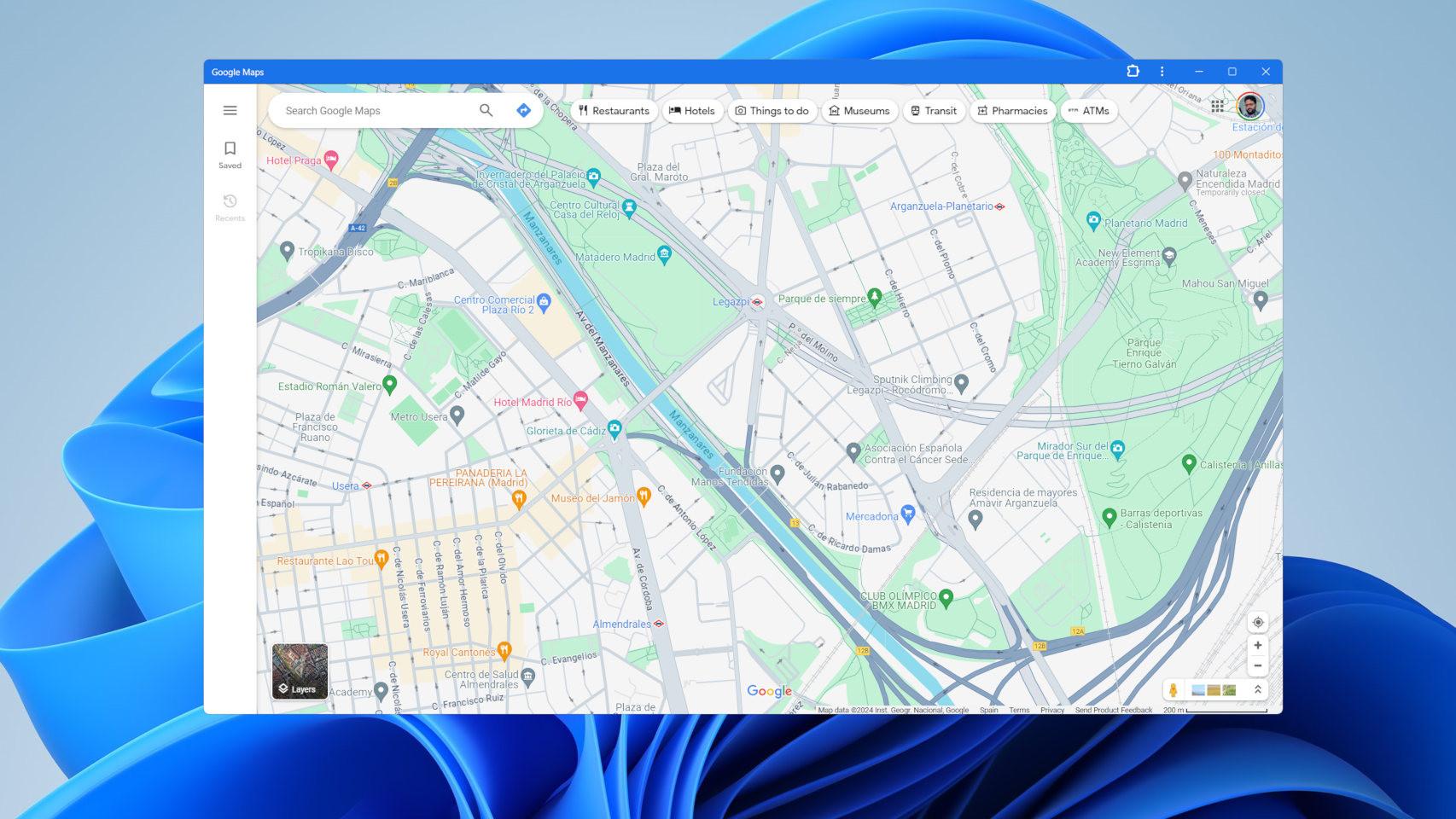
The process for transforming a website into an application is extremely simple and accessible to any user . It requires no technical knowledge or additional installations.
Basic steps to create an app from Chrome on desktop (Windows, Mac or Linux):
- Opens Google Chrome and access the website you want to convert into an app (for example Spotify, Gmail, or YouTube).
- Click on the three vertical dots icon located in the upper right corner of the browser.
- Select “More Tools” and then click “Create Shortcut.”
- A window will open in which you can change the name of the access and, very importantly, check the “Open as window” option.
- Click “Create” and a new icon will automatically be added to your desktop or application menu.
This shortcut simulates an application and can be pinned to the taskbar, opened as a standalone window, and even maintains active sessions and browser extensions.
In addition, the option to install web applications from Chrome is also very useful for those who rely on online tools.
What advantages do these types of applications offer?
Converting a website into an app with Chrome is not only convenient, but also visually and functionally advantageous . Some of the main reasons to use it are:
- Separation of duties: You can have multiple web apps open without mixing tabs or sessions from the main browser.
- Better aesthetics and minimalist interface: Without bars or tabs, the application appears as a separate window.
- Shortcuts with custom icons: can be easily pinned to the start bar or desktop.
- Data persistence: Sessions are maintained, as are your browser extensions.
- Independent notifications: many apps like Gmail, WhatsApp Web or Spotify show alerts without having Chrome open.
- System Integration: They appear in the list of installed apps, with the option to remove them from Chrome or the start menu.
It's also important to mention that there's no limit to the number of web apps you can create , although each one runs as a new Chrome process and can consume resources if you have many open.

What are the differences between a PWA and a manually created web app?
In the previous examples, we've discussed how to manually transform any page into an app. But there's a more advanced level when websites are optimized to automatically function as PWAs.
When a site meets certain technical requirements (such as having a manifest.json, being served over HTTPS, having a service worker, etc.), Chrome displays a special icon in the address bar with the automatic option to “Install as an app.”
These sites offer additional benefits:
- They are easier to install.
- They work even without a connection (offline mode).
- They store content locally and run faster.
- They are better integrated with the operating system.
- Some may receive push notifications or allow access to hardware (such as a camera or microphone).
Well-known examples of PWAs include Google Docs , Google Maps, Twitter Mobile, and Notion . However, most current websites are not developed as PWAs, so this functionality is still limited.
For those interested in additional features, it's important to know how to block apps to improve your experience.
Enable Universal Install in Chrome Canary
Chrome Canary, the experimental version of Google Chrome, lets you try out new features before other users . One of these features is universal web app installation, allowing you to install any website as an app, whether it's optimized as a PWA or not.
To enable this feature:
- Open Chrome Canary.
- Access the following URLs and activates both functions:
chrome://flags/#web-app-universal-installchrome://flags/#shortcuts-not-apps
After restarting the browser, you will be able to install any website from the “Save and share > Install” menu , regardless of whether it is a PWA.
Managing, configuring, and removing these apps
Once created, Apps can be managed directly from Chrome. To do this, enter in the address bar chrome://apps and you will see the complete list of applications created.
From this panel you can:
- Execute them.
- Create new shortcuts.
- Change how they open (for example as a window or in a tab).
- Uninstall them easily by right-clicking and selecting “Delete”.
Additionally, from this section you can choose whether apps should open at startup and even configure aspects such as storage, permissions, or notifications.

What if we use Chrome on a mobile device?
Chrome also allows you to create website shortcuts that mimic Android apps . The procedure is slightly different but just as simple:
- Open Chrome and access the desired website.
- Click on the three dots in the upper right corner.
- Select “Add to Home Screen”.
- Edit the name if you wish and click “Add.”
The icon will appear alongside the rest of the applications, and when opened, it will load as if it were an app, in a separate window without any browser elements.
On iOS devices, however, this option isn't fully available in Chrome, but it is in Safari. From the sharing menu, you can select "Add to Home Screen" and a similar icon will be created.
These “pseudo-apps” also take advantage of caching, allow for faster browsing, and keep the session active without having to open the full browser.
With the increasing adoption of progressive web apps and features like those offered by Chrome, the future clearly lies in reducing reliance on cumbersome installations and prioritizing intelligent websites that function like software . Creating an app from a website with Chrome is an agile, powerful solution accessible to everyone.


Passionate writer about the world of bytes and technology in general. I love sharing my knowledge through writing, and that's what I'll do on this blog, show you all the most interesting things about gadgets, software, hardware, tech trends, and more. My goal is to help you navigate the digital world in a simple and entertaining way.