- Systemd 260 completely removes support for SysV init scripts, forcing the use of native .service units and removing compatibility tools such as systemd-sysv-generator.
- This version raises the kernel requirement to a minimum of 5.10, recommends 5.14, and aims for 6.6 to enjoy all the security, networking, and container features.
- It includes improvements to TPM2, isolation with PrivateUsers, new networking options, and service portability through systemd-networkd, systemd-portabled, and tools such as systemd-mstack.
- It strengthens advanced administration with new directives (MemoryTHP, CPUSchedulingPolicy ext), verbs in systemctl, and specific documentation for AI-assisted contributions.
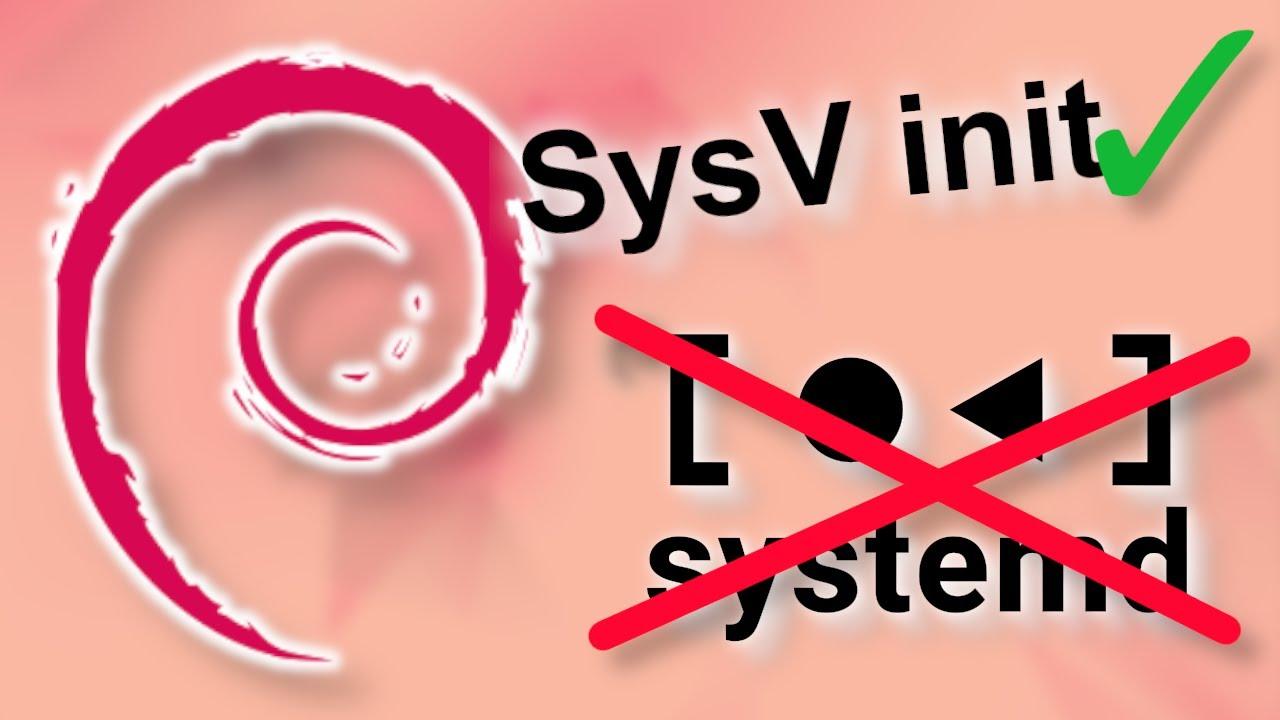
The arrival of systemd 260 marks a turning point for the Linux ecosystem. This new version of the most widespread init system and service manager in modern distributions comes loaded with profound changes, some of them groundbreaking, affecting everything from compatibility with legacy software to how security, networking, containers, and even AI agent integration are managed. If you administer servers or work with Linux daily, this is one of those versions worth examining closely.
Beyond the headlines, the main focus is the definitive removal of support for the classic SysV init scripts , which closes a historic chapter in Linux and necessitates a review of legacy services. Alongside this move, systemd 260 introduces new utilities, increases minimum kernel requirements, improves integration with TPM2, strengthens service isolation, expands networking and container capabilities, and refines numerous details designed for desktop environments, servers, and cloud deployments.
End of support for SysV init: what changes in practice
One of the most talked-about new features of systemd 260 is the complete removal of support for System V-style boot scripts, the typical scripts stored in /etc/init.d/ which for years have been the foundation for launching services on Linux. That support had long been labeled obsolete and it was warned that it would eventually disappear; now that moment has arrived.
With this version, The components responsible for translating SysV scripts to systemd units have been removed.Pieces like these disappear systemd-sysv-generator, which generated units "on the fly" from /etc/init.dAnd also systemd-sysv-install, in addition to other compatibility elements such as systemd-rc-local-generator y rc-local.service, which supported the classic /etc/rc.local.
This movement implies that Any service that still relies solely on SysV scripts will stop starting correctly once the distribution adopts systemd 260unless a native unit has been created .serviceIn modern infrastructures the impact will be relatively low, but in environments with old or custom-developed software there may be more than one surprise if a prior audit is not carried out.
Meanwhile, some Meson building system options related to SysV have been marked as obsolete or removedParameters such as -Drc-local=, -Dsysvinit-path= y -Dsysvrcnd-path= They remain deprecated, while options such as -Dintegration-tests= y -Dcryptolib= They disappear directly from the compilation tree, simplifying the codebase.
In operational terms, this also means that systemd now focuses exclusively on native unitswithout intermediate layers or automatic generation of services from legacy scripts. The message is quite clear: if something important in your system still exists as a script in /etc/init.d/It's time to migrate it explicitly.
Why SysV was removed: technical cleanup and the future of the ecosystem
The decision to remove SysV init support was not arbitrary. From the project's perspective, maintaining legacy code for a virtually obsolete init mechanism was a burden that complicated the framework's maintenance and evolution. Compatibility support had been considered legacy for years, and its actual use in major distributions was becoming increasingly marginal.
By removing this layer, systemd reduces internal complexity and eliminates execution paths that are difficult to test and secure . With fewer special paths to handle legacy services, the development team can focus on refining the core native unit engine, improving security, performance, and integration with new kernel and user-space APIs.
There's also a clear component of alignment with current service management standards . Today, virtually all major Linux distributions have embraced systemd as their primary init system and offer native units for their packages. Maintaining SysV as a crutch was, in practice, propping up a boot model that no longer fit with modern methods of describing dependencies, cgroups, structured logs, and resource controls.
From a performance perspective, removing compatibility layers reduces overhead and avoids unnecessary transformations during startup. While the impact in milliseconds may not be dramatic, in highly tuned systems or those with many services, it can help maintain more predictable behavior. Furthermore, it's useful to know how to modify the boot menu timeout for testing and validation.
For system administrators, the practical message is that SysV is now history in systemd-based environmentsWe must assume that the reference model is the units .service, along with the other types of units (sockets, timers, targets, etc.), and adapt internal tools, documentation and training to that reality.
How to check if your system still depends on SysV and what to do
Before your distribution jumps to systemd 260, it is highly recommended Check if you still have services that rely on classic scripts.The basic check involves listing the contents of /etc/init.d/, where these opening scripts traditionally reside:
ls /etc/init.d/
If you see scripts there that don't have their equivalent in /etc/systemd/system or on typical unit routes, It's a clear sign that there's work to be done.It is not enough for the script to exist: what matters is whether it is still used to start or stop services in practice.
Another useful trick is to look for units generated from SysV in previous versions of systemd . Although they no longer exist in version 260, this can be useful on current systems to identify what broke after the upgrade.
systemctl list-unit-files | grep generated
If that command shows services marked as "generated," they usually come from legacy scripts. It's advisable to locate them and plan their replacement with native units , preferably before the version upgrade goes live in production.
Regarding migration, a quick approach involves temporarily wrap the SysV script inside a systemd unit, specifying in ExecStart y ExecStop script calls with arguments start y stopIt's not the most elegant solution, but it allows you to buy time while you rewrite the service in a more idiomatic way.
In the medium term, the recommended course of action is define units that directly call the binary or the main command of the service, taking advantage of modern directives such as Restart=Resource limits, cgroup integration, and advanced sandboxing options, instead of continuing to rely on legacy scripts full of specific logic.
New capabilities and key technical changes in systemd 260
Although the demise of SysV garners much of the attention, systemd 260 comes with a good number of additional new features covering security, networking, the kernel, containers, service portability, and even how system information is presented. It's a particularly dense release in terms of internal changes, designed to continue leveraging the capabilities of recent kernels.
One of the important points is the increase in the minimum supported kernel version . Systemd 260 no longer runs on kernels as old as Linux 5.4: the minimum version is now Linux 5.10 . Furthermore, the project itself recommends using at least Linux 5.14 , and notes that a 6.6 kernel is the ideal choice if you want to take full advantage of all the features in this release.
This increase in requirements is not trivial, because it forces the abandonment of distributions or environments still anchored to very old kernels , common in certain enterprise or embedded deployments. In return, it allows systemd to leverage more modern kernel APIs, better utilize cgroups v2, implement new scheduling policies, and incorporate security improvements that simply don't exist in older kernel series.
In parallel, a new field FANCY_NAME= in the file /etc/os-releaseThis field is similar to the one already known PRETTY_NAMEbut with the unique feature that it can include ANSI sequences and special characters, such as emojis. Systemd manager, systemd-hostnamed and the tool hostnamectl They can display this value to offer a more visually appealing presentation of the distribution, especially in interactive interfaces or diagnostic tools.
Beyond cosmetic improvements, systemd 260 continues to deepen its use of Varlink as a communication mechanism and API, extending its presence across various components. This facilitates programmatic interaction with the system, integration with external tools, and, in general, a more structured way of querying and modifying the state of services and resources.
There are also improvements in areas such as Resource management based on cgroups v2, startup time optimizations, a better integration with containers and virtual machines and refinements in log handling through journaldHowever, many of these changes are incremental and are more noticeable in large or highly refined deployments.
Security and isolation: TPM2, PrivateUsers and new memory policies
On the security front, systemd 260 makes progress in several areas. Firstly, it strengthens integration with TPM2 , the Trusted Platform Module found on many modern UEFI motherboards and devices. These chips are used, among other things, to protect encryption keys and automate the unlocking of disks or partitions at boot time.
Specifically, udev now incorporates a new built-in called tpm2_idThis feature allows for the automatic extraction and identification of the manufacturer and model of connected TPM2 devices during the hardware discovery phase. This information can then be used for more specific security policies, audit scripts, or inventory tools that need to know exactly which TPM each machine has.
Another important improvement comes with the full implementation of PrivateUsers=fullThis is an isolation option that allows mapping the full range of user IDs within a service. This change eliminates the workaround used to correctly detect nested instances of systemd based on versions prior to 257, simplifying behavior when containers or nested environments are present.
For those unfamiliar, PrivateUsers is a sandboxing feature that isolates a service's user space , so that processes within it see a different UID map than the host system. This strengthens isolation against privilege escalation and helps limit the impact of vulnerabilities on specific services.
In addition, systemd 260 introduces a new service directive called MemoryTHP=This allows you to control the use of Transparent Huge Pages (THPs) at the unit level. THPs can improve performance in certain memory-intensive workloads, but can also cause problems in others. Having a specific knob to enable, disable, or adjust their behavior per service helps fine-tune performance much more effectively without having to apply global policies.
What's new in systemd-logind, systemd-udevd, and device access control
In the area of session and device management, systemd 260 adds an interesting concept called "xaccess", implemented in systemd-logind y systemd-udevdUntil now, the logic was that "uaccess", which granted permissions to devices (for example, a webcam or an input device) to users with foreground sessions on the local console.
The new xaccess mechanism allows you to delegate access to specific devices to specially marked sessions , even when users are not physically present at the machine. A typical use case is granting access to GPU rendering devices to local graphics sessions used by remote users who do not have an associated physical seat.
These sessions are configured using the environment variable PAM XDG_SESSION_EXTRA_DEVICE_ACCESS=This specifies which additional devices should be granted to the session under this logic. This complements uaccess and provides greater flexibility in remote desktop, lightweight virtualization, shared labs, or remote graphical access scenarios.
Overall, these changes aim for finer, more dynamic control over who can access which hardware , without relying solely on static groups or global permissions. This is especially useful in multi-user systems or servers with shared GPUs, where a balance between security and ease of use is desired.
systemd-networkd and ModemManager: Mobile networks and new linking options
In terms of networking, systemd 260 brings some interesting improvements. The most notable is that systemd-networkd is now integrated with ModemManager using the "simple connect" protocol , which simplifies the management of mobile data connections (3G, 4G, 5G) directly from the systemd configuration.
For this purpose, a new section has been introduced. in the networkd configuration files, which accepts parameters such as APN=, AllowedAuthenticationMechanisms=, User=, Password=, IPFamily=, AllowRoaming=, PIN=, OperatorId=, RouteMetric= y UseGateway=This allows you to declaratively define how the mobile connection should be established, what credentials to use, and what behavior to follow while roaming, among other aspects.
Furthermore, systemd-networkd expands the options available in the files .link to configure Ethernet interfacesAmong the new directives are capacity adjustments such as ScatterGather=, ScatterGatherFragmentList=, TCPECNSegmentationOffload=, TCPMangleIdSegmentationOffload=, GenericReceiveOffloadList= y GenericReceiveOffloadUDPForwarding=which allow for much more detailed control of low-level network optimizations.
Another notable improvement is that systemd-networkd's Varlink and JSON interfaces can now report IP addresses in human-readable string format , in addition to the existing integer array format. This greatly simplifies things for external tools and scripts that query network status, eliminating cumbersome conversions.
Taken together, these changes reinforce systemd-networkd's position as a network manager capable of handling everything from basic server configurations to advanced scenarios with mobile networks, fine-tuning offloading on modern NICs, and integration with external APIs such as ModemManager.
Containers, service portability, and new tools
In the area of lightweight virtualization and containers, systemd 260 introduces several significant improvements. One of the most notable is the addition of a new command line called systemd-mstackdesigned to work interactively with the new "mstack" functionality.
The characteristic mstack allows you to define an OverlayFS by structuring the contents of a directory .mstack/ following a specific specification. This capability is part of systemd's effort to expand its containerization and sandboxing tools, including support for downloading and managing OCI images through systemd-importdEssentially, it makes it easier to assemble file system layer stacks without relying exclusively on external tools.
Improvements have also been introduced in systemd-vmspawnThe tool is designed to launch virtual machines in an integrated way with systemd. Among the new features, the following stand out: support for registering machines in systemd-machined within the user sessionas well as a possibility of creating ephemeral machines through the option --ephemeral, which disappear once their work is finished.
As for systemd-portabled , responsible for managing image-based portable services, it now gains the ability to run as a user-level service . This means that users without administrator privileges can launch and manage portable services in their own space, provided they are using a sufficiently recent kernel and the distribution has enabled this option.
Furthermore, systemd-portabled can now generate a policy and fix the image used for portable services , blocking its subsequent modification until it is reattached. This provides added integrity and reliability in environments where it is important to ensure that the running image does not change silently.
Improvements to systemctl, CPU scheduling, and documentation for AI
In the service management interface, In this version, systemctl incorporates a new verb called enqueue-marked, which internally calls the D-Bus method EnqueueMarkedJobs()This function is designed to more precisely manage jobs marked in the systemd queue, giving more control to advanced tools and automation scripts.
There is also an improvement in the CPU scheduling section: Directive CPUSchedulingPolicy= now admits the value extwhich enables the scheduler SCHED_EXTThis new type of scheduling, still emerging in the Linux ecosystem, offers more flexibility for special workloads and systems that want to experiment with external scheduling policies.
One interesting but significant detail is that the project has added specific documentation for AI agents within the systemd repository . The goal is to help AI-based bots and scrapers better understand the code, programming style, contribution guidelines, and the project's inner workings, reducing common misunderstandings.
Related to this, the systemd team It requires that contributions generated with the help of AI include a transparency label., like the tag co-developed-by in the patches, so that there is evidence that these types of tools were used in the code development. It's an example of how even such a low-level project is adapting to the reality of generative AI.
Finally, systemd-repart adds support for performing basic integrity checks on encrypted volumes , which is useful in deployments where you work with protected partitions or images and want to validate their status without resorting to more complex external utilities.
Impact on distributions and recommendations for users
Regarding the actual rollout of systemd 260, the version will begin to arrive gradually in major distributions throughout the first half of the year after its integration, typically through development branches or rolling release editions. Distributions like Arch Linux and openSUSE Tumbleweed usually adopt these versions quite quickly.
In contrast, fixed-cycle distributions and LTS editions typically take longer to incorporate a major version of systemd, especially if the change breaks compatibility with legacy technology like SysV init. Projects like Fedora, for example, usually don't update the major version of systemd within the same stable release cycle, but instead reserve those changes for newer versions of the distribution.
For the average desktop user, updating systemd rarely feels critical , as distributions take care of bundling everything so nothing "breaks." However, there are always enthusiasts who want the latest version at all costs, and in those cases, it's best to opt for rolling release distributions or test repositories, accepting the risk.
In production environments, the recommendation is clear: audit legacy services, review scripts in /etc/init.d/Test migration to native systemd units in staging environments and thoroughly validate the behavior before deploying to critical machines. Skipping this step can result in services failing to start, encrypted boot chain failures, or network problems in advanced configurations.
In short, systemd 260 represents a major leap towards a more homogeneous and modern Linux ecosystem , but it also requires abandoning practices and components that have been around for decades. Those who get ahead and plan the transition will have a much smoother experience when distributions make the switch and this version becomes the new foundation of their systems.


Passionate writer about the world of bytes and technology in general. I love sharing my knowledge through writing, and that's what I'll do on this blog, show you all the most interesting things about gadgets, software, hardware, tech trends, and more. My goal is to help you navigate the digital world in a simple and entertaining way.
Table of Contents
- 1 End of support for SysV init: what changes in practice
- 2 Why SysV was removed: technical cleanup and the future of the ecosystem
- 3 How to check if your system still depends on SysV and what to do
- 4 New capabilities and key technical changes in systemd 260
- 5 Security and isolation: TPM2, PrivateUsers and new memory policies
- 6 What's new in systemd-logind, systemd-udevd, and device access control
- 7 systemd-networkd and ModemManager: Mobile networks and new linking options
- 8 Containers, service portability, and new tools
- 9 Improvements to systemctl, CPU scheduling, and documentation for AI
- 10 Impact on distributions and recommendations for users