- KolibriOS is an ultra-lightweight free operating system, written entirely in FASM assembler for 32-bit x86 architecture and capable of running on just 8–12 MB of RAM.
- Its basic image fits on a 1,44 MB floppy disk and includes a graphical desktop, essential applications, TCP/IP stack, multimedia players, and more than 30 games.
- It offers support for multiple file systems and hardware inherited, with drivers for popular sound and network cards, as well as reading NTFS, ext2/3/4, exFAT and ISO9660.
- It is designed to revive very old computers, with Boot It can be stored on floppy disk, CD, hard drive or USB, and is kept active thanks to a community that develops it as an open source project.
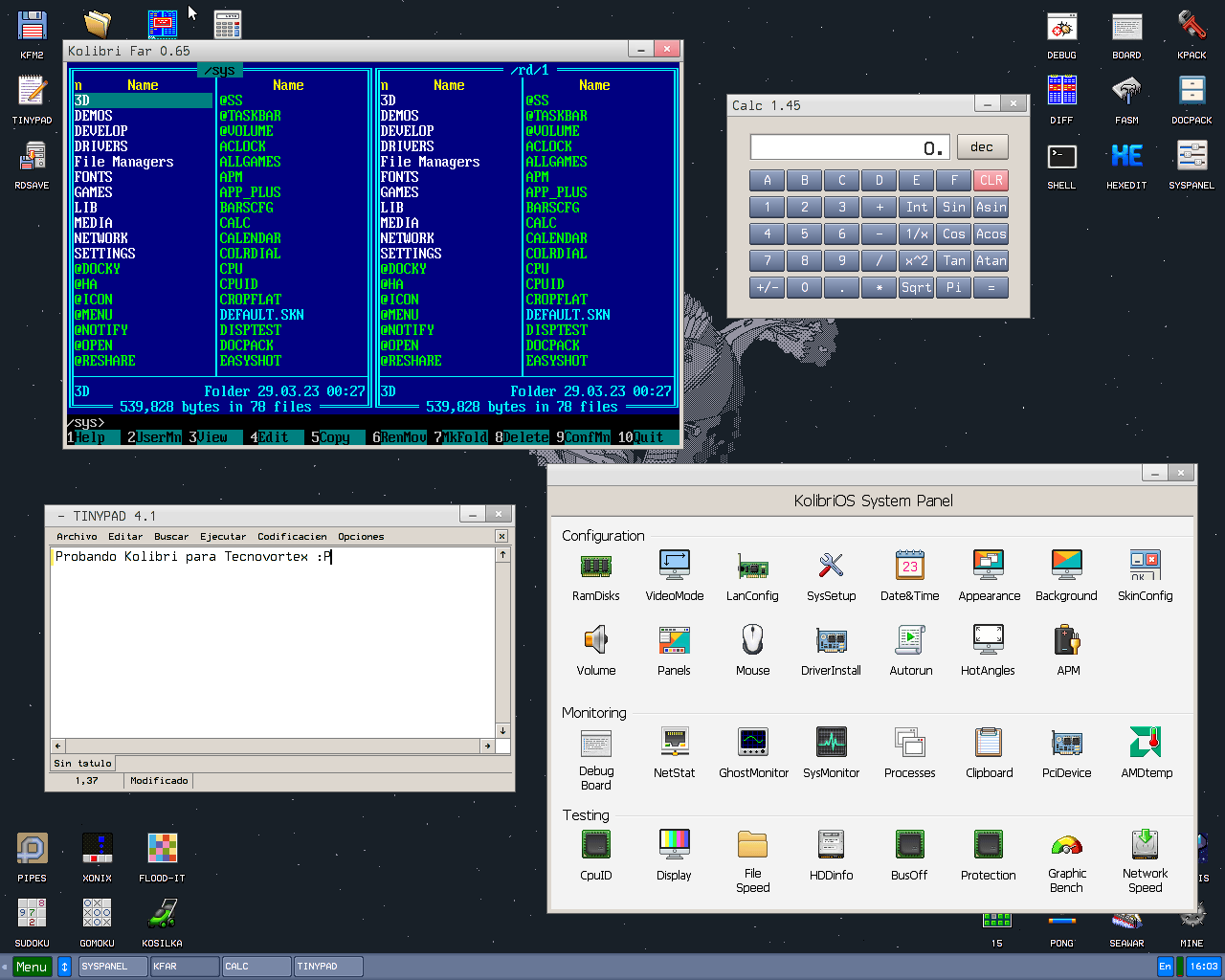
KolibriOS is one of those projects that breaks all the moldsA complete operating system that fits in the space previously occupied by a simple floppy disk. In a world where Windows 11 It can take up between 20 and 30 GB, and distributions like Ubuntu require at least 25 GB of disk space, so finding a system that barely reaches 1,44 MB seems almost like a joke. But it's not: we're talking about a real, functional, and surprisingly usable system on very old computers.
This small but powerful system is designed to revive computers with legacy hardware.From the days of Pentium processors and RAM measured in megabytes, not gigabytes. Despite its tiny size, it offers a graphical environment, useful applications, network connectivity, and even games. And all this with ridiculously low resource consumption compared to today's giants. If you're interested in efficient software, reusing old hardware, or are simply curious about technology, KolibriOS is a real gem.
What exactly is KolibriOS?
KolibriOS is a free and open-source operating system Designed for computers with 32-bit x86 architecture. It originated as a fork of MenuetOS around 2004 and, since then, has been developed independently under the leadership of The KolibriOS Project Team, a community in which developers from countries of the former Soviet Union have played a significant role.
The most striking feature of KolibriOS is its sizeThe base system image fits on a 1,44 MB floppy disk, and still includes a graphical desktop, file manager, and text editor. Web navigator and more than 30 games. There are also more complete Live versions that are around 40 MB, designed for those who want more applications without losing the minimalist philosophy.
The entire core of the system is developed entirely in FASM assembly language (Flat Assembler). This includes the kernel, the main drivers, and many of its internal tools. This extreme decision allows for maximizing the hardware's potential and precisely controlling both the performance and size of each component.
KolibriOS adopts a monolithic kernel with real-time capabilitiesThis means that the kernel consolidates a large part of the system's services (memory management, drivers, file system, network, etc.) and can respond very quickly and predictably to certain events. In fact, the TCP/IP stack, multitasking, and other critical elements occupy only a few tens of kilobytes.
Regarding licensing and development model, KolibriOS is released under the GPL.It is considered free software and maintains a public code repository. Any developer can review how it is made, modify it, or contribute new features, drivers, or applications.
Minimum requirements and compatible hardware
The main goal of KolibriOS is to run flawlessly on very old computersTo boot the system, all you need is an i586 compatible CPU (a classic Pentium, basically) and a ridiculously small amount of RAM by today's standards.
The official requirements mention only 8-12 MB of RAMDepending on the version and its intended use, this makes it an ideal option for machines that would have been considered completely obsolete: equipment from the early 2000s, portable forgotten in a drawer or old towers collecting dust.
In terms of graphical support, KolibriOS relies on a VESA-based interface.This allows it to offer resolutions up to 1280×1024 and color depths of up to 16 million colors (24 bits) in many configurations. While not a cutting-edge 3D environment, it is more than sufficient for basic tasks, light office work, and simple browsing.
The sound and network card support is also quite well done for such a small project.It includes drivers for numerous AC'97 standard compatible audio cards from various manufacturers (Intel, nForce, SIS, VIA, among others), as well as drivers for several popular network cards that allow you to take advantage of the integrated TCP/IP stack and go online.
Another interesting point is that it maintains compatibility with the MenuetOS executable format.Thanks to this, many of the programs originally developed for MenuetOS can be run without changes within KolibriOS, increasing the catalog of available applications without duplicating efforts.
Extreme speed: start-up and performance
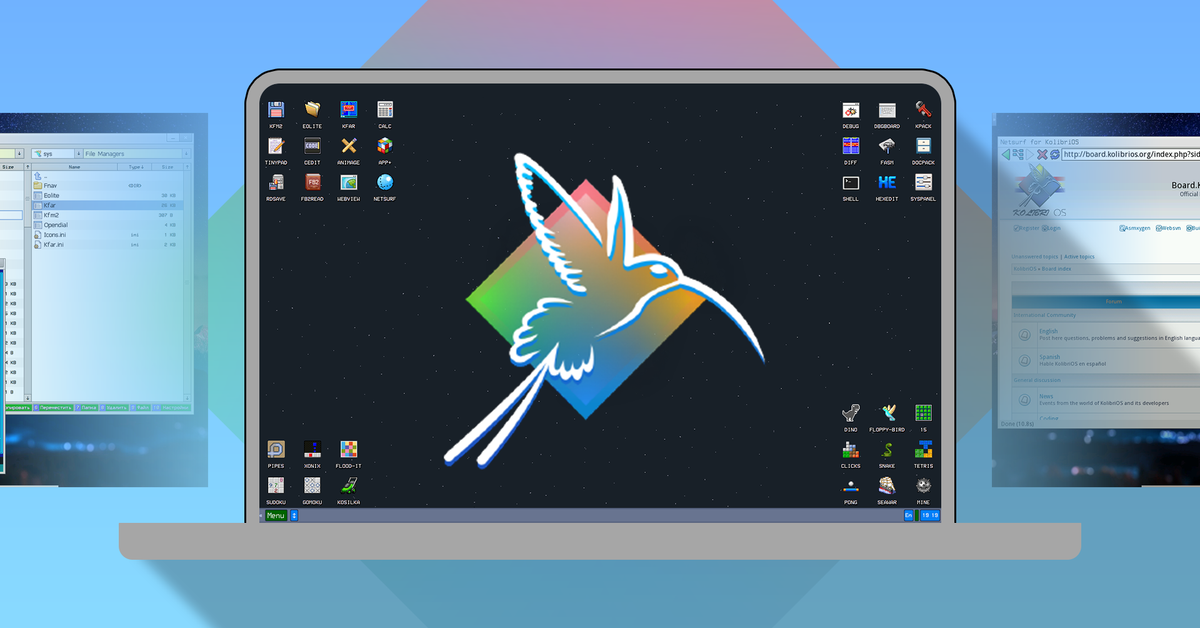
One of the most surprising aspects when trying KolibriOS is its speedWe are talking about a system capable of going from being turned off to displaying a functional graphical desktop in a matter of seconds, even on hardware that we would consider archaic today.
The applications open almost instantly after clicking on their icons.Without the hourglass cursors and endless waiting times we're used to from other, heavier systems. Part of this agility comes from the absence of bloatware and unnecessary services running in the background.
The fact that the kernel and drivers are written in assembly language has a direct impact on performance.Each routine is finely tuned, and the number of abstraction layers is minimal, resulting in less overhead and much faster system responses.
KolibriOS uses preemptive multitasking with threads and parallel execution of system callsThis means that the scheduler can interrupt processes so that others can have their turn on the CPU, ensuring that the system remains smooth even when several tasks are running at the same time.
In some environments, the system image is loaded entirely into RAMsimilar to what other lightweight distributions like Tiny Core do LinuxWhen everything resides in RAM, disk access is minimized and the feeling of speed is multiplied, with response times that give the impression that "everything is instantaneous".
File systems and storage
Despite its size, KolibriOS boasts compatibility with several file systems.This allows it to work with disks and partitions formatted in formats common in other systems. OS.
For full read and write support FAT12 and FAT16 FAT32including long filenames. This is key to making it compatible with partitions used by older versions of Windows and by many removable devices.
It also offers read support for NTFS, ext2, ext3, ext4, exFAT and ISO9660 (CDFS)In other words, you can access many volumes created by modern Windows, GNU/Linux distributions, or CD and DVD images in read-only mode, which is very useful for recovering data or reviewing content without needing to install anything heavy.
In the case of optical discs, it has support for CDs and DVDs., including features such as multi-session in the case of ISO 9660. This, along with the ability to run from different media, greatly facilitates testing on machines that still retain optical drives.
Internally, KolibriOS uses indexing and linked list-based space allocation methods to check which disk blocks are free or occupied. This simple yet efficient approach fits with the philosophy of keeping code compact and reducing complexity without losing reliability.
Some descriptions also mention the reference to the FHS (Filesystem Hierarchy Standard)This is very common in GNU/Linux-type systems. Although KolibriOS is not a Linux distribution, this mention reflects the intention to maintain a certain order and consistency in the system's directory structure.
Start-up and installation methods
KolibriOS is very flexible when it comes to boot the systemAnd that contributes greatly to making it easy to test without messing with the computer's hard drive too much.
Among the available options is booting from a floppy disk.which is almost a nostalgic nod to 1990s computing. The classic 1,44 MB image can be burned to a floppy disk and used as a boot medium on very old computers that may not even support booting from USB.
It is also possible to create a bootable CD or DVD using an ISO imageThis is useful for machines with an optical drive but no convenient USB option. This feature is often used with Live versions, which include more software and allow you to test the system without permanent installation.
Of course, KolibriOS can be installed and booted from a hard drive.even on systems using NTFS partitions. This allows it to be used as an additional system for specific tasks or simply as an ultra-lightweight environment when a full system like Windows or a heavy Linux distribution isn't needed.
Another supported option is booting from USB memory.It's very practical nowadays for giving old laptops a second life. And in certain scenarios, it's possible to launch it from Microsoft Windows, although in that case Windows must be closed before control passes to KolibriOS.
Graphical environment and included applications
Although its size is ridiculously small, KolibriOS offers a fairly complete graphical user interface.The desktop includes a windowing system, taskbar, menus, and a set of tools that are reminiscent, to a certain extent, of any lightweight graphical environment.
The pre-installed applications include a text editor, an image viewer, and a simple graphics editor.These tools allow you to work with simple documents, review and manipulate basic images without needing to install anything additional.
The system integrates a file manager that allows you to easily navigate through disks and devices.Copy and move files, create directories, and perform routine administrative operations. All while maintaining the system's characteristic agility.
In the multimedia section, KolibriOS includes players for MP3WAV and XMThe XM module player uses the uFMOD library, optimized to deliver good sound quality with very few resources. For such a tiny system, it's remarkable that it can play music smoothly.
It doesn't fall short in entertainment either, as it includes more than 30 games. ranging from simple pastimes to more elaborate titles, designed to make the most of downtime without resorting to anything external.
In addition, it features a minimalist web browser and comprehensive networking capabilities.Thanks to TCP/IP support and network drivers, it is possible to connect to the Internet, perform basic browsing tasks, and use the computer for more than just offline purposes.
Security and reduced attack surface
KolibriOS is not marketed as an operating system specifically focused on security.But curiously, it will inherit certain benefits from its own simplicity and the fact that it is a niche project.
For starters, the system does not run a battery of unnecessary services in the background.The fewer processes that are exposed, the fewer doors there are open for an attacker to exploit remote or local vulnerabilities.
Since it is not a widespread system, it is not an attractive target for most creators of malwareThe vast majority of known threats are designed with Windows, macOS, or major Linux distributions in mind, so KolibriOS is generally outside their scope.
The system's source code is compact, with relatively few lines compared to other general-purpose systems.This means there is less code surface where serious flaws can be hidden, and that manually reviewing potential vulnerabilities is more manageable for the development team and the community.
Furthermore, in many cases KolibriOS runs from read-only media or directly in RAMIn that scenario, any malware that managed to execute would have difficulty persisting between sessions, since restarting the system returns it to the initial state of the image.
This combination makes it a rather unattractive platform for common attacksHowever, it's important not to idealize it: it's still software, and as such, it's not immune to potential errors. Simply put, by its nature and scope, it's a much less interesting target than large consumer systems.
Development, language and tools for programmers
A key feature of KolibriOS is that the entire system is written in the FASM assembler.This is not just a technical curiosity, but a conscious decision to achieve maximum control over the hardware, the size of each module, and the final performance.
The monolithic real-time kernel and drivers share this low-level approachThis allows features like anticipatory multitasking and the TCP/IP stack to be implemented in just 80 KB. Such compactness would be very difficult to achieve using high-level languages without a massive optimization effort.
Although the core of the system is in assembly language, KolibriOS is not closed to other languages for application development.In fact, there are compilers and environments for working in C, C++, Free Pascal, Forth, and other higher-level languages, making it easier to create software without requiring everyone to master assembly language.
Among the standout tools are an integrated development environment (IDE) with a code editor and the built-in FASM software.This makes it possible to write, assemble, and test programs directly from KolibriOS without needing to exit to the host system.
The community around the project maintains code repositories, documentation, and examples. These serve as a starting point for those who want to create drivers, utilities, or games for this system. Although it's a smaller community than other projects, it's very focused on efficiency and maximizing hardware performance.
Languages, community, and project status
KolibriOS is available in several languages, including English, Russian, German, Italian, and Spanish.This makes it easier for users from different countries to navigate its interface smoothly, despite the system's compact size.
The project is still active after having started its independent development in 2004.Over the years, stable versions have been released, such as branch 0.7.7.0 and subsequent revisions, with stability improvements, new drivers, and an expanded set of included applications.
The community that maintains it is organized around official resources. such as the project page, the code repository, and various social and messaging channels, where feedback is collected, ideas are shared, and development is coordinated.
Among the most common communication channels are Telegram, Discord, Facebook, and RedditIn them you can ask questions, propose new features, report bugs, or simply keep up with the latest news surrounding KolibriOS.
The team itself encourages the participation of users and developersWe appreciate all comments, as well as contributions of code, documentation, or testing on different hardware configurations. As this is an open-source project, any help is welcome to further refine and expand the system.
KolibriOS versus other lightweight systems
To better understand where KolibriOS fits in, it's helpful to compare it with other lightweight projects. They also seek to minimize resource consumption and disk space usage, but with different approaches.
One of its best-known conceptual "competitors" is Tiny Core LinuxTiny Core is a mini Linux distribution created by Robert Shingledecker, also known for his work leading Damn Small Linux. It offers a base version of just 17 MB and a graphical edition (TinyCore) that is around 24 MB.
Tiny Core's philosophy centers on providing a minimal core and letting the user add only what they need. through extensions. It runs entirely in RAM, which gives it remarkable speed and a very smooth experience on modest hardware, although it requires slightly more resources than KolibriOS.
The big difference is that Tiny Core relies on the Linux ecosystem., with all the advantages and complexities that this implies, while KolibriOS is a system written from scratch in assembler, with its own kernel, its own driver model and its own collection of applications.
If we compare it to giants like Windows 11 or heavy desktop distributionsThe difference is enormous: where these systems demand gigabytes of RAM and tens of gigabytes of disk space, KolibriOS does its job with just a few megabytes of storage and a handful of megabytes of memory.
In practice, KolibriOS is not intended to replace Windows or a full GNU/Linux distributionRather, it positions itself as a very well-crafted "tech demo" and, at the same time, a useful tool for bringing very old machines to life, performing basic tasks, and experimenting with an ultralight system.
In a context where the old hardware It usually ends up in landfillsProjects like KolibriOS and Tiny Core Linux demonstrate that it is still possible to leverage many computers for specific uses, from light office applications and basic web browsing to undemanding content playback.
KolibriOS represents a different way of understanding modern softwareInstead of uncontrolled growth and wasted resources, it prioritizes extreme efficiency, absolute code control, and the reuse of discarded hardware. While unable to compete in raw functionality with massive systems, its combination of lightness, speed, and technical creativity makes it a very attractive alternative for those who value the elegance of achieving a lot with very little.

Passionate writer about the world of bytes and technology in general. I love sharing my knowledge through writing, and that's what I'll do on this blog, show you all the most interesting things about gadgets, software, hardware, tech trends, and more. My goal is to help you navigate the digital world in a simple and entertaining way.