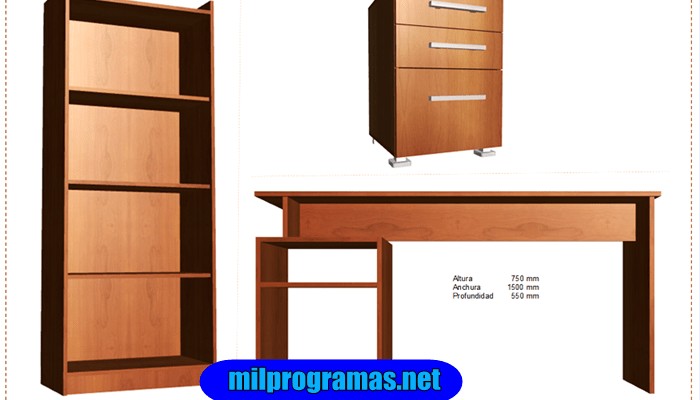
Gone are the days when people had a very limited number of options to decorate their surroundings. Even if they managed to find a good variety somewhere, they still did not have the freedom to make modifications to suit their own taste.
However, we now live in a world of customization where we can easily turn everything into whatever we want without any worries. If we talk about furniture, we know very well that a good piece of furniture is a must to beautify any infrastructure.
The 7 Best Programs for Designing Furniture
The best furniture design software provides furniture designers with the tools needed to conceptualize and design professional quality furniture. While large companies usually opt for paid software, it is not always a viable option for a small or medium-sized business. Therefore, choosing a Free furniture design software is the best choice.
You may also like: The 7 Best Inventory Software
01.SolidWorks
SolidWorks is a computer aided design software (CAD) very famous created for the operating system WindowsThis software is perfect for all kinds of 3D modeling and designing, but it specializes in furniture design. You can create any kind of furniture with the help of this software, whether it is made of wood, steel, plastic, or anything else. Thanks to SolidWorks' 3D elements, textures, and materials features, you can easily add details to the furniture you create.
After designing your furniture, you can also add Doors and Windows to your work environment to check your furniture in a realistic environment and see if any further changes are required. This software also provides you with the flexibility to work with other third-party programs along with it, so that you can use tools from them as well as according to your needs. SolidWorks offers us a free trial version, however, it does not reveal the price of its paid versions. To find out, you will need to contact the SolidWorks developer team.
02. CAD Pro Furniture Design Software
CAD Pro furniture design software is a software designed for the Windows operating system which is not limited to just furniture design but is really cool. With the help of this software, you can comfortably design your cabinets, drawers, doors, cupboards, chairs, tables and much more. The Sketch Tracing feature of this software is there to help you when you have created a hand-drawn sketch of your furniture on a sheet of paper but now want to add details to it which you find difficult to do manually. So all you have to do is scan that sketch and import it into CAD Pro and you can make modifications to it as a CAD Pro project.
This tool not only allows you to create great furniture designs, but it is also able to communicate them to others in a very efficient way. It allows you to record your designs and add voice instructions to them to make them clearer. You can also add pop-up text messages and photos to your design as supporting details. There are also plenty of Symbols and Free Cliparts available in CAD Pro that you can incorporate into your designs. Additionally, you can also create your own symbols or cliparts and then add them to the CAD Pro library for later use.
03. Woodwork for Inventor
Woodwork for Inventor is a furniture design program, which follows the skeletal model design approach. Using this software, rapid prototyping of panels can be created. It helps in the generation of industry-specific bills of materials, automated component placement, and automatic sculpting.
All types of furniture designers can use this software for residential kitchen designs, boutique furniture designs, and storefront designs for commercial purposes. Woodworks for Inventor helps create furniture designs from scratch and significantly reduces the time required to create furniture. There total order delivery.
04. SmartDraw Cabinet Designer
SmartDraw Cabinet Designer is ideal for both beginners and professional furniture designers. It helps them create custom shapes and designs of shelving, drawers, racks, etc. Using the best 3D furniture design software, you can move, add, stack, or remove multiple units conveniently. Moreover, it ensures effortless collaboration between your team members who may be working on the same cabinet design. Moreover, this wood furniture design software works perfectly in web browsers and mobile apps.
05. SketchList 3D
If you are a fan of wooden furniture or you work with wood professionally, then this is the one for you. perfect furniture design software for you. SketchList 3D simplifies time-consuming and repetitive wood design tasks, allowing you to work anywhere, in the shop or at your client's home.
Robust 3D sketches let you mark up every detail and quickly modify if something seems out of proportion. Virtual whiteboards also let you see how the elements of your design go together. Once you're happy with the final result, you can use Adobe 3D to create your own designs. PDF to send your sketch to your clients so they can see the “before” version of your work. SketchList allows you to add joints and contours with a single click. You can use the default colors and grains when designing the furniture or create your own.
06.SketchUp
SketchUp is a Very powerful 2D and 3D design software which is widely used for furniture design. This tool is compatible with the OS of Windows and MacThis software has a very intuitive and user-friendly interface that is liked by both novice and professional users. With the help of this software, you can easily create 3D models of your furniture as well as your buildings and landscapes. After creating your 2D or 3D designs, you can enhance them to the fullest by making use of features like lighting effects, textures, and animations.
SketchUp's Walkthrough feature allows you to double-check the created 3D design to look for any deficiencies. There is a huge SketchUp 3D library that can be used to import templates for furniture design. It has a fully customizable interface.
The “Share 3D Models” feature of this software allows you to share your designs in the form of animations, scenes, or printouts with other SketchUp users. You can even print your designs in 3D with the help of a 3D printer. Moreover, this tool is flexible enough to import designs as a template from other design programs as well as export your SketchUp projects for use with other design programs.
It may interest you: The 7 Best Programs for Programming in Java
The Best Programs To Design Furniture
Even if you buy some of the Most advanced and free wood furniture design programs, they provide options that can only be used to modify your design slightly. Therefore, if your organization or business is in its initial stages, we recommend that you get the furniture design software for free, which will not only save you money but will also be convenient to use.

My name is Javier Chirinos and I am passionate about technology. Ever since I can remember, I have been interested in computers and video games, and that passion has turned into a job.
I have been publishing about technology and gadgets on the Internet for over 15 years, especially in mundobytes.com
I am also an expert in online marketing and communication and have knowledge in WordPress development.