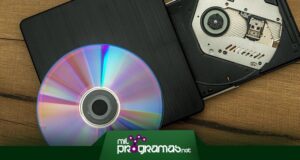
However, there are still teams that have this feature and we also find external readers and portable which can be purchased on the market as an additional tool.
Whatever your case, with the programs to burn CDs and DVDs you can make backup copies or burn them.
Top 5 Softwares for Burning CDs and DVDs
There have been a long time since the DVD burning apps movies, music or files stored. This is not as simple as copying and pasting the content to the removable drive, but you have to apply a specific format that can be read on players.
The programs to burn DVD and CD They are an opportunity for this and are sometimes found free or paid, so we will analyze all the options from now on.
▷Read: Top 7 DVD Burning Software ▷
1. Daemon Tools Lite
Daemon Tools Lite It is a free solution in exchange for ads, but if you want to disable them you will have to purchase the Premium version. It supports multiple burning and recording formats, including the classic ISO and others like MDS y MDX.
You can work with various types of CDs on the market, including Blu-Ray discs, so it is a fairly up-to-date software that you should incorporate. In addition, its design is ultra-intuitive and well structured for beginners.
On the other hand, Daemon Tools Lite will allow you to create bootable drives and mount advanced images through disks, SD cards or using an external hard drive, but you will first have to select the type of storage from the main page.
Essentially, you'll be able to insert your files and then back them up to the disk, as well as select the type of playback you need, in case you want a playable format or just a removable backup.
Download it on their Website |
2. UniConverter
While UniConverter It is intended for changing formats of different videos and audios, it also includes functions to burn discs or make backups from your computer, which makes it part of the DVD and CD burning programs.
You will only have to insert the CD into the disc drive installed on your computer, so that the software detects it and offers you the options to choose from. In the interface you will have to add all the files you want to burn, as well as select a default quality.
It is important that you choose the compression size (shows you a preview of how much it will weigh at the end of the process), as well as the inserted disc so that it can burn the disc accurately.
However, you can't do advanced tasks like creating a user menu as well as choosing the disk type. Si accepts Blu-Ray and the limit of items you can insert will depend entirely on the total space that the disk supports, but you will see this information on the screen.
Download it on their Website |
3. BurnAware
It won't hurt to try advanced options like the ones it provides us with. Burnware. Not only will you have the possibility to record your music, video or file discs, but you will also be able to create ISO images of different formats.
On the one hand, you can choose between burning a simple ISO, copying files to said format, as well as creating it directly from a specialized folder. On the other hand, it is possible create bootable iso disk, of those used to install OS.
Similarly, BurnAware allows you to create data discs or span discs, depending on your preferences. All of these settings are located on the main screen, next to a list of Selected formats and options with their respective icons.
The interface is very intuitive, clean and minimalistic, but the free version is somewhat limited. The software can be purchased in multiple editions, including the basic and the Premium version which vary according to the number of features unlocked.
Download it on their Website |
4. CD Burner XP
Initially developed for computers Windows XP, CDBurnerXP It can now be installed from Windows 10 and other versions of the operating system, preserving its original essence and well-structured functions.
When you start it, a list with multiple will be displayed. types of data to burn, including audio files, video discs or in ISO image format. You can also choose the option of forma tear and delete data or copy the information, if what we want is make backup copies.
Meanwhile, CDBurnerXP will send you to an additional window, where you will need to add the files corresponding to the selected disc. Make sure you do it correctly, because if you insert music in a video format, it will be played as such in a black screen and will take up much more space.
The best of this program to burn CD in Windows 10 is that it supports Blu-Ray and HD disc formats, without needing to pay a single cent to use it fully.
Download it on their Website |
5. Ashampoo Burning Studio
Ashampoo Burning Studio It outperforms any alternative in elements such as interface, ease of use, multiplicity of formats, compatibility with different discs, support for updated qualities and more, but None of these features are free.
From its incredible platform, you will have a list of types of formats to burn, whether you prefer a CD with audio and music or a DVD for videos, movies and even slides with family photos.
As if that were not enough, Ashampoo Burning Stuio is perfect for Burn an ISO image high-end and with multiple playback formats to make it bootable in many cases, but according to your own choice.
El covers section It is specially designed to find album covers, especially if it is a musical album and you are backing up a complete album of your favorite singers. It is a payment tool and somewhat expensive compared to the competition.
Download it on their Website |
Conclusions
Burn your audio discs, save movies, videos, files and data, create your ISO and Bootable images with the CD and DVD Burning Programs. Although these types of resources are used less and less, there are still those who require them. specialized tools.
ISO and bootable disks, for example, are still widely used when it comes to installing bootable software or for install operating systems on a desktop computer.
▷You should read: What is UltraISO. Uses, Features, Opinions, Prices ▷
Similarly, es It is advisable to make backup copies in digital formats to all the files and data that you have stored on old disks, especially because these are very susceptible and once damaged, there is no way to recover their content.
Those who even let you will also be very useful create interactive menus, which are most useful when it comes to a movie or various videos that can be played on Blu-Rays, DVDs, among other specialized equipment.

My name is Javier Chirinos and I am passionate about technology. Ever since I can remember, I have been interested in computers and video games, and that passion has turned into a job.
I have been publishing about technology and gadgets on the Internet for over 15 years, especially in mundobytes.com
I am also an expert in online marketing and communication and have knowledge in WordPress development.