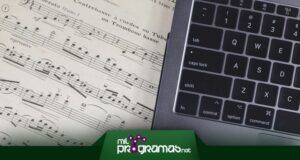
 The scores are the language of musicians. These are represented through a series of signs, which show us the correct way to interpret a theme or song, just as the composer intended.
This requires advanced knowledge of the subject and musical notation, as it needs to be studied. But if you already have that knowledge, you can save time and create them yourself on your PC using music notation software.
The 8 Best Softwares for Writing Sheet Music
We're talking about apps that come bundled with tons of tools for composing a score, and that can help you carry out the process easily, because they'll be helping you all the time.
They even come with templates, in case you're just starting out with them, so in mundobytes.com We evaluate some alternatives and tell you which are the best programs for writing sheet music that exist in the market.
1.MuseScore
MuseScore 's rating is positive in most cases, as users are satisfied with its virtual score writing system, through a plugin known as WYSIWYG.
For this you have an unlimited number of staves to create according to your own needs, apart from the possibility of adding a maximum of four different voices in each of these staves, which becomes an indispensable tool for every composer.
As if that weren't enough, MuseScore will let you insert notes easily, intuitively and smoothly using devices such as your computer mouse, connected MIDI equipment or simply using the computer's keyboard.
Speaking of which, the app lets you import and export MIDI and MusicXML files to suit your preferences and to edit previously created documents. It's available for Windows , macOS, and Linux , with licenses that vary depending on the features.
Download it on their Website |
2. Sibelius
Although Sibelius is primarily designed to facilitate musical composition by transferring physical scores to a digital space, it can also be used for creating them. In fact, it's one of the few score editing programs that allows you to scan scores and convert them into an editable version.
From there, you can play the songs and then easily print each score you've designed or recreated. It also functions as a music notation software that's worth every penny.
Meanwhile, Sibelius lets you use a connected MIDI keyboard to add your scores, making the whole process even easier. You have over 150 different sounds to use in your compositions, all of the highest possible quality.
If you don't know how to start writing your sheet music, there are tons of templates that vary depending on the type of music, and in the end, it will let you export them in an audio format, allowing you to play them from anywhere.
Download it on their Website |
3. Crescendo
Another option that lets you compose songs using MIDI keyboards for your sheet music is Crescendo . Its intuitive interface and minimalist design will help you focus on the composition process, if you want to avoid distractions.
You can work with all kinds of notes, including quarter notes, half notes, sixteenth notes, eighth notes, whole notes, rests, and many more. It's also easy to create your own songs using bass, treble, and other clefs; simply type the names of the notes into the document for beginners.
Crescendo also comes with a drum kit to help you add energy to your song, as well as various templates essential for percussion notation. The drag-and-drop function allows you to change the placement and pitch of the sounds.
If you feel the score is too large, you can zoom in to edit it in a specific way. The best part is that you'll be able to print all your work or send it by email if you wish.
Download it on their Website |
4. Final
And if you're looking for programs to create scores in PDF and other formats like MIDI or MusicXML, Finale will be your best friend. It's one of the most popular notation applications on the market, and also the most versatile you'll find.
All your work is done on the fly, either using the built-in templates or writing them manually, depending on your project's requirements. You can export your scores in editable or printed versions —the choice is yours.
Finale is even integrated with a collaboration system , since editable documents can be sent through various means and any other user will have the possibility of making changes and annotations, in both directions.
However, it's not the easiest software to use or understand, despite its fantastic, minimalist interface. Furthermore, the price might seem a bit high, but it's well justified by the thousands of professional features it offers.
Download it on their Website |
5. Lilypond
Lilypond is a highly technical tool that lets you edit almost anything in a physical or digital score. You can export your creations as text or music files to hear how they sound.
It focuses on a project that makes reading sheet music easier, thanks to a multitude of algorithms and fonts that can automatically generate changes. Furthermore, the final product's design is very intuitive for less experienced users.
In fact, Lilypond will let you mix the text and the music, adding the tracks below each score so they play in sync, saving you from having to synchronize them later.
These are saved in HTML or LaTeX format , but you can also convert them to an OpenOffice file if you're using that office suite. It's open source and can be downloaded for free on Windows, Linux, macOS, and OS X.
Download it on their Website |
6. Denemo
Direct, easy to use, and highly professional—these are the three characteristics that define Denemo , which is compatible with macOS Catalina, Windows 10, and Linux. It offers excellent compatibility with your MIDI instruments, though you can also use your mouse and keyboard.
If you need to work with scores created in other tools, it will let you import them from a PDF file and transcribe them to the local format, even allowing you to reassign functions.
Similarly, if you're concerned about the duration of each note, it allows you to adjust this time and assign it to each note in an organized way. It's also a good alternative when creating rhythmic layers , which can be further enhanced with tones.
It can also be used to change, reduce, transpose, order, alternate, modify, or randomize each of the notations. Export formats include MIDI, PDF, PNG, and MusicXML, among others.
Download it on their Website |
7. TuxGuitar
TuxGuitar is only available for Linux distributions and hasn't been updated since 2018, although writing sheet music isn't something that changes over time, so this might be an application you shouldn't rule out.
On the one hand, it comes equipped with an excellent editor for tablature and sheet music, along with its corresponding score display for all the notes. Furthermore, its multi-track screen allows you to work on several tracks of the composition simultaneously.
We're impressed by how you manage the timing and duration of each note, which is crucial in this type of work. The built-in effects like Slide, Activation, Flex, Hammer Pull, and Vibrato are very effective.
It's practically the only music notation program that offers support for triplets, between the intervals 5, 6, 7, 9, 10, 11, and 12. Not forgetting the Oxygen Dark theme with several dark modes to protect your eyes.
Download it on their Website |
8. NoteAbilityPro
The turn of Mac and iPad has arrived with NoteAbilityPro , a tool that is specifically designed for composing scores on those operating systems , which will not limit you to working from the computer.
Supported input methods include mouse, MIDI devices, virtual keyboard, and QuickScrawl, the latter featuring an automated gesture recognition system. Advantageously, there are no size or weight limits for your scores.
Among the technicalities of NoteAbilityPro we have the staves, of which up to 40 of them can be incorporated according to each system, apart from a maximum set of 16 measures, although these can be expanded once you finish the configurations.
It also comes with basic clefs such as percussion, alto, bass, treble, tenor, treble/tenor, octave/bass, and soprano . You can adjust the sheet size to suit your needs and edit each piece of music more precisely, which you'll love.
Download it on their Website |
Conclusions
Write, edit, create, and play your own tablature , compose professional songs, and more with sheet music notation software for your PC. You can use it on almost any operating system, with a few exceptions.
However, we should warn you that although they seem simple at first glance, you won't be able to use them without knowing how to read musical notation , because without that you won't be able to understand how the applications work, their tools, and the entire interface.
▷You should read: 5 Best Programs for Guitar and Guitarists ▷
Previously, scores were edited manually, but since we have computers at hand we can do better work and in a much better organized way, using various formats.
In fact, some even let you import and export sheet music in PDF format, as well as add note names so beginners can easily find their way around, so we recommend choosing the one that meets those specifications.

My name is Javier Chirinos and I am passionate about technology. Ever since I can remember, I have been interested in computers and video games, and that passion has turned into a job.
I have been publishing about technology and gadgets on the Internet for over 15 years, especially in mundobytes.com
I am also an expert in online marketing and communication and have knowledge in WordPress development.