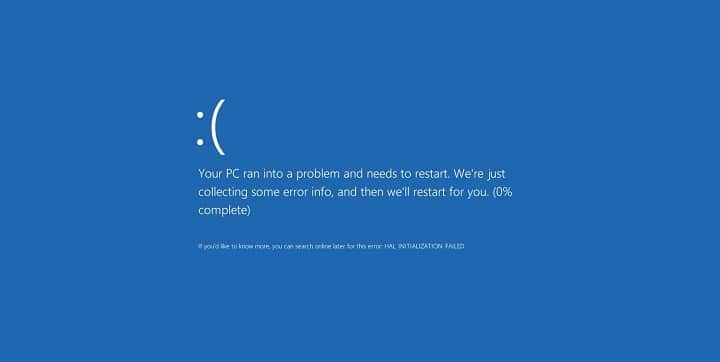
Windows 10 Blue Screen of Death errors can cause various problems. These errors can often be difficult to troubleshoot. They are often problematic, so we'll show you how to fix the PNP FATALERROR DETECTED BdB error.
What is pnp fatal error?
Pnp detected fatal error is a type of blue screen error that can cause a lot of problems on your computer. Sudden restart of your computer can cause this error, which can be quite frustrating. Users have reported these problems in response to this error:
- Windows 10: Problem with PnP device PNP devices can have numerous issues. If you are having problems, we can help.
- Pnp blue screen Your PC will crash if it displays the PNP error. Most likely, it is due to outdated drivers.
- BSOD pnp_detected_fatal_error – This is a BSOD error and can, like other BSOD problems, be very difficult to fix. This problem can be caused by driver and software issues. You may need to uninstall certain programs and check if that helps.
- Pnp_detected_fatal_error Norton, ntoskrnl.exe People have reported that Norton Antivirus has caused the problem. This is a sign that Norton Antivirus has caused problems on your PC.
- Pnp_detected_fatal_error after windows update This error can sometimes appear after you have updated Windows. You need to locate and remove the corrupted update and then check if the problem is resolved.
- Pnp_detected_fatal_error Windows 8.1, Windows 7 This error can also appear on Windows 8.1 or 7, however, you can still use many of our solutions regardless of whether you're using Windows 10.
How to fix a fatal error detected by PNP
Solution 1 – Update Windows 10
Blue Screen of Death errors can be caused by software or hardware compatibility issues . To troubleshoot these problems and avoid a PNP FATAL ERROR DETECTED, ensure that Windows 10 is up to date. Windows 10, like other operating systems , can have issues with specific hardware and software . BSOD errors can occur.
Microsoft will work diligently to resolve these issues. We strongly advise using Windows Update to update your computer and avoid the Blue Screen of Death. These patches address security and compatibility issues, so make sure you have the latest patches installed.
Normally, Windows 10 installs missing updates automatically, however, there may be cases where Windows 10 is unable to do so due to errors or other issues. You can still check for updates manually by following the steps below:
-
For more information, press Windows Key + I to open the Settings app.
-
Open in the application settings. Go to the next section: Update and security.

-
Click this button. Keep checking for new updates.

Windows will search for the updated files and download them automatically. Once the update is downloaded, it will be installed automatically when you restart your computer. Once the updates are installed, you may notice that the error message does not appear.
Solution 2 – Update your drivers
Windows 10 requires drivers to recognize and use your hardware, and if a specific driver is outdated you will not be able to use that hardware component and will get a BSOD error like PNP_DETECTED_FATAL_ERROR. It is highly recommended that you update your Windows 10 drivers to fix these errors. You can easily update your drivers by visiting the hardware manufacturer's website, downloading the current drivers, and installing them.
Many people have reported that this Intel DPTF Manager driver was very helpful . This driver continued to cause problems on your computer even after updating to the latest version. We recommend reverting to the previous driver version to see if that resolves the issue.
We recommend that you monitor the driver to make sure it is working as intended. Windows 10 frequently updates drivers by default, and this can cause the problem to return. This can be avoided by preventing Windows 10 from updating drivers automatically, which will resolve the issue completely.
It may take a long time to manually download all the drivers. This driver update software will automatically download all the necessary drivers.
Solution 3 – Disable the antivirus

Your system's security depends on your antivirus software. However, sometimes Blue Screen of Death errors can be caused by your antivirus program. According to users, the PNP_DETECTED_FATAL_ERROR error is often caused by your antivirus, and to fix this problem, it's advisable to remove any third-party antivirus software you have installed. Your computer won't be completely defenseless even if you remove all other antivirus programs. Windows Defender is the default antivirus program used by Windows 10.
Users say that the most common reasons for the Blue Screen of Death are Norton Internet Security and McAfee Total Protection. You will have to uninstall this program if you want to fix it. Antivirus software may not be uninstallable. You will have to remove it with a special tool. You can download these tools from most security companies.
You can reinstall the antivirus software if the blue screen of destruction error has been resolved after removing it.
If you can't uninstall your antivirus, it's worth switching to an alternative antivirus program. While there are many antivirus tools available, the most effective are Bitdefender , BullGuard , and Panda Antivirus . These tools will work perfectly with Windows 10 without causing any crashes or errors.
- READ ALSO: Fix USBDEVICE_DESCRIPTOR_FAILURE error on Windows 10
Solution 4: Remove the problematic software
PNP_DETECTED_FATAL_FATAL_ERROR The BSOD error can be caused by any software on your computer, so it is crucial that you find and remove the problematic software. You should have removed any software you had installed before the error started to occur.
You can use uninstaller software to fix third-party programs. If you don't know what it is, you can completely remove any program from your computer. Uninstalling software, unlike regular uninstallation, will completely remove the affected application and all associated files. This will ensure that any remaining files will not cause problems for your computer.
Try these uninstallation programs if you like IObit Uninstaller or Revo Uninstaller . All of these applications have a user-friendly interface that allows you to remove any program from your computer along with its associated files.
The problem is resolved when the application is removed.
These errors can be caused by both drivers and applications. Users have also reported issues with the Bluetooth driver. These steps will help you resolve the issue if you have a specific driver.
-
For more information, press Windows key + X. Click here to access the advanced user menu. Select Device Manager from the list below.

-
Once the Device Manager opens , right-click on the problematic driver and choose Uninstall device.

- Reboot Your computer.
Windows 10 will install the default drivers automatically after restarting your computer. If the default driver works fine, you can continue using it or update it.
Solution 5 – Perform a Windows 10 reset
If the PNP_DETECTED_FATAL_ERROR Blue Screen of Death error is caused by certain software, you can fix it by performing a Windows 10 reset. Make sure you have a backup of all your important files before performing a Windows 10 reset. The procedure works the same way as a clean install. It will delete all the files on the C partition. That's why it's important to back up your most important files. You may need Windows 10 media to complete the Windows 10 reset. This can be created using the Media Creation Tool. Follow these steps to complete the Windows 10 reset:
-
To start automatic repair, restart your computer several times in the boot sequence.
-
Choose Troubleshoot > Restore this PC > Erase everything . When prompted, insert the Windows 10 installation media.
-
Choose You can only delete files from the location where Windows was installed. Just click the You can restore button.
-
Follow these instructions and wait for the process to complete.
Check if the computer has stabilized after completing the restart. If you see the BSOD error again, the problem is most likely due to hardware.
Solution 6 – Check your hardware

PNP_DETECTED_FATAL_ERROR The Blue Screen of Death error can be caused by your hardware, so make sure to check that your RAM is working properly, as RAM is the usual cause of this type of error. Make sure to check your RAM and other components to make sure they are working properly.
The PNP_DETECTED_FATAL_ERROR error can cause certain problems, but it can be easily fixed by updating drivers or removing antivirus software. These solutions may not be effective. You can try the following solutions.
Editor's Note: This article was first published in June 2016, and has been completely updated and rewritten to reflect current accuracy, completeness, and freshness.
READ ALSO:
- How to fix PAGE_FAULT_IN_NONPAGED_AREA errors in Windows 10
-
Windows 10 Fix: Cannot update: Error #0x80246017
-
Windows 10 Fix: Atibtmon.exe Error
-
Fix: Explorer.exe Application Error in Windows 10
-
Fix: KERNEL_MODE_EXCEPTION_NOT_HANDLED error on Windows 10

My name is Javier Chirinos and I am passionate about technology. Ever since I can remember, I have been interested in computers and video games, and that passion has turned into a job.
I have been publishing about technology and gadgets on the Internet for over 15 years, especially in mundobytes.com
I am also an expert in online marketing and communication and have knowledge in WordPress development.