- PhET offers free, open, research-based simulations for STEM.
- Pedagogical design with clear principles and interactivity with immediate feedback.
- Platform with filters, teaching resources, and specialized training.
- Flexible classroom use: PBL, flipped, and formative assessment at different levels.

If you're looking for an engaging and effective way to bring science and math into the classroom, PhET simulations are exactly what you need. These interactive digital experiences are designed to allow students to experiment, test, and discover cause-and-effect relationships intuitively. Whether in elementary, secondary, or university settings, PhET combines rigor and fun with a pedagogical approach that leaves nothing to chance and an open-access philosophy. PhET offers free resources, in Spanish and based on educational research , that can be used both online and offline.
In the following lines, you'll find a clear and comprehensive explanation of exactly what PhET Interactive Simulations offers, how to use them effectively in the classroom, and why their instructional design is supported by testing and research with real students. We'll also tell you about the tools the simulations incorporate, their pedagogical advantages, available official training courses, and the awards the project has received. The goal is for you to leave with a practical, well-founded guide ready to implement in your lesson planning.
What does PhET Interactive Simulations offer?
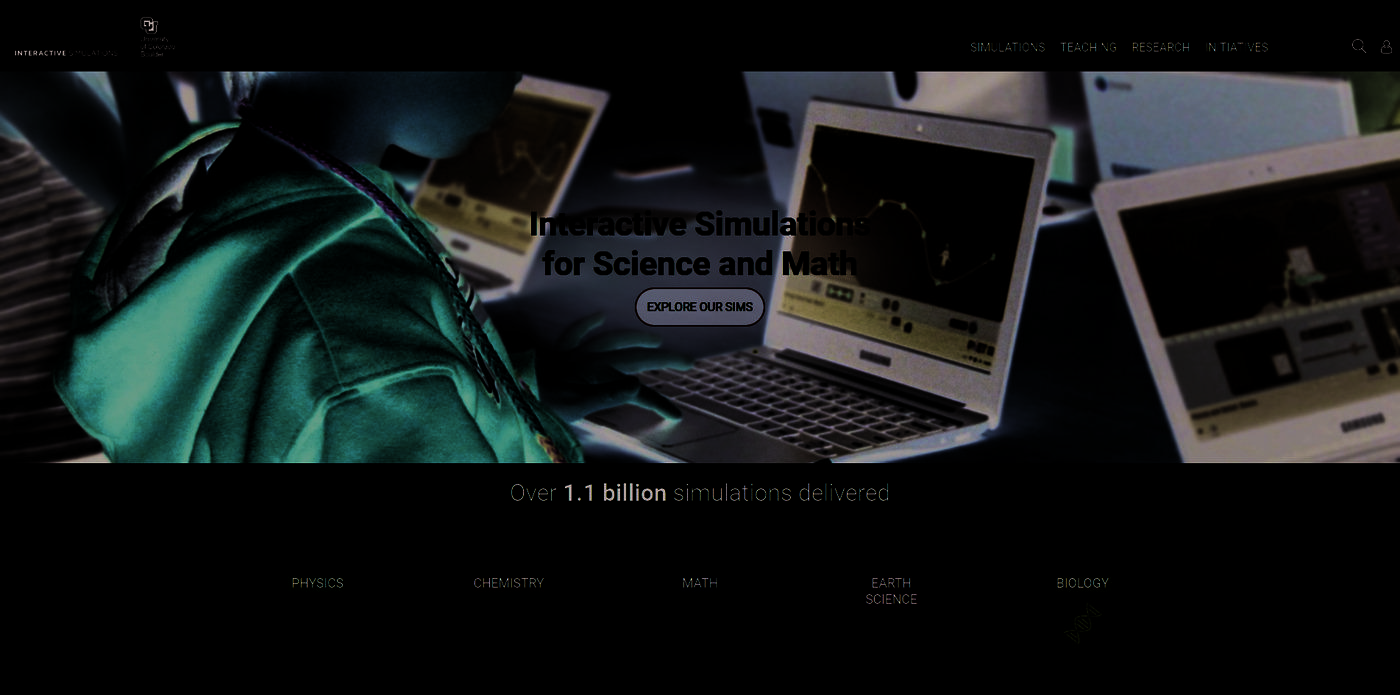
PhET Interactive Simulations , developed at the University of Colorado Boulder, offers over a hundred free interactive simulations covering physics, chemistry, mathematics, biology, and Earth sciences. Its catalog ranges from basic concepts to advanced content, with experiences designed for active and visual learning. The simulations are mostly written in HTML5 to ensure cross-platform compatibility, although some older ones still exist in Java or Flash.
One of its defining characteristics is that all the content is open source and freely accessible. This means you can use it in your browser or download it for offline use if you prefer. The project is sustained by the support of multiple sponsors , ensuring that both students and teachers have access to these resources free of charge and on an ongoing basis.
Pedagogical quality isn't improvised: each simulation undergoes rigorous testing and evaluation before release. The PhET team conducts interviews with students and observes its use in real classrooms to identify difficulties, adjust the interface, refine feedback, and improve the overall experience. This iterative, evidence-based approach is key to its effectiveness and to ensuring that the simulations remain aligned with best teaching practices.
In addition to its wide range of topics, the platform fosters inquiry-based learning: students manipulate variables, see results instantly, and formulate hypotheses that they can test in a safe environment. The goal is for knowledge to emerge from exploring, experimenting, and reasoning , not just from passively receiving information.
What is PhET Colorado and how does the platform work?
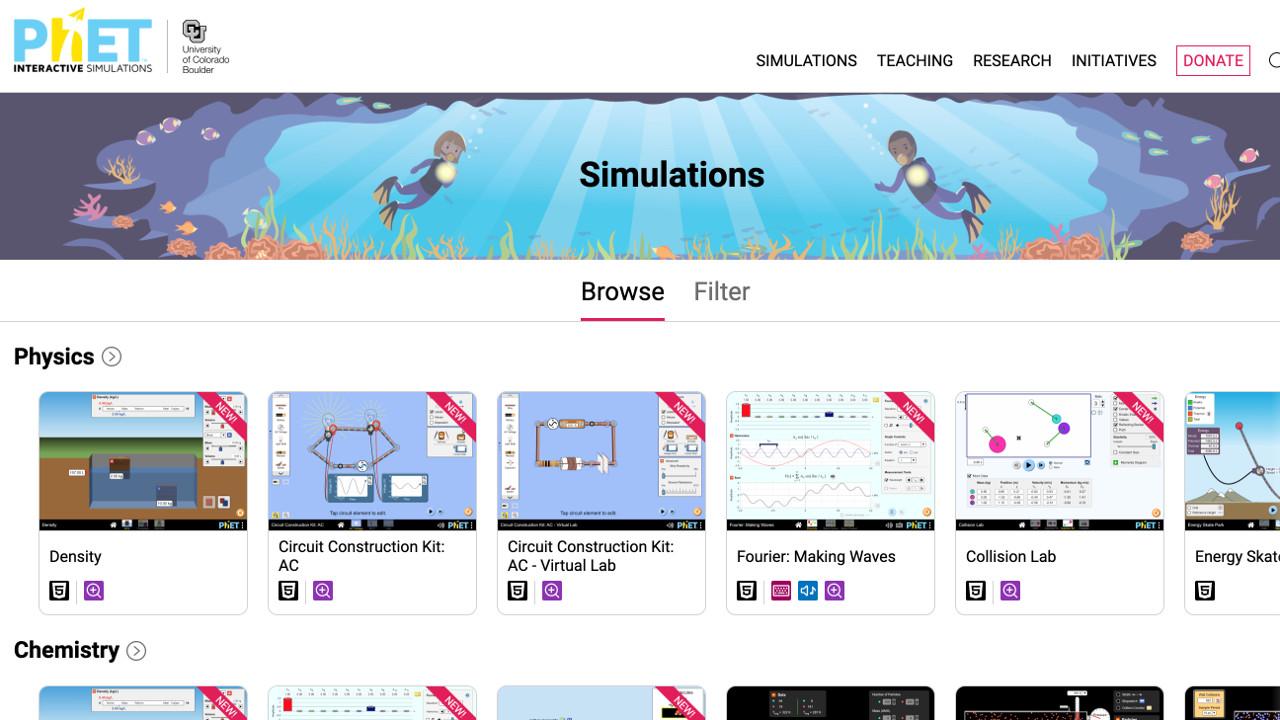
PhET Colorado is the home of these interactive simulations: a portal where you can search, filter, and access ready-to-use classroom experiences. Its search engine allows you to locate resources by subject, specific concept, and educational level, which greatly speeds up lesson preparation and facilitates curriculum sequencing. You'll find practical filters that take you directly to the simulation you need for your teaching unit.
If you register as a teacher, you'll unlock a fantastic bonus: a section with teaching resources and activities developed by teachers from around the world. There you can download ready-to-use materials, such as lab scripts, activity sheets, and lesson sequences. This teacher community provides added value and saves time with materials already tested in the classroom.
The process is simple: you choose a simulation, launch it in the browser or download it , and present students with a guided or open-ended exploration task. The interface is designed for students to interact and understand, without technical barriers or overwhelming instructions. Usability has been carefully considered to promote discovery learning.
Pedagogical advantages of using PhET simulations
PhET simulations are not just a technological gimmick, but tools designed to improve learning outcomes . Among their most notable benefits are several that should be kept in mind when planning:
- Interactivity that engages: Students manipulate variables and observe effects in real time, which promotes deep and active learning. This direct participation helps theoretical concepts become embedded when they are seen in action.
- Visualizing complex ideasMany scientific phenomena are abstract or invisible to the naked eye. Simulations make them understandable with dynamic representations, graphs, and numerical indicators.
- Adaptable to levels and styles: They adapt to different learning stages and profiles. You can customize the activities associated with each simulation to align them with your course objectives.
- Curiosity and scientific mentalityIn a safe environment, students explore, formulate hypotheses, and test them without the logistical constraints of a physical laboratory. This fosters motivation and critical thinking.
Pedagogical design principles guiding PhET
PhET simulations are not improvised. Their design is based on a series of principles that aim to maximize student understanding and engagement. These pillars guide the interface, controls, and on-screen representations you see:
- Stimulate scientific research: encourage students to question, explore, and argue with evidence.
- Prioritize interactivity: let learning happen through manipulation and observing consequences.
- Making the invisible visible: showing models and processes that cannot be seen directly.
- Represent mental models: align visualizations with how people understand phenomena.
- Combine multiple representations: moving objects, graphs, tables, and numerical values.
- Use real-life contexts: everyday examples that connect with students' experiences.
- Implicit guidance: limiting or structuring controls to encourage productive exploration.
- Allow use in different scenarios: in lectures, pair work, laboratory or homework.
This set of principles makes the simulations both intuitive and powerful. The guidance is subtle, yet sufficient to allow for meaningful progress , preventing students from getting lost in irrelevant options or becoming frustrated by a lack of direction.
Interactive tools that enhance learning
The magic of PhET lies in how it transforms interaction into understanding. You'll find multiple tools within each simulation to explore concepts practically. These are the most common ones and how they help :
- Click and drag: Move objects, adjust positions, or activate elements to see changes instantly.
- Sliders: Change parameters gradually to analyze relationships and trends.
- Radio buttons: switch between models or scenarios and compare results.
- Measuring instruments: rulers, stopwatches, voltmeters and thermometers that allow quantification.
By interacting with these controls, feedback is immediate: changes are clearly visualized, making it easy to link cause and effect. This instant response reduces cognitive load and promotes metacognition , because students connect their actions with what they observe and adjust their hypotheses on the fly.
How to integrate PhET into university teaching (and beyond)
Simulations fit with different methodological approaches. They are especially useful in the university setting, but also work very well in secondary and vocational education. Some effective integration strategies are :
- Project-Based Learning (PBL): Using simulation as a source of data and experimentation within a larger project that solves a real problem.
- Flipped Classroom: Propose prior exploration at home and dedicate class time to analysis, debate, and conceptual extension.
- Formative assessment: Use short tasks within the simulation to detect difficulties in real time and adjust instruction.
Furthermore, simulations facilitate collaborative work, self-regulated learning, and the development of transversal skills such as quantitative reasoning and scientific communication. They are an ideal catalyst for energizing practical sessions and seminars in both large and small groups.
Research, student testing, and educational effectiveness
A crucial part of PhET's value lies in its commitment to educational research. Before publication, each simulation undergoes an evaluation process that includes interviews and observations in real classrooms. This data is used to inform design decisions and improve the experience , ensuring that learning objectives are met and that visual metaphors are clear.
This approach allows for fine-tuning details such as the level of implicit guidance, the granularity of the sliders, and the choice of measuring instruments, making the exploration both productive and challenging. The result is simulations with high conceptual impact , which help overcome common misunderstandings and foster causal thinking.
Official resources, courses and specializations
PhET not only offers simulations, but also structured training for teachers. There is a specific course for learning how to access, share, and leverage simulations, with a clear focus on equity through active learning. It is the first course in a four-module specialization centered on the use of PhET in STEM education.
This program includes at least one peer-reviewed activity that requires you to select simulations appropriate for your class; a very practical exercise for aligning resources with the group's objectives and level. The specialization is also available in English and Portuguese , expanding its reach to more educational communities.
In addition, the platform offers downloadable resources and open materials, including articles and PDF documents , that complement classroom activities. You'll find implementation ideas, lab guides, and prepared lessons that you can adapt to your context.
Technological accessibility and formats
On a technical level, PhET simulations are mostly developed in HTML5, allowing them to run in modern browsers without additional installations. Some older simulations remain in Java or Flash, but the current focus is clearly on open web technologies. You can work online or download for offline use , depending on your institution's logistics or your students' needs.
This approach ensures broad compatibility with devices and operating systems , and reduces access barriers. When connectivity is unavailable, the download option keeps the experience accessible in any classroom. This technical flexibility aligns with pedagogical inclusivity , improving availability for all types of contexts.
Recognitions and institutional support
The PhET project has received numerous awards throughout its history, a testament to its significant impact on science and mathematics education. These accolades, combined with the support of multiple sponsors , ensure that the resource remains free and of high quality for the entire educational community.
Community, translations and credits in Spanish
One of the reasons PhET is so well received by Spanish speakers is the translation and adaptation work. Among the outstanding collaborations are those of Diana Berenice López Tavares, a researcher in Physics Education and teacher trainer in Guanajuato, Mexico, and professional translator Adriana Chisco (Universitat Rovira i Virgili, Spain), based in Bogotá, Colombia. Thanks to these contributions, the simulations and resources are available in our language with high quality and careful terminology.
For inquiries, some PhET pages provide a contact email address (protected by anti-spam systems), and in the case of the translation mentioned, the email address of Diana Berenice López Tavares. "More information" notes with protected contact addresses are included to preserve privacy.
More information, videos and complementary materials
If you'd like to see these simulations in action, there are explanatory videos and demonstrations showcasing classroom strategies and best practices. There are also downloadable articles and PDF documents that expand on the pedagogical approach and offer examples of complete activities. These resources can inspire you and accelerate implementation , whether you're just starting out or looking to delve deeper.
As you browse the site, you'll find sections dedicated to learning more about PhET, reviewing training videos, and consulting design principles. There are even sections that compile the project's awards and recognitions, in case you want to learn about its history and the support it has received from the educational and scientific community. All of this contributes to a very well-structured learning ecosystem.
Good practices to get the most out of it
For simulations to be most effective, it's important to define clear learning objectives and develop guiding questions that encourage inquiry. Combine periods of free exploration with short breaks for reflection and discussion, and alternate activities involving prediction, experimentation, and explanation. Consider including transfer tasks where students apply what they've learned to new contexts or different data.
Integrate multiple representations: ask them to describe what they see, interpret graphs, and quantify using virtual tools. This strengthens connections between qualitative models and numerical evidence. And don't forget to use formative assessment : short forms, conceptual questions, and a closing mini-challenge to capture evidence of learning and adjust teaching as needed.
Equity and accessibility
The active learning approach encourages the participation of all students, especially when accompanied by clear instructions and opportunities for collaboration. The ability to use simulations offline, along with their inclusive design, helps minimize access gaps. PhET emphasizes the importance of equity and incorporates it into its training and user experience.
By combining accessible visual language, intuitive controls, and implicit guidance, simulations lower barriers and allow diverse learners to engage with the content. This translates into greater motivation, better discussions, and more lasting learning in heterogeneous groups.
The sum of all the above makes it clear why PhET has become a benchmark for science and math teachers at all levels. From its technical foundation (HTML5, downloadable, open source) to its pedagogical rigor (research, design principles, student assessment), the project carefully considers every detail to ensure an effective and engaging experience. If you're looking for reliable, motivating, and ready-to-use classroom resources, PhET is a sure bet . Few platforms offer as much, and as seamlessly integrated, in terms of availability, quality, and community.
This work is licensed under a Creative Commons Attribution-NonCommercial-ShareAlike 4.0 International License. Non-commercial educational use and adaptation with attribution are permitted.

Passionate writer about the world of bytes and technology in general. I love sharing my knowledge through writing, and that's what I'll do on this blog, show you all the most interesting things about gadgets, software, hardware, tech trends, and more. My goal is to help you navigate the digital world in a simple and entertaining way.