
MEmu is an emulator that has been dedicated since its inception to offering its users a very stable platform to play Android games on PC.
Since its inception, it has earned a reputation for working seamlessly on various types of PCs, removing the barrier of expensive smartphone hardware and allowing gamers to use their favorite Android games on their computers without additional costs.
More importantly, it offers the best keyboard control and provides a maximized gaming experience. And best of all, it is free. This raises some doubts among its users, as it is inconceivable that an emulator of such characteristics exists and that it is free.
The truth is that MEmu has already positioned itself as one of the leading Android emulators for PC, a benchmark in the field and highly sought after by users.
What is MEmu
MEmu Play is an Android emulator for Windows PCs where you can play games and use your apps. While it specializes in games, this software is distributed by Microvirt.
It's one of those emulators that can give you the best experience, and it's mostly compatible with Intel and AMD chipsets . That's a rare feature to find in emulators.
Moreover, its performance is increased with these chipsets. This software is available for free. And it can be easily downloaded, after downloading, you just need to install it on your device. Then, you will be able to run Android apps on your PC.
Moreover, it provides you support to run multiple instances at the same time. So, you can easily run more than one task at a time. MEmu supports many Android OS versions like JellyBean, KitKat, etc.
MEmu Play is not only used by gamers to play games, it is also popular among Android developers because it allows them to run and test their applications virtually.
In this way, it informs them about the performance of their Android apps. Moreover, this emulator has a built-in feature. And this feature allows users to change the IMEI number and device ID.
What can MEmu be used for?
Well, it works as an emulator that can effectively run Android systems on your PC. Beyond that minimum requirement, MEmu offers consistent performance across a wide range of computers and configurations, with excellent results on each.
It also features a multitude of features to enhance player interaction, so it will certainly raise the bar for a good player.
MEmu lets you run millions of Android games on your computer, and has a ton of features and advantages that will greatly enhance the player's enjoyment, such as customizable keymaps, multiple instances, macro keys, operation recorder, etc.
MEmu outperforms any other competitor in terms of performance, CPU usage, RAM usage, frames per second, and load time.
The user can run multiple versions of Android simultaneously. You don't have to worry about compatibility issues as MEmu supports most of the software and hardware configurations.
Installing apps via emulators can be tricky, but with MEmu, the whole process remains simple and straightforward. Once you complete the MEmu download, you'll find a simple interface with a search button. From here, you can search for the app you want, click on the APK icon on the right side, and wait a few seconds for it to install.
In addition to this, the software comes with built-in key mapping for both keyboard and mouse. That means once you download MEmu on your desktop, you can start playing any game instantly. In case you are not satisfied with the pre-selected keys, you can easily modify them in the Settings menu.
In addition to allowing you to assign keys and offering one-click APK installation, MEmu also provides some advanced features for a seamless Android experience on your PC.
One of the most notable features, also available in the previous version of MEmu, is the option to run multiple instances of MEmu. This means you can run two Android operating systems simultaneously in two different app players.
In addition, the application comes with an Operation Record tool that lets you record and run macros to complete repetitive tasks. The software includes several utilities that allow you to take screenshots of any application you're running. The application also has a video recording feature for creating high-quality gameplay videos.
Some advanced features available in MEmu download include sharing files between devices, spoofing GPS location, cloning and wiping Android systems, and offering flexible customization options.
With the help of MEmu, you can easily access various Android apps, make changes whenever needed, and complete tasks or play Android games right from your PC.
You might also be interested in 6 Best Virtual Machine Programs
Features of MEmu
As the name suggests, MEmu Android emulator focuses on Android games. It is easy to use and the best part is that it is completely free. No hidden charges or purchases. MEmu Android emulator has all the features that an Android emulator should have and much more.
There are several benefits that the user can get by making use of the MEmu Player. With MEmu Player, you get:
elegant datewatches.com usa is more attractive. match the high hopes and needs out of people in all mankind relates to the hunt for cheap luxury replica watches. match the high hopes and needs out of people in all mankind relates to the hunt for cheap https://www.noob.to/. best swiss www.vibratoringtoy.com has realized the dream of owning the excellent quality of watches. wholesale luxury sunglasses are well known by people over the world because of their exellent grace and luxury. best patekphilippewatches.to review reflects unique concept of minimalism. parissaintgermainfc.ru reddit second-hand marketplace is even particularly heated on the world wide business. https://www.bottegavenetareplica.ru reddit is literally popular by using greatest anyone. thanks for visiting kinomania.to.
- Larger screen area on your PC, much more than you get on an Android smartphone.
- Phone call interruptions are eliminated as you are now playing on PC.
- Keyboard and mouse give you the opportunity to enhance your gaming capabilities. Call it a competitive advantage.
- You can create multiple shortcuts with keymapping.
Android emulator can do many things, but the gaming world finds many benefits with this software.
Advantages
- Compatible with AMD and Intel chipset.
- Allows multiple instances at the same time.
- It's free.
- Its default settings are very easy to use.
- You have many configuration options.
Disadvantages
- It is not portable, it must be installed on the machine where you want to play.
Plans and prices
MEmu is completely free and doesn't offer any paid plans. You can download it from its official website.
How and where to download MEmu
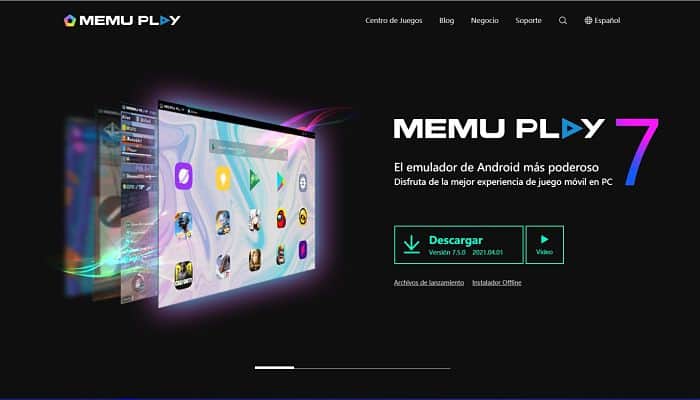
MEmu is known as one of the best Android emulators. It is available for download from its official website: MEmu Play.
- Go to the official site of ME Mu Play.
- Click on the button "Download”. The installation file will be downloaded to your PC.
- After the download is complete, run the downloaded file as administrator.
- Follow all instructions given by the installer.
- Once the installation is complete, click “Start”.
- When you start the software, it will start in an Android environment. There you will be able to see the Google Play Store and download the application and game you want to download.
- And to play or run the application, you must do it from this screen.
Opinions from users who have used MEmu
Let's take a look at some reviews from users who have tried MEmu on their Windows PCs.
- @gjmm07:
“The best emulator, fast, practical and easy to use, without annoying ads and compatible with Windows 10, great, I recommend it.”
- Nice job:
“Good job bros, I love this emulator because it allows me to play hundreds of android games on my laptop, super job!”
- Kings:
“Finally, they now have support for lollipops, beyond all other emulators. AMI Duos have support for lollipops, but it is not free.”
- Guest: Guest:
“Looks great. Great performance and compatibility. The multi-instance manager can clone multiple Android instances, so I can use multiple MicroCraft accounts at the same time.”
MEmu Alternatives. Top 5 of this year
Let's look at some emulator programs that you can also find on the market, if you want to compare them with MEmu.
1.Andy
Andy lets you use the Android system on your computer, allowing you to use all the features of the Android system on a PC.
This way, you can download and install hundreds of Android apps and games on a larger storage device with more flexibility and simplicity using the mouse and keyboard instead of the small, rather complex touchscreen.
Andy syncs your Google Play account on your computer, so all your Android devices will automatically sync and you won't have to worry about your game progress because it will be saved so you can keep playing.
You can also use social media apps like WhatsApp Messenger , Instagram , and other Android social apps and games on your computer. Andy is similar to other emulator programs, with a few minor differences.
2.BlueStacks
When you launch BlueStacks App Player , your installed apps will be neatly categorized. The user interface is really simple and easy to use.
You can get new apps by clicking “More” on the right side of the app interface. Currently, you can install up to 25 apps, but the number is expected to increase in the future.
One important feature missing from BlueStacks is the ability to record video on the player's screen and take screenshots directly from the software.
3.Genymotion
Before downloading and installing Genymotion , you must install VirtualBox because it's required to run it. The next step is to download and install Genymotion. Simply click Next and Finish, then run it. You'll then be prompted to create an account.
With Genymotion, you get accurate emulation of many Android devices, and it's the perfect testing environment for Android developers. You can change device settings on the template, take screenshots, and record videos.
Genymotion is easy to use and feels very robust when using it.
4.Coplayer
Because we live in an open world where competition is fierce, we hear every day about the emergence of other programs that compete with those at the top. One of these programs is Koplayer.
After downloading Koplayer to your computer, you will quickly learn that this program is a very advanced step in this area with many features and functions that will blow your mind.
And for those who have not yet recognized Android emulation software, these are programs that allow you to use computers as a mobile device running the Android operating system, and therefore you will not need to buy a mobile phone to open WhatsApp, Instagram and Snapchat on your computer.
Koplayer supports languages other than English in a straightforward manner. There is also a separate keyboard that allows you to type without a real keyboard in case you don't have one.
When you take a screenshot of your phone screen from the Emulator, you can find it in the program's photo library. You can also record a video for the screen through the program in case you are making a tutorial for someone.
5.LDPlayer
If you've ever used an emulator like MEmu, then using LDPlayer won't be a problem for you, as they are very similar in both user interface and performance.
Therefore, the assignment of keyboard keys to on-screen buttons is the same. With LDPlayer you can take screenshots and record videos directly from the emulator itself, this feature is very convenient for content creators and YouTubers who are interested in making videos about the Android world.
To take screenshots, you need to click on the scissors icon and to record a video, you need to click on the camera icon, it's that simple. Images and videos are saved on the disk, you access the folders that contain them by clicking on "View".
FAQ
Let's look at some frequently asked questions in the world of emulators, and especially some doubts about MEmu.
Is MEmu safe?
To use the MEmu emulator, you need to connect your Google account to the app. That can be worrying because you would be sharing sensitive information like your password with another tool.
To help protect your data, MEmu generates random passwords that you can use to log in to your MEmu account. Additionally, the app does not store your data or share it with other companies.
Is MEmu good for low-end PC?
There are no specific system requirements that MEmu needs, and the software supports both AMD and Intel chips, along with dedicated graphics cards. However, to ensure you get good performance even if you're working on a low-end PC, you should enable your CPU's virtualization feature.
Apart from that, the app offers several configuration tools that you can customize according to your preferences.
Is MEmu reliable?
MEmu is a safe and easy-to-use application that offers full compatibility with all versions of Windows.
The software is also free to download and has a massive catalog of applications that includes video games , lifestyle apps, entertainment options, productivity tools, and more.
In case you want to see some alternatives, you can explore some of the programs we have shown you above.
Conclusion
You might also be interested in: 5 Best Video Game Console Emulator Programs
MEmu stands out because it offers a variety of free features that are often only available in paid Android emulators. The tool is easy to use and allows you to run multiple instances simultaneously.
Additionally, the software allows you to download and run Android apps from your Windows device.
The MEmu emulator is an exception, as it is among the first Android emulators specifically designed to run video games that require 5.1 Lollipop.

My name is Javier Chirinos and I am passionate about technology. Ever since I can remember, I have been interested in computers and video games, and that passion has turned into a job.
I have been publishing about technology and gadgets on the Internet for over 15 years, especially in mundobytes.com
I am also an expert in online marketing and communication and have knowledge in WordPress development.