It's challenging for iPhone and iPad users to use or run iOS apps on a Windows 10 PC. If you're an Apple device user, you've probably experienced problems when trying to share files from your iPhone or iPad to Windows computers.
In this article, we'll tell you about the best iPad emulators for PC that will help you run your iOS apps on your Windows 10 PC.
Based on virtual technology, iPad emulators for PC create an iOS atmosphere. This virtual technology supports iOS apps available on Apple Store to run on Windows PCs. iOS emulators work as mediator software. They allow host devices (Windows 10 computer) to function or behave like an iOS device.
What are iPad emulators for PC?
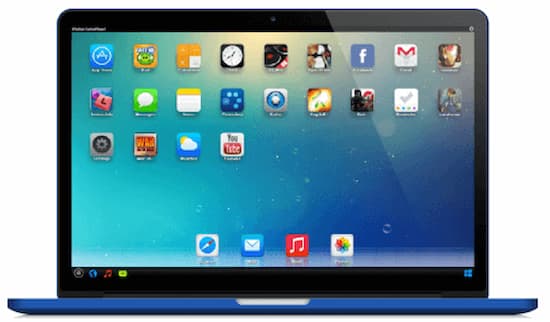
iPad emulators for PC, or iOS emulators , are electronic programs that allow the computer system to install and run any iOS application or game on your personal computer (PC).
Users can easily access iOS apps and games on their PC just like they run on their Apple devices. With emulators and simulators, you can easily run the apps or while developing them.
An emulator can be hardware or software that allows a PC to behave like another computer system. Emulation is the process of running any program or application on many different systems than the one for which that program or application was originally created.
Differences between iPad simulators and emulators for PC
Having a similar name, both have some variations.
An emulator is used to access the software and applications of a device; it's simply a substitute for the original device. Emulators are typically used to experience the iPhone or iPad interface without the original device.
On the other hand, a simulator creates an environment similar to the operating system of the original device. It's considerably faster to launch applications. However, a simulator cannot access all applications and functions, which can make a difference when working with a few or many applications.
Based on the specifications and due to the user-friendly features, for testing applications, developers and users prefer emulator over simulator.
Advantages of iPad emulators for PC
- To test applications and programs, emulators were initially created for application developers.
- Multiple system capabilities to run different applications.
- The best thing is that it's FREE.
- Easy to install, use and upgrade.
7 Best iPad Emulators for PC
If you want to download an emulator of this type but don't know which one to use, we make the choice easier for you by showing you 7 excellent options that you can try:
1. Smartface
 smartface is one of the most widely used iPad emulators for PC for Windows PC. It is widely used by developers to develop cross-platform native iOS apps. It is capable of full debugging which helps the app developer to easily operate with it and create new apps.
Smartface also provides enterprise services and plugin support for developers to extend their application content, javascript library; JavaScript codebase.
Simply put, Smartface is one of the best emulators for developers and non-developers at a low cost, which helps in several ways.
2. Ipadian
 Ipadian iPad Emulator for Windows PC is another excellent iPad emulator for Windows PC. It is best for the user who loves to use iPad as its Graphical User Interface (GUI) is the same as iPad, so the user will experience the taste of real iOS on Windows.
It's available in both free and paid versions . For apps and games, the free version is the preferred choice. It's easy to use; simply download and install the software, and your iPad will be ready to use with many pre-installed apps, including essential ones like Facebook , Photoshop, Safari, and Angry Birds.
YouTube and Safari (browser) can easily access your device's internet connection using the iOS emulator.
3.Appetize.io
 appetize.io is another one of the most popular iPad emulators for PC with a developer window (also for non-developers) as it supports developing, testing apps and running apps from Android and iOS.
Since it's online software , you won't need to download any software. All you have to do is log in to Appetize.io, simply create a free file, upload your application, and it will be ready to use in your web browser.
Here, you need a simulator build of your app to upload as it doesn't provide an Integrated Development Environment (IDE). It's initially free for 100 minutes (only 2 concurrent users) and then charges $0.05 per minute or plans.
4. MobiOne Studio
 MobiOne Studio is a software that emulates iOS apps and is also a visual designer that allows you to develop apps just like the Android SDK works. Since both are software (emulator + designer), it is easy for beginners to develop an iOS app without much trouble.
This is one of the iPad emulators for PC compatible with any device (almost all).
MobiOne Studio offers:
- Built-in design templates (save time).
- Branded apps with self-designed icons.
- Customize your workbench.
- Smooth rendering and more realistic experience.
- Test different orientation for different screen sizes.
5.Xamarin
 Xamarin Test Flight Xamarin Test Flight is another excellent iPad emulator for PC. It is available with extensive features. These features help in testing and running Apple apps on your Windows PC. Xamarin Test Flight offers extended user support.
It's not easy to get used to this emulator. But once you get familiar with it, you won't have any problems.
6. Ripple Emulator
 Ripple is an excellent Chrome browser-based emulator. It can be used to sample all kinds of iOS software; whether new or old. This emulator is available with exclusive features that most other iPad emulators for Windows PC may not support. You can use this emulator to develop and test iOS apps on your Windows device.
The Ripple emulator has a simple user interface. Although this emulator is still in development, it works quite well.
7. iPad Simulator
iPad Simulator is another iPad emulator for Windows PCs. It's a Google Chrome extension that functions as a simulator and works like a cloud-based operating system within the Google Chrome browser.
Upon installation, you will get an iPad on your desktop screen.
The best thing about this emulator is that it offers you almost all the features of the iPad without an expensive real iPad. Here is a great list that iPad Simulator offers you:
- Siri: an intelligent personal assistant.
- iMessage app.
- HD live wallpapers.
- You can access everything in the cloud.
- You can create unlimited app pages.
- By using the browse and search page, you can easily track applications.
- Easy drag and drop for applications.
- Elegant interface for iPad.
- Access to screensavers and multitasking.
- With your chosen iPad apps you can organize your interface in the cloud
- With a simple click, using the web service, start and synchronize the simulator.
You might be interested in: How to Use Your iPad as a MIDI Controller
Final words
The iPad emulators for PC that we've mentioned are easy to use and safe to download. All of these emulators are fantastic and work very well. Testing and running your iOS apps on a Windows 10 PC is much easier now with the help of these emulators. Many of them are available for free. They also support all versions of the Windows operating system.
However, we recommend that before downloading any of these emulators, you make sure that you meet the system requirements. Generally, iPad emulators for PC need a lot of space to download and run smoothly on any system.
To enjoy the best user experience that is no different than that of an iPhone or iPad, you must meet all the system requirements. Only then will you be able to experience the highest quality of emulator performance on your PC.

My name is Javier Chirinos and I am passionate about technology. Ever since I can remember, I have been interested in computers and video games, and that passion has turned into a job.
I have been publishing about technology and gadgets on the Internet for over 15 years, especially in mundobytes.com
I am also an expert in online marketing and communication and have knowledge in WordPress development.