- Telegram offers more control over privacy: secret chats, self-destructing messages, and advanced forwarding and identity management.
- The app allows groups of up to 200.000 members, unlimited broadcast channels, and moderation tools, polls, and bots.
- Its cloud architecture supports files up to 2GB, multiple accounts, use on multiple devices, and aliases without displaying the phone number.
- Features such as voice chats, geolocation for groups, and audio speed make Telegram a much more versatile platform than WhatsApp.

If you use WhatsApp every day but have heard wonderful things about Telegram, you're probably wondering what's so special about it and whether it's worth making the switch. The reality is that Telegram offers a good number of features that WhatsApp doesn't have, or that it only copied years later.and that can make a huge difference in your day-to-day life.
Throughout this article you will see All the Telegram features that you can't currently replicate in WhatsApp (or only in a very limited way): from advanced privacy and management of large communities, to bots, cloud storage, multi-device usage modes and many more options that go far beyond simply chatting.
Telegram vs WhatsApp: why so many people are switching
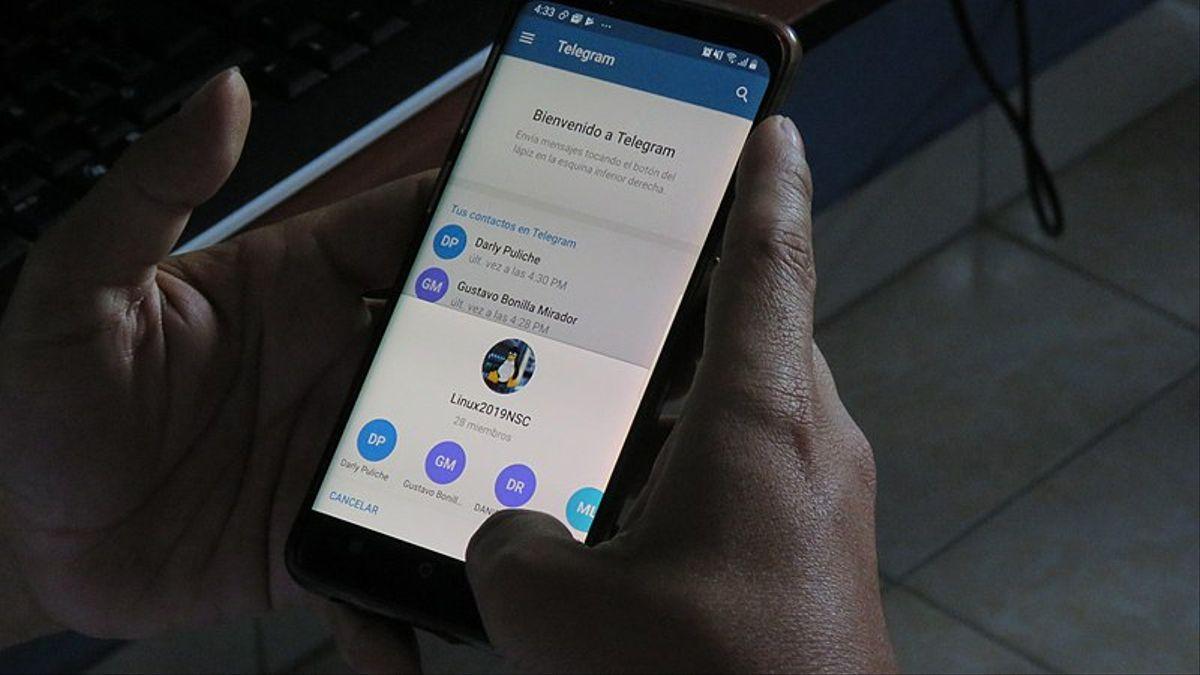
In recent years, especially after the Changes to WhatsApp's privacy policies and its integration with the Meta (Facebook) ecosystemMany people have started looking at alternatives that are more respectful of their data. Telegram has been one of the biggest beneficiaries and already has hundreds of millions of active users worldwide.
While WhatsApp remains the dominant app in terms of number of users, Telegram has built its reputation on three pillars: privacy, flexibility, and advanced features.It doesn't just copy what the green icon app does, but it's often ahead of the curve with ideas that others then try to replicate: stickers, integrated GIFs, temporary messages, voice chats, etc.
Another key point is that Telegram is conceived as an open and highly versatile platformTelegram is closer to a social network and a digital toolbox than a simple chat app. Thanks to its public API and cloud infrastructure, clients, bots, and services can be created on top of Telegram, something WhatsApp only allows in a very limited and highly controlled way.
All of this makes it ideal for certain types of users—people concerned about privacy, large communities, content creators, businesses, or simply anyone who wants something more powerful than a basic chat— Telegram is much more attractive than WhatsAppalthough it has not yet reached the same level of penetration.
Privacy and security: where Telegram sets the standard

One of the main arguments for using Telegram over WhatsApp is the way it handles privacy. Both applications encrypt communications, but they do so differently and with a very different approach to user control..
In Telegram you can open secret chats with true end-to-end encryptionThese chats are device-specific, not stored in the cloud, and only the sender and recipient can read the content. They allow you to disable message forwarding, block screenshots (or at least notify users when they have been taken), and prevent any trace of your activity on servers.
In addition, Telegram offers the option to messages, photos, videos and files that self-destructYou can set a timer ranging from a few seconds to several weeks; after that time, the content disappears from both the sending and receiving mobile phones, leaving no copy anywhere accessible to the user.
In regular chats, the application incorporates highly granular privacy controlsChoose who sees your last seen time, your profile picture, your phone number, who can add you to groups, whether your content can be forwarded revealing your identity, and much more. It's a much more flexible approach than WhatsApp, where many of these options are more limited.
Notification management also protects privacy: in secret chats, for example, The content is not displayed in the notification preview.so that no one can read what you send from your locked screen. All of this makes Telegram a favorite among users who handle particularly sensitive information or who simply don't want to leave a trace.
Edit and delete messages without limits… and without giving yourself away.
I'm sure autocorrect has played a trick on you more than once in a work group or with someone important. On WhatsAppYour only option is to delete the message and leave that annoying "message deleted" mark. On Telegram, however, You can edit messages you've already sent to correct mistakes without needing to delete them or rewrite the entire sentence.
The editing feature works in individual chats as well as in groups and channels, and the message only displays a discreet "edited" label. The recipient neither sees the original content nor receives a second noisy notificationSimply view the corrected message, which greatly helps to avoid misunderstandings or unnecessary explanations.
Another very powerful difference is that Telegram It lets you delete messages whenever you want, with no time limit and without leaving a visible trace.You can delete something sent years ago, either for yourself, the other person, or the entire group, and the chat won't display the typical "this message was deleted" message. For many people, this means feeling much more in control of what remains saved.
The delete function applies equally to photos, videos, voice notes, documents, and any other filesThere's even an option to completely empty a chat—the famous "Empty Chat"—with a confirmation box and a few seconds' grace period to change your mind and cancel the mass deletion.
This flexible approach to chat history is one of those things that, once you get used to it on Telegram, She misses it a lot when you go back to using only WhatsApp. And you discover that you are still bound by time limits and telltale messages.
Giant groups, channels, and very large communities
When we talk about managing communities, the difference between the two platforms becomes brutal. While WhatsApp groups have a fairly modest participant limitOn Telegram you can manage huge communities without breaking a sweat.
Telegram groups allow up to 200.000 memberswith access to the complete chat history for anyone who joins later. This is especially useful for associations, universities, alumni groups, neighborhood initiatives, professional communities, or projects with thousands of interested people.
In these groups, Telegram takes care of privacy again: Your phone number is only visible to those who already have it in their contacts.The other members will see your username and, if you wish, your profile picture, but they will not be able to extract your real number from the group, something that is not so restricted in WhatsApp.
To maintain order in such large communities, the app offers advanced tools: Responses to specific messages, mentions with @, use of hashtags to follow threads, moderators with specific permissions, pinned messages, and smart notifications They only appear when you're mentioned or when someone replies to something you've said. Furthermore, some administrators choose to Use Aximobot on Telegram to automate moderation and recurring tasks.
To this are added the broadcast channelsThese are spaces where one or more administrators publish content and others can only read it (and, if configured, react or comment in separate threads). They are ideal for brands, media outlets, content creators, deals and offers, official announcements, or any project that needs to communicate in a single direction.
Aliases, multiple accounts, and use on multiple devices simultaneously
Another major difference between Telegram and WhatsApp is their relationship with your phone number. Although a number is required to create an account, Telegram does not depend on the SIM card to function on a daily basis.Once verified, you can use your account on mobile phones, tablets, computers, and web versions simultaneously.
This is possible because the application is cloud-based: All your chats (not secret), files, and multimedia are synced in real time across devicesIf you write from your computer, you'll see it on your mobile, and if you forward a file from your tablet, it will also appear on the rest without having to make manual backups or cumbersome restores.
In addition, Telegram lets you configure a public username (alias)Anyone can find you and message you using that alias without needing your real number. This gives you an extra layer of anonymity when you don't want to share your phone number, for example, in themed groups or open communities.
Another function that shines especially brightly for those who separate personal and professional life is the Multiple accounts on the same deviceTelegram lets you add multiple accounts (for example, a personal one and a work one) to the same app, without any strange tricks or cloned apps. Switching between them is as simple as tapping your profile picture and selecting the account you need.
In comparison, WhatsApp remains much more tied to the concept of one account per number and per main device, even though there are attempts at multi-device support. Telegram's flexibility on this point is one of its strongest arguments for intensive users and for those who don't want to mix worlds.
Cloud storage and sending huge files
If you often send large documents, long videos, or compressed files, Telegram is a real lifesaver. The app allows you to send files of almost any format (doc, zip, mp3, etc.) up to 2 GB each.and are stored in the cloud in a practical and immediate way.
This has two very interesting consequences: on the one hand, You can use Telegram almost like a hard drive in the cloud., sending things to yourself in a private chat (the classic “Saved messages”) to have them always available from any device; on the other hand, you don't have to fight with ridiculous size limits as happens on other platforms.
Being cloud-based, the app It uses much less storage space on your mobile phone.Photos and videos are not permanently saved on your device unless you want them to be; simply clear the cache periodically to free up memory, without losing the content, which remains accessible on Telegram's servers.
This distributed architecture also affects speed. Telegram maintains data centers spread across different parts of the worldThis helps to make sending and receiving messages and files quick, even on less-than-ideal connections.
In short, if you often work with many documents, audiovisual material, or need to frequently share large amounts of content, Telegram acts more as a productivity tool than as a simple chat appAnd that role leap is hard to match on WhatsApp.
Bots, polls, music, and other advanced features
One of the most distinctive aspects of Telegram is the botssmall programs that run within the chat rooms themselves and they can do practically everything: respond to commands, search for information, manage tasks, play music, launch games, and much more.
These bots integrate into channels and groups, or private conversations, and extend the app's capabilities without requiring any additional installation. There are bots for translate texts, learn languages, receive news, check the weather, find song lyrics, solve calculations, play trivia games or even to connect with external services.
Another very useful resource, especially in groups and channels, are the pollsTelegram allows you to create polls with several modes: visible votes, multiple answers, or "contest" mode, where one of the options is correct and you can create small questionnaires to gamify participation.
In the multimedia field, many users take advantage of the platform as built-in music playerThanks to channels and bots that share songs and albums, simply tap on the track that appears in the chat to play it, with basic controls within the app itself.
None of these features have a true equivalent in WhatsApp. Meta's app has focused on the basics (text, calls, video calls, stickers, and little else), while Telegram has become an almost "all-in-one" environment where messaging coexists with many other activities.
Voice chats, video calls, and audio control
Telegram has also managed to keep up—and sometimes even stay ahead—in voice communication. Beyond encrypted calls and video calls, The app introduced persistent voice chats in groups and channels.very similar to Discord rooms or old-fashioned conference calls.
These voice chats function like a kind of open room: Members can come and go as they pleaseThey allow users to take turns speaking, raise their hand to participate, or remain as listeners. They are ideal for communities, work teams that want a "virtual office," or groups that organize live discussions and events without needing video.
Regarding voice notes, Telegram offers the possibility of play audio at higher speed (1,5x or 2x), something much appreciated when you have a friend who sends veritable podcasts in every message. The voice gets a little distorted, yes, but in return you save a good amount of listening time.
All these audio options coexist with the classic functions of voice messages, sending short video clips, calls and encrypted point-to-point video calls. The idea is that you can choose the format that best suits each momentwithout the app falling short or forcing you to switch to another platform.
If we add to this the fact that Telegram developers often experiment with new forms of communication (such as group video chats, live broadcasts within channels, etc.), It is clear that the focus goes beyond simply exchanging text..
Geolocation, people nearby, and groups by location
Another interesting and very powerful function is to Find users and public groups near your locationBy activating the option of “people nearby"The app shows you profiles and chats from your area that have chosen to make themselves visible via geolocation."
This allows you to create and join groups by location It's for neighborhood proposals, volunteering, local associations, local leisure groups, or any cooperative initiative that makes sense on a small scale. It's a tool designed to strengthen the local community, not so much for dating, although everyone can use it as they prefer.
The function is disabled by default: Your account will not appear in these listings unless you manually activate it.So you don't have to worry about suddenly appearing on the public radar. If you want to participate, you can; if not, Telegram behaves like any other messaging app without an added social layer.
WhatsApp, for its part, only allows the occasional sending of location in a chat, whether static or real-time, but it does not have a group discovery system by radio distance that serves to create semi-open local communities.
This small difference opens the door to a wide variety of uses for Telegram at a community level, from neighborhood announcements to coordinating activities in a neighborhood without having to give your personal number to strangers.
Forwarding management, identity verification, and advanced configuration
In the area of control over your own digital footprint, Telegram is also stepping up its efforts. When someone forwards a message you've written, The app can show who the original author is with a link to your profile.However, there is a setting that allows you to disable that attribution.
If you activate it, messages from your conversations can be forwarded, but They will no longer appear linked to your account.In other words, others will see the content, but they won't be able to jump to your profile from the forwarded message. It's an elegant way to maintain anonymity in content that might circulate widely.
In addition, Telegram offers very detailed settings to help you decide. who can add you to groups, who sees your number, who sees your last online status and a long list of nuances. You can define exception lists (“everyone except…”, “no one except…”), something that is much more restricted in WhatsApp.
Another interesting feature is the possibility of Cancel the deletion of a chat history for a few secondsWhen you decide to delete an entire conversation, a dialog box appears with a very short countdown timer in which you can change your mind and undo the action; if you let that time pass, the history disappears completely.
Between aliases, forwarding control, advanced privacy settings, and flexible deletion options, the overall feeling is that Telegram gives you many more tools to shape your identity and digital footprint to your likinginstead of imposing a single model on everyone.
Legal context, open source, and platform philosophy
Telegram is not without controversy. In countries like Spain, it has been embroiled in... legal proceedings and precautionary blocking orders The lawsuit stems from complaints by major audiovisual groups accusing the company of facilitating the distribution of copyrighted content without permission. These conflicts highlight the tension between digital freedom, platform responsibilities, and copyright.
The company, for its part, has strengthened mechanisms such as the use of proxies to circumvent censorship and blockingThis demonstrates the extent to which their philosophy prioritizes accessibility and communication, even in contexts of government restrictions. For many users, this is a plus; for others, it sparks debate about the limits of what a messaging app should offer.
On a technical level, Telegram stands out for having a Open API and a documented protocol which allows developers to create alternative clients, bots, and tools of all kinds. Although not all of the server code is completely open source, the approach is much more transparent than WhatsApp's, whose internal workings are much more closed.
This openness largely explains the application's constant innovation: New features arrive frequently, and are refined by listening to the community. And they often start trends that other platforms later copy. It's no coincidence that it's perceived as an app in constant motion, in contrast to the more static perception many users have of WhatsApp.
Ultimately, beyond the specific functions, what truly sets Telegram apart is its its aim is to be a versatile, scalable platform focused on user control, instead of simply being a substitute for SMS with a few modern extras.
Looking at the whole package—advanced privacy, unrestricted editing and deletion, massive groups and channels, bots, cloud storage, multiple accounts, aliases, forwarding control, voice chats, polls, and location-based features—it becomes quite clear that Telegram now offers a much more complete toolbox than WhatsAppIt's another thing entirely whether everyone needs so much, but if you value these options, it's well worth having it installed and starting to get the most out of it.


Passionate writer about the world of bytes and technology in general. I love sharing my knowledge through writing, and that's what I'll do on this blog, show you all the most interesting things about gadgets, software, hardware, tech trends, and more. My goal is to help you navigate the digital world in a simple and entertaining way.