- Optimization of Copilot It allows you to fine-tune language models with tenant data to create agents specialized in local flows.
- Data quality, model instructions, and access governance are key to security, compliance, and accuracy.
- Use cases such as document generation, expert Q&A, and operational support transform repetitive tasks into agile processes.
- A phased adoption, based on clear objectives and iterative improvement, maximizes Copilot's impact on organizational productivity.

The way we work with local data and processes is changing at breakneck speed for ourselves thanks to the Artificial Intelligence tools like Microsoft CopilotMore and more companies want to bring that power directly into their day-to-day workflows, integrating the IA with its documents, applications, and internal systems without losing control over security or compliance.
Configuring and optimizing Copilot for local workflows is not just about "turning on" a featurebut rather in combining automation, proprietary data, governance, and good usage habits. When implemented correctly, Copilot becomes another member of the team: it drafts documents, answers complex questions about internal information, summarizes dense reports, and proposes solutions to operational issues, always respecting your organization's permissions and rules.
Intelligent automation and the role of Copilot in local flows
Automation is no longer just about following a rigid scriptThe AI integrated into Copilot allows local workflows to learn from data, detect patterns, and adapt when the context changes. This directly impacts how tasks such as document creation, capacity planning, and responding to quality or supply issues are managed.
The combination of AI, RPA, low-code/no-code platforms, and process mining leads to what is called hyperautomation.where almost any repetitive or information-based activity can be partially or fully automated. Copilot acts as an intelligence layer on top of these systems: it understands text, generates content, and helps make decisions quickly, without the user needing to know the underlying technical complexity.
Low-code and no-code platforms radically simplify the creation of local workflowsallowing business personnel without a technical background to configure processes, forms, and AI agents. Copilot Studio fits here as a “workshop” where subject matter experts (marketing, finance, legal, operations, etc.) can fine-tune models and create agents without writing code, relying on visual assistants and templates (see Copilot Actions and Agents).
Process and task mining provides a key piece in deciding what to automateIt shows where workflows get bogged down, which activities are most time-consuming, and where Copilot-based agents make sense. With this data, automations that truly impact efficiency, service quality, or compliance are prioritized, and the evolution of results can be tracked over time. Furthermore, these techniques are complemented by approaches to semantic search with Copilot to locate relevant knowledge within the tenant.
This context of advanced automation paves the way for Copilot to operate locally. on your own data, combining the best of large language models (LLM) with the knowledge that already resides in SharePoint, Microsoft 365ERP, production systems, or internal applications.
What is Copilot Optimization and why is it key for local environments?
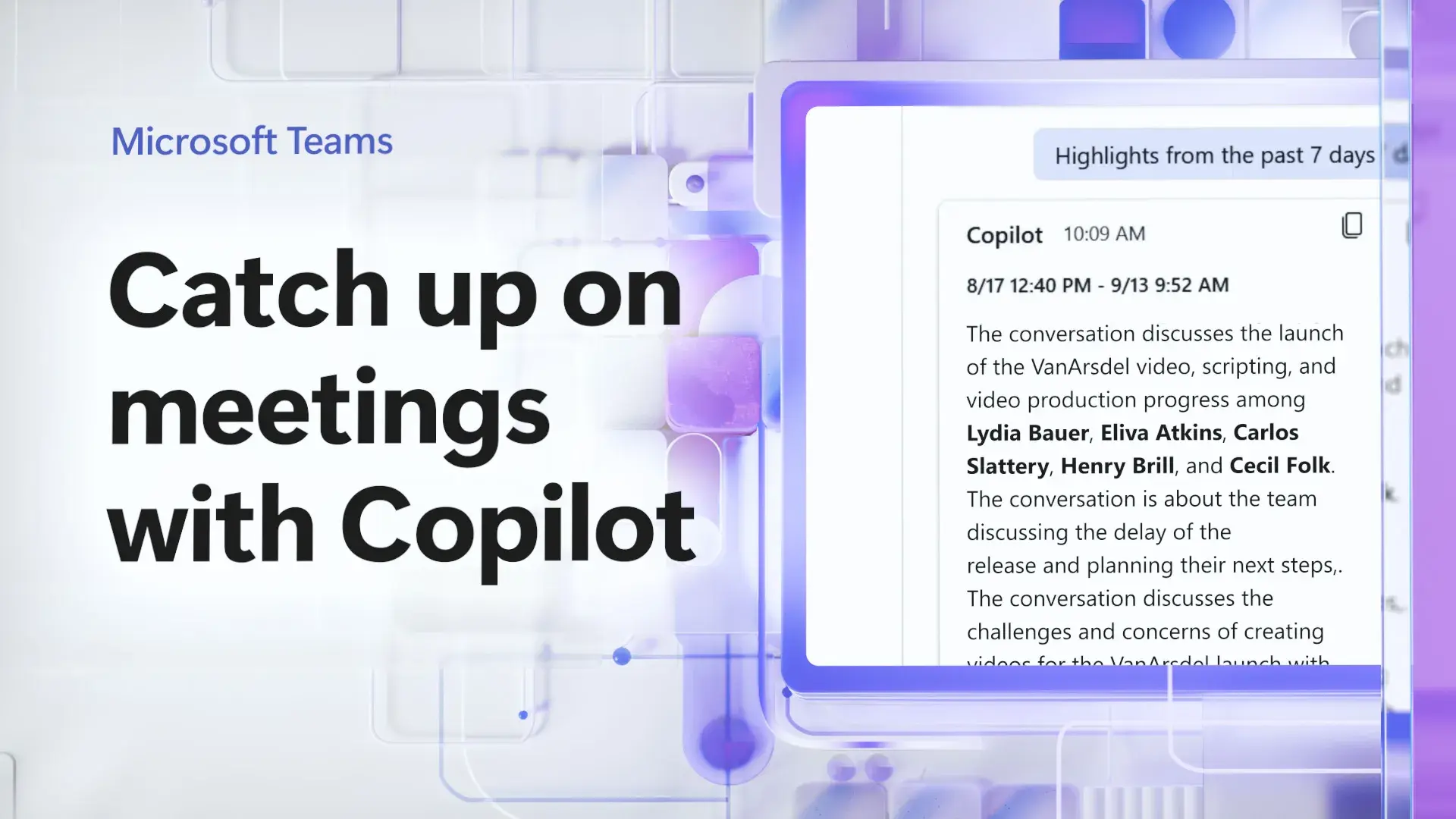
Microsoft 365 Copilot optimization is the functionality that allows you to "fine-tune" LLMs with data from your own tenantwithout taking the information outside the secure environment of Microsoft 365. The goal is for the model to understand the tone, templates, procedures, and specific vocabulary of your organization, so that its responses have the same style that an internal expert would use.
All machine learning and artificial intelligence processing is done within the Microsoft 365 tenant.While respecting existing security and compliance policies, the optimized model inherits permissions from the training data, ensuring it doesn't "see" or use information that configured groups don't have access to. This is essential for local workflows handling sensitive, regulated, or auditable data.
Based on these optimized models, specific declarative agents can be created.which are integrated directly into Microsoft 365 Copilot and appear in applications such as WordOutlook, Teams, or Excel. These agents are not just generic chatbots: they are designed for specific tasks such as drafting legal clauses, summarizing incident reports, preparing business proposals, or accurately explaining internal policies.
The great advantage is that the model adjustment is done through a code-free interface in Copilot Studio.Therefore, business analysts or functional experts can lead the process with limited IT support. They don't need to be data scientists; they simply need to have a good understanding of the domain, the type of documents, and the expected outcome.
In practice, Copilot Optimization transforms Copilot from a generic tool into a deeply customized assistant to your local workflows: speak “like your company”, use the right templates, apply the right reasoning, and align with the rules that already exist in your organization.
Prerequisites and basic governance for enabling Copilot Optimization
Before you can configure and govern Copilot Optimization, you must meet certain technical and role requirements.The service is designed, initially, for organizations with a significant volume of licenses and a clearly defined AI manager.
First, the tenant must be enrolled in Copilot Optimization's Early Access Program (EAP).This requires, among other things, having a minimum number of active Microsoft 365 Copilot add-on licenses in the tenant. Additionally, a person with the AI Administrator role must accept the program terms on behalf of the organization.
It is essential that Copilot extensibility is enabled in the Microsoft 365 admin center.Within the Copilot settings section, you can manage both the optimization service enablement and the publishing and agent access options. If your organization applies DLP policies that block new Power Platform connectors, you will need to reclassify the "Tenant Copilot" connector using [the appropriate method/method]. PowerShell so that it can be used with the appropriate classification.
Only people with the AI Administration role can manage Copilot Optimization governance controlsWho can create models, which users or groups have access to them, which models remain published, and which are removed. All of this is controlled from the Admin Center itself, in the specific Copilot Optimization section.
By enabling Copilot Optimization, you can explicitly limit the service to specific users or groups.It is good practice to start with a small group (e.g., Legal, R&D or Supply Chain teams) and gradually expand as results are validated and the discipline of responsible use of AI is consolidated.
Role design: administrators, model creators, and end users
A robust Copilot setup for local workflows requires clearly defined roles. that intervene, preventing "everyone from doing everything" and ensuring traceability of who can create and publish models.
Artificial intelligence administrators are responsible for the governance layer.They activate or deactivate Copilot Optimization, decide which departments participate, control the model lifecycle, and review compliance with security and privacy policies. They can also remove published models when they become obsolete or no longer align with internal regulations.
Model makers are subject matter experts within each area —for example, people from marketing, finance, legal, or operations— with the ability to select data sources, configure tasks, and review results. They are granted permission to use Copilot Optimization from the Admin Center, and are typically a limited group (by default, up to ten users per organization, expandable through Microsoft support if needed).
When a new model creator joins, they receive an email with instructions. To get started in Copilot Studio: where to find the Copilot Optimization section, what types of tasks you can create, how to select knowledge sources, and how to give other users access to the resulting agents.
End users interact with the optimized agents directly within Microsoft 365 applications. (Word, Teams, Outlook, etc.), just as they would with standard Copilot, but benefiting from the specific knowledge of the trained model. They don't need to know the configuration details; they only need to be clear about the agent's scope and how to formulate effective instructions.
Creation of optimized models: Q&A tasks, generation and summarization
Copilot Optimization currently supports three major types of tasks that cover most local document-based workflows: expert questions and answers (Q&A), document generation, and document summarization.
In the case of Q&A, the goal is for the agent to act as a specialist Capable of explaining regulations, comparing policies, justifying clauses, or clarifying procedures using content stored in formats such as .docx, .pdf, or .html. Ideal for topics with dense and stable text: regulations, tax codes, technical manuals, scientific documentation, or internal policies.
The document generation task is designed to produce high-quality first drafts This is based on reference documents and structured changes. For example, recurring contracts, commercial offers, job descriptions, compliance forms, or product documentation. Here, it's key to have well-aligned pairs of "original document + final modified version".
In summary, the model learns to condense complex documents respecting the organization's tone, format, and content priorities. It is very useful in high-risk or high-volume contexts (regulatory reports, executive summaries, quality reports, or audits), where consistency and accuracy are as important as saving time.
Choosing the right type of task is the first critical decision When configuring an optimized model: it's not the same to ask Copilot to generate a contract from scratch as it is to request summaries of existing contracts or to answer complex questions about their content. Clearly defining the business task helps to adjust data, instructions, and evaluations.
Customizing the model in Copilot Studio step by step

The model customization workflow is managed entirely from Copilot Studioaccessible from the browser. From there, model creators follow a series of guided steps that structure the process from beginning to end.
First, a new model is created, giving it a clear name and description. They should explain exactly what it does and what it will be used for. It is advisable to use language that is understandable to end users, avoiding purely technical names that no one will recognize.
The sources of knowledge are then selected.These are typically collections of documents located in SharePoint. These datasets are the foundation upon which the model will learn: approved templates, completed reports, signed contracts, valid compliance forms, etc. The quality and currency of this data will directly impact the quality of the model.
The permissions section defines the security groups or people who can use the modelCopilot Optimization filters training documents that are not accessible to those groups, and can suggest additional groups to maximize the reach of knowledge, always respecting the ACLs of each file.
Next, the task type (Q&A, generation, or summary) is selected, and the model instructions are written.These instructions guide the system on tone (“formal tone,” “friendly but professional language”), quality criteria (“do not invent regulations,” “always cite the document reference”), and output expectations. The more precise and realistic these instructions are, the better the model's behavior will align with the business's needs.
Once these elements are configured, the preparation of data for labeling begins.Copilot analyzes the document access control lists and organizes the dataset for later use in training. This step can take several hours (up to 24, depending on volume), and the system notifies you by email when it is ready to continue.
Labeling, training, and evaluation of optimized models
The data labeling phase seeks to identify which examples are truly good. to teach the model what a quality output should look like. Instead of requiring massive manual work from the start, Copilot Optimization automatically selects pairs or examples it considers relevant and asks the expert to label them as good or not so good.
The labeling form displays candidate documents or drafts The model creator then indicates whether the data accurately represents the desired standard. This process can be repeated in several rounds, depending on the complexity of the task, until the system has enough reference data to train reliably.
With the data prepared, the model training is launched in Azure AI Foundry.All of this is managed through the Copilot Studio interface. The fine-tuning process can take several more hours, depending on the volume of data. Once finished, the tool generates test results for you to review before publishing anything.
Evaluation is a critical step: it is not enough for the model to "work more or less"It's important to verify that the tone is consistent, that sensitive data isn't fabricated, that the templates are followed, that sound business criteria are applied, and that key information isn't omitted. If something doesn't fit, you can go back: add more data sources, adjust instructions, incorporate more examples, or improve the mapping file.
Optionally, a mapping.csv file can be prepared. with “precedent-target” document pairs, indicating which original file corresponds to which final draft. This CSV is saved in the knowledge source root and helps the model better understand the relationship between inputs and outputs, especially in generation and summarization tasks.
Advanced use of document generation with Copilot Optimization
One of Copilot's most powerful applications in local workflows is document generation. Based on templates and historical examples, AI is used to produce initial drafts very close to the final version, drastically reducing the process. There manual drafting.
This approach works especially well when the documents follow recognizable patterns Only certain details or clauses change: job descriptions, service contracts, purchase orders, compliance forms, or product documentation. The model identifies the organization's structure and style and applies consistent changes based on the specifications you provide.
To get the most out of it, it is advisable to have more than 20 well-aligned pairs of reference documents and their target versions.These pairs, stored in SharePoint, should cover the range of variations you expect the system to handle: different contract types, distinct product families, routine regulatory changes, etc.
The necessary changes are provided in a structured field within Copilot Optimization.This makes it easier for the model to understand which parts need to be modified and how. In this way, the generated drafts already incorporate the new information, while maintaining the existing format, terminology, and internal style.
The result is much more agile local workflows.Human resources generates job offers consistent with the company culture, legal drafts periodic contracts with minimal review, compliance builds new forms from approved templates, and purchasing prepares draft orders that only require final validation.
Copilot in meetings and collaborative work in Teams
On a collaborative level, Copilot is integrated into Microsoft Teams has become a key ally to manage shorter, more focused, and actionable meetings. Although these are not "local workflows" in the classic sense of internal data processes, their use in meetings constitutes a highly relevant daily workflow.
To use Copilot in Teams, you need a compatible Microsoft 365 license. (for example, E3, E5, or Business Premium) and enable meeting transcription or recording. Without transcription or recording, Copilot's capabilities are reduced, as it lacks the raw material to generate detailed summaries or reliable action lists.
During the meeting, the user activates Copilot from the Teams toolbar. And you can request real-time summaries, to-do lists, points of disagreement, or open questions. This is especially useful for those joining late: they can get up to speed in less than a minute without interrupting the flow of the conversation.
At the end, Copilot helps to close the session clearly.Identifying tasks, responsible parties, and next steps. All these elements are accessible from the meeting summary tab in Teams, preventing agreements from getting lost in endless chat or scattered personal notes.
There are complementary tools like Noota that extend these capabilitiesOffering more structured minutes, advanced searchable files, and specific settings for each meeting type. Integrated with Teams, they allow you to record, transcribe, and generate custom summaries, improving follow-up and subsequent collaboration.
Copilot in the browser: a first step towards adopting AI in everyday life
For many organizations, introducing Copilot through Microsoft Edge It is a soft adoption strategyIt allows people to become familiar with AI in an environment they already use daily (the browser) before extending Copilot's advanced capabilities to all of Microsoft 365.
The training sessions focused on Copilot in Edge show how this tool simplifies tasks such as creating spreadsheets, composing emails, summarizing long web pages, or finding relevant information faster. All this, plus, with OneDrive integration to automatically save files and ensure nothing gets lost.
This type of training has a strong practical componentParticipants experience in real time how AI takes away repetitive work, how they can automate small processes, and how Copilot can propose concrete steps to solve everyday project management problems.
The impact is not only individual but also organizational.By freeing up time from repetitive tasks, teams can dedicate more time to creativity, strategy, and high-level decision-making. This, in turn, strengthens the competitiveness of SMEs and companies in increasingly digital markets.
As maturity increases, it is common to organize advanced and personalized sessions For specific departments, this involves connecting Copilot in Edge with Copilot in Microsoft 365 and with optimized models in local workflows. In this way, AI ceases to be a novelty and becomes a structural part of daily operations.
Security, compliance, and administration in Copilot Optimization
Security and governance are essential pillars when optimizing Copilot with local dataIt's not just about "making it work well," but about ensuring that it respects data protection regulations, intellectual property, and the company's internal policies.
Copilot optimization runs in an isolated environment within the Microsoft 365 tenant.The trained model inherits permissions from the underlying documents. During training, no customer data is sent to external services outside the tenant's secure cloud, which helps comply with standards such as GDPR or CCPA.
Administrators can control access to both models and agents This is achieved through security groups, enabling the service only for specific teams (e.g., R&D or Legal) and precisely controlling who can create, use, and view each agent. The Administration Center allows you to monitor projects, review active custom templates, and remove those that are no longer suitable.
Compliance policies also apply to responses that Copilot generates based on Microsoft GraphThe system will not display documents or snippets to users who lack permissions, just as would happen with a standard search in Microsoft 365. Furthermore, Copilot Optimization excludes files from training that the relevant groups do not have access to.
It is important to remember that the organization remains responsible for the use of the data and models.The AI administrator must ensure that training sets respect copyright, that individuals are properly informed about the processing of their data, and that valid deletion requests are addressed. If a model was trained using data from an individual who exercises their right to erasure, it may be necessary to retrain or delete the optimized model and review how activate or deactivate Copilot memory.
Finally, it is advisable to establish procedures for human review of the outputs.especially in sensitive areas (legal, regulatory, financial). AI can accelerate work, but expert verification remains necessary to ensure accuracy, suitability, and regulatory compliance.
Best practices for setting up and using Copilot in local workflows
For Copilot to truly add value in local environments, it is advisable to follow a series of best practices. that align expectations, data, processes, and security. It's not just a technical issue; it also involves culture and ways of working.
Start with clear business objectives It helps prioritize use cases: Do we want to reduce contract drafting time? Speed up report generation? Improve response to supply incidents? Standardize executive summaries? A clear focus makes it easier to measure return on investment and adjust the configuration.
Select high-quality, well-maintained training data This is fundamental. Models learn from what they see: if documents are outdated, poorly formatted, or inconsistent, the outputs will reflect those problems. A smaller but highly representative set is preferable to a huge, disorganized collection.
Define specific model instructions and startup prompts It significantly improves agent behavior. Instructions such as “use a friendly but professional tone,” “do not invent policies that do not exist,” or “always cite the reference and date of the original document” make a significant difference in practice.
Encourage users to formulate clear instructions and ask follow-up questions It's also part of the setup, even if it's intangible. Copilot supports multi-turn conversations, so refining a question, asking for additional examples, or requesting the use of another document as a reference are strategies that improve the quality of the result.
Finally, adopt an iterative and feedback-based mindset This allows Copilot to improve over time. It analyzes which responses work, which errors are repeated, what new data needs to be incorporated, and when it makes sense to retrain the model. Copilot is not a one-time project, but a living capability that evolves alongside your organization's processes.
Integrating Copilot and its optimization with local data represents a qualitative change in the way we workWorkflows become more agile, critical information is more accessible, decisions are better documented, and collaboration gains depth. With a solid governance foundation, carefully curated data, and well-chosen use cases, AI ceases to be an abstract promise and becomes an everyday ally that enhances your organization's productivity, quality, and adaptability.


Passionate writer about the world of bytes and technology in general. I love sharing my knowledge through writing, and that's what I'll do on this blog, show you all the most interesting things about gadgets, software, hardware, tech trends, and more. My goal is to help you navigate the digital world in a simple and entertaining way.