- CCleaner Free covers basic cleaning of Windows, browsers, and the registry, which is sufficient for many users who do not need automation.
- CCleaner Professional adds advanced optimization with Performance Optimizer, PC Health Check, and updates. drivers and programs, scheduled cleaning and real-time monitoring.
- CCleaner Professional Plus extends the license to three devices (Windows, macOS and Android) and integrates Speccy and Recuva Professional for hardware inventory and file recovery.
- The paid versions stand out for their convenience and automation, while the free version remains a good base for users who prefer manual maintenance.
CCleaner has been one of the great classics for over two decades. To tune up a Windows PC: clean Temporary filesclear browser cache, check registry, monitor Boot and so on. With There It has gone from being just a "cleaner" to becoming a small system maintenance package that many of us have installed almost out of habit.
The dilemma arises when it comes to choosing between CCleaner Free, Professional, and Professional Plus.The free version works well for basic cleaning, but the paid editions add a performance optimizer, automatic driver and program updates, real-time monitoring, multi-computer support, and even file recovery. If you're wondering which one is right for you or if there are better alternatives, you'll find one here. in-depth comparison, very down-to-earth and in "street" Spanish.
What is CCleaner and what is it used for today?
CCleaner was born as a simple tool to remove "junk" from WindowsBut things have gotten out of hand (in a good way). Today we're talking about a set of utilities that help the system run more smoothly and somewhat more securely, especially on computers that haven't had decent maintenance for years.
Its best-known function remains the cleaning of temporary files.This removes installation remnants, outdated caches, error reports, thumbnails, histories, and other files that Windows accumulates over time. This frees up disk space (sometimes several gigabytes) and, as a bonus, makes the system respond somewhat faster.
In parallel, CCleaner also cleans web browsers: deletes cookies, browser cache, browsing history and downloadsas well as other traces left by the sites you visit. In terms of privacy, it greatly helps to reduce traditional cookie-based advertising tracking.
Another important block is the maintenance of the Windows registryThe program searches for broken entries, references to uninstalled programs, nonexistent extensions, and other configuration remnants. It then offers to "optimize" the registry to slightly lighten it and, in theory, improve system responsiveness. If you need an alternative approach to registry cleaning, this article explains how to use another specialized cleaner: Windows registry maintenance.
Finally, CCleaner includes a set of extra tools which makes it more than just a simple cleaner: Windows startup manager, program listing and uninstallation, browser add-on review, disk space analysis, duplicate file finder, system restore point management tool, and secure drive erasure.
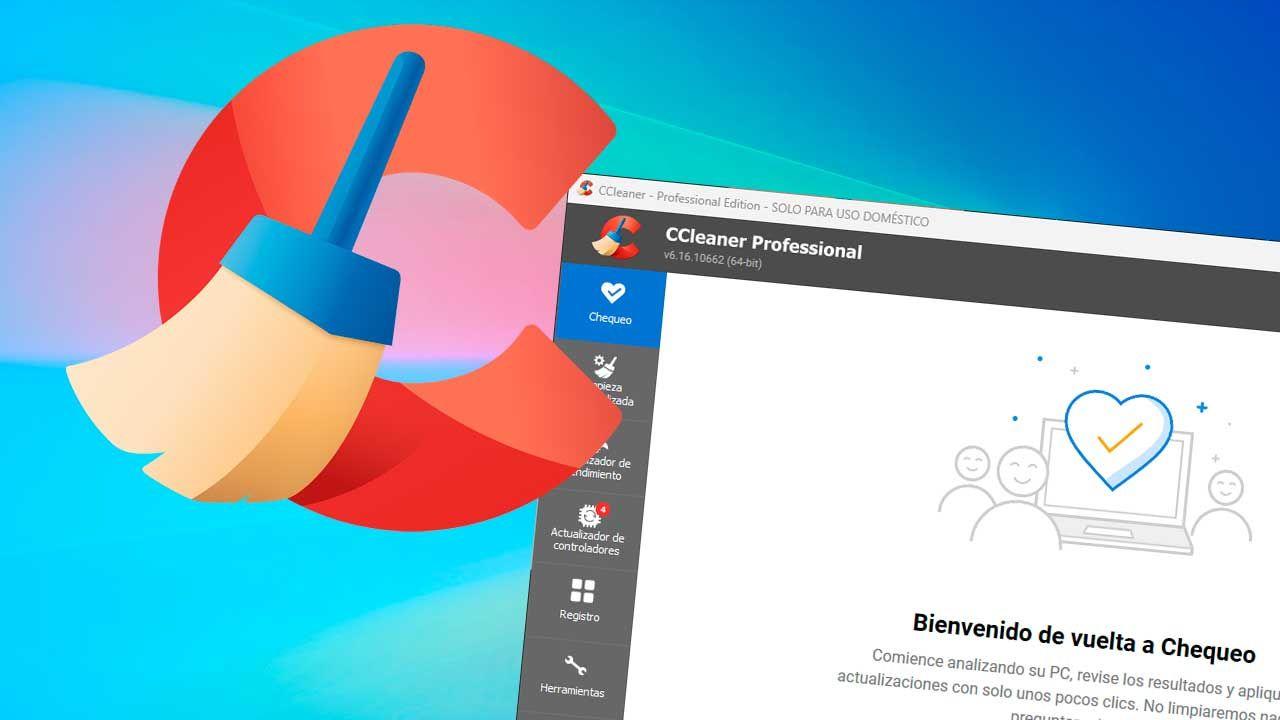
General differences between CCleaner Free, Professional and Professional Plus
The key to understanding CCleaner is that all versions share the same basic structure.System cleanup, browser cleanup, registry maintenance, and basic tools (uninstaller, startup manager, disk analysis, duplicate files, etc.). From there, Professional and Professional Plus add layers of automation, advanced optimization, and additional software.
CCleaner Free is the entry-level version, completely free and with no time limit.With it, you can clean Windows and your browsers, check the registry, and use many of the included tools. For many home users with a little patience to do everything manually, it's more than enough.
CCleaner Professional is the "standard" paid edition for a single PCIt includes all the features of the free version, but adds advanced modules such as Performance Optimizer, PC Health Check, driver and program updates, scheduled cleaning, real-time monitoring, and priority support. It's designed for those who want to forget about doing everything manually and get more out of their PC.
CCleaner Professional Plus is the most complete package, with a multi-platform licenseIn addition to everything in the Professional version, it allows use on up to three devices (Windows, macOS, and Android), plus two extra tools: Speccy (hardware inventory) and Recuva Professional (file recovery). It's the ideal option for those with multiple computers or who want a comprehensive data recovery and maintenance package in a single purchase.
Regarding prices, the usual reference given by specialized websites is around CCleaner Professional costs €29,95 per year (often discounted by 20%, bringing the price down to around €23,96) and Professional Plus costs around €49,95 (also frequently discounted to around €39,96). Piriform adjusts its offers, but these figures serve as a guide.
What exactly does CCleaner Free offer?
The free edition of CCleaner remains the logical starting point For anyone who wants to do a quick PC cleanup without paying. Despite the limitations compared to the paid versions, it retains the classic features that have made the program popular.
In the Windows cleaning section, CCleaner Free allows you to delete Temporary system files, installation remnants, error reports, outdated caches, Recycle Bin contents, recent document lists, and other worthless files that only take up space. On systems that haven't had this type of scan in years, it's easy to recover several gigabytes.
The browser cleaning module is also included in the free versionYou can delete cookies, cache, history, and other logs from the main installed browsers (Chrome, Edge, Firefox, etc.). This helps both free up space and improve privacy against trackers that rely on persistent cookies.
Regarding the Windows registry, CCleaner Free scans for invalid entries.It finds shared libraries that no longer exist, references to uninstalled programs, orphaned file types, and other inconsistencies. It then offers to correct them to "optimize" the registry. This feature should be used with caution, but the tool is generally conservative.
Within the tools menu, the free edition already includes very useful utilities.: a program uninstaller (like Windows', but more focused), a startup manager to enable or disable programs that load when the system starts, a browser plugin viewer and manager, a disk analyzer to see what takes up the most space by file type, and a duplicate file finder.
System restore point management is also availableThis allows you to view and delete certain old points created by Windows, and offers a secure erase option for drives or files, overwriting their contents to complicate subsequent recovery.
What you won't find in CCleaner Free are advanced automatic functions.There's no scheduling of cleanings, no real-time monitoring, no centralized driver or application updates, and no Performance Optimizer or PC Health Check. It's manual and more "hands-on," but for many home computers, it may be more than enough if you don't need automation.
CCleaner Professional: Advanced features for a single PC
CCleaner Professional adds a number of extras designed to further enhance performance and forget about manual maintenance for a while. Everything from the free version is included, but with several new modules that make a real difference in convenience.
The Performance Optimizer is one of the star featuresThis feature, presented as a patented and very eye-catching function, detects background or inactive programs that consume resources without contributing anything at that moment. It puts them into a kind of "sleep mode" so they stop burdening the CPU, RAM, and... portable, battery.
According to the data available, this Optimizer can achieve up to 34% more speed. Under certain conditions, this can result in around 30% more battery life on laptops. Obviously, these figures depend heavily on the specific device and how overloaded it is with software, but the idea is clear: to minimize background noise from applications you're not using.
The practical operation is quite transparent.CCleaner shows you which programs it can put to sleep, explains what will happen when it does, and how they will automatically reactivate when you need them again. They've been refining the interface: lists of active/dormant programs, explanatory text, and confirmation messages if the lists are empty or certain programs are ignored. apps.
PC Health Check is another pillar of CCleaner ProfessionalThis module performs a comprehensive analysis of your computer and returns a "health status" based on the amount of accumulated junk files, potential privacy issues, boot configuration, and other factors that affect speed and security. From there, it suggests quick solutions and applies them with just a few clicks.
Driver Updater is probably the most practical addition For those who don't want to waste time searching for drivers online, CCleaner analyzes your computer's hardware and checks its own database for newer drivers, allowing you to download and install them from a single panel.
This function relies on a technology called Portal MatchingThis tool attempts to locate the best possible driver for a specific device, even when the original manufacturer has stopped releasing updates. If the official driver is no longer available, it looks for compatible alternatives (for example, drivers provided by the computer manufacturer or other vendors) that fit your model.
All of this is especially valuable in older equipment.In cases where manufacturers have stopped providing support, but you still need to fine-tune your audio, graphics, or network, CCleaner expands the search to a massive database to find drivers that still work well with that older hardware.
Along with the drivers, CCleaner Professional also includes a software updater.It scans the software installed on your PC, detects which versions are outdated, and, when updates are available, allows you to install them all from one place. This way, you don't have to check each application individually for new patches.
Keeping apps updated not only brings performance improvements or new featuresIt also helps to patch known security holes. Many active vulnerabilities are exploited precisely in installations where the user has been postponing updates.
Real-time monitoring is another of the "extras" of this editionCCleaner can continuously monitor the system to detect accumulations of temporary files or situations that recommend cleaning, issuing alerts or running tasks without you having to be on top of it.
Scheduled cleaning fits with that same automation philosophyInstead of opening the program every so often, you can set schedules or conditions for it to run automatically: for example, a quick clean every week or a deeper clean every month.
In terms of privacy, the Professional version also strengthens the removal of trackers.It doesn't just focus on cookies and caches, but also monitors other small files and browsing traces that can be used to track your online activity, and deletes them periodically.
All of this is complemented by priority support from CCleaner.If something goes wrong or you have any doubts, queries from Professional users take priority over those from the free version, which can be useful if you're going to use it in less fault-tolerant environments.
As for the price, a CCleaner Professional license costs around €29,95 per year.Although it's common to find promotions with a 20% discount, bringing the annual price down to around €23,96. Furthermore, you can try it for 14 days with all features active, completely free of charge, to see if it's really worth it for you.
CCleaner Professional Plus: Multi-device license and extra software
CCleaner Professional Plus includes everything offered by the Professional version.However, it is designed for those who need to cover multiple devices and want to include additional diagnostic and data recovery tools in the package.
The first important difference is the number of devices allowed.While Professional focuses on a single PC, Professional Plus extends the license to up to three simultaneous devices. This is very useful if you have, for example, a desktop computer, a laptop, and a family member's computer that you usually maintain.
Another key difference is that Professional Plus is multiplatformIt's not just for Windows: it includes Pro versions of CCleaner for macOS and Android, so you can also optimize a Mac or your mobile/tablet from the same subscription, with specific tools for each system.
In addition to all this, there are two other well-known programs from the same company.Speccy and Recuva Professional, which separately would have their own annual cost, but here they come integrated in the package.
The usual price for Speccy sold separately is around €19,95 per yearTherefore, including it within Professional Plus represents a saving compared to buying it independently, especially if you usually check many devices or want to have your inventory always at hand.
Recuva Professional, for its part, is a tool focused on file recovery.It allows you to attempt to restore files deleted from the recycle bin, recover data after quick formats, deal with damaged disks, and perform deep scans to find "lost" or hidden files that can still be recovered.
The list of supported file types is extensive.Photos, videos, music, office documents, compressed files, and generally any common file that has been accidentally deleted or due to a file system problem. In addition to recovery, it includes a secure deletion option to permanently remove sensitive data.
If you were to purchase Recuva Professional separately, the approximate cost would be €24,95 per yearAgain, integrating it into Professional Plus allows you to concentrate costs if you are interested in both maintenance and the ability to "undo disasters" in the same package.
In terms of cost, CCleaner Professional Plus typically costs around €49,95 per yearAlthough discounts of up to 20% are often offered, bringing the annual cost down to around €39,96. As with the Professional plan, temporary promotions are frequently found both on the official website and in third-party campaigns.
Key new features of CCleaner 6 and ongoing improvements
Recent versions of CCleaner, especially from the 6.x branch onwards.They have strengthened their focus on performance and ease of use. It's not just about cleaning, but about better managing what runs in the background and keeping the software up to date with less effort.
The Performance Optimizer, introduced in CCleaner 6It's probably the most talked-about new feature. It's designed for both older computers loaded with programs and newer PCs that, over time, become cluttered with applications that run in the background. Its "sleep mode" operation reduces the impact of all that dormant software without you having to uninstall anything or wrestle with the system. Task Manager.
Software updates from a single panel have also been strengthened.Having outdated programs is a clear security risk, as well as a nuisance due to bugs that have already been fixed. CCleaner centralizes these updates, reducing the task to a few clicks instead of checking each application individually.
The Driver Updater module has received improvements over time.especially in the area of driver search and compatibility with older hardware. The integration of Portal Match technology has expanded the catalog of drivers that can be offered as replacements when the official manufacturer has stopped providing support.
Versions like CCleaner 6.02 have also brought specific adjustments to help the user understand what happens when they put a program into sleep mode: explanatory texts, warnings when lists are empty, confirmations when moving programs to sleep or ignoring them, and small tweaks to the interaction with buttons and rows.
The cleanup process has also been expanded to include apps from the Microsoft Store. , the TikTokTelegram, Discord, Amazon Prime video, Adobe AcrobatDolby Access, Microsoft Sticky Notes, Lively Wallpaper, Microsoft To Do, iTunes, and Amazon Music. This extra cleanup is optional and can be managed from the Custom Cleanup section.
The interface, in general, has become clearer.The size of certain lists has been increased to see more programs at a glance, mouse behavior when hovering over buttons and rows has been refined, and it has been made more visible when an application is waiting for a Windows restart before it can be put into sleep mode.
CCleaner for Android and its integration into the ecosystem
Within the Professional and Professional Plus editions, CCleaner also extends its reach to mobile devices.especially on Android, where there is a specific application designed to clean caches, temporary files, residual files from uninstalled apps, and control the storage.
In some promotions, a year of CCleaner for Android has even been offered. For symbolic amounts (for example, around €1), with a redemption system using an activation code sent to your email. After downloading the app from Google Play, enter the code in the update menu and unlock the premium features.
The goal of CCleaner on mobile devices is similar to that of its PC version.Free up space, improve performance on heavily loaded devices, and help identify which apps are consuming a lot of storage or resources. In Professional Plus, the inclusion of the Pro version of Android in the same license makes it more worthwhile if you already manage your... mobile devices.
For macOS, the philosophy is similar, adapting the cleaning tasks to the Apple system environment: removal of temporary files, application management and a similar approach to optimization, although with the limitations of the system compared to the freedom (and chaos) of Windows.
Which version to choose and are there better alternatives?
When deciding between Free, Professional and Professional Plus, it's worth asking yourself a few questions.: how many devices you actually need to maintain, how much you value automation, whether you're interested in file recovery, and whether you're willing to pay an annual subscription for these features.
If you just want to free up space and do a quick clean every now and thenCCleaner Free more than delivers. You can delete temporary files from Windows and browsers, check the registry, and use tools like the startup manager and duplicate file finder without paying a cent. However, you'll have to remember to open it and clean it yourself.
If your priority is for your PC to boot up and run smoothly without you having to worry about anything else.CCleaner Professional starts to make sense. The Performance Optimizer, PC Health Check, real-time monitoring, and scheduled cleaning save you time and allow you to have much better control of your system with minimal effort.
If you're also one of those who suffers every time you have to look for drivers or update programs, you'll be in luck.The combination of Driver Updater and automatic software updater leaves you with virtually all maintenance centralized in a single application, which is very convenient if you don't feel like dealing with support pages.
If you have several computers at home, a Mac, and your mobile phone is always running out of storage space, this is especially true if you have multiple computers at home, a Mac, and your mobile phone.CCleaner Professional Plus is a more cohesive package. It includes support for three devices, a license valid for Windows, macOS, and Android, Speccy for hardware diagnostics, and Recuva Professional for recovering files when something goes wrong—all in one package.
As for alternatives, there are other cleaners and optimization suites available. (such as solutions integrated into commercial antivirus programs, native Windows tools, or specific cleaning apps for browsers), but CCleaner continues to stand out for its long history, the combination of functions in a single program, and a relatively affordable price compared to other heavier suites.
It should also be noted that, for certain problems, nothing replaces good organization.Separating your disks (one for the system and another for games, for example) is a great strategy, but CCleaner doesn't "manage" partitions as such; instead, it helps keep each drive free of junk and with fewer unnecessary applications running in the background.
Ultimately, if you're unsure, the most sensible move is usually to start with CCleaner Free.Try the 14-day trial version of Professional to see if you notice a real improvement with the Performance Optimizer and PC Health Check, and if you also have more computers and value Speccy and Recuva, upgrade to Professional Plus when one of their frequent offers comes out.
CCleaner remains a very solid tool for keeping Windows and other devices in order.Combining classic cleaning, background process optimization, driver and application updates, and extra utilities such as hardware inventory and file recovery, all with a smooth learning curve and both free and paid options to suit almost any type of user.

Passionate writer about the world of bytes and technology in general. I love sharing my knowledge through writing, and that's what I'll do on this blog, show you all the most interesting things about gadgets, software, hardware, tech trends, and more. My goal is to help you navigate the digital world in a simple and entertaining way.