- APx500 offers an advanced interface and a complete API for automating complex audio measurements.
- The SPK-RD and SPK-PT options cover everything from detailed R&D to high-speed production testing.
- Tools such as Waterfall, Polar Plot and PESQ/POLQA tests expand electroacoustic and perceptual analysis.
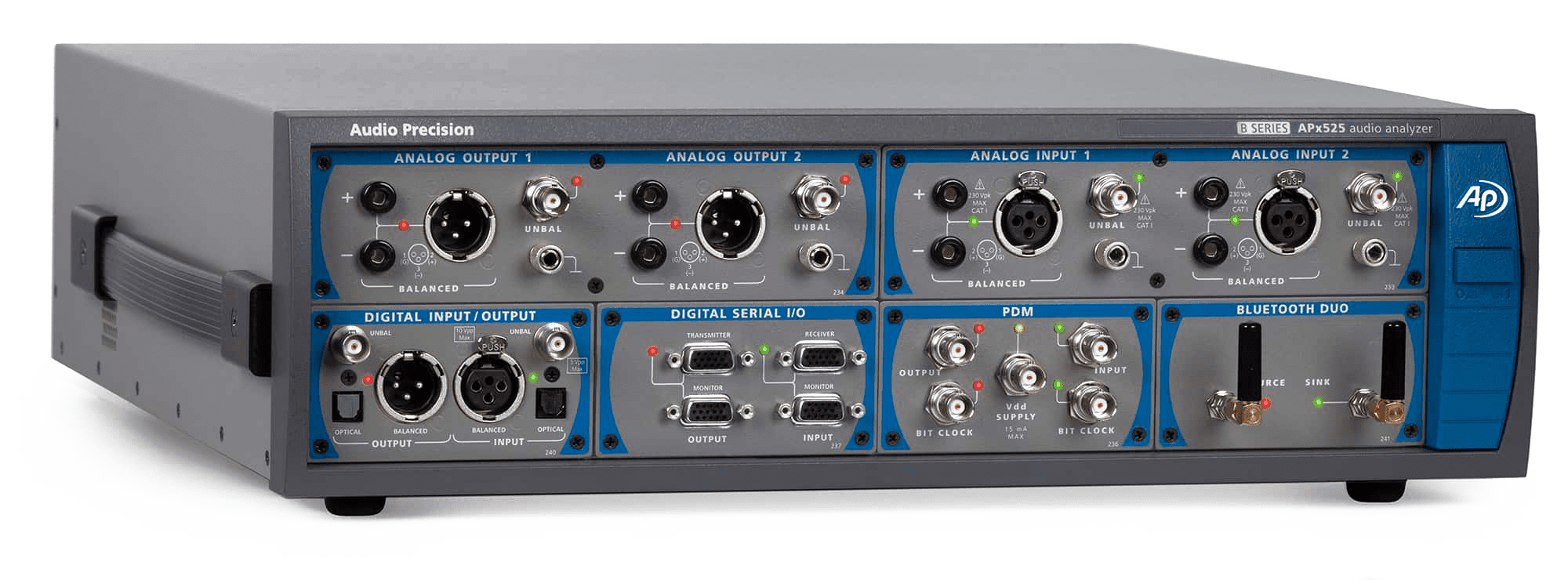
When working with professional audio systems, mobile devices o sound barsto accurately measure latency, frequency, and other quality parameters—for example, how to measure latency— It's not a whim, it's an absolute necessity. In R&D and production environments, small errors in these measurements can translate into defective products, returns, or, quite simply, a poor user experience that undoes months of work.
The family of audio analyzers Audio Precision APx and APx500 software It has become a benchmark precisely because it allows for the automation, documentation, and sharing of complex audio evidence with a reliability Extremely high. From the complete characterization of speakers and microphones to the perceptual evaluation of voice quality (PESQ and POLQA), including the measurement of latency and frequency response, everything can be integrated into a coherent, scalable and easy-to-maintain workflow.
What is APx500 and why is it so powerful for measuring audio?
The heart of the ecosystem is the APx500 measurement softwareIt acts as an advanced graphical interface for controlling the APx series analyzers. It's not simply a program for running frequency sweeps: it allows you to create truly complex test procedures, with step-by-step user guidance, automatic pass/fail limits, and calls to external applications to integrate the test into a production line or a complete laboratory bench.
One of the strengths of the APx500 environment is that This entire workflow is built from the GUI itself.without the need for programming from scratch. The technician can define sequences, configure signal paths, apply limits, generate reports, and automate the process from a single interface, saving time, reducing human error, and greatly simplifying future updates to test procedures.
Furthermore, the APx ecosystem is designed to make testing fully portable between different analyzer unitsAutomation projects, sequences, and scripts can be shared with other APx located anywhere in the world, which is key when R&D and production teams work in coordination but are geographically separated.
Behind this flexibility lies a comprehensive API that allows engineers create custom user interfaces and integrate APx with other applicationsThe documentation is extensive and includes ready-to-use examples in Visual Basic .NET, C#, MATLAB, LabVIEW, and PythonThis makes it relatively easy to fit APx measurements into larger test systems or internal tools of each company.
This open platform approach, with a powerful GUI and Extensible API for automationThis is what has established APx500 as one of the most advanced audio measurement solutions for those who need rigor and, at the same time, practicality in their daily work.
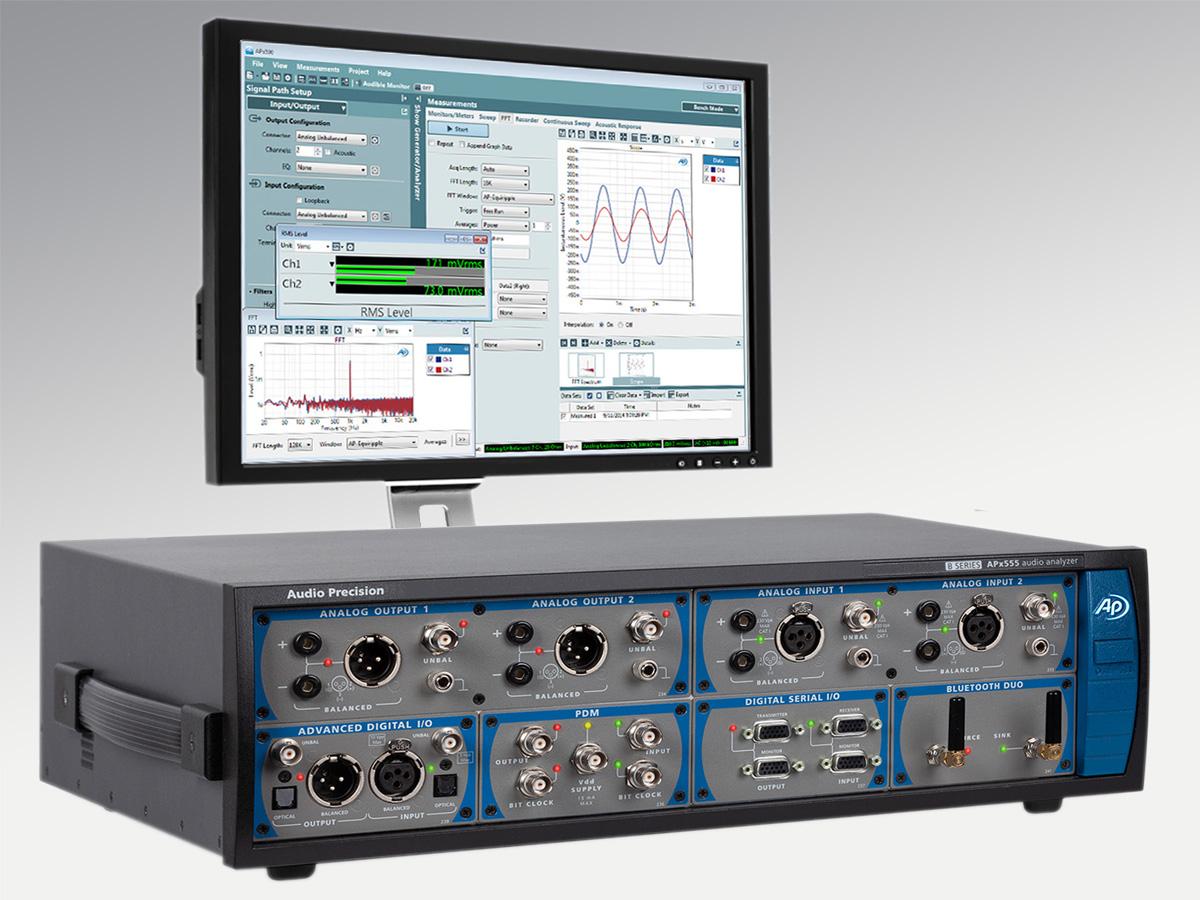
User interface: Bench Mode, Sequence Mode and key panels
The APx500 offers two main ways of working that cover both rapid laboratory tests such as automated sequences These are used in production or formal validation: Bench Mode and Sequence Mode. Each working mode is designed for a different type of task, but they share the same philosophy of a clear, measurement-oriented interface.
In the call Bench ModeThe analyzer is used like a classic test bench: the user interactively configures the signal generator, acquisition, and analysis parameters, viewing the results in real time. It is ideal for initial explorations, diagnostics, and fine-tuning, for example, when debugging the frequency response of a new speaker prototype or checking the latency of a newly implemented firmware.
Furthermore, the Sequence Mode is geared towards automation The user creates a complete sequence of steps containing signal paths, specific measurements, and the results to be saved or evaluated. This list of steps is executed systematically each time the test is run, ensuring repeatability across different teams, work shifts, and production plants.
The interface organization facilitates this sequential approach through several fundamental panels. The first is the NavigatorThis displays the user's sequence in a structured way: the signal paths to be tested, the measurements associated with each, and the results to be recorded. From here, the entire measurement flow can be added, removed, or reordered, almost as if a test script were being created.
Another key area is the measurement configuration panelThis is where the generator and analyzer are configured. Here, parameters such as the test signal type (sine, noise, sweep, etc.), frequency range, amplitude, input levels, sampling rates, and advanced acquisition and analysis options are defined. This panel allows the engineer to fine-tune the test for each specific use case, from highly demanding distortion measurements to simple continuity checks.
Completing the interface is the bar of monitors and meterswhich provides a quick overview of the system status: knowing how to choose a good oscilloscopeReal-time FFT, meters, auxiliary inputs and outputs, status bits, dedicated monitors for HDMI, Bluetooth, PDM, and clock, among others. This bar is especially useful when working with complex devices (for example, soundbars with multiple digital inputs) and you need to have a clear understanding of what's happening on each interface at all times.
At the top, the menus and toolbars bring together file functions, display options, measurement selection, and shortcuts to the most frequent tasks. This is where global project properties are adjusted, windows are organized, and system help is accessed, further simplifying the learning curve for new users.
Automation, APIs, and training: getting the most out of APx
One of the platform's great added values is the end to end automationThe sequences allow for the definition of highly detailed procedures with instructions for the operator, automatic limit checks, and final report generation. Furthermore, the API enables the launching of tests from other applications, the collection of results, and the making of system-level decisions, such as marking a production unit as valid or rejected.
The APx API is designed with the integration with different languages and development environmentsThe guides and examples provided for Visual Basic .NET, C#, MATLAB, LabVIEW, and Python make the task easier for both software teams and testing and validation teams, who often have to collaborate closely to ensure that the production line and laboratory benches behave consistently.
This automation capability not only saves time, but, when used properly, It drastically reduces variability between measurements.The same sequences and scripts can be run at different locations, with different operators and in multiple shifts, with the assurance that exactly the same steps, limits and acceptance criteria are followed.
To help both new users and experienced engineers, Audio Precision offers the training video series “Audio Test Sessions with APx”Unlike the classic “Quick Tip” videos, these are more in-depth tutorials on specific audio measurement topics and various applications, from the initial setup of APx to Tricks lesser-known factors that can make a difference in daily practice.
In the inaugural session, for example, engineer Eric Schultheis performs a very comprehensive introduction to the APx500 softwareThe video explains the differences between Bench Mode and Sequence Mode in a practical way and covers the most useful functions of the interface. Throughout the video, it reveals shortcuts, tips, and small configuration details that greatly facilitate daily work in the lab and production environments.
In addition, this first session reviews the basic configurations of signal routing, incorporation of measurements and results, execution of sequences, and report generationIt also shows how to work with the test suite known as the “Big Six”, a group of six fundamental measurements that comes included by default in APx projects and covers the most common needs for characterizing audio devices.
This training approach allows both the technician who has just arrived in the department and the engineer with years of experience to quickly get up to date on best practices with APx, identifying less obvious interface functions and getting more out of advanced analysis tools.
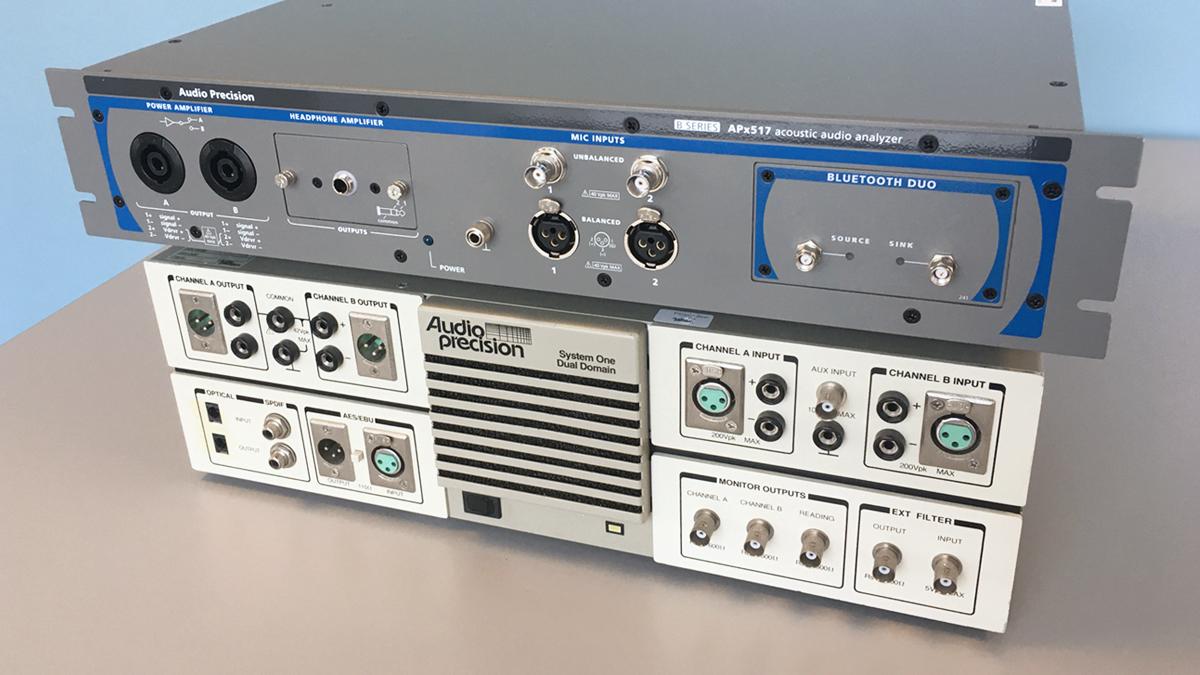
Applications: sound bars, speakers, mobile phones and hands-free devices
The APx family of analyzers has earned a preferred niche in sectors where products combine electronics, speakers and digital signal processingThis is the case with soundbars, professional audio speakers, smartphones, and hands-free devices, among many others. In all these cases, latency, frequency response, and voice quality are critical parameters that must be closely monitored.
In the design phase, engineers use APx to to thoroughly characterize the electroacoustic behavior of the transducers and loudspeakers, adjusting filters, DSP, and overall system architecture. Once the product approaches the industrialization phase, the same tools are reused to validate pre-production prototypes and define the test plans that will be applied later in the factory.
Already on the assembly line, many manufacturers rely on AP for the reliability of hardware and the ease of use of the software. In a context where There Each test cycle counts, so having fast, clear sequences for the operator with well-defined limits is essential. APx analyzers allow for very complete electrical and acoustic checks to be performed in just a few seconds.
The software options geared towards electroacoustic testing collectively form a comprehensive end-to-end solutionIt is possible to measure frequency response, distortion, impedance, sensitivity, detection of extraneous noise (Rub & Buzz), and many other parameters in a single coherent environment. Projects and results are easily shared between design and production teams, helping to maintain consistent quality standards.
This ability to share measurements, reports, and automation between all members of the APx analyzer family It allows companies with plants on different continents to ensure that the same standards are applied and, if a problem arises in the field, to trace its origin by comparing historical laboratory and production data.
Software options for R&D: APX-SW-SPK-RD
For research and development teams that need to delve deeply into the behavior of their loudspeakers and electroacoustic systems, AP offers the software option APX-SW-SPK-RDThis license expands the capabilities of the APx analyzers with a very complete set of measurements and results specifically designed for the design phase.
One of the pillars of this option is the complete characterization of the Thiele-Small parametersThese parameters are essential for the design of acoustic enclosures and optimized loudspeaker systems. APx allows you to obtain these parameters accurately and repeatedly, integrating the measurement into the rest of the project's testing workflow without needing to use external software.
In addition, APX-SW-SPK-RD includes the ability to perform quasi-anechoic acoustic response measurements with time windowBy using a limited analysis time, room reflections are eliminated, or at least greatly reduced, allowing the speaker's behavior to be approximated as if it were in an anechoic chamber, which is very useful when this type of specialized installation is not available.
The package also offers advanced tools for impedance analysisThese measurements, both in magnitude and phase, are key to detecting design or manufacturing problems in transducers and passive filters. From unexpected resonance peaks to impedance variations due to batch changes, this type of measurement helps maintain control over product consistency.
In addition to all this, there are the typical speaker production test measurementsThis allows the R&D team to develop and verify in the lab the exact same tests that will later be run in the factory. This reduces surprises when scaling up manufacturing and allows for adjusting limits and approval criteria with real data from the outset.
Production options: APX-SW-SPK-PT and high-speed testing
In the manufacturing environment, where time and repeatability are paramount, the software option comes into play. APX-SW-SPK-PTThis license is intended for high-speed production testing of electroacoustic devices, allowing a sweep with all key measurements for most loudspeakers to be run in just one second.
Thanks to this option, it is possible to get it in a single test. essential speaker parameters such as Rub & Buzz detection, essential Thiele-Small values, as well as impedance magnitude and phase. All of this is integrated into automated sequences with clear boundaries, so that each unit passing through the line is instantly classified as valid or rejected.
detection of Rub & Buzz is crucial for identifying mechanical defects In the transducer, issues such as coil rubbing, misalignment, or assembly problems can cause very annoying nonlinear noise even if all other parameters appear correct. APx automates this detection, reducing both the reliance on subjective listening and the likelihood of a defect slipping through the net.
Another differentiating aspect of APX-SW-SPK-PT is the inclusion of a patented modulated noise measurementDesigned to detect air leaks in the acoustic enclosure. This type of defect can be difficult to locate with simple frequency sweeps, but modulated noise reveals it more reliably, helping to ensure the mechanical integrity of each unit.
By combining these capabilities with sequence automation, manufacturers can to perform an extremely thorough quality control in very tight timeframesThis is essential when producing large volumes of speakers, sound bars, or similar products.
Measurement microphones and accessories for acoustic testing
For measurements of latency, frequency, and other parameters to be truly reliable, a good analyzer is not enough: you need... microphones and quality testing accessoriesAudio Precision complements the APx analyzers with a family of high-precision measurement microphones and various acoustic testing accessories, designed to integrate seamlessly into the APx workflow.
Among these accessories, the following stand out: APx1701 transducer test interfaceThis greatly simplifies the connection and operation of loudspeakers and other electroacoustic devices during testing. This interface is optimized for use with APx, simplifying cabling, levels, and load conditions, thus reducing the operator's margin of error.
The availability of calibrated measuring microphones and specific accessories makes it possible both in an R&D laboratory and in a noisy production line so that consistent, comparable, and useful data can be obtained for decision-making. After all, the best analyzer in the world isn't very useful if the sensor capturing the sound isn't up to par.
Advanced graphics tools: waterfall (CSD) and polar
To truly understand how an electroacoustic system responds, a static frequency response graph is often insufficient. That's why AP complements basic measurements with advanced visual tools such as waterfall charts (CSDs) and polar diagrams, which help to visualize the evolution of the response in the time and space domain.
Utility APx Waterfall Plot It allows the creation of three-dimensional graphs that display multiple data curves, representing changes over time or frequency. Classical spectrum or cumulative spectral decay (CSD) views can be generated by adjusting parameters such as FFT length, number of slices, and samples per shift. This type of representation is especially useful for analyzing resonances and natural modes that affect perceived sound.
For its part, the utility APx Polar Plot It displays the response of speakers and microphones as a function of the angle within a given plane. It is compatible with various brands of turntables, allowing for full-circle, semi-circle, quarter-circle, or custom configurations, depending on the test requirements and the available space in the laboratory.
These tools, taken together, offer a much richer view of electroacoustic behavior than a simple pair of magnitude-frequency graphs. They allow you to see how the system behaves at different angles, how certain resonances evolve over time, and what impact they can have on the actual listening experience.
It is important to note that both APx Waterfall (CSD) and APx Polar Plot They are available for free download These utilities are available from the Audio Precision website for registered users, but require the SPK-RD software option to be installed on the APx analyzer with which they will be used. This license enables the advanced features necessary to take full advantage of these utilities.
Auditory-perceptual tests: PESQ and POLQA
Beyond frequency response or total harmonic distortion, in many modern applications it is important to measure how the user perceives the quality of the transmitted voiceThis is where the PESQ and POLQA metrics come into play, which AP integrates into its platform to objectively assess the quality of voice communication systems.
The measurements PESQ (Perceptual Evaluation of Speech Quality) y POLQA (Perceptual Objective Listening Quality Analysis) These algorithms are designed to test voice quality in mobile phones, VoIP networks, and hands-free devices. They compare a reference signal with the signal degraded by the system under test and return a Mean Opinion Score (MOS) that correlates very well with average human opinion in listening studies.
Integrating PESQ and POLQA within APx allows audio and telecommunications engineers evaluate the impact of codecs, networks, echo cancellation algorithms, and other processing Regarding perceived quality, there's no need to assemble listener panels every time a change is made. This streamlines design iterations and allows for an objective comparison of improvements or declines from one version to another.
These perceptual tests are especially relevant when fine-tuning products such as Hands-free systems for cars, smart speakers, or conference systemswhere intelligibility and listening comfort matter as much as, or even more than, pure fidelity. Having these metrics integrated into the same APx environment where levels, latency, and frequency response are measured helps provide a complete view of the system's behavior.
With all these components—advanced electroacoustic measurements, rapid production testing, graphical utilities, API-based automation, and perceptual metrics—the APx family and APx500 software are consolidated as a very complete platform for designing, validating and manufacturing audio productsWhether it's measuring latency and frequency in a soundbar prototype or monitoring the quality of thousands of speakers a day, the ecosystem offered by Audio Precision covers the entire value chain from start to finish with technical rigor and tools designed for real-world work.

Passionate writer about the world of bytes and technology in general. I love sharing my knowledge through writing, and that's what I'll do on this blog, show you all the most interesting things about gadgets, software, hardware, tech trends, and more. My goal is to help you navigate the digital world in a simple and entertaining way.