- Today it is possible to sign PDF from the mobile with multiple apps and security levels, from simple signatures to advanced digital signatures.
- Tools such as SignEasy, DocuSign, Adobe, SignNow, iLovePDF or PortaSigma allow you to sign, request signatures and manage documents in the cloud.
- Electronic signatures have legal backing and provide time savings, process control, and greater security in procedures and contracts.

Today we carry our work, banking, dealings with government offices, and even our daily shopping in our pockets. It's no wonder that more and more people are wondering how. Sign a PDF on your mobile phone without having to print anythingWithout a scanner and without chasing anyone to get a pen. Our mobile phone has become our little portable office.
The best part is that we're no longer talking about strange or complicated solutions: they exist Very simple apps for signing documents from your mobile phoneboth in Android as in iPhoneThese options range from a simple fingerprint to advanced digital signatures with enhanced legal validity. Let's take a detailed look at all the available choices, how to use them, and when each one is most suitable.
Signing documents with your mobile phone: what you can do today
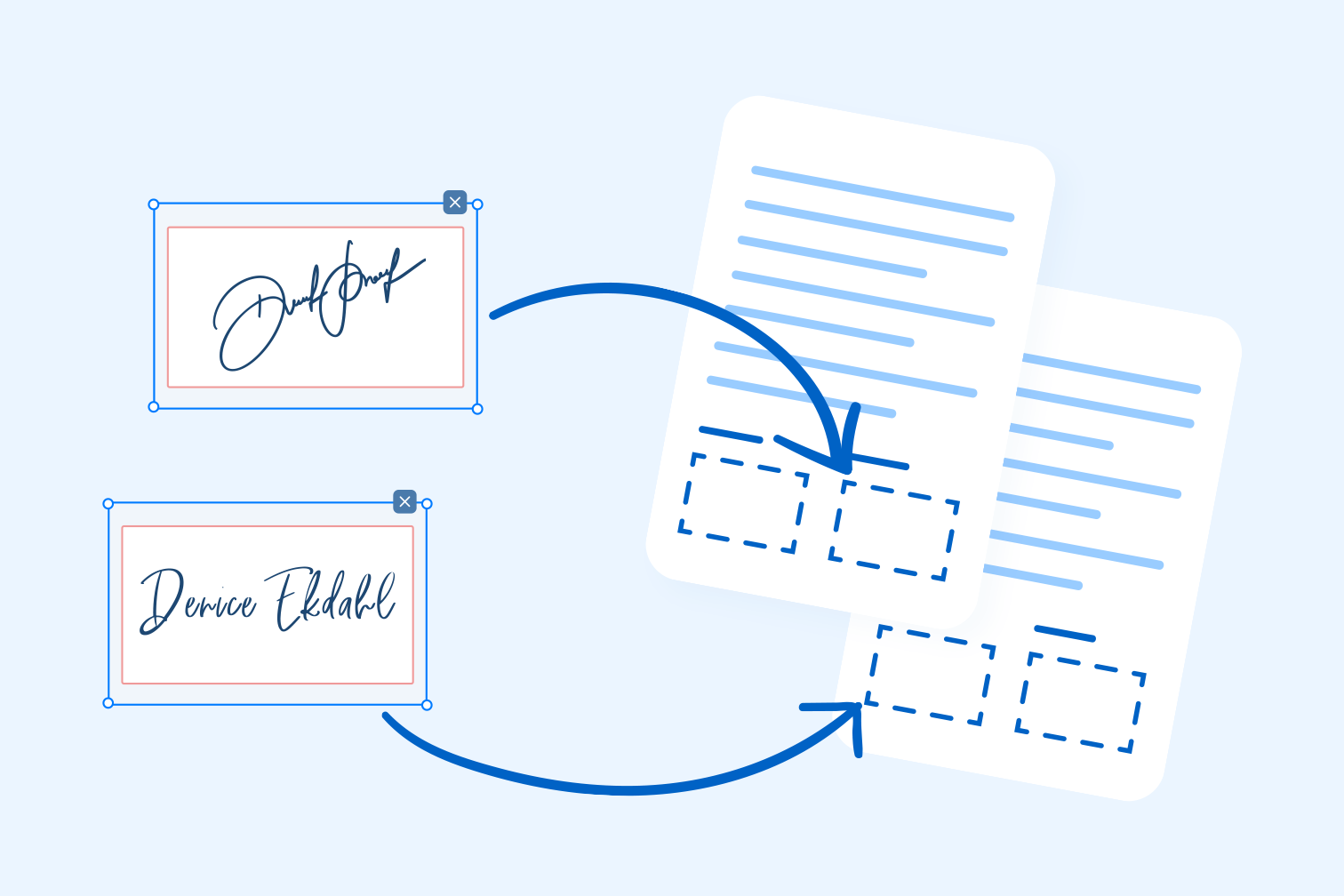
Phones and tablets have gone from being a simple device for making calls to becoming Key tools for managing documents, contracts and proceduresJust as you already make transfers or book medical appointments from your mobile phone, you can also Sign PDFs and other file formats without paperwork involved.
Until not so long ago, it was common practice to print the document, Sign it by hand, scan it, and send it back.A slow process that wastes paper, ink, and time. Today, thanks to electronic signature apps and current regulations, you can Leave your signature in a 100% digital format and that it is fully valid for most everyday and professional tasks.
In Spain, since the 6 / 2020The use of electronic signatures as a valid method for authenticating digital documents is being reinforced. Depending on the level of security you require, you can choose from simple, biometric or advanced electronic signatures with digital certificate, all of them achievable from your mobile phone with the right tools.
Furthermore, many of these applications are not limited to PDFs: they allow sign WordExcel files, images, and other file types, store documents in the cloud, request signatures from other people and keep very fine control of the status of each procedure.
Types of electronic signatures you can use from your mobile phone
Before choosing an app, it's important to understand what types of companies you'll find, because not all of them offer the same thing. level of security and legal validityOn mobile, in practice, you'll mainly see these types of apps:
The most basic one is the simple electronic signatureThis usually consists of a signature drawn with your finger on the screen or an image of your signature inserted into the PDF. It's very useful for low-risk documents (for example, a school form or an internal authorization) and is the one offered by many general apps as a quick option.
One step further is the biometric signatureThis system collects data about your signature strokes (speed, pressure, rhythm) and associates them with the document. This type of signature, widely used by solutions like PortaSigma, reinforces the identification of the signatory and it is more robust in the face of potential disputes.
Then we found the advanced electronic signaturewhich usually combines a two-factor authentication system (for example, sending a code to your mobile phone or verification by email) with a digital certificate Issued by a trusted entity. This is the one used when required greater legal certainty, such as certain more sensitive contracts or agreements.
Finally, the call digital signature with timestamp And to comply with regulations such as eIDAS, ESIGN, or EUTA, it adds a certified timestamp and encryption system that guarantees the document's integrity and the exact moment it was signed. Tools like iLovePDF offer this option for business contracts and regulated documents.
Mobile apps for signing PDFs: the most complete
There are many alternatives, but some have become true benchmarks for their ease of use, compatibility, and security. Let's review the main options for sign PDFs on Android and iOSwhat they contribute and in what cases they shine the most.
SignEasy: self-signing, in-person signing, and remote signing
SignEasy is one of the best-known apps when it comes to Sign and fill out documents from your mobile phoneIts strength lies in its ability to cover various scenarios: you can sign yourself, have someone sign on your device, or send the document to another person to sign remotely.
With SignEasy you can sign, complete and send documents in multiple formatsPDFs, Word documents, Excel spreadsheets, text files, Pages files, JPG or PNG images, and more. This means you don't have to convert everything to PDF beforehand; the app itself will adapt it so you can add your signature and other information.
If you already have your signature scanned on paper, the application allows Upload an image to use as your signatureIt also includes on-screen autosignature options, so you can Draw your signature with your finger or with an electronic pen and reuse it as many times as you want.
In terms of file management, SignEasy integrates with the main services of storage on the cloud: Dropbox, Box, Evernote and othersThis way you can easily import documents from any device and keep them synchronized, always under a secure connection. SSL encryption to protect what you send and store.
Regarding the usage model, SignEasy offers a seven day free trialAfter that time, to continue using all its features you will have to opt for a monthly or annual subscription, or purchase a prepaid signature package, according to what suits you.
DocuSign: one of the most widespread solutions
DocuSign is practically a de facto standard in the world of professional electronic signaturewith millions of users worldwide. From its mobile app you can complete and sign PDFs and other documents, as well as request the signature of other peopleeither in person on your device or by sending them an email with the link to the document.
The app supports PDF, Word, Excel and images (JPEG, PNG, TIFF, among other formats)This makes it very flexible for the day-to-day needs of businesses and freelancers. Like other powerful solutions, it integrates with cloud services such as Dropbox, Box, Google Drive, Evernote, or Salesforce so you can access your contracts and forms from anywhere.
In terms of security, DocuSign incorporates Advanced encryption and privacy settings optionsThis allows for different levels of protection to be established depending on the type of document. This is particularly useful when handling sensitive data or working in regulated sectors.
One of the great advantages of DocuSign is that it has a Free version with unlimited signaturesIdeal if you want to try the tool or if your needs are temporary. If you find it insufficient later, you can upgrade to one of the paid plans, which add... additional features and higher shipping volume.
SignNow: document signing and tracking
SignNow focuses on making the process very easy. Convert any file or image into a signable PDFYou can upload a document from your email, from the cloud, or even take a photo with your phone's camera, and the app It will automatically convert it to PDF. so you can edit it.
Once converted, SignNow lets you Fill in fields with text, add dates, and sign your name with your fingerThe workflow is quite straightforward, designed so that in just a few taps you have the document ready to send or archive.
Like other similar applications, SignNow integrates with cloud storage services and allows you to send documents to other people for them to sign. Its distinguishing feature is that it includes a tracking system with notificationsso you'll know when each recipient has signed and the document is complete.
According to the company itself, security is protected with bank-level encryptionThis is highly valued if you're working with sensitive information or important contracts. It reinforces confidence when using the tool in business environments.
The free version of SignNow offers basic features and includes the possibility of signing a limited number of documents per monthIf that falls short, you can subscribe to a paid plan to increase both the document limit and the advanced options available.
Adobe solutions for signing PDFs on mobile devices
When discussing PDFs, it's impossible not to mention Adobe, the format's creator. The company offers several tools that facilitate [PDF creation]. fill out and sign documents directly on your mobile phone or tablet, both for users who just want something quick and for those who need to work more intensively with PDFs.
Adobe Fill & Sign: Fill out forms and sign on the fly
Adobe Fill & Sign is an app designed for those who need easily fill out and sign PDF formsThe idea is that you don't have to complicate things: you open the document, enter the necessary data and add your signature in a matter of seconds.
One of its most practical functions is that it allows to take a photo of a paper document to convert it into a digital fileFrom that capture, the application generates a document that you can fill out, sign and mail or save to the cloud, without going through a traditional scanner.
Regarding the signature, you can Draw your signature with your finger or with an electronic pen and also save your initials to quickly insert them wherever needed. It's a very intuitive tool, ideal for users who want Something quick and free without subscriptions.
The main drawback is that It doesn't offer as many advanced security features or signature workflow management like other more professional platforms. Even so, for everyday tasks and documents of lesser legal significance, it is usually more than sufficient.
Adobe Acrobat Reader on mobile: step-by-step tutorial
Another very popular option for signing PDFs from your phone is to use the official app of Adobe Acrobat Reader on Android or iPhoneMost users associate it only with reading documents, but it also allows you to sign them with your own hand very easily.
The first step is to download the application from Google Play or the App Store and sign in with an account (You can use your Google, Apple, or other account) Facebook or one from Adobe). After accepting the terms of use, the app will be ready to work with your PDFs.
On the home screen you will see the most recent PDF documents that the application has detected on your mobile device. If the file you want to sign is one of the most recently downloaded, it will usually appear there. Otherwise, you can tap the "+" icon and open it from your file explorer or cloud storage.
Once the document is open, an options bar appears at the bottom of the screen. There you must choose "Fill in and sign"Then, tap on the feather-shaped icon located on the right and select the option “Add signature”.
The application will display a screen where you can draw your signature with your fingerWhen you're satisfied, tap "Done" and return to the document: simply place your signature in the desired area by tapping the specific point on the PDF. From there you can save the file and share it by mail, courier or other means.
As an added tip, you can do so from within the Google ecosystem itself. Scan documents with the Google Drive appThis way, using only your mobile phone, you can scan the paper, generate the PDF and sign it with Adobe Acrobat Reader, completely avoiding the printer.
Sign without installing anything: mobile tools and web solutions
You may not want to install any more apps, or you may only need to sign a document on timeIn that case, you have several alternatives that work without too many complications, either using tools included in the operating system or resorting to web solutions.
Signature feature on iPhone: no additional apps required
If you have an iPhone, Apple includes a built-in feature that allows you to Insert a signature into a PDF from the Files app, Mail, or other compatible apps.It's a very useful option when you don't want to deal with third-party applications.
The flow is simple: you open the document and click on the icon that looks like the tip of a penThis opens the markup tools panel. Then tap the “+” symbol and choose "Firm"A box will appear where you can draw your signature with your finger or, if you have already created it, select it from the list of saved signatures.
Once created or selected, you just have to place the signature in the appropriate place in the PDFAdjusting the size with your fingers if necessary. It's quick and convenient, although its The level of security is rather basic and it looks very similar to a typical screen-drawn signature.
PortaSigma: a web platform with different levels of signature
When you need something more professional, with greater legal certainty and traceabilitySolutions like PortaSigma come into play. It's a web platform that can be integrated into all types of organizations and allows Certify documents without requiring user registration for each procedure.
PortaSigma operates in the cloud, which means that You don't have to download or install any software On your mobile device. You access it through your browser; the server manages the documents, and they are stored there. stored in a secure and confidential environment, accessible whenever you need it.
The great advantage of this tool is that it lets you choose from several electronic signature modelsdepending on the level of legal certainty required by each process. It has basic electronic signature, biometric signature, advanced signature with two-factor authentication, and signature with centralized digital certificate.
In addition, the platform offers functionalities of control and monitoring of signaturesFor example, you can set up notifications to receive an alert when someone has signed a document, which helps you know at all times what status each task is in and speed up internal processes.
iLovePDF: Sign PDFs online and from your mobile device
iLovePDF is a well-known online suite for working with PDF documents, which includes a free digital signature tool Very comprehensive. It's useful for professionals and companies, as well as for students or people who only need to sign a document occasionally.
The PDF signing tool makes document authentication as simple as possible: it allows you to Add your signature and also request signatures from other peopleThe entire process is done from the browser or the mobile app, with a very intuitive interface.
With iLovePDF's "Sign PDF" function you have Three different ways to create your signatureYou can type it as text, draw it with your mouse or touchpad, or upload an image of your signature (scanned or photographed). Once created, you will be able to reuse it in all the PDFs you need.
To use it, the procedure is simple: upload the document you want to sign, create your signature using your preferred method, and insert it where appropriate in the PDF. It's not just for invoices or forms, but also for... more serious contracts and agreements, thanks to its advanced options.
The tool distinguishes between simple electronic signature and digital signatureThe first is a digital version of your handwritten signature, perfect for documents with little legal implications (for example, a school consent form). The second adds a eIDAS certified timestamp and complies with regulations such as ESIGN, EUTA and eIDAS, which makes it suitable for NDAs, business contracts, and regulatory documents.
If you need someone else to sign a contract, iLovePDF allows you to do so. send signature requests by emailThis feature requires creating an account and logging in with your credentials. From your dashboard you will be able to track the status of each signature request and manage the entire flow centrally.
In addition, iLovePDF offers a mobile app for iOS and Android from which you can Sign PDF documents and forms in secondsThe mobile version is more basic than the web tool, but sufficient for signing on the go from anywhere.
Specific apps for signing PDFs on Android: example of Sign PDF
On Android there are also applications focused almost exclusively on one thing: allow you to sign a PDF quickly, for free and without dizzinessA good example is the app “Sign PDF: Free, Quickly and Easily”, which illustrates very well what this type of lightweight tool offers.
The goal of this type of app is that, in just a couple of steps, Select the document, add your signature, and share or save it.No registration, no mandatory subscriptions, and no need to go through external servers if you don't want to.
In the specific case of Sign PDF, the app generates the signatures directly on your device and keeps the documents always on the mobile, with support even for offline operation. This means that It does not use cloud storage or external serversThis is interesting if privacy is your priority.
It also serves as basic PDF viewer and editorSo, in addition to signing, you can make minor modifications to the document. The interface incorporates a advanced signature panel which quite effectively mimics the feel of a real pen signature, preventing it from looking like a simple doodle from a drawing app.
Another useful feature is the selective import of documents using the native Android selectorInstead of requesting general access to all your files, the app lets you choose which specific PDF you want to open, and you can also import it from Google Drive, Dropbox, and other sources.
As an extra, it admits password protected documentsThe app will ask for the key, decrypt the file so you can sign it, and then re-encrypt it while maintaining the original permissions. It also lets you choose the color of the signature's "ink" (blue, black, red, green, etc.) to make it look like your usual pen.
Electronic signature applications for the Administration: AutoFirma and company
In addition to commercial tools, there are also solutions offered by public administrations for Sign electronic documents with a digital certificate, especially geared towards official procedures.
A well-known example in Spain is AutoSignatureThe Administration's signature application. It is designed for sign virtually any type of electronic documentovercoming the limitations of programs like Word or Adobe, which only sign their own formats and require the recipient to have the same application to verify the signature.
Specific signature tools, such as AutoFirma, can download for free and allow the addition of an electronic signature recognized by government systems. Although traditionally used more on computers, they also exist mobile adaptations and apps or web demos that allow you to test the signature from your phone.
In one of these web testing environments you can, for example, Choose the signature format and select the file you want to sign.or even work with sample data or simple web forms. These solutions are designed to ensure that the firm complies with regulations and to to ensure the identity of the signer and the integrity of the message.
Advantages of signing documents with your mobile phone
Adopting electronic signatures from mobile devices is not just a matter of convenience; it has a direct impact on times, costs and process controlwhether you work for yourself or are part of an organization.
First, there is the time and resource savingsBy eliminating paper and constant printing, you reduce material costs (paper, ink, printer maintenance) and drastically shorten the cycle of preparing, signing, and returning each document. The time you no longer spend on repetitive tasks can then be used for other purposes. higher value and productivity activities.
Furthermore, many of these platforms, especially professional ones like PortaSigma or iLovePDF, offer greater control over the signing processYou can see who has signed, who is missing, when the document was sent, and receive Real-time notifications when a signature is completedwhich helps to make decisions faster.
Another key point is the elimination of unnecessary waiting. In procedures where There It's crucial, as with accepting quotes or signing service contracts; having a digital signature drastically reduces processing times. This makes it easier close deals faster and improve the customer or employee experience.
Finally, electronic signatures contribute to a More organized and secure document managementBy centralizing documents in the cloud or on dedicated servers, with encryption and action logging, the risk of loss is minimized, traceability is improved, and regulatory compliance is facilitated, which is especially important in regulated sectors.
Signing PDFs on your mobile phone has gone from being a one-off trick to a standard way of working: from quick signatures drawn with your finger in apps like Adobe Fill & Sign or the iPhone tool, to more comprehensive solutions like SignEasy, DocuSign, SignNow, iLovePDF, or PortaSigma, and even specific government applications like AutoFirma. Choosing the right tool, signature type, and security level will allow you to... Complete procedures, contracts and transactions with a single tap of the screen, saving time, paper and headaches.


Passionate writer about the world of bytes and technology in general. I love sharing my knowledge through writing, and that's what I'll do on this blog, show you all the most interesting things about gadgets, software, hardware, tech trends, and more. My goal is to help you navigate the digital world in a simple and entertaining way.